
AI Crochet Pattern Generator
A blanket is eighty hours and sixty dollars of yarn, and the moment you find out whether the colours actually work together is somewhere around row forty. That is the problem this AI crochet pattern generator solves: upload a photo or describe the project, pick a treatment, and see it rendered as real worked yarn in about twenty seconds at up to 4K — graphgan, amigurumi, granny squares, tapestry, filet or a colourwork garment. Settle the design while changing your mind still costs nothing, then chart it and buy the yarn.
Try It Now — Free
Upload a photo — a pet, a landscape, a colour palette you like — and pick the construction you actually intend to crochet. The treatments are not just looks: a graphgan is worked as a grid of single crochet, amigurumi is worked in spiral rounds, granny squares are made in pieces and joined, and filet is an open mesh with cells filled in. Each preset asks for visible yarn and real stitch texture so you can judge how the subject survives being made of loops.
AI Crochet Pattern Generator
Upload a photo or describe a project, choose a crochet construction, and see it rendered in real yarn at up to 4K
Upload a clear photo with one strong subject — plain backgrounds and simple shapes translate into yarn far better than busy ones
Designs From the AI Crochet Pattern Generator
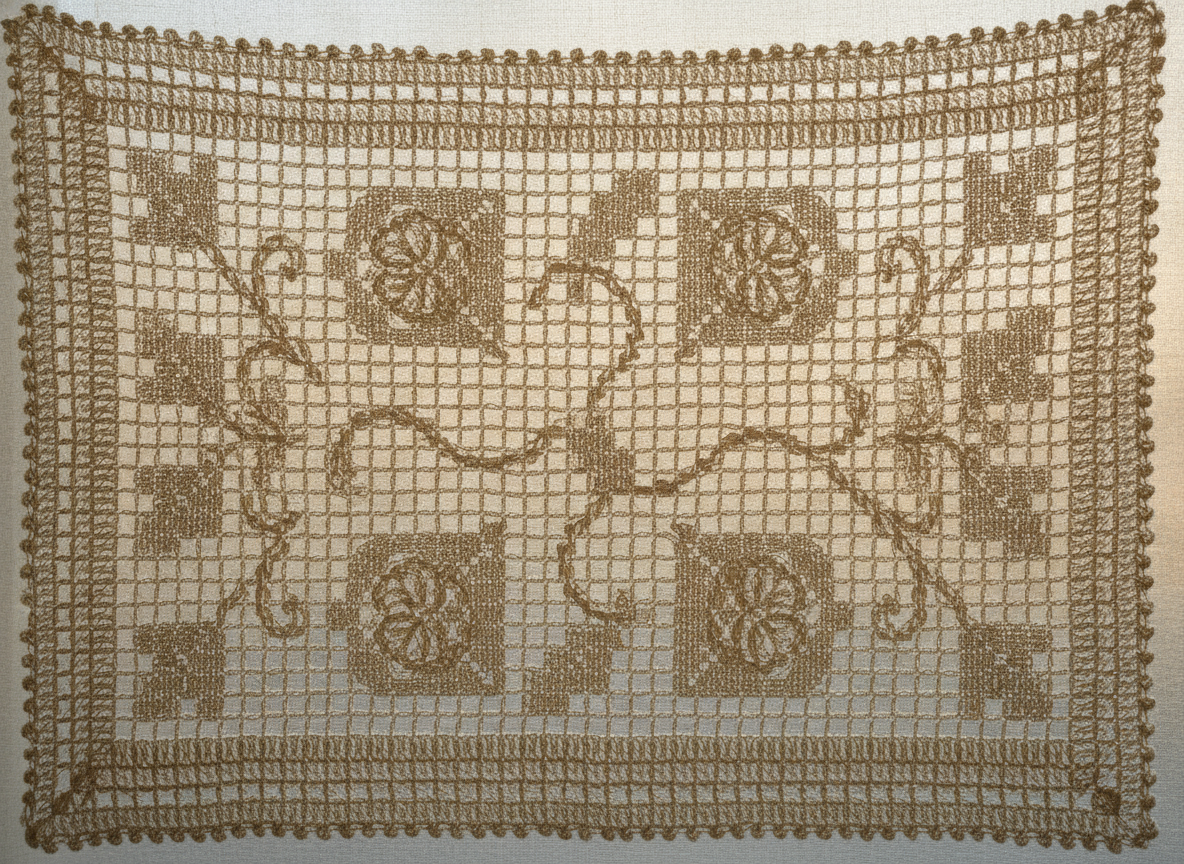
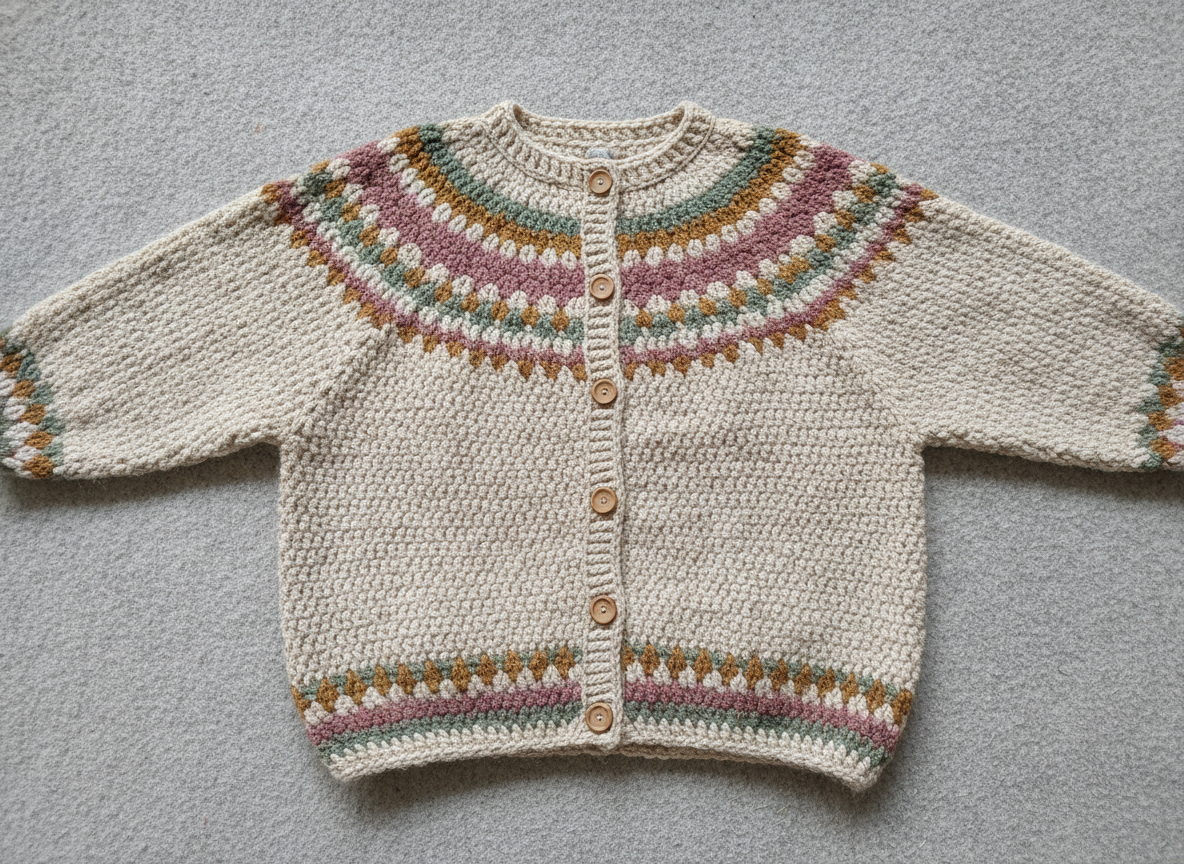
A graphgan landscape, an amigurumi animal, a granny square blanket, a tapestry panel, filet openwork and a colourwork cardigan — six constructions showing how differently the same craft behaves
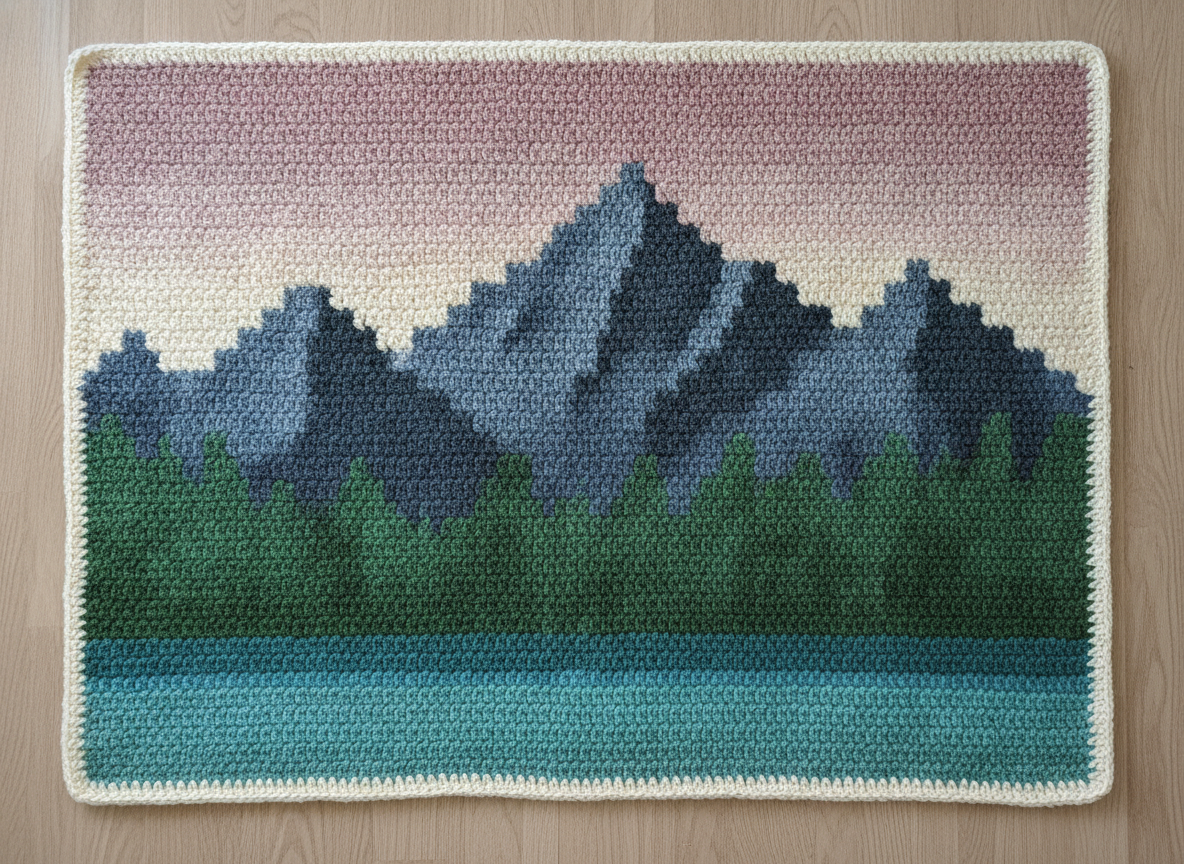
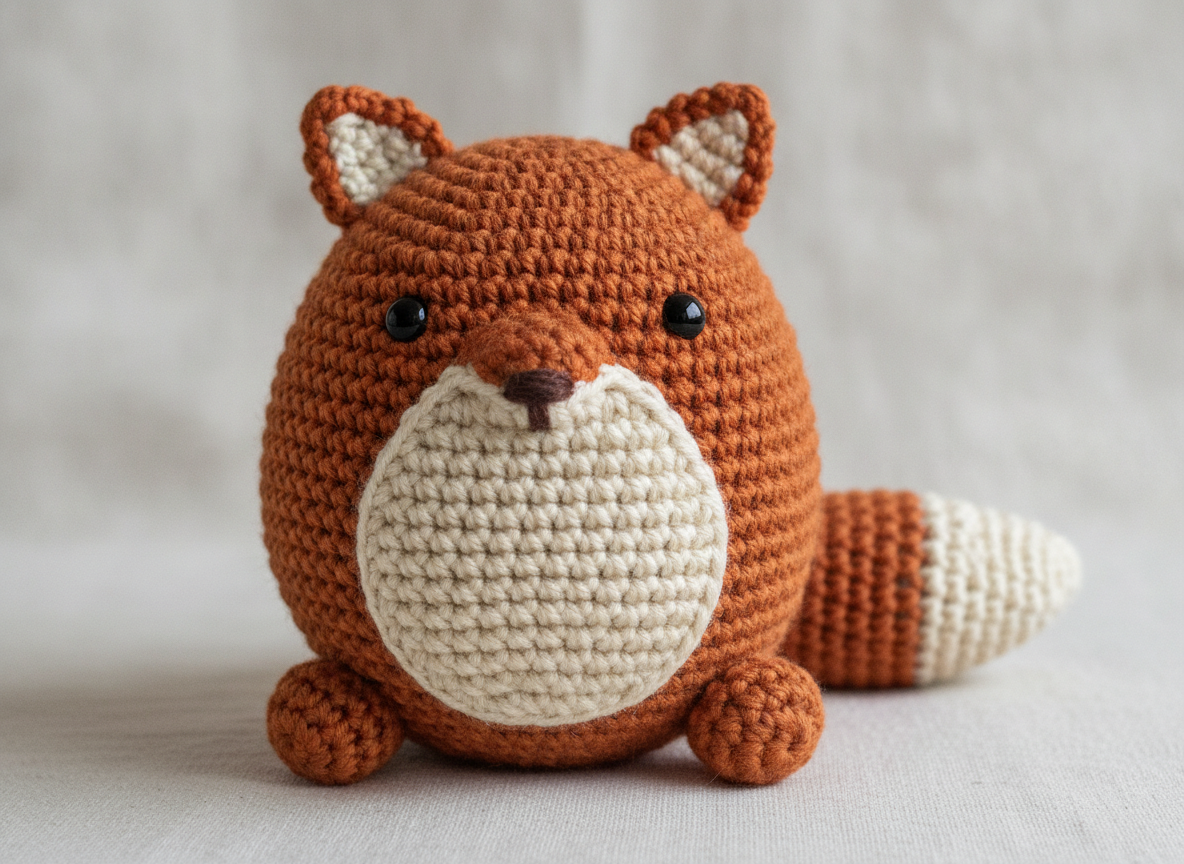
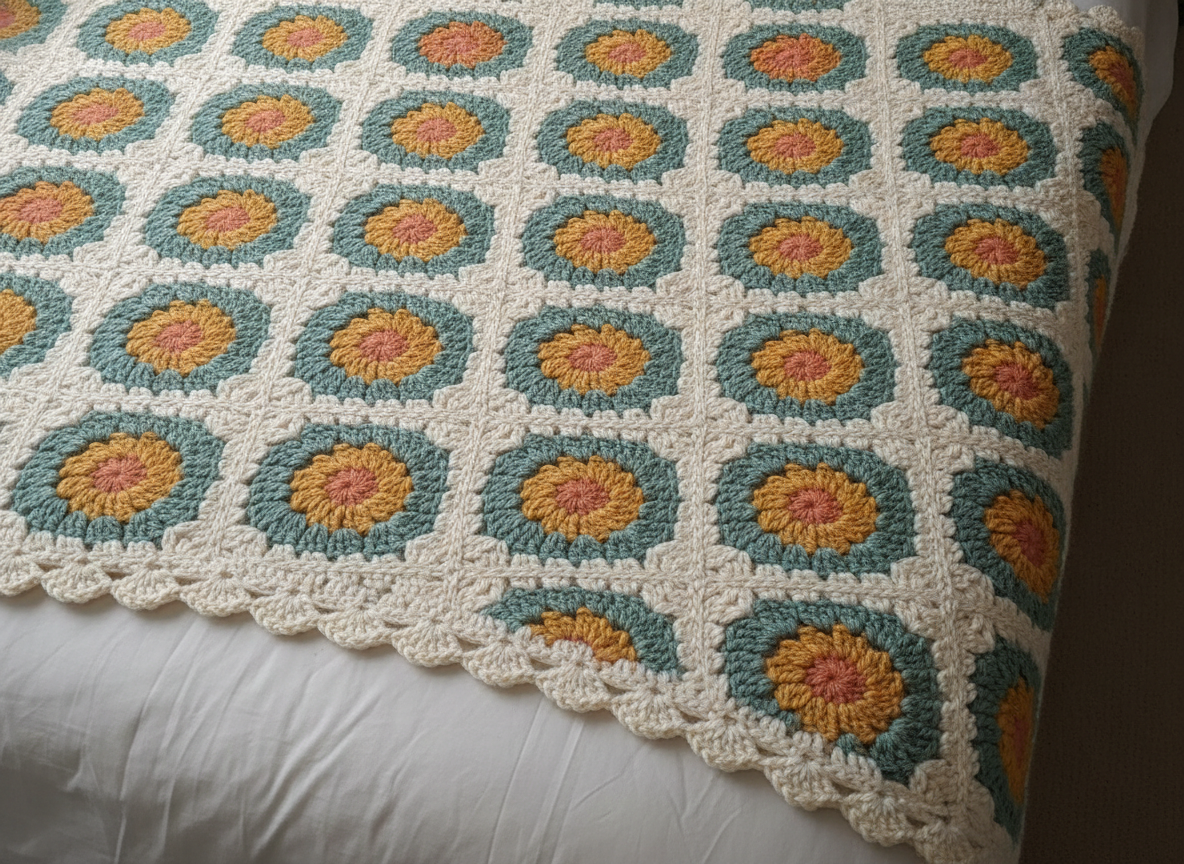
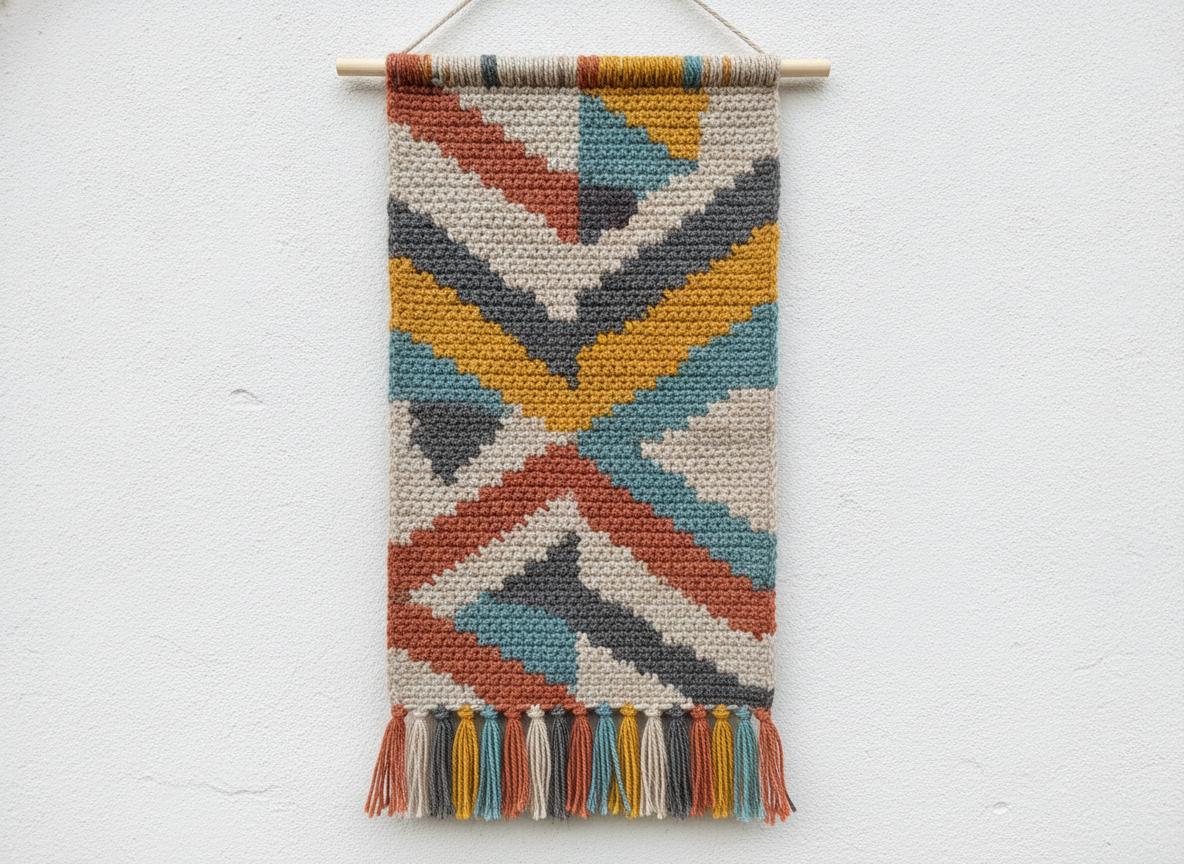
How the AI Crochet Pattern Generator Works
Three steps from an idea to a design you can hand to your charting software with confidence
Start From a Photo That Survives Yarn
Crochet is a low-resolution medium and pretending otherwise is where projects go wrong. A generous graphgan might be 150 stitches across, which is fewer squares than a phone icon has pixels, so the only images that convert are the ones still readable at that size. Look for one clear subject, a plain background, strong contrast between the two, and light from one obvious direction. A dog against a bare wall works; the same dog on a patterned sofa turns into noise. Shrink the photo on screen until it is a couple of hundred pixels wide and squint: whatever you can still name is what the finished blanket will show, and everything else is rows you would work for nothing. Crop tight before uploading, because cropping spends every available stitch on the part you actually care about. Amigurumi is the exception — there you are not converting pixels at all, you are asking for the subject to be rebuilt as a round stuffed shape, so a clear side or front view of the animal or character is enough.
Pick the Construction, Not Just the Look
Each preset is a different way of building fabric, and that decision drives your yarn, hook and hours far more than the picture does. A graphgan is one enormous piece of single crochet worked flat, which gives the crispest picture and the least portable project, and it means managing a bobbin for every colour block in a row. Granny squares are the opposite: small, portable, endlessly forgiving, joined at the end, and the reason so many blankets actually get finished. Tapestry crochet carries unused colours inside the stitches, so it stays dense and reversible-ish and suits geometric repeats rather than photographs. Filet is fast, elegant and thread-thin, worked as a mesh where you fill cells — brilliant for silhouettes, useless for shading. Amigurumi is worked in continuous spiral rounds with a smaller hook than the yarn label suggests, so the fabric is stiff enough that stuffing does not show through. Colourwork garments add the one variable the others do not have: fit, which means gauge stops being optional.
Turn the Design Into a Chart and a Stitch Count
What comes back is a picture of a finished object, not a written pattern — closing that gap is the step to plan for. Use the render to settle composition, palette and colour count, then convert. For graphgans and tapestry work, free pixel-grid tools such as Stitch Fiddle, Pixel-Stitch or any spreadsheet with square cells will take an image, let you set the number of stitches across and the colour limit, and give you a countable grid; one cell equals one single crochet. For filet, the same grid works with cells marked filled or open. For amigurumi and garments there is no grid to make, so work from the render as a reference and build the shaping yourself from a basic sphere-and-limb recipe or an existing well-fitting pattern. Then do the arithmetic before buying yarn: crochet a gauge swatch, count stitches and rows per four inches, divide your target width by the stitch gauge to get the stitch count, and multiply by rows for the total. Yarn quantity is easiest to estimate by weighing the swatch and scaling by area.
Why Use an AI Crochet Pattern Generator
Six things worth understanding before you wind the first ball
See the Finished Object Before the Yarn Order
Crochet separates the decision from the payoff by weeks. You choose a palette in a shop under fluorescent light, order six skeins, and discover at row forty that the sage and the teal you loved individually turn into one indistinguishable mush at arm’s length. Rendering the design as actual worked yarn first closes that loop. You can see whether the subject still reads at blanket scale, whether the colours separate, whether the background is worth working at all. At about twenty seconds a render, trying the same photo as a graphgan, as a granny square layout and as a filet silhouette costs a couple of minutes and routinely changes the plan — which is the real argument for using an AI crochet pattern generator early. It makes the expensive decision reversible while it is still just a picture.
It Produces a Design, Not a Written Pattern
This is the limitation that defines what the tool is for, and it deserves to be said plainly. A crochet pattern is a written document: a yarn weight and hook size, a gauge over four inches, a stitch count, then row-by-row instructions in standardised abbreviations — ch, sc, dc, inc, dec, and a whole vocabulary that has to be internally consistent for the thing to come out the right shape. An image model produces a picture of a finished object. It does not count your rounds, it cannot guarantee the shaping adds up, and it certainly cannot tell you where to place increases so an amigurumi head is a sphere rather than a bowl. Use it at the design stage. Convert graphgans and filet with grid software, and build amigurumi and garment shaping from a known recipe or a pattern you already trust. Anyone claiming an image generator writes ready-to-hook patterns is describing something it does not do, and finding out after buying the yarn is an expensive way to learn it.
Colour Count Is the Real Budget
Every practical decision in a colourwork project traces back to how many yarn colours you agreed to. Each additional shade is another skein to buy, another bobbin to wind, another end to weave in at the finish — and ends are where the resentment lives. A photograph converted naively will suggest sixty colours because pixel matching is what conversion optimises for, which is how you end up with eleven browns nobody can tell apart while holding the hook. Restraint reads better anyway: eight to twelve well-separated colours usually look stronger from across a room than forty, because contrast survives distance and subtlety does not. Value matters more than hue — squint at your palette in greyscale and if two yarns become the same grey, they will not separate in the finished fabric no matter how different they look in the skein. The presets here are built around that discipline, and the filet treatment takes it to its logical end at exactly one colour.
Blankets, Gifts and Pets Are the Real Use Case
The projects that bring people to a crochet pattern generator are personal and slow: a pet portrait graphgan, a baby blanket with a date attached, an amigurumi of somebody’s dog, a wedding gift, a memorial piece using a lost relative’s yarn stash. These are exactly the projects where a preview earns its keep, because they are emotionally expensive as well as time expensive, and getting thirty hours in before realising the face is not quite right is genuinely upsetting. Render several treatments of the same photo and show them to whoever the piece is for, or to somebody else who knows the subject, and let them point at the one that looks right. Faces are hardest — a couple of stitches of difference changes an expression — so keep portrait graphgans larger than feels necessary, use a thicker yarn only if you are prepared for the whole thing to grow, and prefer soft even lighting in the source photo over anything dramatic.
Works for Knitting and Other Grid Crafts Too
Anything worked on a counted grid is a close cousin. Knitted intarsia and fair-isle charts follow exactly the same logic as a graphgan, with one adjustment: knitted stitches are wider than they are tall — roughly a 4:5 ratio — so a design that is square on paper comes out squat, and needs stretching vertically by about a quarter before charting. Single crochet is closer to square but not perfectly so, usually a little taller than wide, which is why a graphgan often ends up slightly stretched horizontally unless you check the ratio on a swatch. Beyond yarn, the same design step serves cross stitch, needlepoint, plastic canvas, perler beads, latch hook and mosaic — only the conversion software and the gauge change. Tunisian crochet sits neatly in the middle, with a fabric square enough to take a graphgan chart almost unmodified. If your craft involves deciding what colour goes in each cell of a grid, the design decision is the same one.
Free to Start, $9.98 to Design Properly
You can render crochet designs free without a credit card, which is enough to find out whether a photo converts at all before anything is paid for. Paid plans start at $9.98, and iteration is where they earn out, because the first render is never the one you make — you try three constructions, cut the palette back, crop tighter on the face, then generate the final version at full resolution to work from. Output reaches 4K with no watermark and is cleared for commercial use, which matters if you sell finished pieces at craft fairs or on Etsy. Two honest cautions worth reading. Selling items or charts derived from licensed characters is a copyright problem no output setting fixes, and it is the most common way small yarn sellers get a takedown. And in the United States purely AI-generated images cannot be registered for copyright, so you may sell what you make but have limited recourse if another seller copies the design.
Frequently Asked Questions
Common questions about using an AI crochet pattern generator
See It in Yarn Before You Buy the Yarn
Upload a photo, pick a construction, and see the project rendered in real stitches at up to 4K — graphgan, amigurumi, granny square, tapestry, filet or a colourwork garment. Powered by Nano Banana Pro. Free to start, plans from $9.98.
Designing Yarn Projects With an AI Crochet Pattern Generator
Crochet punishes vague planning, because the gap between choosing a design and finding out whether it worked is measured in weeks of evenings and a shelf of yarn you already paid for. The traditional options were both unsatisfying: buy a published pattern of something close to what you wanted, or improvise and hope. An AI crochet pattern generator adds the step that was missing. Upload the photo, pick a construction, and see the project rendered in real worked stitches in about twenty seconds — so the questions that used to be answered at row forty get answered before the order goes in.
The six treatments here are six genuinely different ways of building fabric, not six filters. Graphgan gives the crispest picture and the least portable project, since every colour block in a row needs its own bobbin. Granny squares are small, forgiving and joined at the end, which is why they are the blankets that actually get finished. Tapestry crochet carries its colours inside the stitches and suits geometry rather than photographs. Filet is fast, airy and thread-fine, brilliant for silhouettes and hopeless at shading. Amigurumi is worked in spiral rounds on a deliberately small hook so the stuffing never shows. A colourwork garment adds the variable none of the others have, which is fit — and fit is why the gauge swatch stops being optional the moment a body is involved.
Two habits separate crocheters who finish from crocheters who accumulate. Test how a photo survives being tiny before you commit — shrink it to roughly your planned stitch count, then look at it in greyscale, and accept that whatever vanishes was never going to be in the blanket. And treat the colour count as a budget rather than a setting, spending it on the focal point and being ruthless everywhere else. Then swatch, do the arithmetic, buy one dye lot, and weave in your ends as you go.
What the AI Crochet Pattern Generator Will Not Do
It will not write you a pattern. There is no gauge, no hook size, no stitch count, no row-by-row instructions and no guarantee that the shaping in the picture is physically achievable in the round — the output is a picture of a finished object rather than a technical document. That is a real limitation and it decides how you use the tool: settle the design here, convert graphgans, tapestry panels and filet charts with grid software such as Stitch Fiddle or Pixel-Stitch, and build amigurumi and garment shaping from a recipe you already trust. It also will not reliably render lettering, so plan monograms, names and dates in your charting software instead — the text in images guide covers what the model can and cannot be trusted to spell.
For neighbouring jobs there are better fits on the site. Lift a pet away from a cluttered background before converting it with the AI background remover, which is the single most effective preparation step for a portrait graphgan, and enlarge a small source photo with the 4K image upscaler first. For related grid and yarn crafts, the AI cross stitch pattern generator and the AI quilt pattern generator cover counted needlework and pieced blocks, the AI embroidery design generator handles freeform thread work, and the AI pixel art generator is the closer match for low-resolution grid work. If you would rather design a soft toy than a blanket, the AI plushie generator and the AI pattern generator cover those routes.
Within those limits the work is yours. Output reaches 4K with no watermark and is cleared for commercial use, which covers selling finished pieces at fairs, on Etsy or on commission. Keep other people's property out of it — photographs you did not take, licensed characters, team badges and brand logos are the usual causes of trouble for small yarn sellers, and character amigurumi is the same problem in three dimensions. Note also that in the United States purely AI-generated images are not registrable for copyright, so you can sell the design but may have limited recourse if it is copied. It is free to start with no credit card and plans begin at $9.98. Crop tight, keep the palette small, and swatch before you commit.
Try the AI crochet pattern generator free today. Upload a photo, pick one of six crochet constructions, and see your project rendered in real yarn at up to 4K. No credit card required to start. Paid plans from $9.98.