
AI Virtual Staging
An empty room photographs badly. Buyers scrolling a listing cannot judge whether a sofa fits, where the bed goes or how big the dining area really is, so vacant properties sit longer and get fewer showings. Physical staging solves that for a few thousand dollars a month; a staging service solves it for a fee per photo and a two-day turnaround. This AI virtual staging tool solves it in about twenty seconds. Upload a photo of the empty room, choose a furniture style, and Nano Banana Pro furnishes the space while keeping the walls, windows, flooring and proportions of the original shot.
Try It Now — Free
Upload a wide, well-lit photo of the empty room, pick the furniture style that suits the property, and the staged version comes back in about twenty seconds at up to 4K. Shoot from a corner so the AI virtual staging has floor area to work with.
AI Virtual Staging
Upload a photo of an empty room, choose a furniture style, and get a furnished listing image in seconds
Upload a photo of the empty room, choose a furniture style, and click Generate
Rooms Furnished With AI Virtual Staging
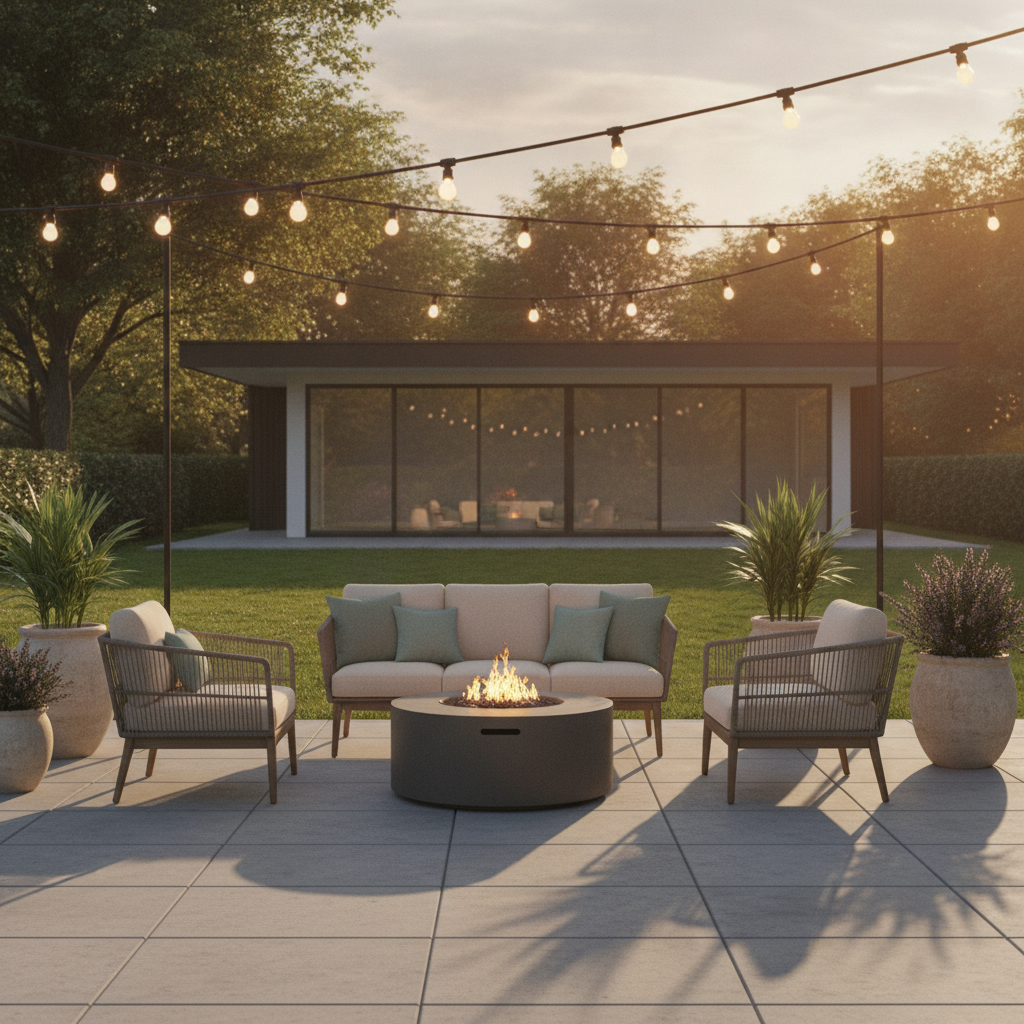
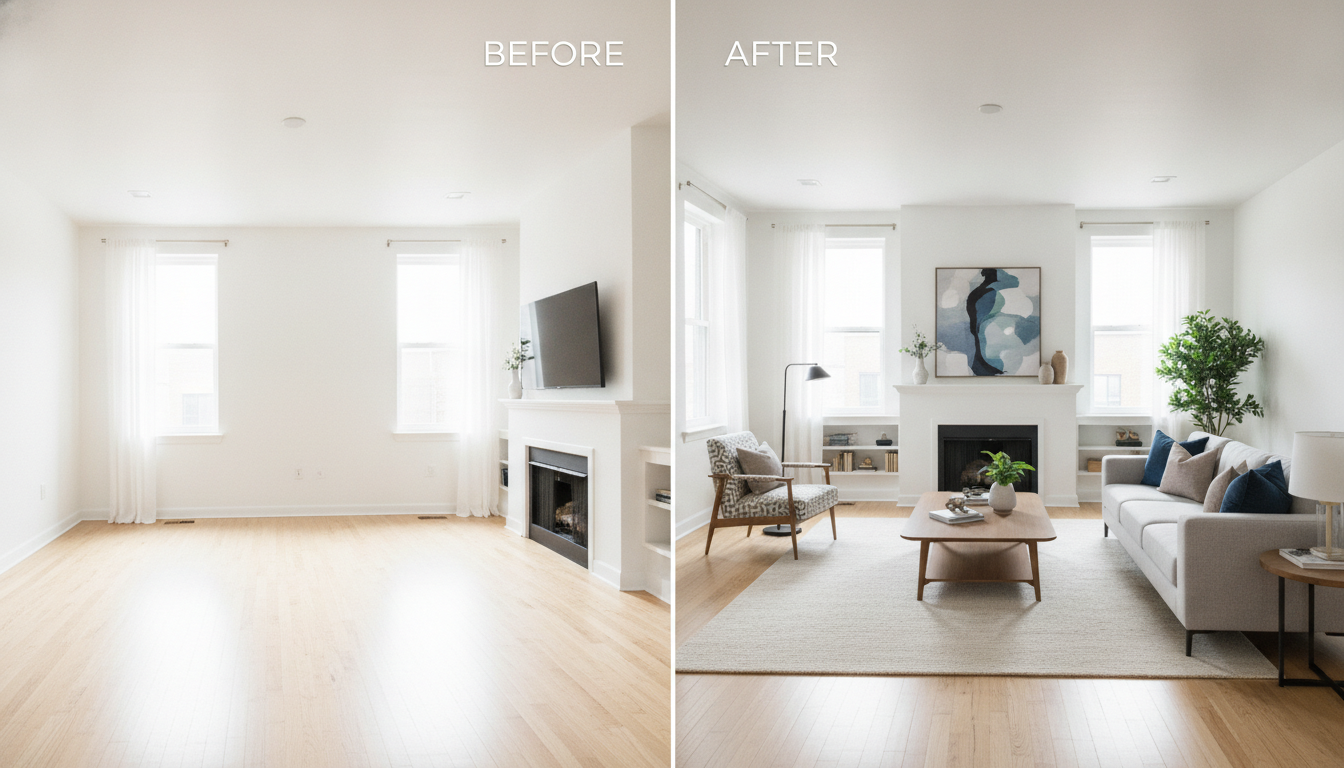
Living room, bedroom, kitchen-diner, home office, patio and a before-and-after — six empty spaces furnished from a single photograph
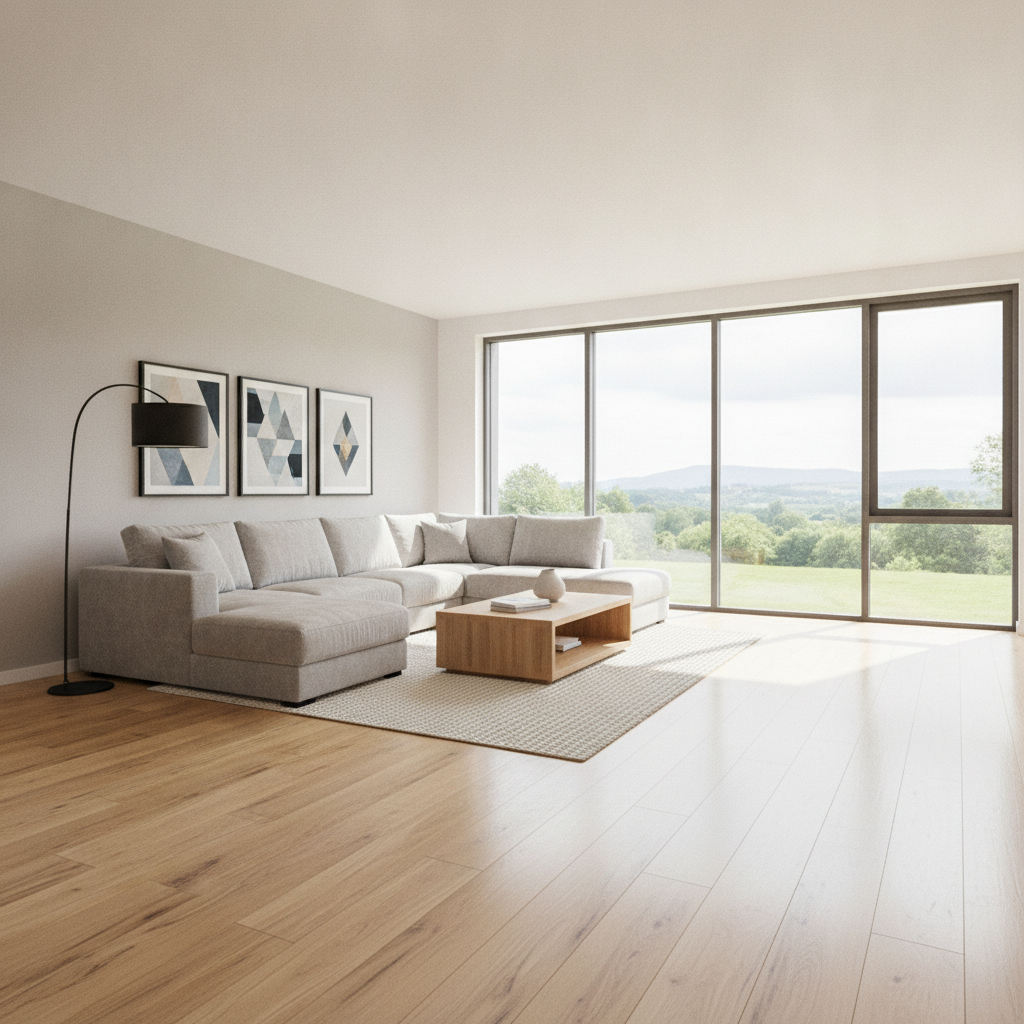
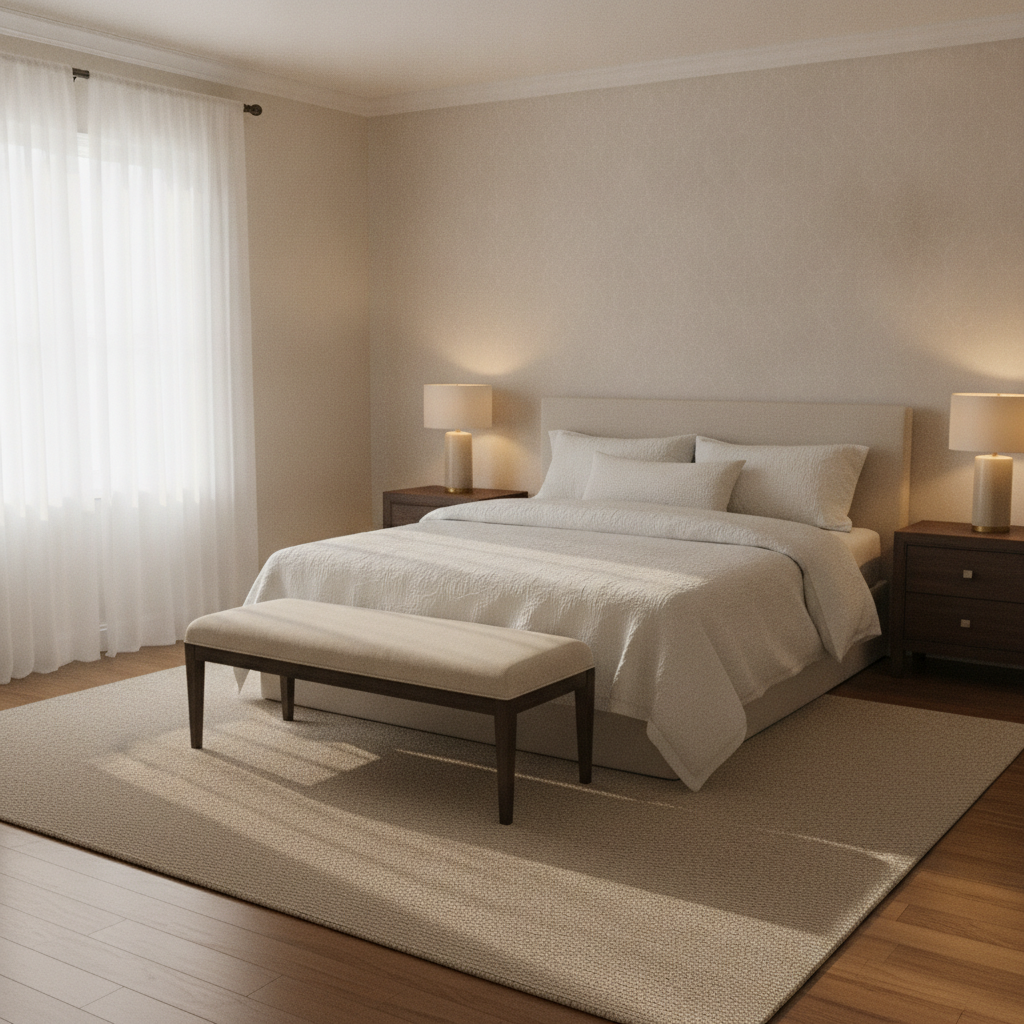
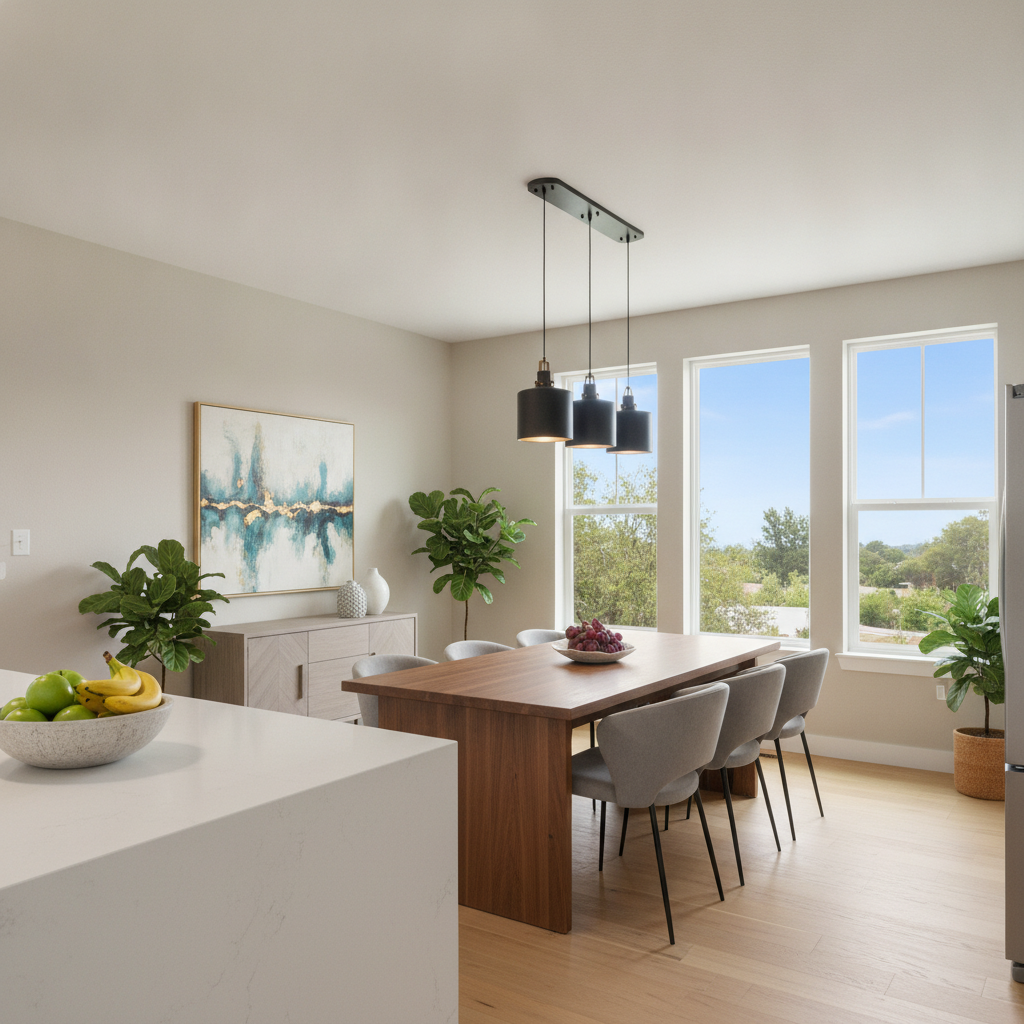
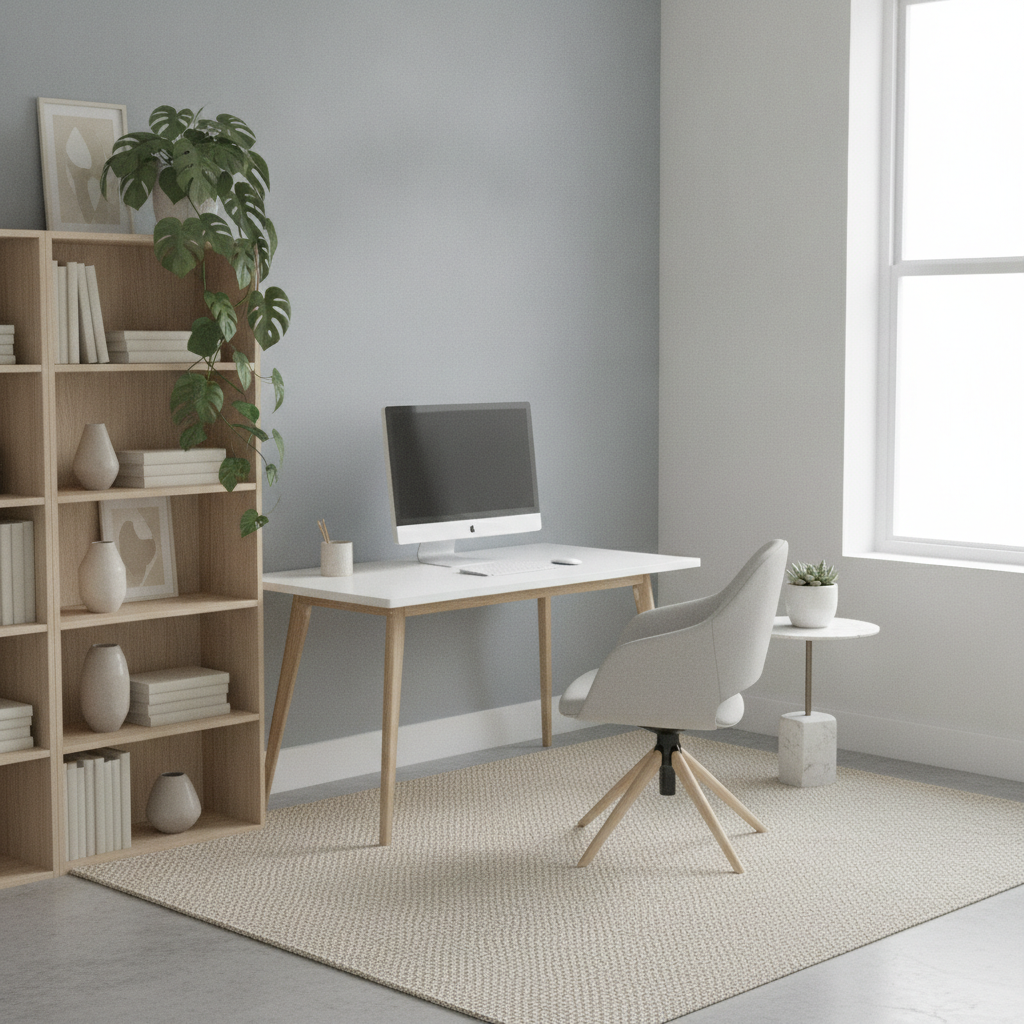
How AI Virtual Staging Works
Three steps from a vacant room to a furnished listing photo
Upload the Empty Room
Shoot the room from a corner at chest height with the lights on and the curtains open, and upload the widest, sharpest frame you have. The AI works from what it can see, so a photo that shows two walls, the floor and a window gives it the geometry it needs. Blurry, dim or extremely tight crops are where results go wrong — spend thirty seconds on the photograph and the staging looks after itself.
Pick a Furniture Style
Six presets cover what buyers in most markets expect: modern, Scandinavian, mid-century modern, modern farmhouse, luxury contemporary and outdoor patio. Each preset already tells the model to keep the existing walls, windows, flooring, camera angle and daylight untouched and to add furniture only, with matching perspective and shadows — so you are choosing a look, not writing a brief.
Review, Regenerate, Disclose
The staged photo comes back in about twenty seconds at up to 4K. Check it the way an appraiser would: does the furniture sit flat on the floor, are the shadows going the same way as the window light, has anything structural been invented. Regenerate until it holds up, then label the image as virtually staged when you publish it — most MLS rules and agency codes require that disclosure.
Why Agents Use AI Virtual Staging
Six reasons this replaces the staging invoice on most vacant listings
The Room Stays the Room
The point of virtual staging is furniture, not fantasy. Every preset instructs the model to preserve the existing walls, windows, doorways, ceiling height, flooring and camera angle, and to add furnishings on top of them. That keeps the photo honest — a buyer who walks in should recognise the space immediately — and it keeps you on the right side of the rules that say staging may dress a room but not alter what is being sold.
Twenty Seconds, Not Two Days
A staging service takes a day or two per batch and charges per photo, which means the listing goes live with empty rooms while you wait or you pay a rush fee. Here the turnaround is about twenty seconds, so you can shoot a vacant property in the morning and publish staged photos the same afternoon. On a listing where the first weekend of exposure decides the momentum, that timing is the whole argument.
Six Styles for Six Buyers
A downtown loft and a suburban family home do not sell to the same person. Modern and luxury contemporary suit new-build and high-end condos, Scandinavian reads well in small bright apartments, mid-century flatters period features, modern farmhouse lands with family buyers, and the outdoor preset handles the patio, deck or balcony that usually gets ignored. Stage the same room twice and see which version gets the clicks.
Far Cheaper Than Physical Staging
Physical staging runs into the thousands per month once you count the consultation, delivery, rental and collection, and it is only worth it on properties above a certain price. Virtual staging services charge per image, which adds up across a twelve-photo listing. This starts free with no credit card and plans begin at $9.98, so staging every room of every vacant listing stops being a budget decision.
Print and Portal Resolution
Images export at up to 4K with no watermark and are cleared for commercial use, which covers MLS uploads, portal listings, a property brochure, a window card and a social post without a second render. Landscape 16:9 is the default because that is the shape listing photos are displayed in, and it crops cleanly to the square and portrait formats the social platforms want.
Useful Past the Listing Photo
The same upload-and-restyle workflow covers the jobs that surround a listing: showing a renovation concept to a seller who cannot picture it, giving a landlord options for a tired rental, testing a furniture layout before an investor buys, or producing a consistent set of interiors for a developer still finishing the building. One vacant photograph becomes as many versions of the room as the conversation needs.
Frequently Asked Questions
Common questions about AI virtual staging for real estate listings
Stage an Empty Room in Twenty Seconds
Upload a photo of the vacant space, pick a furniture style — modern, Scandinavian, mid-century, farmhouse, luxury or outdoor — and download a staged listing image at up to 4K. Powered by Nano Banana Pro. Free to start, plans from $9.98.
Furnish a Vacant Listing With AI Virtual Staging
Empty rooms are hard to sell and harder to photograph. Without furniture there is no sense of scale, no focal point and nothing for a buyer scrolling a portal on their phone to hold on to, which is why vacant listings reliably draw fewer saves and fewer viewings than furnished ones. Agents have known this for decades, and the answer has always been staging — hire the furniture, book the van, pay by the month, collect it when the property sells. It works, and on a high-value listing it pays for itself, but it prices out exactly the properties that need help most: the small apartment, the rental between tenants, the probate sale, the new-build that completes six weeks before the show home is ready. AI virtual staging changes that arithmetic, because the marginal cost of furnishing one more room drops to almost nothing.
What makes this different from generating a nice interior picture is constraint. A generic image model asked for a furnished living room invents a living room; that is useless for a listing, because the buyer is coming to see this one. Every preset here is written to hold the original photograph fixed — the same walls, the same windows and their view, the same doorways and ceiling, the same flooring, the same camera position and the same direction of daylight — and to add furniture on top with matching perspective, scale and shadow. Nano Banana Pro is unusually good at that kind of grounded edit, which is what makes the output usable as a listing image rather than a mood board.
Six styles cover the buyers most markets actually contain. Modern suits new-build apartments and city condos. Scandinavian makes small, bright rooms feel larger and calmer. Mid-century modern flatters period proportions and original wood. Modern farmhouse lands with family buyers in the suburbs. Luxury contemporary gives a high-end property the editorial treatment its price point implies. And the outdoor preset furnishes the patio, deck or balcony that normally gets one flat photograph nobody looks at twice. The same empty room, staged three ways, is also a genuinely useful test — publish the version that gets the clicks.
For Realtors, Landlords, Developers and Property Photographers
Getting a convincing result comes down to the photograph you feed it. Stand in a corner, shoot at chest height with the lights on and the blinds open, and give the AI virtual staging two walls, a clear run of floor and a window to work from. Then read the result the way a sceptical buyer would: furniture sitting flat on the floor, shadows falling the way the window light falls, nothing structural invented or removed. Around the listing itself, the AI interior design generator handles renovation concepts for sellers, the AI floor plan generator produces the layout drawing buyers ask for, the AI object remover clears clutter out of an occupied room before you stage it, and the AI backyard design tool covers the garden.
Two limits are worth stating plainly, because the output is convincing enough that they matter. The first is disclosure. Virtually staged photographs must be labelled as such under most MLS rules and agency codes, and the honest reason outlives the legal one: a buyer who turns up expecting a sofa that does not exist stops trusting the rest of your listing. Caption the image, keep the unstaged original on file, and nobody has a problem. The second is accuracy. AI staging is an image edit, not a measurement, so it can place a sofa that would not physically fit or soften a proportion in passing. Use it to help people imagine the space, not to prove a room is bigger than it is, and check the result against the original photo every time.
Within those limits, everything you generate is yours to use. Staged images export at up to 4K with no watermark and are cleared for commercial use, which covers MLS and portal uploads, brochures, window cards, email campaigns and social posts from a single render. It is free to start with no credit card, and plans begin at $9.98 when you want to stage a full gallery rather than test one room. Upload the photograph of that empty living room you have been avoiding publishing, pick a style, and see the listing the way a buyer would.
Try AI virtual staging free today. Upload an empty room photo, choose one of six furniture styles, and download a staged listing image at up to 4K. No credit card required to start. Paid plans from $9.98.