
AI Doormat Design Generator
A doormat is the lowest-resolution thing you will ever print on. Coarse coconut fibre, no white ink, one viewing angle from five feet up, and a life spent outdoors being walked on. That rules out almost everything a normal image generator is good at — and it is exactly what this AI doormat design generator is set up for: two flat colours, strokes thick enough to survive a weave, and a 5:3 landscape shape from the first render rather than a crop at the end.
Start Designing FreeTry the Doormat Design Generator — Free
Pick the mat style first, then add your wording, season or palette. Every preset is written for a coarse fibre surface — heavy strokes, flat colour, dark on natural — because that is the difference between a design that prints and a design that turns to mottle.
AI Doormat Design Generator
Choose a doormat style, describe the wording and palette, and get landscape mat artwork at up to 4K
Doormat Designs Made With This Generator
Six mat styles rather than six colour schemes, generated with the presets above and left completely unedited — flaws included, because the flaws are the most useful thing on this page. All four words that were asked for came back spelled correctly this time, which is worth saying precisely because it is not guaranteed. What did go wrong is more instructive: the classic welcome mat has a border rule too thin to survive coir, the monstera outlines are finer than a coir strand and will drop out in patches, the autumn pattern runs off all four edges where the binding will cut it, and the geometric mat was told not to include lettering and put WELCOME across the middle anyway. Read each one for border weight, letter mass and stroke width — those are what carry into production.
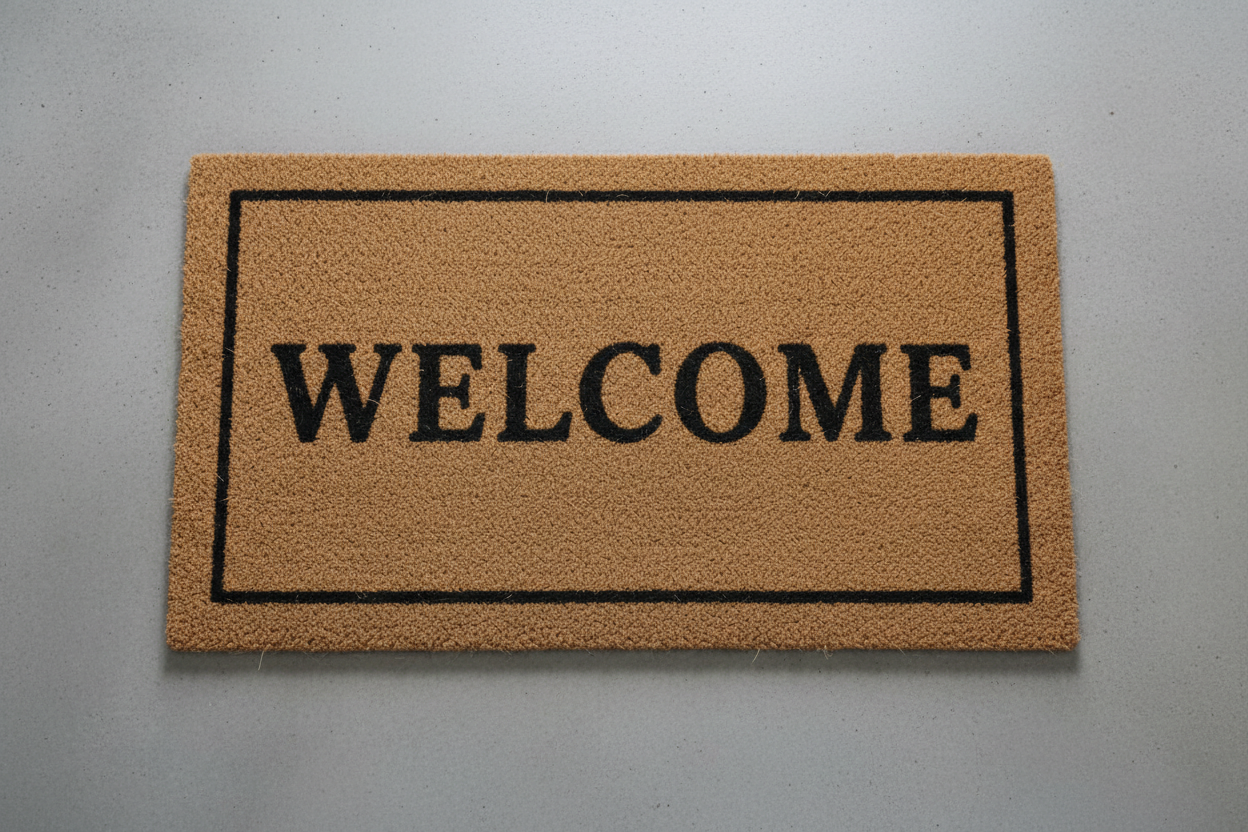
AI doormat design generator result: a natural coir welcome mat shot straight down on grey concrete, WELCOME set in heavy serif capitals inside a thin rectangular border. The lettering is exactly right for the substrate — solid, wide, nothing to break up between the fibres. The border is the one thing to fix: at 30 inches wide that rule is under an eighth of an inch, thin enough to go patchy on coir, and thickening it is a two-minute job once the design is traced
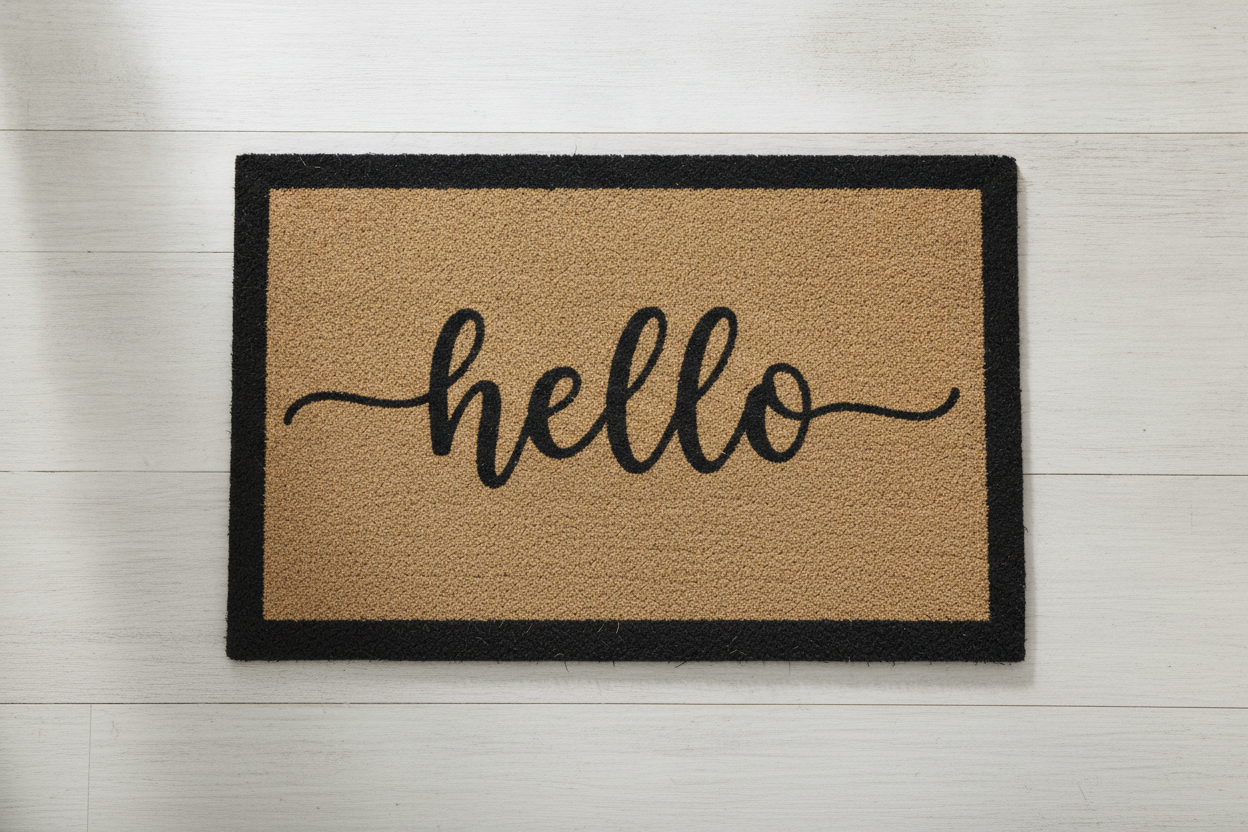
A modern farmhouse doormat on a pale wooden porch: hello in flowing black script, centred inside a thick painted border on natural tan coir. The border weight and the empty fibre around the word are textbook. The script is the gamble — the hairline tails either side of the word are the first thing a coarse weave loses, and the whole category lives or dies on whether the spelling survived, which here it did
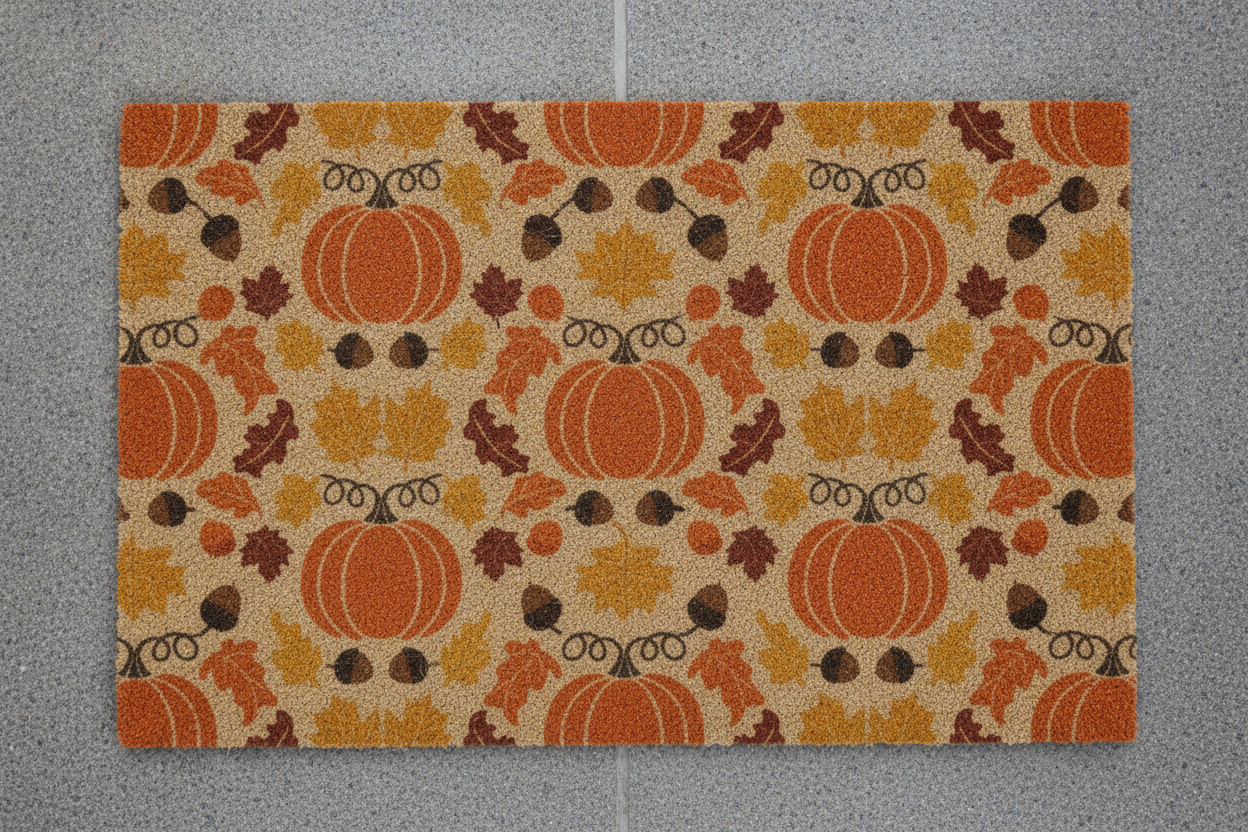
An autumn doormat printed edge to edge with pumpkins, maple and oak leaves and acorns in burnt orange, rust, mustard and dark brown on natural coir. No lettering at all, which is why nothing here can go wrong at the spelling stage. Worth noting that the pattern runs off all four edges, so the mat binding will cut through a pumpkin on each side — either accept it or pull the artwork in an inch
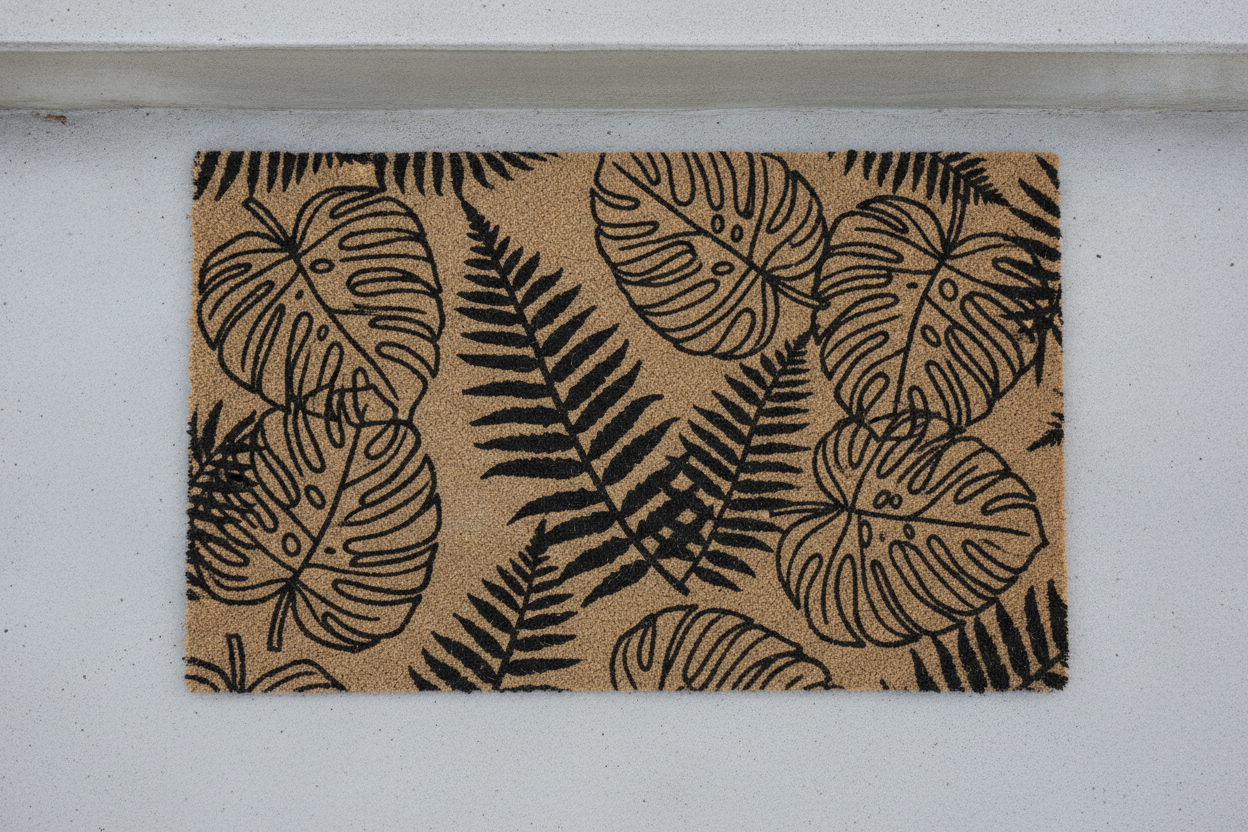
A botanical doormat: black line-art monstera leaves and fern fronds filling natural fibre edge to edge. This one shows the stroke-width rule in a single frame — the fern silhouettes are solid and will print exactly as drawn, while the fine outlines and interior detail of the monstera leaves are thinner than a coir strand and will drop out in patches on a real mat
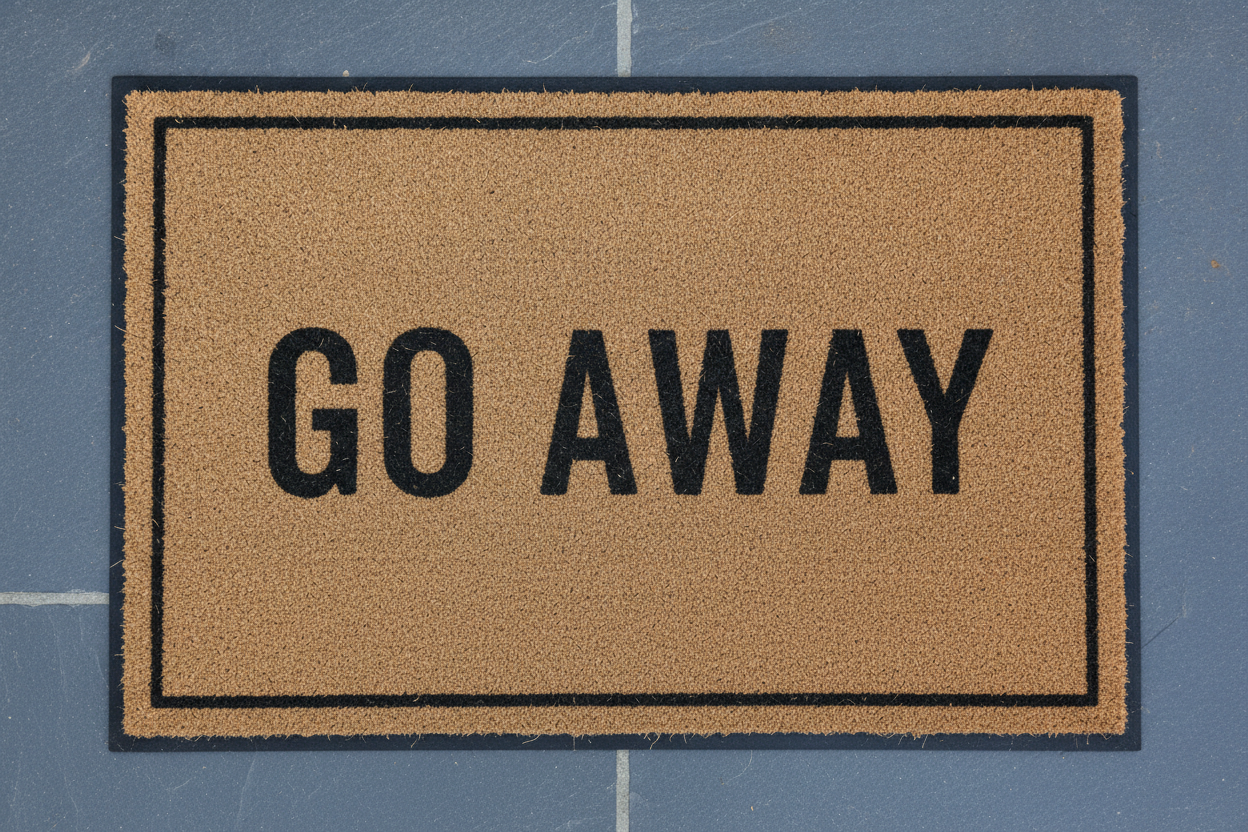
A novelty doormat reading GO AWAY in heavy condensed black capitals across a natural coir mat with a thin outline border. The best-behaved design in the set: maximum letter mass, maximum contrast, correct spelling, and a layout that will still read from standing height after a season of sun has taken the black down to charcoal
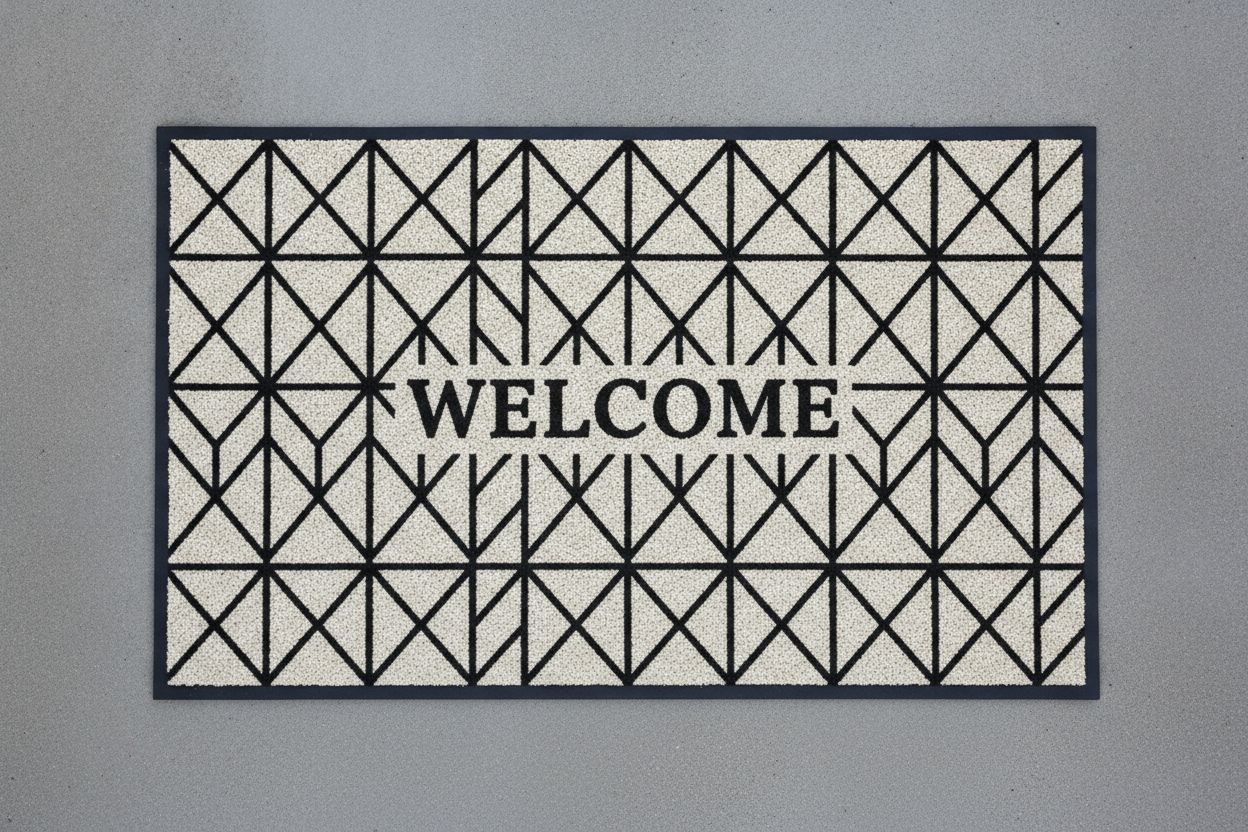
A modern geometric doormat on grey concrete: black diamonds and triangles over an off-white low-pile rubber-backed surface, with WELCOME across the middle. The preset asked for no lettering and the model added it anyway — a useful reminder that you cannot rely on a text ban holding. Note the pale ground too: that off-white would be unprintable on natural coir and only works because this is a rubber-backed mat
How the AI Doormat Design Generator Works
Pick the mat style
Classic welcome, monogram and name, seasonal, botanical line art, funny quote or modern geometric. The style decides how much of the mat is lettering, how much is bare fibre and how heavy the border is — which settles far more about whether the mat prints well than any colour choice does.
Add wording, season and palette
Keep the wording to one or two short words, name the season or occasion, and name your colours as dark values on natural fibre. Reuse the same wording across a set so a whole seasonal range reads as one product rather than six unrelated mats.
Trace it and set the real text
Designs arrive in about twenty seconds at up to 4K. Because the artwork is two flat colours, an auto-trace in Illustrator, Affinity Designer or free Inkscape turns it into vector that scales to any mat size — then retype the wording in a real font so the spelling is guaranteed.
What Actually Decides a Doormat Design
Six constraints separate a doormat from every other printed product, and none of them are about taste. They are why this AI doormat design generator renders heavy two-colour artwork rather than detailed pictures, and why a design that looks beautiful on screen can be unreadable on a step.
The weave is the resolution
Coir is coarse woven coconut fibre with visible gaps, so it behaves like a very low-resolution screen. Thin lines break up between the fibres, gradients turn to mottle and small text fills in solid. The working rule is that no stroke should be narrower than about a quarter of an inch at final size, and the whole design should survive being squinted at from five feet — which is the only distance anyone ever looks at it from.
There is no white ink on coir
Natural coconut fibre is a warm mid-tan, and printing on it is closer to dyeing than to laying ink on white paper. Unprinted areas stay tan and pale colours come out as tinted tan, so cream, pastel and light grey simply vanish. Treat the fibre colour as one of your two colours. If you need light tones or a photograph, choose a rubber-backed polyester mat instead and design for that white surface deliberately.
The whole category is typographic
Welcome mats, family names, house numbers and one-line jokes — most doormats sold are words on a rectangle, which puts this product squarely on the one thing image models cannot do. Every generated character is a shape that resembles a letter, not a spelled word. Generate the layout and the border, then set the actual wording in a real font before anything is printed.
Shape is 5:3, not square
The standard mat is 30 by 18 inches, a 5:3 landscape rectangle, with 24 by 16 and 36 by 24 as the common alternatives. A square composition forced into that shape gets its lettering stretched or its illustration cut through the middle. The presets here render at 3:2 — the closest standard ratio — so the design trims to a real mat with a sliver off each end rather than a redesign.
The border eats an inch
Finished mats have a bound, bevelled or moulded edge, and print-on-demand templates add a safe margin on top of that. Anything within about an inch of the outer edge is at risk of being trimmed, wrapped or hidden under binding. Design with a deliberate empty frame of bare fibre — which is also what makes a mat look finished rather than crowded.
It lives outdoors and gets walked on
Direct sun lightens a design within a season on an exposed step, wet weather flattens mid-tones, and the mat collects precisely the dirt it exists to collect. Contrast is the durability budget: black on natural fades to charcoal on natural and still reads, while a subtle two-tone design disappears. Bold shapes age well, delicate negative space does not.
Why Use This AI Doormat Design Generator
Six mat styles, not six filters
Classic welcome, monogram and name, seasonal, botanical line art, funny quote and modern geometric differ in how much of the mat is type, how heavy the border is and how much bare fibre is left — so switching preset changes what the mat is for, not just what colour it is.
Written for coarse fibre
Every preset asks for flat colour, thick strokes and no fine detail, and describes the mat on a real doorstep from directly above. You get artwork that already obeys the substrate instead of a beautiful render that turns to mottle the moment it hits coir.
Landscape from the first render
The tool is set to a 3:2 canvas rather than a square, so the composition is built for a 30 by 18 inch mat from the start. No stretched lettering, no illustration cropped through the middle, no redesign at the export stage.
Two-colour artwork traces cleanly
Flat colour with heavy strokes is the ideal input for an auto-trace, so a render becomes scalable vector in a couple of clicks — which is how a 4K image ends up as production artwork for a 36-inch mat with edges sharper than the original.
Consistent across a range
Nano Banana Pro holds a described style across separate generations, so reusing the same border and palette wording while changing only the season gives you an autumn, Christmas and spring set that reads as one range — which is what a seasonal doormat business actually sells.
Cheap enough to test six ideas
About twenty seconds per design and plans from $2.99 means testing a whole seasonal range costs less than commissioning a single mat design — and lets you find out which layout survives the weave before a sample is ever ordered.
AI Doormat Design Generator FAQ
Related Design Tools
AI Rug Design Generator
The same problem indoors and with the detail limit lifted. Useful when the mat is really a small rug, and for checking whether a pattern still works once it is bigger than a doorway.
AI Signage Generator
The other half of a front door. A welcome sign and a welcome mat sold as a pair need one border weight and one palette, and signage is where longer wording belongs.
AI Pillow Design Generator
The nearest print-on-demand neighbour, on a surface that takes fine detail and light colours. Handy for seeing how far a doormat design can stretch across a home decor range.
Design Your Doormat Now
Six mat styles, artwork written for coarse fibre, a landscape canvas from the first render and 4K downloads that trace cleanly to vector. Free to start, from $2.99 for more.
Start Designing FreeAbout This AI Doormat Design Generator
An AI doormat design generator has to solve a manufacturing problem before it solves a decorative one, because a doormat is the lowest-resolution surface in the whole print-on-demand catalogue. Coir is coarse woven coconut fibre with visible gaps between the strands, and printing on it is closer to dyeing a textured mid-tan material than to laying ink onto white paper. Thin lines fall between the fibres. Gradients turn to mottle. Small text fills in solid. Pale colours print as slightly tinted fibre, because there is no white ink to lay down underneath them. Every one of those limits pushes the design in the same direction, which is why the entire doormat aisle looks the way it does — two flat colours, heavy strokes, dark on natural — and why the six presets on this page are written to produce exactly that rather than the detailed, softly lit renders an image model would otherwise reach for.
The second constraint is that this is a typographic category sitting on top of the one thing image models genuinely cannot do. Most doormats sold are words on a rectangle: a welcome, a family name, a house number, a one-line joke. Image models draw letters as shapes rather than spelling them, so a generated mat will hand you a plausible-looking word that is not quite a real one, a doubled letter, or letterforms that drift halfway through. That is not a reason to skip the generator; it is a reason to be clear about what it settles. It settles the layout, the border weight, the balance between lettering and bare fibre, the palette and the illustration. You then trace the design to vector and set the actual wording in a real font — which takes minutes, guarantees the spelling, and is also how one design becomes hundreds of personalised name mats without generating a fresh image for every customer.
Production sets the remaining rules. The standard mat is 30 by 18 inches, a 5:3 landscape rectangle, with 24 by 16 and 36 by 24 as common alternatives, so compositions built square get stretched or cropped — the tool here renders at 3:2 for that reason. Print-on-demand templates typically want 150 DPI at final size, which is 4,500 by 2,700 pixels for a standard mat, a little beyond a 4K render; the auto-trace step closes that gap and then scales to any mat size at all, which is unusually easy precisely because doormat artwork is flat colour with thick strokes. Keep everything meaningful about an inch inside the edge, where binding and trim can reach it. And design for a product that lives outdoors: sun lightens a dark design over a season, rain flattens mid-tones, and the mat collects exactly the dirt it was bought to collect, so contrast is a durability budget rather than a stylistic preference.
This doormat design generator runs on Nano Banana Pro, the same image model behind the rest of the tools on this site, and the capability that matters most here is style consistency across separate generations. Describe a border weight, a palette and a level of detail once, reuse that wording, and change only the season or the occasion — that is how an autumn mat, a Christmas mat and a spring mat come back looking like one range instead of three unrelated products, which is what a seasonal doormat business actually needs. Designs arrive in about twenty seconds at up to 4K in landscape, so testing six layouts costs an evening rather than a commission. It is free to start and paid plans begin at $2.99, which means you can find out which design survives a coarse weave before you order a single sample.