
AI Signage Generator
A sign is read from across a street, at walking pace, by someone who is not looking for it. That gives it room for about four words, one clear hierarchy and nothing else. This AI signage generator handles that layout for you: pick a sign type — storefront fascia, sidewalk A-frame, wayfinding panel, retail sale sign, event welcome board or reception wall sign — type the wording exactly as it should appear, and Nano Banana Pro renders the finished sign in place in about twenty seconds, so you can see it before anyone quotes you for it.
Try It Now — Free
Choose a sign type, then type the exact wording into the box — the business name, the one message, and anything that has to appear underneath it. Keep it short; a sign that needs a paragraph is a poster. Your sign arrives in about twenty seconds at up to 4K.
AI Signage Generator
Pick a sign type, type your wording, and get a finished sign design shown in place in seconds
Signs From the AI Signage Generator
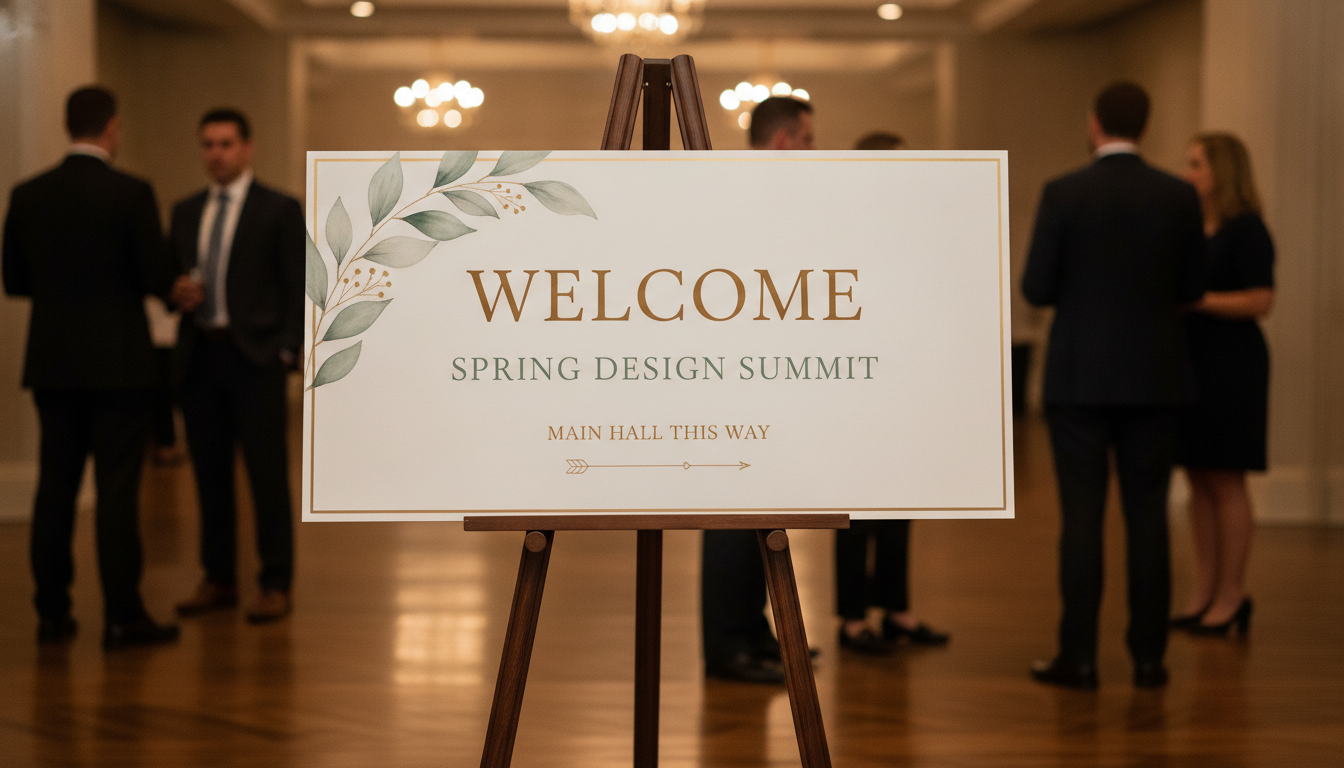
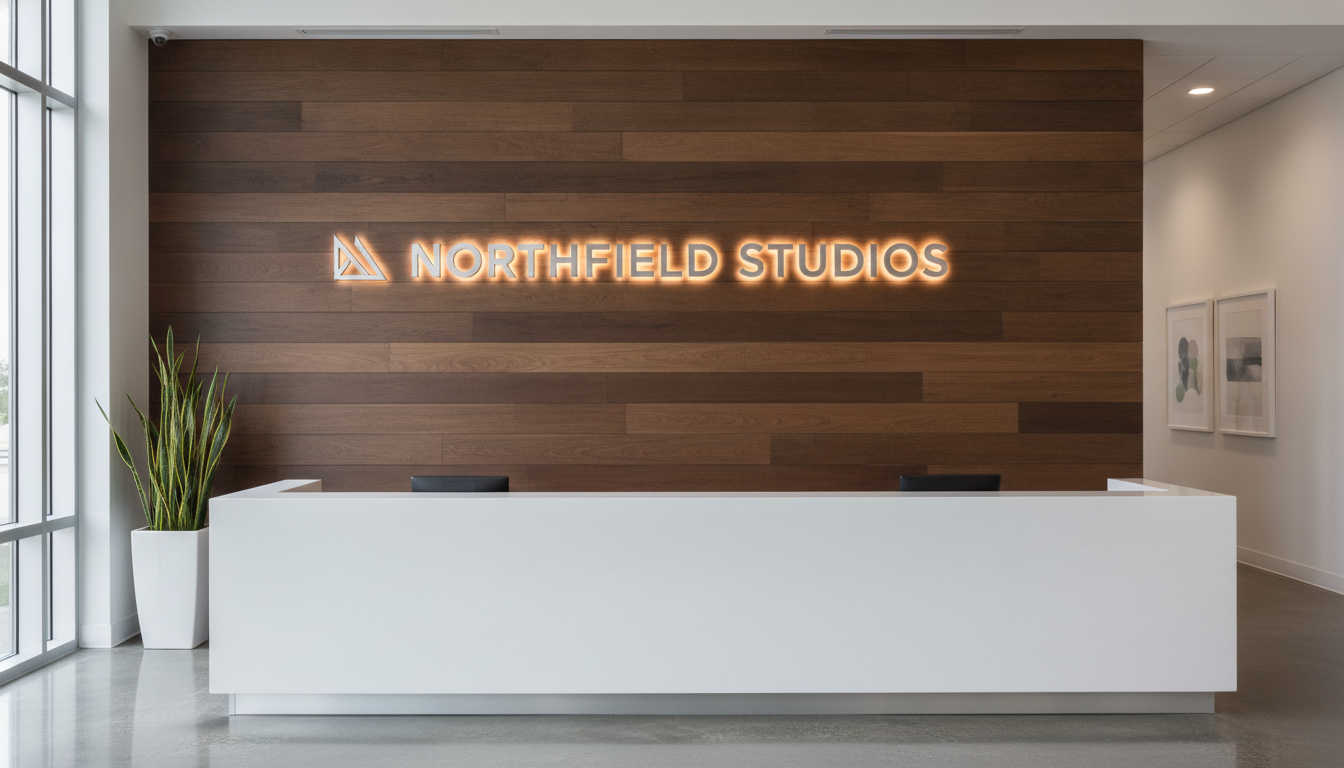
Storefront fascia, sidewalk A-frame, wayfinding panel, retail sale sign, event welcome board and reception wall sign — six sign types, all generated from typed wording
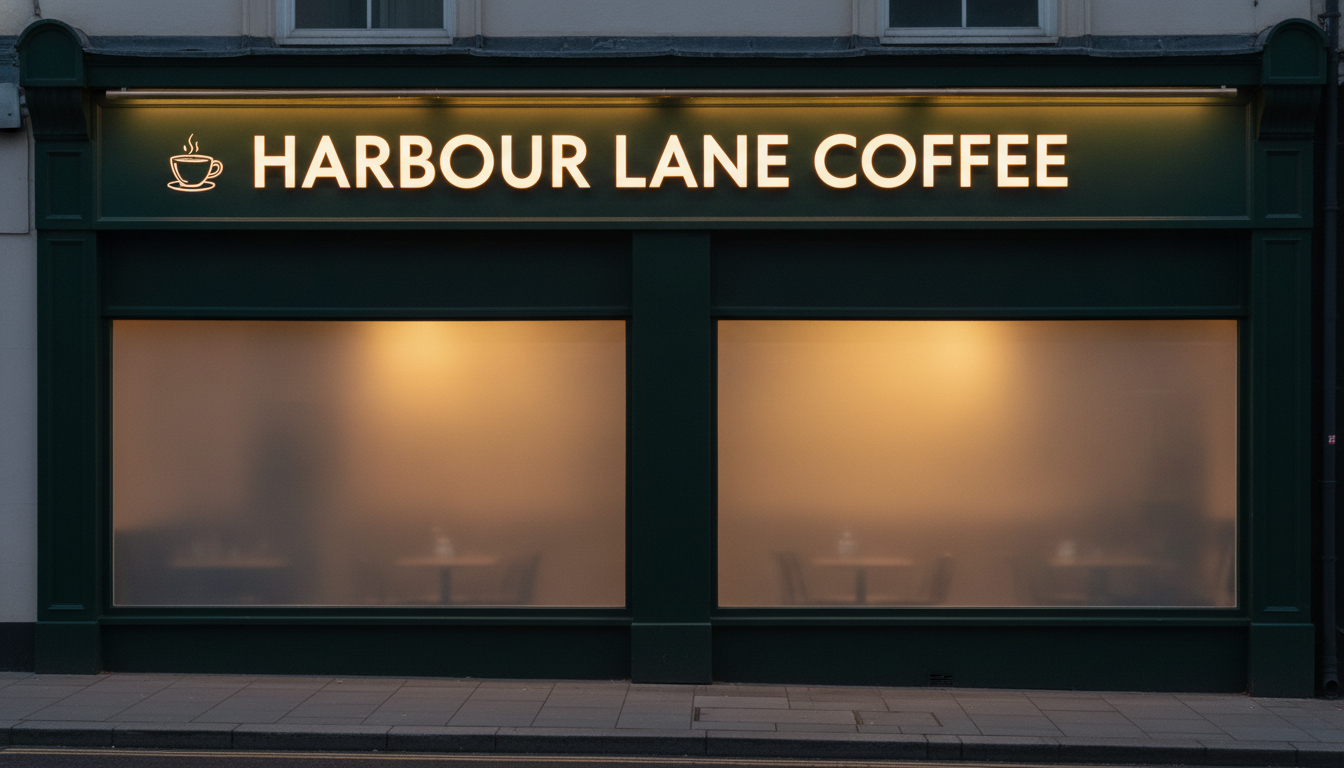
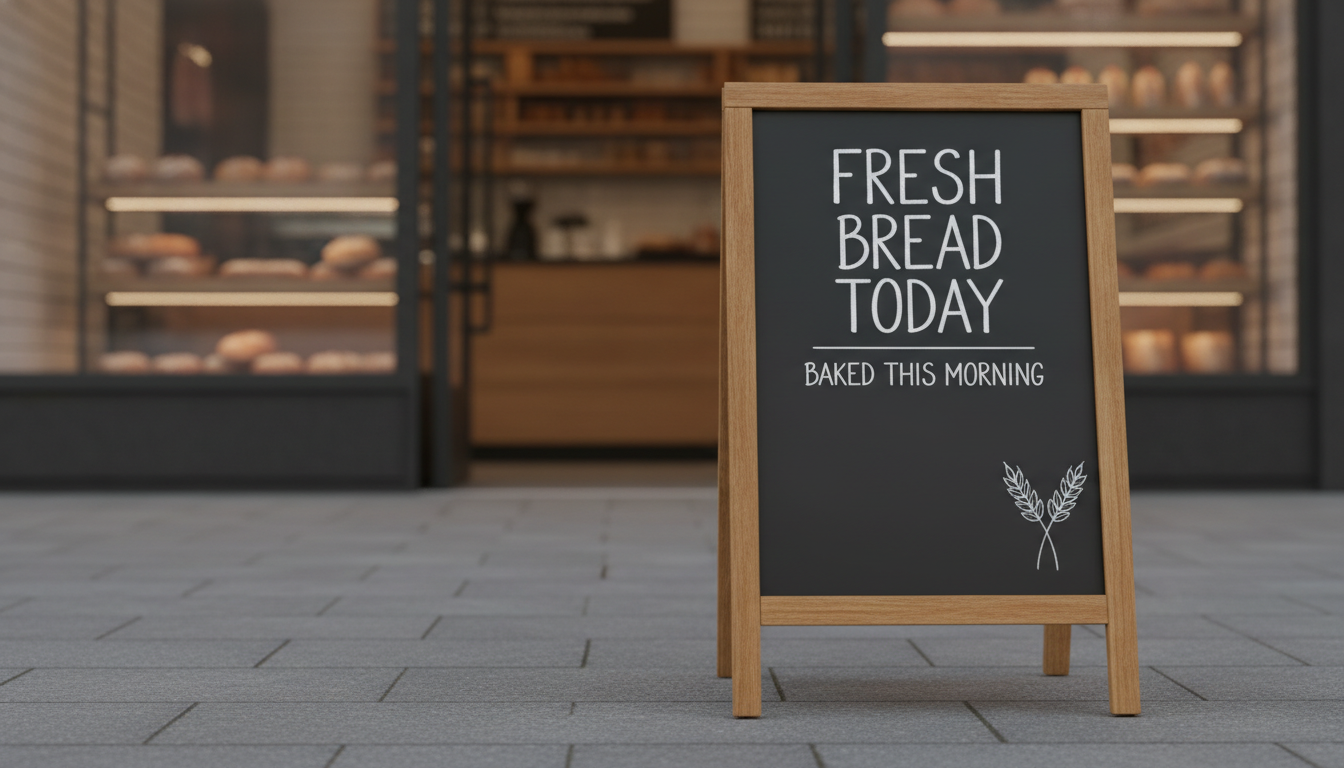
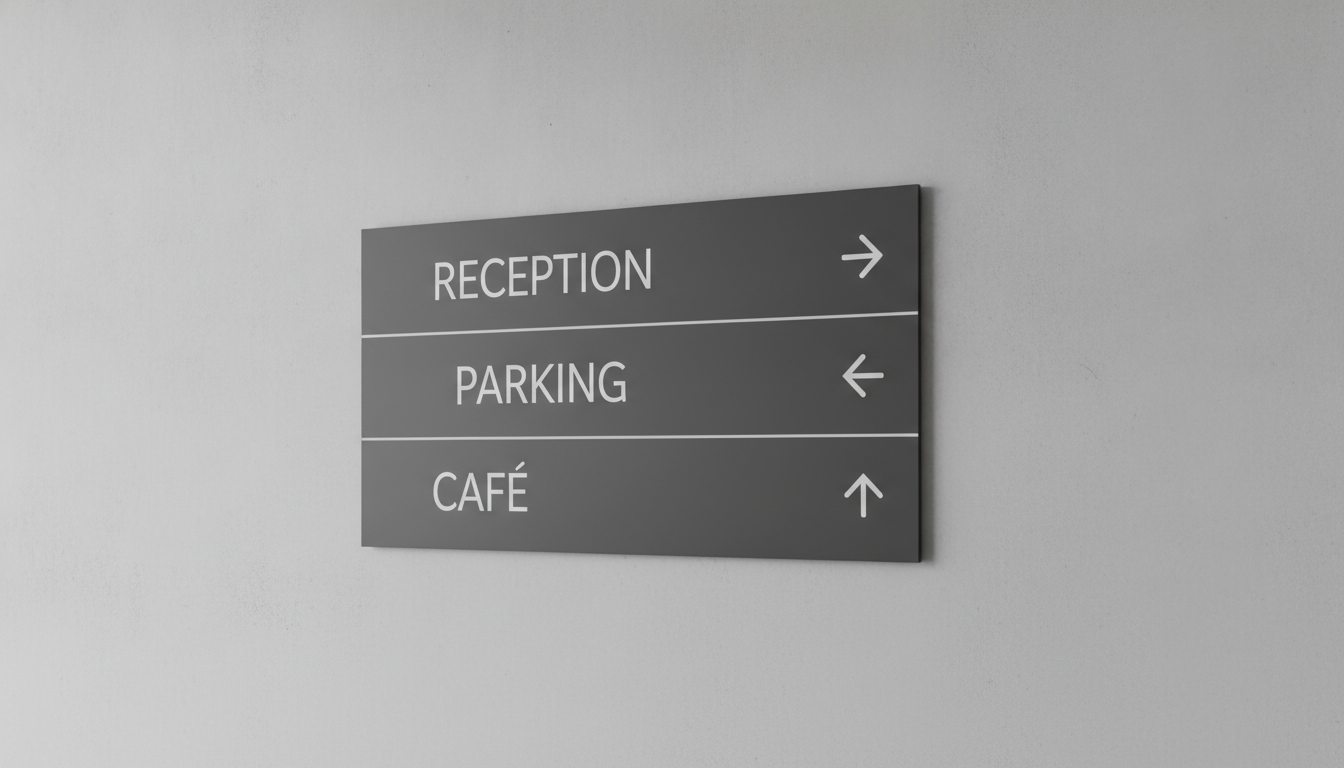
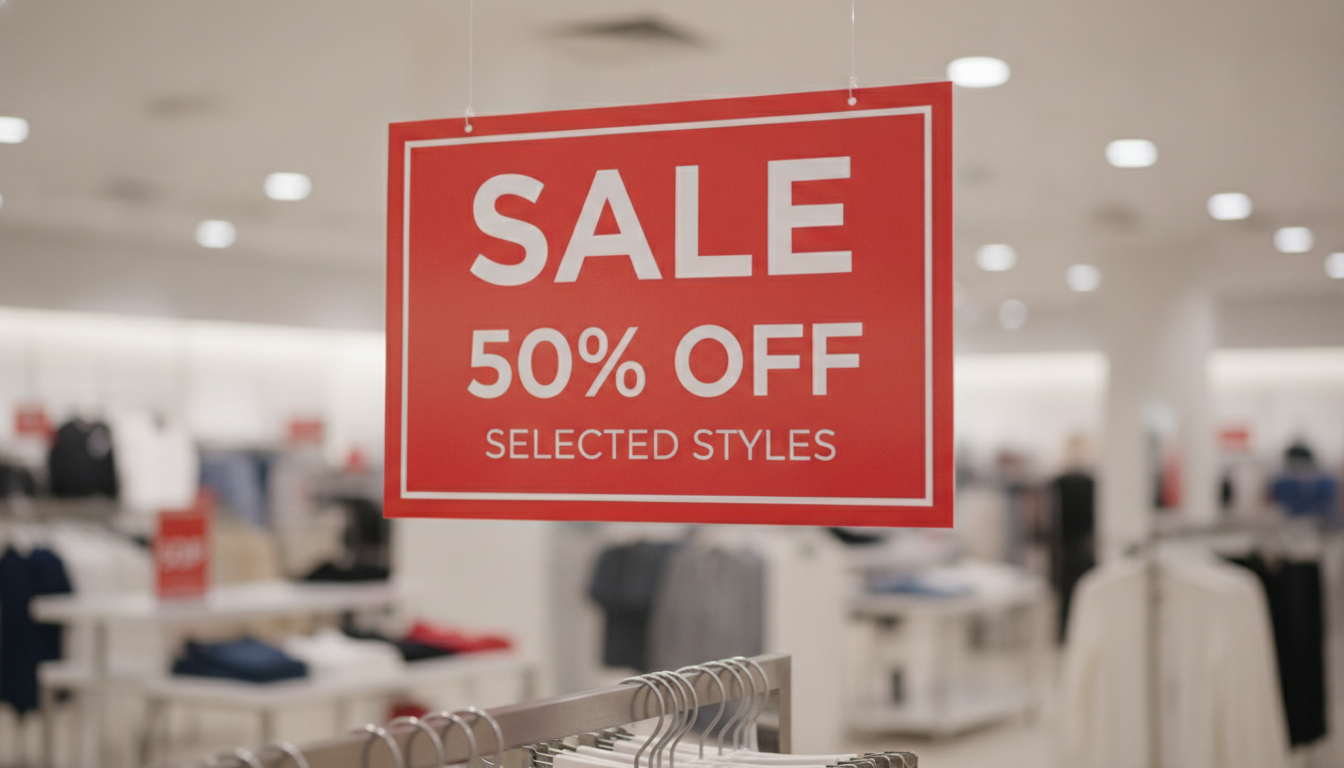
How the AI Signage Generator Works
Three steps from a name on a napkin to a sign you can show a sign maker
Choose a Sign Type
Six presets cover the signs businesses actually order, and each one is a different object rather than a recolour. Storefront Sign renders a fascia above a shop window with halo-lit letters. Sidewalk A-Frame gives you a chalkboard pavement board with a four-word headline. Wayfinding & Directions lays out destination rows paired with arrows. Retail Sale Sign is one word and one figure at maximum contrast. Event Welcome Sign is a cream easel board with a three-level hierarchy. Reception Wall Sign mounts dimensional metal letters on a timber wall. The preset already decides how many lines the sign gets and how they rank.
Type the Exact Wording
Put the real words in the details box, spelled the way they must appear, and stop there. "HARBOUR LANE COFFEE, tagline SLOW MORNINGS, dark green fascia with warm white letters" is enough for a fascia sign. Resist adding a phone number, a web address, opening hours and three services — signage fails by crowding long before it fails by being plain, and every extra line steals height from the name. If you need all of that on one sheet, you want a poster or a flyer, not a sign.
Proof It, Then Take It to a Sign Maker
Your sign comes back in about twenty seconds at up to 4K. Read every single word against your own spelling — a typo on a coupon is embarrassing, a typo on a fascia is manufactured, installed and invoiced. Then treat the image for what it is: a design you can approve, show a landlord, put in a permit application or hand to a fabricator as a brief. It is a flattened picture, not a vector cutting file, so the sign maker will redraw the artwork at physical size before anything gets routed, printed or lit.
Why Businesses Use an AI Signage Generator
Six reasons this beats describing the sign you want over the phone
It Renders Your Actual Words
Signage is the one design job that is entirely text, which is exactly where image models used to fall apart — the shop name came back as confident-looking gibberish and the whole thing was a mood board. Nano Banana Pro was built to set legible type inside an image, so your business name, your tagline and your destinations arrive as words you can read rather than letterforms that suggest words. That single capability is what makes an AI signage generator possible at all, and it is the first thing worth testing against any alternative.
You See It In Place, Not On a Canvas
A sign never gets judged flat. It gets judged mounted on a fascia at dusk, standing on a wet pavement, hung above a rail under shop lighting, or lit on a lobby wall. Each preset renders the sign in its setting, which tells you things a flat mockup hides — whether the letters hold up against a busy background, whether the halo glow reads at all, whether the tagline vanishes at that size. That is the difference between approving a design and approving a picture of a design.
Six Sign Types, Six Different Jobs
A fascia sign, a wayfinding panel and a sale sign are not the same object with different words in them. The presets carry their own information logic: the fascia gives a name one dominant line, wayfinding pairs one word with one arrow per row, the sale sign holds one word and one figure at maximum contrast, the welcome board runs three ranked levels, and the reception wall gets a single line of dimensional letters. Switching preset redesigns the sign around what it has to do.
Decide Before You Spend
Signage is expensive and permanent in a way most print is not. A built-up illuminated fascia runs into the thousands, and it stays up for years. The useful thing about generating six versions in ten minutes is that the argument about serif or sans, dark fascia or light, name-only or name-plus-tagline happens now, on screen, for nothing — instead of during a fabrication quote, or worse, after installation when everyone agrees the tagline is unreadable from the bus stop.
A Brief a Sign Maker Can Work From
Fabricators spend a lot of their day decoding descriptions like "something modern but warm, you know the kind of thing". An image removes that. Bring a render and the conversation jumps straight to the real questions — material, letter depth, illumination, fixing method, whether the landlord will allow it — and the quote comes back faster and closer to what you meant. Use the image as the brief, and let them redraw it properly as vector artwork at true size.
Cheaper Than a Design Round
A signage concept from a studio is a line item with a lead time attached. Here you start free with no credit card, and plans begin at $9.98 — less than a single hour of design time, and enough to work through every preset, try three names for a new venture, or produce the sale sign, the pavement board and the window graphic for one promotion in an afternoon. Output carries no watermark and is cleared for commercial use.
Frequently Asked Questions
Common questions about using an AI signage generator
See Your Sign Before You Order It
Pick a sign type, type your wording, and get a finished sign design at up to 4K — storefront fascia, sidewalk A-frame, wayfinding panel, retail sale sign, event welcome board or reception wall sign. Powered by Nano Banana Pro. Free to start, plans from $9.98.
Design a Shop, Event or Office Sign With an AI Signage Generator
Signage is the most expensive design decision a small business makes and usually the least designed. A lease is signed, a fit-out eats the budget, and two weeks before opening someone has to decide what goes above the door — often by describing it down the phone to a fabricator and hoping. An AI signage generator moves that decision earlier and makes it visible: you type the name and the one message that has to go with it, choose a direction, and a rendered sign comes back in about twenty seconds, mounted where it will actually live.
What makes this newly possible is text rendering. Signage is pure typography, so it was the last thing image models could do — for years they produced a beautiful shopfront with a name that dissolved on inspection. Nano Banana Pro was built to set legible type inside an image, and you can read more about how that works on the text in images page. That is what turns this from an atmospheric mock-up into a sign carrying your real name, your real tagline and your real destinations.
Six presets cover the signs businesses genuinely order. Storefront Sign renders a fascia with halo-lit letters above a shop window. Sidewalk A-Frame gives a chalked pavement board built around a four-word headline. Wayfinding & Directions lays out destination rows, one word and one arrow each. Retail Sale Sign puts a single word and a single figure at maximum contrast. Event Welcome Sign is a cream easel board with three ranked levels of type. Reception Wall Sign mounts dimensional metal letters on a timber wall. Same name, six different jobs.
For Shops, Cafes, Offices, Venues and Event Organisers
The quality of the sign depends almost entirely on restraint in the details box. Give it the business name, the single message, and the material or colour direction if you have one — then stop. Signage fails by crowding, and every service you add steals cap height from the name. Once the sign is settled, the same identity carries across the rest of the site: the AI logo generator handles the mark that sits beside the name, the AI menu design generator covers the board behind the counter, the AI poster generator and the AI flyer generator take the window sheet and the hand-out, and the AI business card generator finishes the counter. For the interior the sign hangs in, the AI interior design generator works from a photo of the real room.
Four limits deserve stating plainly, because signage is manufactured and installed rather than reprinted. You get a flattened image, not vector cutting artwork, so a sign shop will redraw it at physical size before anything is routed, printed or lit — treat the render as an approved design and a brief. The image has no dimensions, so work out cap height from viewing distance yourself, at roughly 25mm for every three metres, before deciding how many words fit. Digits are the weak spot: phone numbers, street numbers and opening-hours tables drift, so keep them off the sign where you can and proof them character by character where you cannot, and if you want a code on the sign, make a real one with the AI QR code art generator and test it with a phone. And screen colour is not vinyl colour — specify Pantone or RAL and ask for a proof on the real material.
Two boundaries and then it is yours. Statutory safety signage — fire exit, first aid, hazard, accessibility — is set by ISO 7010, ANSI Z535, OSHA and local building codes, and a generated image is not compliant no matter how convincing it looks; buy those certified. And check permission before fabrication: many councils require consent for shopfront and illuminated signs, conservation areas and listed buildings are stricter still, and a lease usually requires the landlord's sign-off — a render is exactly the visual those applications ask for. Beyond that, output is up to 4K, unwatermarked and cleared for commercial use. It is free to start with no credit card, and plans begin at $9.98. Type in the name, and look at it above the door before anyone builds it.
Try the AI signage generator free today. Type your wording, pick one of six sign types, and download a finished sign design at up to 4K. No credit card required to start. Paid plans from $9.98.