
AI Bedroom Design Generator
A bedroom is the room you see first thing every morning and the last room anyone else ever sees, which is exactly why it stays half-finished for years. This AI bedroom design generator settles the part that keeps stalling the decision: photograph your bedroom from the doorway, pick a style — modern minimal, Scandinavian, Japandi, bohemian, mid-century modern or luxe hotel — and get a photorealistic redesign of the same room, with your window, door and ceiling height kept, at up to 4K in about twenty seconds.
Try It Now — Free
Upload one landscape photo taken from the doorway with the bed made, the lights on and the curtains open, pick a style, and the redesign comes back in about twenty seconds at up to 4K. Shoot from the doorway rather than the foot of the bed — you want the headboard wall, a stretch of floor and the window in one frame.
AI Bedroom Design Generator
Upload a photo of your bedroom, pick a style, and see a photorealistic redesign of the same room in seconds
Upload a photo of your bedroom taken from the doorway with the bed made and the lights on, then select a style below
Rooms From the AI Bedroom Design Generator
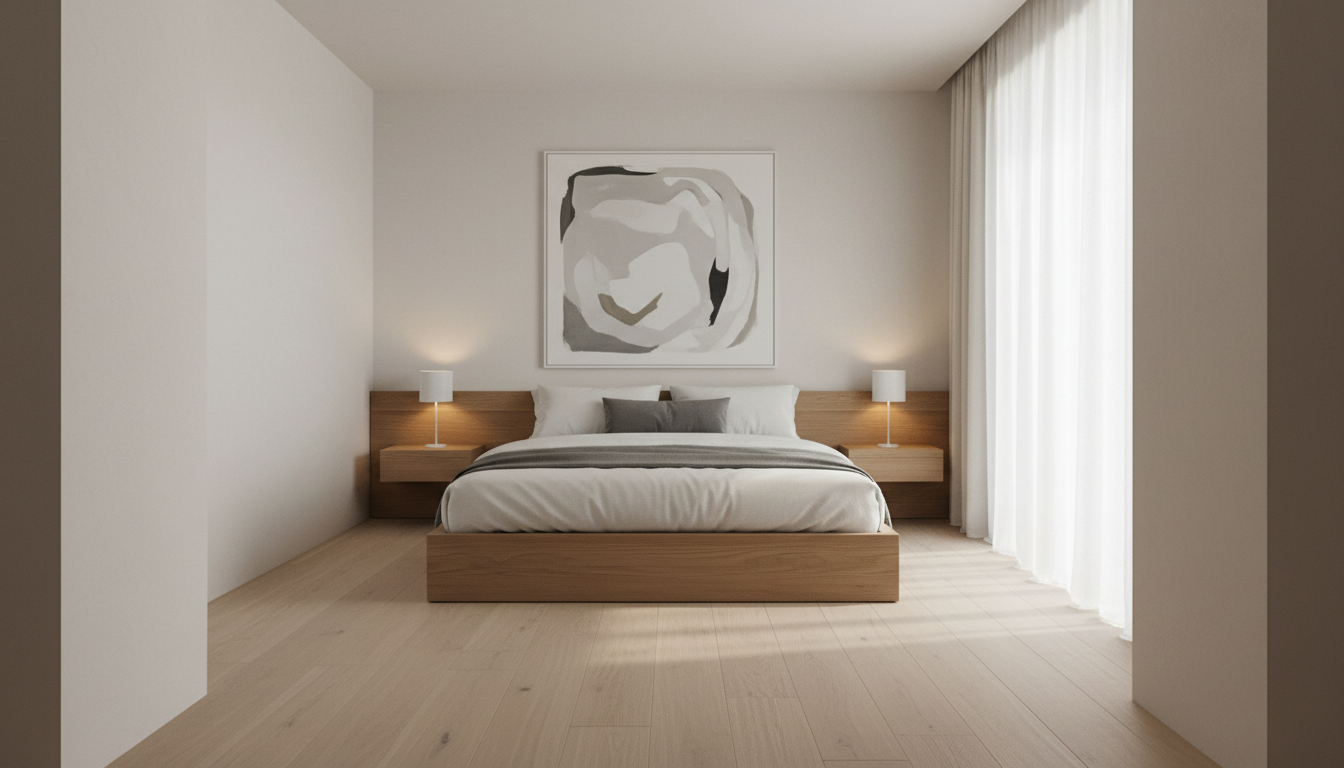
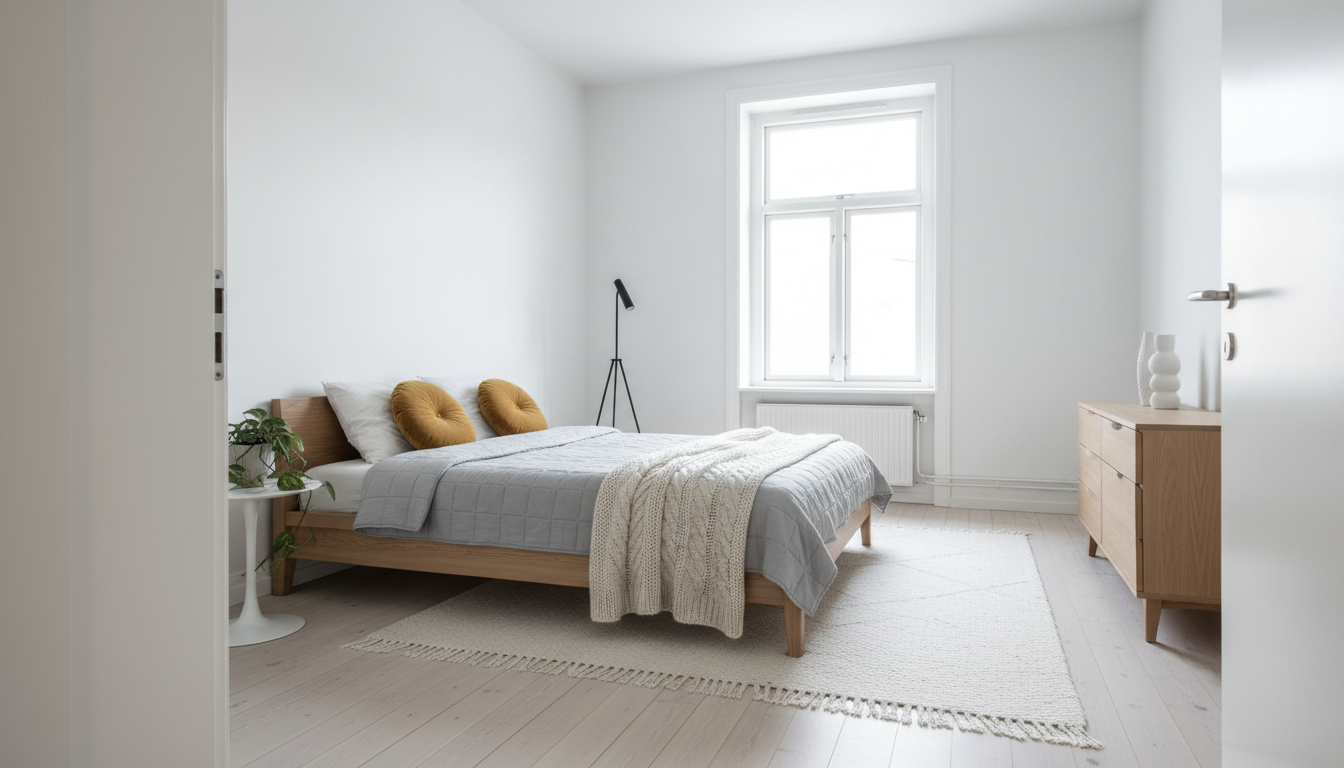
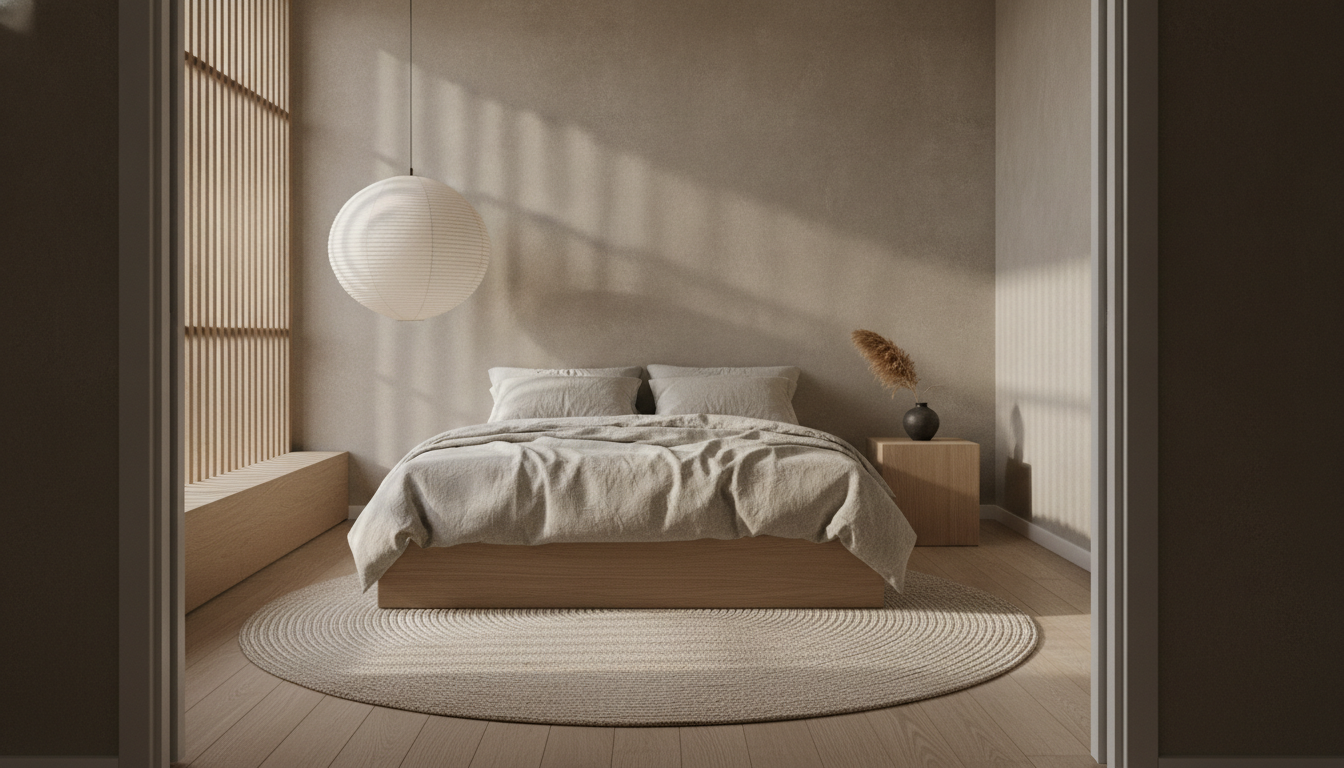
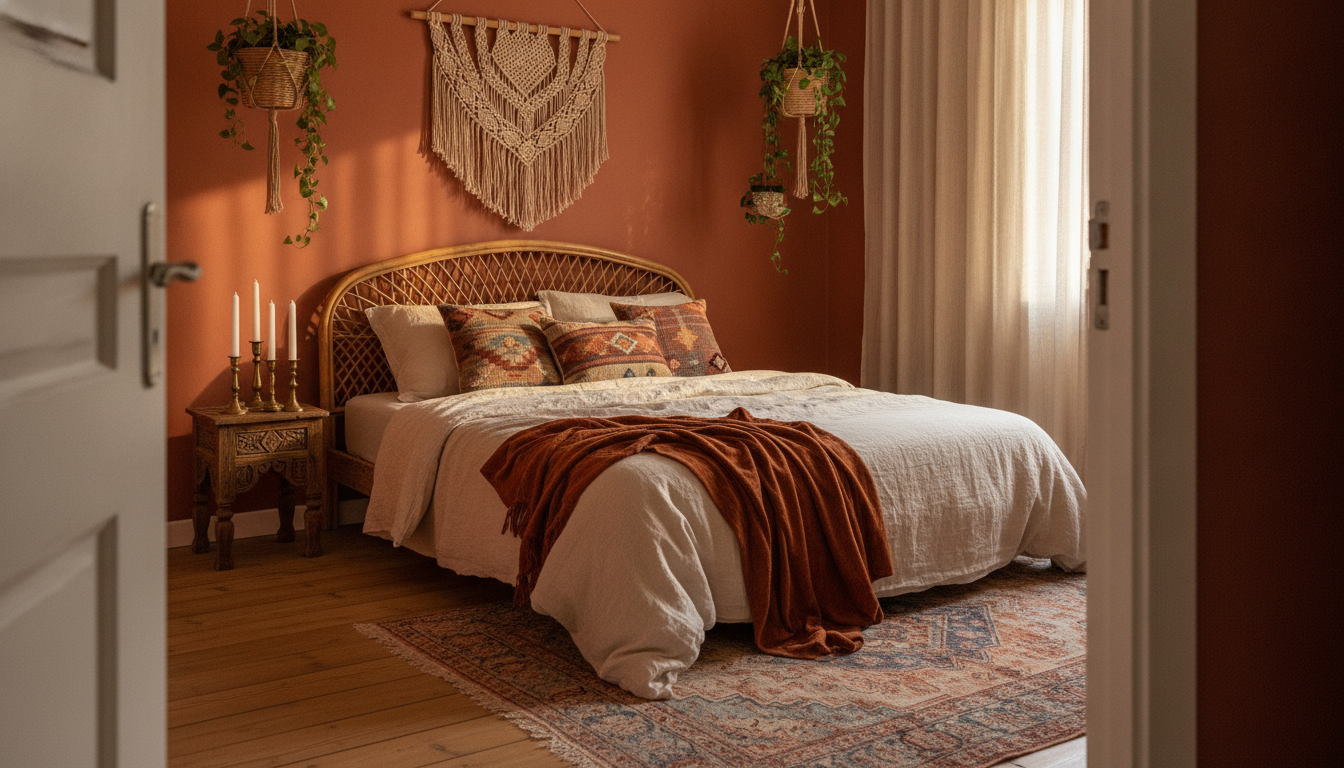
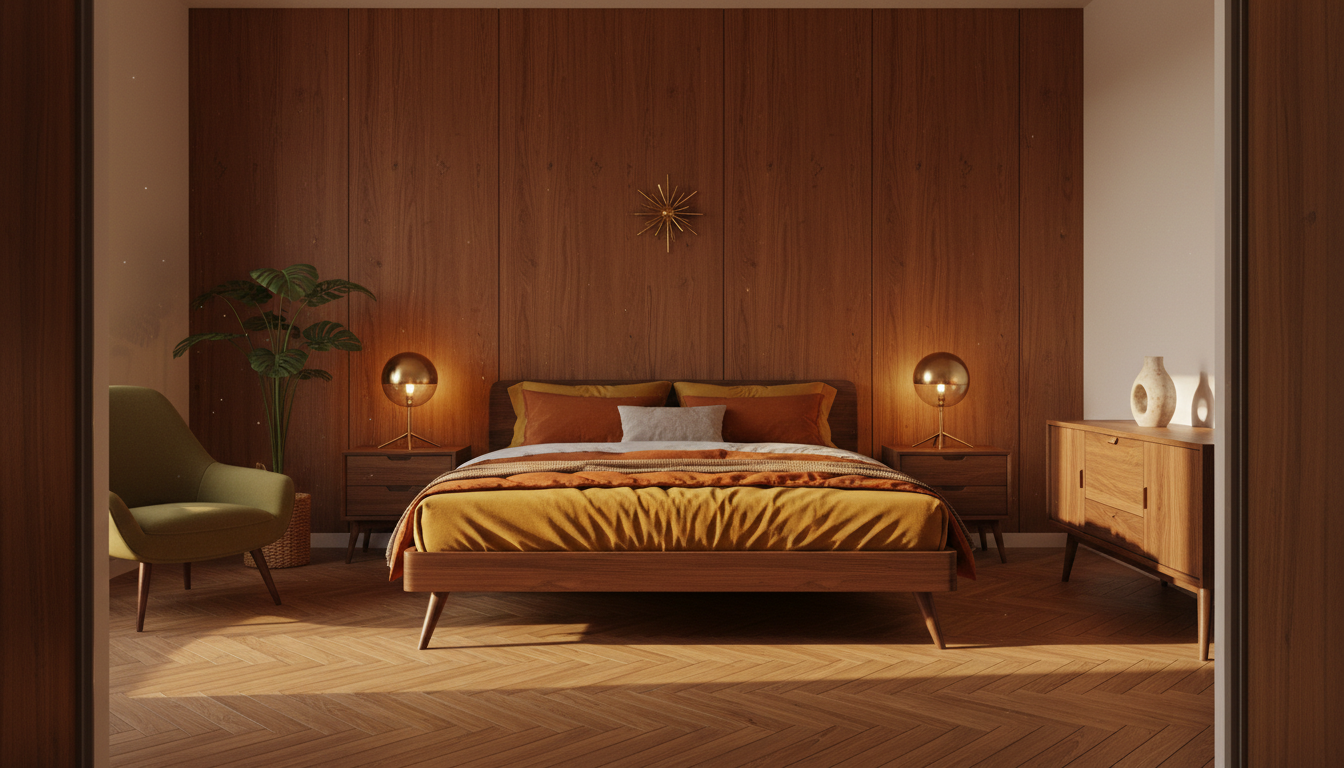
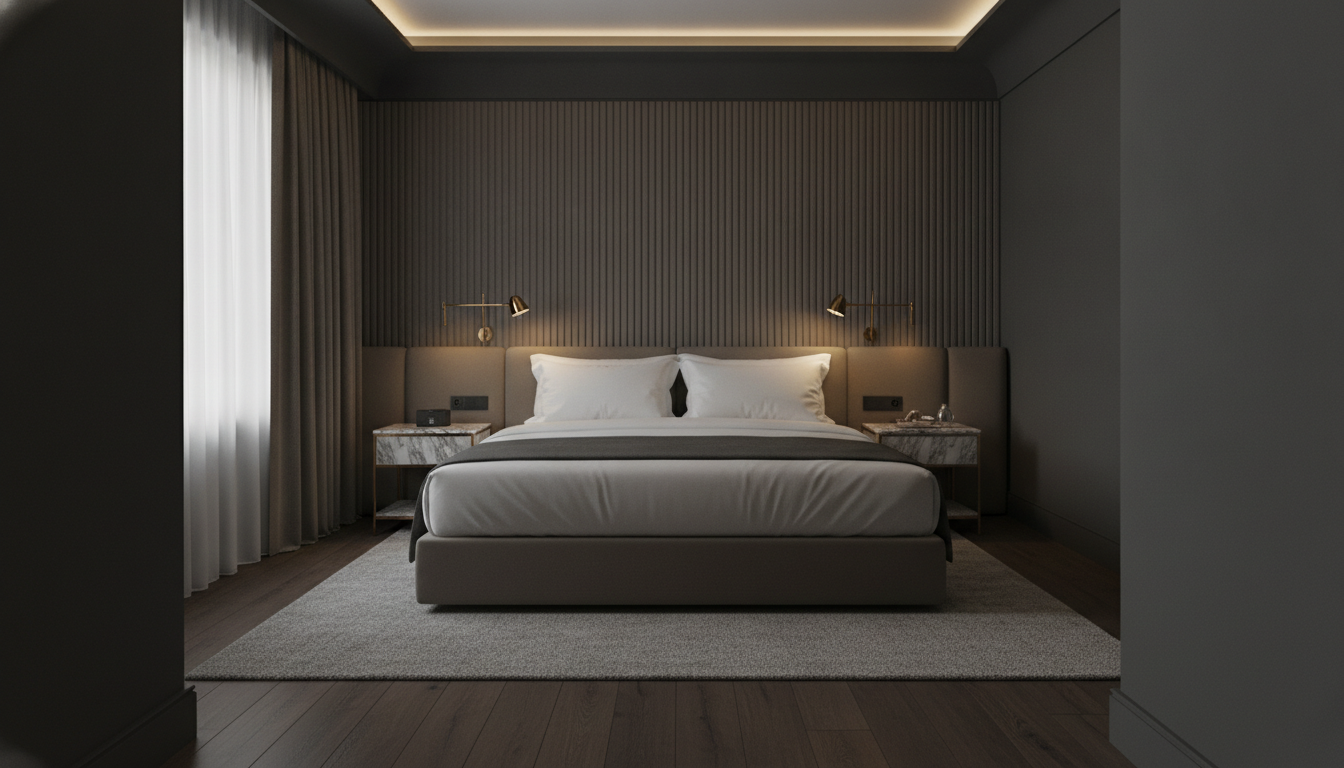
Modern minimal, Scandinavian, Japandi, bohemian, mid-century modern and luxe hotel — six genuinely different bedrooms, not six colour filters
How the AI Bedroom Design Generator Works
Three steps from the bedroom you have to the bedroom you are considering
Photograph the Room From the Doorway
Stand in the doorway, hold the phone level at about chest height, and take one landscape photo that includes the headboard wall, a decent stretch of floor and the window. Turn every light on and open the curtains — bedrooms are usually the darkest room in the house, and a dim corner comes back as a guess rather than as your room. Make the bed and clear the floor of laundry, but leave the bed, wardrobe and nightstands where they are: that furniture is what gives the model its scale cues.
Pick a Bedroom Style
Six presets, each a full scheme rather than a colour swap. Modern Minimal is off-white plaster, pale oak and a low platform bed with a lot of empty floor. Scandinavian is white walls, blonde ash and soft grey with a mustard accent. Japandi is warm greige limewash, floor-level seating height and a slatted oak screen. Bohemian is a terracotta wall, rattan, kilim and macrame. Mid-Century Modern is walnut panelling, parquet and burnt orange on splayed legs. Luxe Hotel is charcoal, a fluted headboard wall, brass reading lights and white hotel bedding. Each preset sets the walls, flooring, bed, lighting and palette together.
Compare, Regenerate, Then Buy With Confidence
The render comes back in about twenty seconds at up to 4K. Run the same photo through two or three styles and put the results side by side — that comparison is where the decision actually gets made, and it costs you a minute. If a render moves the window or invents a doorway, generate again; the instruction to hold the room layout is in every preset and a second pass usually lands it. Then use the image as a brief for a decorator, a fitted wardrobe quote or a furniture shortlist, not as a measured drawing.
Why Use an AI Bedroom Design Generator
Six reasons a render of your own bedroom beats another folder of saved photos
Your Bedroom, Not a Showroom
Every bedroom on Pinterest is bigger than yours, has the window on a more convenient wall and no radiator under it. Yours has a sloped ceiling, a door that opens into the only sensible spot for a wardrobe, or barely enough width to walk around the foot of the bed. Because this works image-to-image, every preset instructs the model to hold your room shape, window and door positions, ceiling height and proportions and change only the finishes and furniture. What comes back is your bedroom in that style, which is the only version of the question worth answering.
Six Schemes, Not Six Filters
A warm colour grade is not an interior style. Each preset changes the wall finish, the flooring, the bed silhouette, the lighting and the palette at once, because that is what actually separates these looks: Japandi is a floor-level platform bed and a slatted screen in warm greige limewash, mid-century is splayed legs and walnut panelling over parquet, luxe hotel is a fluted charcoal headboard wall with brass swing-arm reading lights. They are different schemes with different material lists, which is why the six results look like six bedrooms rather than one bedroom photographed under six lamps.
Decide Before You Spend
A bed and a wardrobe together are a four-figure decision you live with for a decade, and paint is cheap only until you have done a room twice. Seeing a charcoal feature wall against your actual ceiling height, or a low Japandi bed in a room with your actual walking space around it, kills bad ideas early and gives you the confidence to commit to a good one. Interior designers charge for exactly this stage — visualising a scheme before it is bought — and a render you can produce in twenty seconds does not replace that work, but it makes the conversation far shorter.
A Brief Your Decorator Can Read
Describing what you want in words is where bedroom makeovers go wrong, because "calm but not cold" means something different to everyone. A photorealistic image of your own room showing the wall finish, the floor, the bed shape and the lighting removes most of that ambiguity in one go. Send it to a decorator, to a joiner quoting on fitted wardrobes, or to a shop when you are trying to describe the bed frame you have in your head. Output is up to 4K with no watermark and cleared for commercial use, so stagers and small studios can put it straight into a proposal.
Landlords, Hosts and Sellers
Bedrooms carry a listing. A tired second bedroom is the thing viewers remember, and a short-let host is competing on photographs alone. Rendering a dated bedroom in two or three styles shows a seller what a light refresh would realistically do before they commit to it, and gives an agent something concrete to talk about at a viewing. If the bedroom is completely empty rather than dated, the AI virtual staging tool is the closer fit — it furnishes bare rooms rather than restyling furnished ones.
Free to Start, $9.98 to Go Further
You can render your bedroom free without a credit card, which is enough to see whether the style you have been saving actually suits your space. Paid plans start at $9.98 for the point where you are working properly — running all six styles on the same photo, testing a scheme across the bedroom, living room and bathroom so the house reads as one house, or producing a set of renders for a client. Against a designer's day rate, or a bed frame bought on a hunch, the maths is not close.
Frequently Asked Questions
Common questions about using an AI bedroom design generator
See Your Bedroom in a New Style
Upload one photo from the doorway, pick a style, and get a photorealistic redesign of the same room at up to 4K — modern minimal, Scandinavian, Japandi, bohemian, mid-century modern or luxe hotel. Powered by Nano Banana Pro. Free to start, plans from $9.98.
Your Room in Six Styles: the AI Bedroom Design Generator
The bedroom is the room that gets decorated last and lived in most. Money goes to the kitchen because guests see it and to the living room because everyone sits in it, and the bedroom ends up with the paint colour it had when you moved in, a bed frame bought in a hurry and a folder of forty saved photos of rooms that are not yours. Those rooms are always wider, always brighter and never have a radiator under the window. The gap between inspiration and decision is where a bedroom makeover stalls, and it is not a gap more inspiration can close.
That is the job an AI bedroom design generator does, and it is a genuinely different task from generating a room out of nothing. Text-to-image will happily invent a beautiful bedroom, but it will invent one you cannot build, in a room you do not have. Working image-to-image means the model has to keep something — the geometry, the openings, the ceiling — while changing everything else, and every preset here is written to make that boundary explicit. The result is a render you can actually reason about, because the thing being tested is the scheme, not the room.
Six presets cover the schemes people decorate bedrooms around. Modern Minimal is off-white plaster, wide pale oak and a low platform bed in white linen with a lot of deliberate empty floor. Scandinavian is white walls and blonde ash with soft grey and one mustard accent. Japandi is warm greige limewash, a floor-level oak bed, a jute rug and a slatted screen. Bohemian layers a terracotta wall with a faded Persian rug, a rattan headboard, kilim cushions and macrame. Mid-Century Modern is walnut panelling over herringbone parquet with burnt orange bedding on splayed legs and brass globe lamps. Luxe Hotel is charcoal, a fluted headboard wall, marble nightstands and brass swing-arm reading lights. Each sets the walls, floor, bed, lighting and palette together, because that is what makes them different rooms rather than different filters.
Getting a Good Render, and What This Tool Will Not Do
A good render is mostly decided by the upload. Shoot from the doorway, hold the phone level, get the headboard wall and the window in one landscape frame, and turn every light on — bedrooms are dim and dark corners come back as invention. Make the bed but leave the furniture in place, because it gives the model the scale cues it needs. Then run the same photo through two or three styles and compare them side by side; that comparison, not any single render, is what actually settles the decision. If you want the same treatment elsewhere in the house, the AI living room design generator and the AI bathroom design generator are written around those rooms, the AI interior design generator gives a whole-home view, and the AI exterior design generator handles the outside.
Three limits are worth stating plainly. First, a render is an impression, not a drawing — there are no real dimensions in it, nothing is to scale, and the furniture is invented rather than pulled from any catalogue, so it cannot be measured off, ordered from or handed to a joiner as a specification for fitted wardrobes. Second, the layout usually holds but occasionally drifts: a window slides along a wall, a doorway appears, a sloped ceiling straightens out. Always check the render against your original photo, and generate again if the geometry has moved. Third, if the bedroom is empty rather than dated, this is the wrong tool — the AI virtual staging tool is built to furnish bare rooms, and note that property listings in many markets require staged images to be disclosed as virtually staged.
Within those limits the renders are yours to use. Output reaches 4K with no watermark and is cleared for commercial use, which matters for decorators building a proposal, short-let hosts preparing a listing, and small studios who want to show a client three directions before the first meeting rather than after it. If you would rather generate a bedroom from a written description than restyle a photograph, the text-to-image generator handles that. It is free to start with no credit card and plans begin at $9.98. Take one photo from the doorway and see what your bedroom could look like.
Try the AI bedroom design generator free today. Upload one photo of your bedroom, pick one of six styles, and download a photorealistic redesign of the same room at up to 4K. No credit card required to start. Paid plans from $9.98.