
AI Watermark Remover
A watermark is not painted on top of a photo so much as blended into it, which is why erasing one is harder than it looks. Wipe the mark and you are left with a hole in the middle of a face, a product, a horizon. This AI watermark remover runs on Nano Banana Pro: it reads the texture, lighting and detail around the overlay and rebuilds what the mark was sitting on, so a tiled text pattern, a corner logo, a subtitle bar or a burned-in camcorder date stamp disappears and the picture underneath reads as though nothing was ever there. Upload an image you own, pick the kind of mark, download in about twenty seconds.
Try It Now — Free
Upload an image you own or have permission to edit, choose the kind of mark you need gone, and describe where it sits. Your clean version comes back in about twenty seconds at up to 4K.
AI Watermark Remover
Upload an image you own, choose the type of watermark or overlay, and get it back with the detail underneath fully rebuilt
Upload your image, choose a removal preset, then describe where the watermark sits
Images Cleared With This AI Watermark Remover
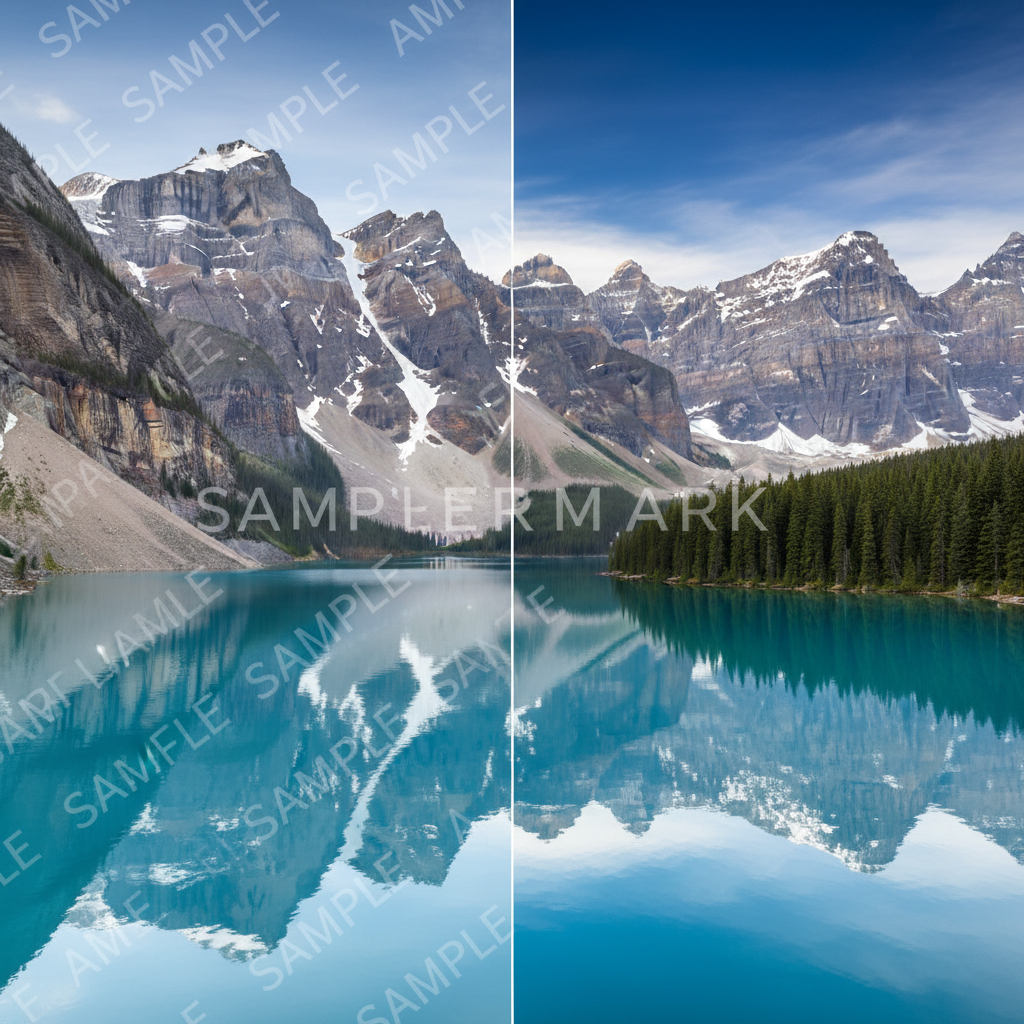
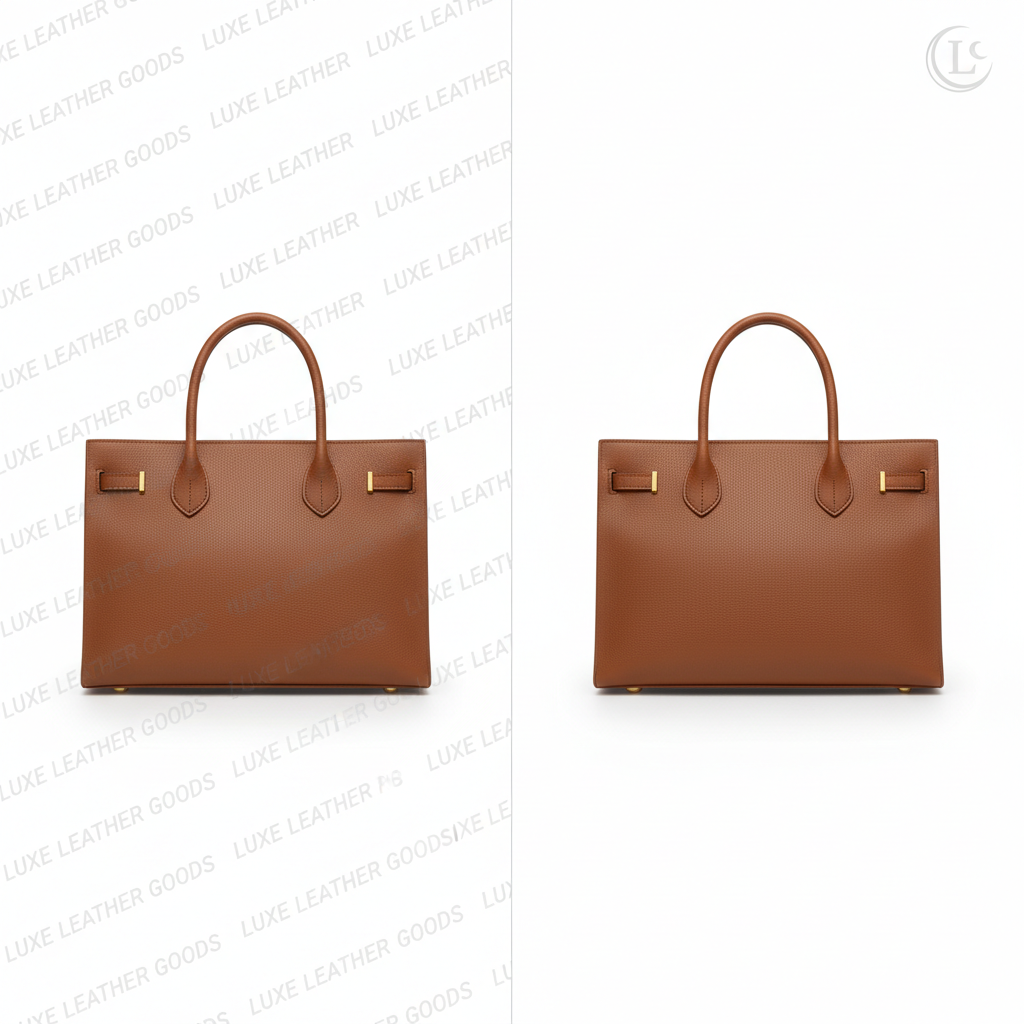
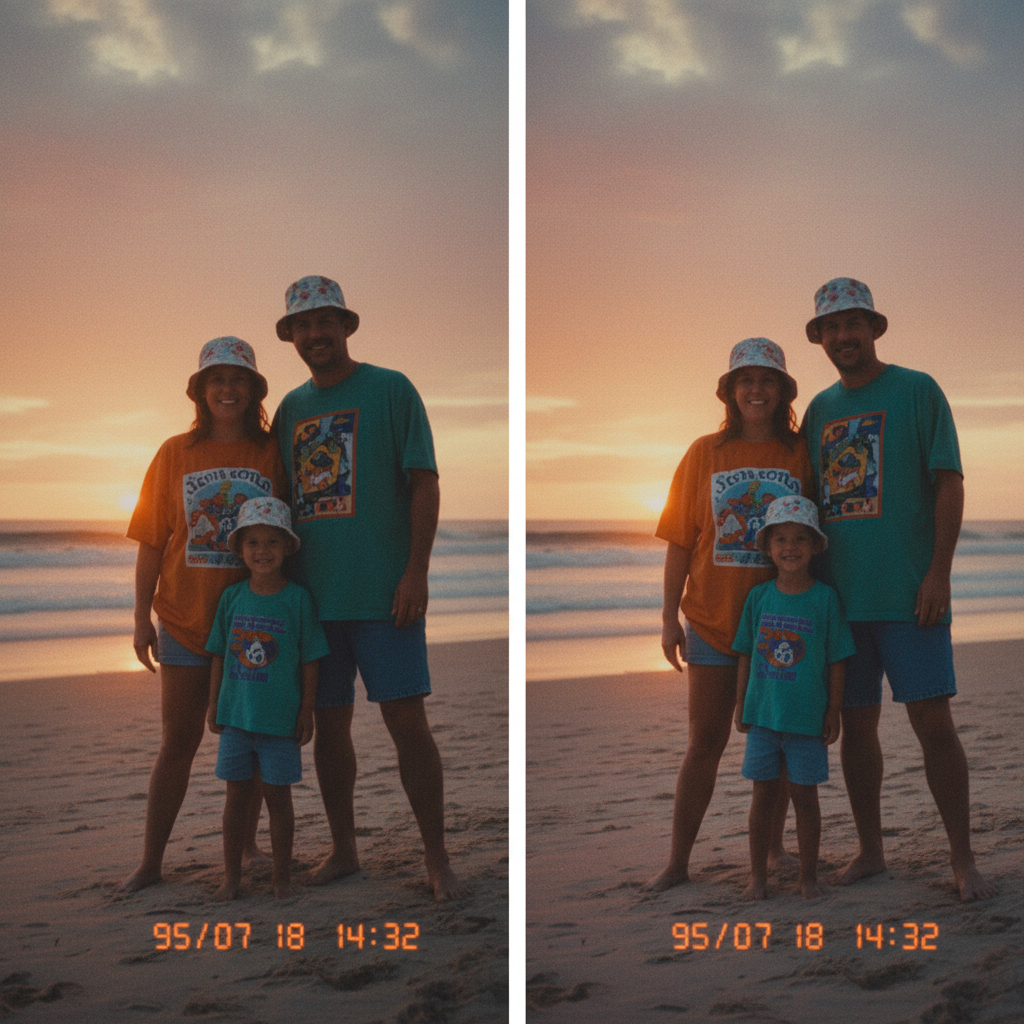
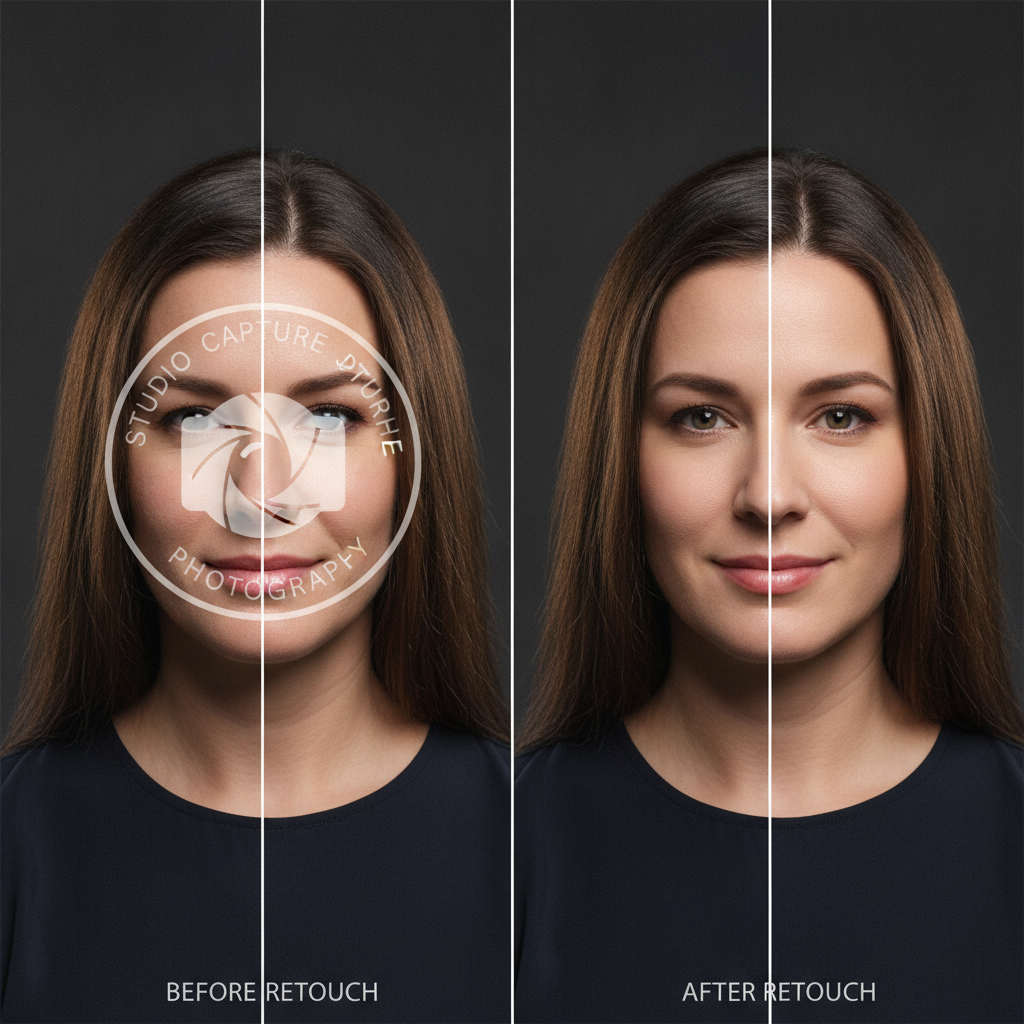
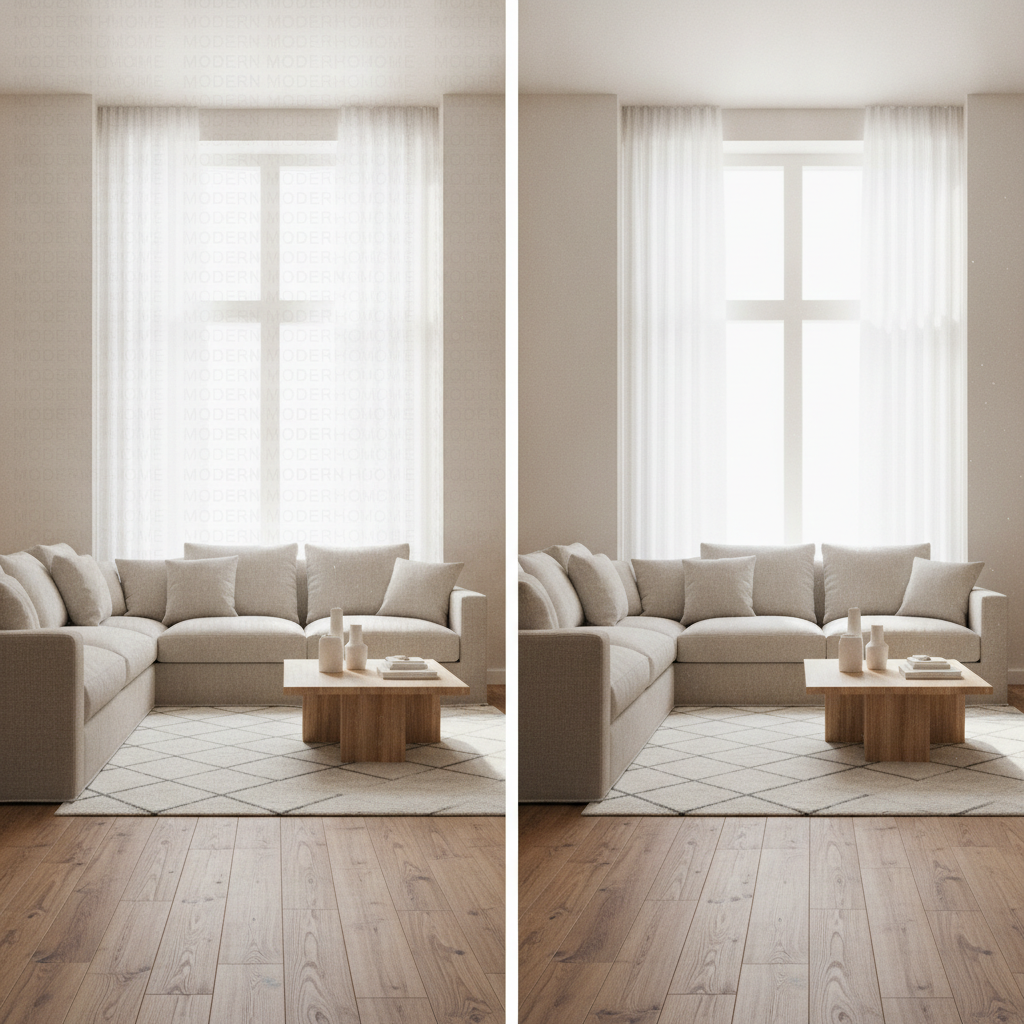
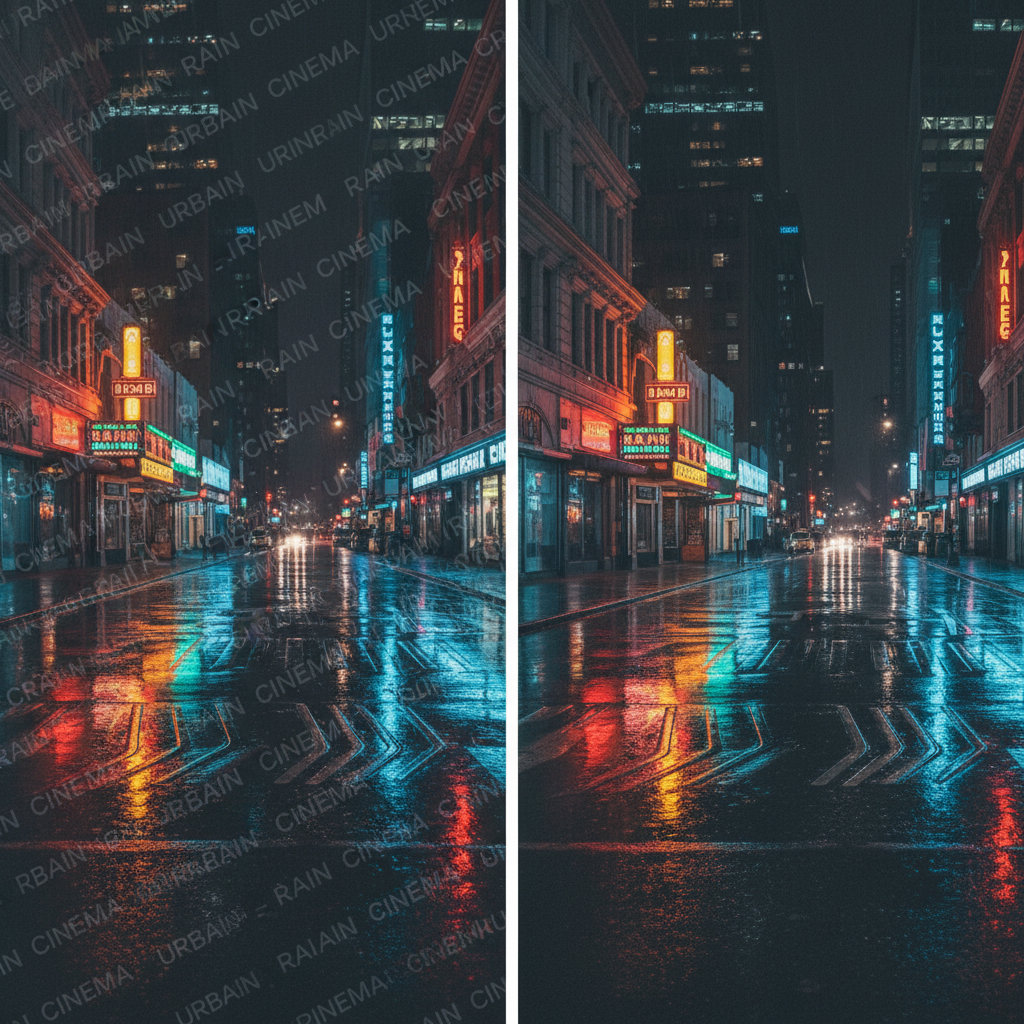
Tiled text patterns, corner logos, camcorder date stamps, portrait overlays, interior banners and full-frame grids — each one erased with the detail underneath rebuilt
How the AI Watermark Remover Works
Three steps from a marked-up file to the clean original
Upload Your Image
Drop in the highest-resolution copy you have — JPEG, PNG, WebP or a HEIC straight off a phone. Use the original file rather than a screenshot or a copy that has been through a messaging app, because the model rebuilds the covered area from the texture it can actually see around the mark, and heavy compression leaves it less to work with. One image at a time, and no account is needed for your first attempt.
Describe the Mark
Pick the preset that matches what you are clearing — tiled text, corner logo, date stamp, product cleanup, subtitle bar, or a center overlay on a portrait — then say where it sits in the details box. "Tiled text across the whole photo" or "logo in the bottom-right corner" beats a vague request, because naming the position and pattern tells the AI watermark remover where the boundary falls and what must stay untouched.
Generate and Download
Your cleared image arrives in roughly twenty seconds at up to 4K, with no watermark of ours added and full commercial rights on what you make. Zoom to 100% on the area the mark occupied before you use it — a heavy pattern over fine detail is the hardest case and occasionally wants a second pass. Each run reinterprets the image rather than repeating the previous result, so a more specific description usually fixes it.
Why This AI Watermark Remover Beats a Blur Tool
Six reasons the cleared area still holds up at full zoom
It Restores, It Does Not Blur
The usual free tools do one of two things: paint a blurred smudge over the mark, or copy nearby pixels across it. Both trade a visible watermark for a visible repair, which on a product listing or a portrait is barely an improvement. This tool generates new detail that continues the photograph — the weave of a fabric, the grain of a sky gradient, the pores on a cheek. The difference is invisible in a thumbnail and unmistakable at 100%.
Full-Frame Patterns, Not Just Corners
A logo in one corner is the easy case. The hard case is a repeating diagonal text grid tiled across every square inch of the image, where there is no clean neighbouring region to copy from and a naive tool leaves faint lettering ghosted over the whole frame. Because the model reconstructs the scene rather than patching pixels, full-frame tiled marks come back uniform, with no residual outlines and no uneven brightness where the pattern was densest.
Six Marks, Six Presets
Tiled text watermark for full-frame patterns. Corner logo for a single brand mark. Date stamp for burned-in camcorder digits on old family photos. Product photo cleanup for price badges, promo stickers and overlay text before a listing goes live. Text and subtitle bar for caption strips and banners. Center overlay on a portrait for large translucent marks across a face. Each preset carries its own instructions about what to protect, not only what to delete.
The Rest of the Photo Stays Put
Clearing a mark should change one region and leave everything else exactly as your camera recorded it. The portrait preset explicitly forbids smoothing skin, slimming faces or altering expressions, so a cleanup never quietly becomes a beauty filter. The product preset holds shape, material and color constant so the listing still matches what actually ships. The date-stamp preset preserves the film grain and warm color cast that make an old photo look its age.
4K Output, Nothing Added
Cleared images export at up to 4K with no watermark of ours stamped on the result — an irony worth avoiding — and full commercial rights on what you create. Resolution matters more here than for most tools, because a downscaled export hides the repair by hiding everything, then falls apart the moment the image runs full size on a listing page, a print or a property brochure. You get back what you uploaded.
Free to Start, $9.98 to Scale
Clear your first images free with no credit card, on your own difficult files rather than on a demo picked to flatter the tool. Paid plans start at $9.98 when volume arrives — a back catalogue of shots carrying an old studio mark, a product range to re-list, a box of scanned family photos every one of which has a date burned into the corner. That is well under an hour of a retoucher’s time, with no per-image fee stacking up behind it.
Frequently Asked Questions
Common questions about using an AI watermark remover
Get Back the Image Underneath
Clear watermarks, logos, caption bars and burned-in date stamps from images you own — and get back detail that looks like it was never covered. 4K, nothing added, powered by Nano Banana Pro. Free to start, plans from $9.98.
Clear Marks From Your Own Photos With an AI Watermark Remover
Most people meet this problem from the inside rather than the outside. A photographer rebrands and suddenly a decade of portfolio work carries a studio mark that no longer exists. A seller inherits product shots stamped with a supplier’s promotional badge and cannot list them. A family scans a box of nineties prints and every single one has an orange date burned into the bottom corner. A designer is handed back their own artwork with a caption bar baked into the export because the layered file was lost three laptops ago. An AI watermark remover exists for those files, and it turns what used to be a specialist retouching job into a sentence and twenty seconds.
The technical point worth understanding is that removal is not really about removal. Covering a mark is trivial — the difficulty has always been what goes underneath. Traditional tools blur the region or clone pixels in from elsewhere, which is why those edits announce themselves with a soft bruise, a repeated patch of texture, or lines that quietly stop being straight where the repair begins. This AI watermark remover generates genuinely new detail for the covered area, informed by the lighting direction, texture, grain, perspective and depth of field of everything around it. A sky gradient continues smoothly. Fabric keeps its weave. A face keeps its pores instead of turning to plastic.
Six presets cover the marks people bring most often. Tiled text watermark handles the hardest case, a repeating pattern across the full frame with no clean region to borrow from. Corner logo takes a single brand mark and rebuilds the sky, wall or backdrop behind it. Date stamp clears burned-in camcorder digits while deliberately keeping the film grain and warm cast of an old print. Product photo cleanup strips price badges, promo stickers and overlay text before a listing goes live. Text and subtitle bar removes caption strips and banners, lining the scene back up across the gap. Center overlay on a portrait clears a large translucent mark from a face while explicitly refusing to smooth skin or reshape features, because a cleanup should not become a beauty filter without you asking.
Portfolios, Product Listings, Family Scans and Design Files
Getting a clean result comes down to how you describe the mark. Name it the way you would point it out to someone sitting beside you: tiled text across the whole photo, logo in the bottom-right corner, orange date stamp under the horizon, caption bar along the bottom third. Specificity draws the boundary. Upload the largest original file you have rather than a screenshot, since the model rebuilds from texture it can actually see. On an image carrying several different marks, take one per pass rather than asking for everything at once. And always zoom to full size on the cleared region before you publish — a dense pattern lying over fine detail is the hardest case and the one most likely to want a second attempt. If the mark is an object in the scene rather than an overlay, the AI object remover is the better fit, and the photo restoration tool handles damage, fading and scratches on old scans.
One boundary is worth stating plainly, because the tool is capable enough to make it matter. Use the AI watermark remover on images you own or have explicit permission to edit. Clearing your own studio mark, tidying a product shot you took, or removing a date your own camera stamped onto your own holiday photo is exactly what it is for. Stripping a photographer’s or a stock library’s watermark from an image you have not licensed is copyright infringement whatever software performs it — the watermark is there precisely to mark ownership, and in many jurisdictions removing rights-management information carries its own penalty on top of the infringement itself. If you want the picture, the licence is almost always cheaper than the consequences.
Within those limits, everything you produce is yours. Cleared images come back at up to 4K with no mark of ours added to the result, cleared for commercial use, free to start with no credit card, and plans from $9.98 when a whole catalogue needs doing. There is no software to install, no subscription to a desktop suite, and no per-image fee quietly accumulating in the background — you upload a file, describe what should not be there, and get back the photograph you were supposed to have in the first place.
Try the AI watermark remover free today. Clear watermarks, logos, caption bars and date stamps from images you own, with the detail underneath rebuilt at up to 4K. No credit card required to start. Paid plans from $9.98.