
AI Photo Restoration Tool
Restore old photos with an AI photo restoration tool that repairs the damage time leaves behind. Upload a scratched, faded, torn, or blurry picture, pick a restoration style, and Nano Banana Pro removes scratches, fixes creases, sharpens faces, and even adds natural color — in about 20 seconds. No Photoshop skills, no expensive studio, no waiting weeks for a specialist. Just upload, restore, and download your memory in 4K.
Try It Now — Free
Upload an old or damaged photo, choose a restoration style, and the AI photo restoration tool repairs and revives it in seconds — no account needed.
AI Photo Restoration
Upload an old or damaged photo, select a restoration style, and restore it instantly
Upload your old photo, select a restoration style, and click Generate
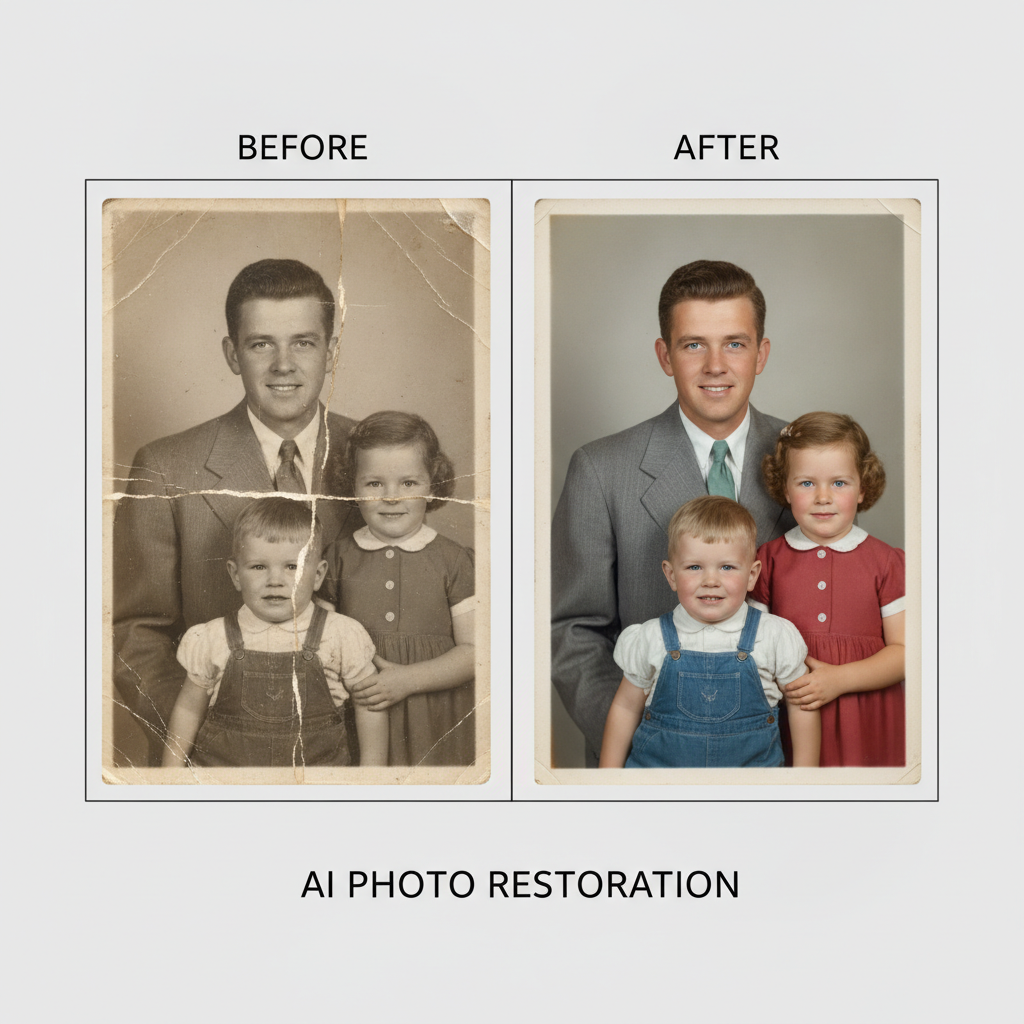
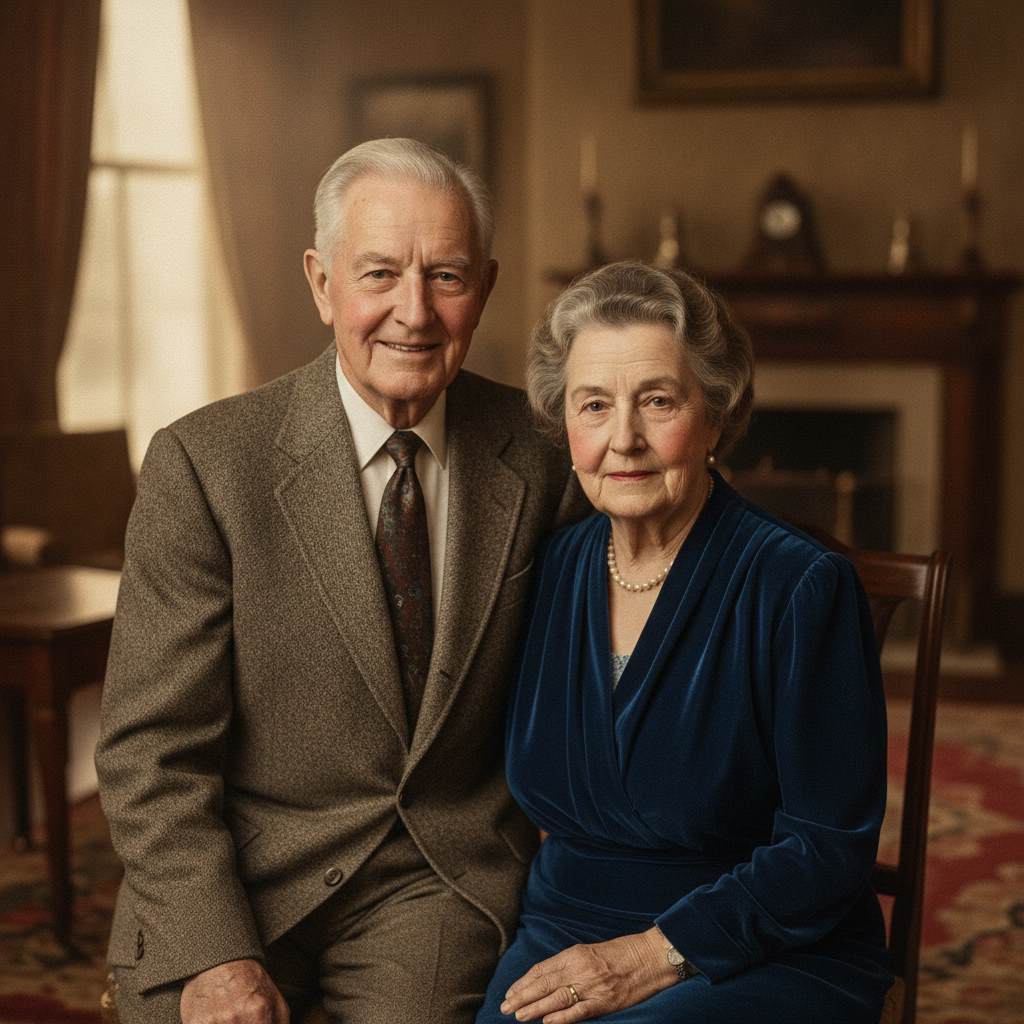
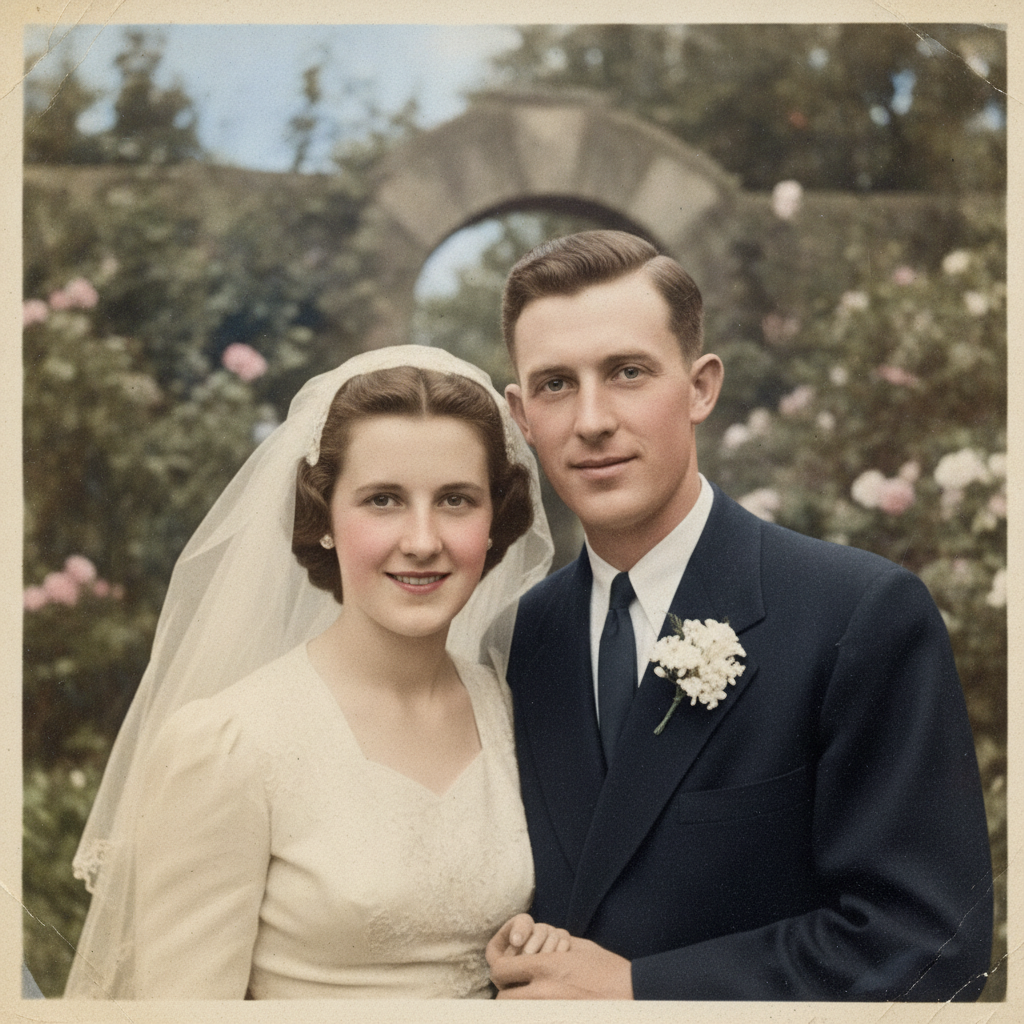
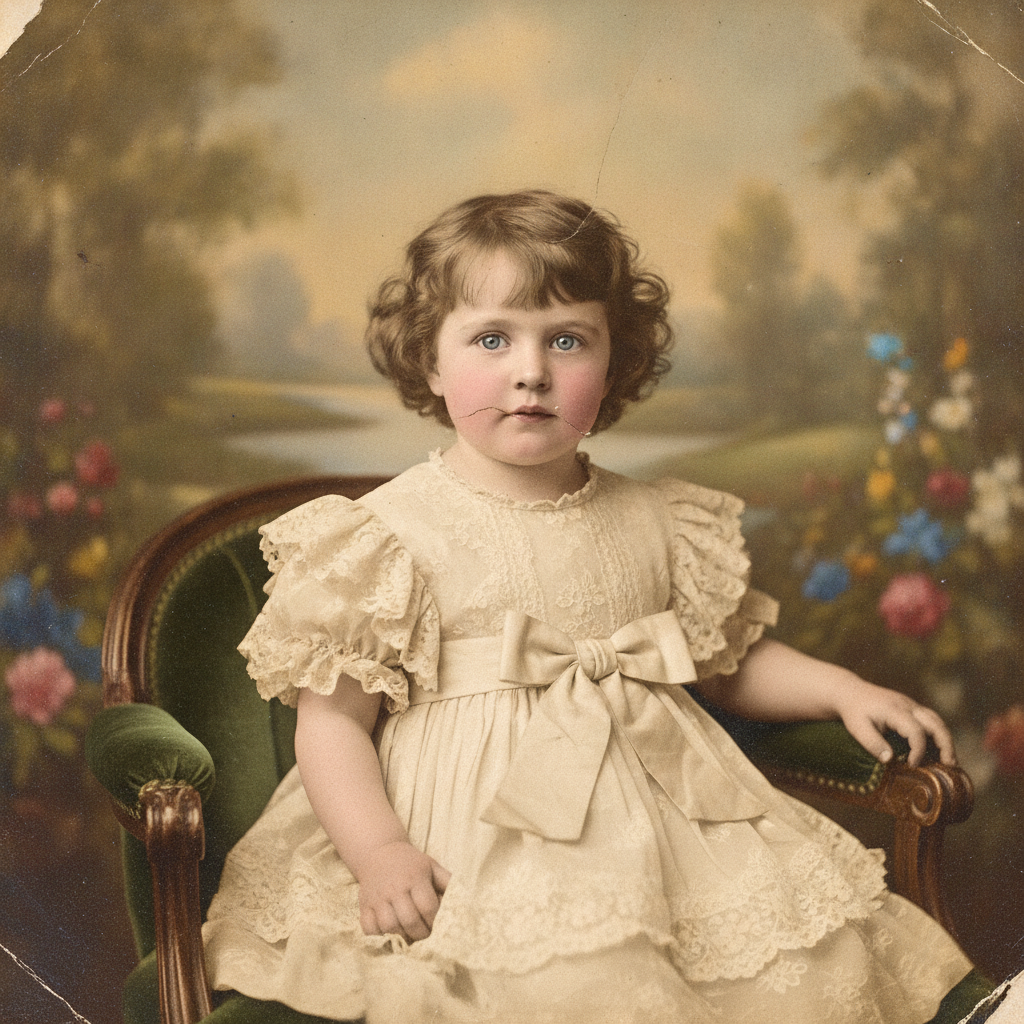
The AI Photo Restoration Tool in Action
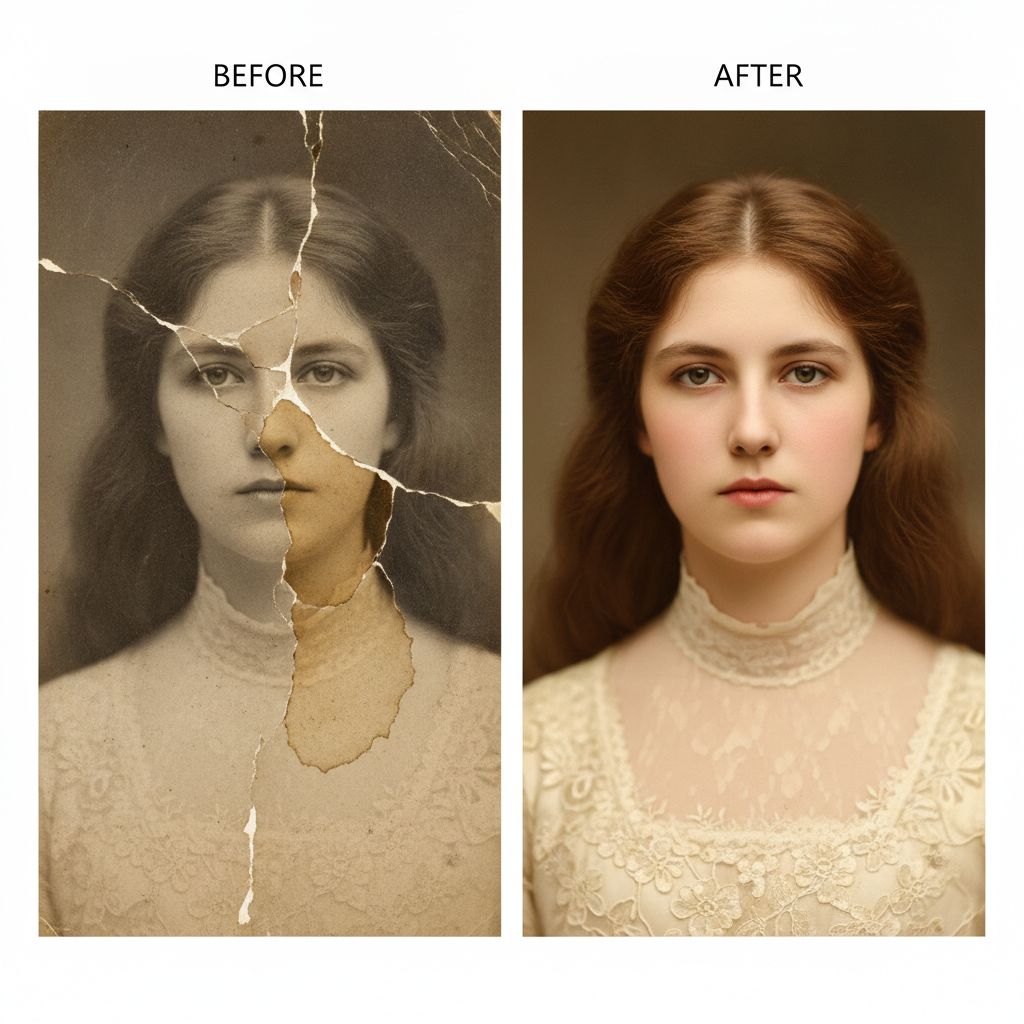
See how the AI repairs, sharpens, and colorizes old and damaged photos — from faded portraits to torn antiques
How the AI Photo Restoration Tool Works
Go from a damaged old picture to a clear restored memory in three simple steps
Upload Your Old Photo
Snap or scan your damaged, faded, scratched, or blurry picture and upload it to the AI photo restoration tool. Any common image format works, and you do not need to clean it up first — the AI handles the repair for you.
Choose a Restoration Style
Pick what your photo needs — repair damage, colorize black and white, enhance and sharpen, restore faded color, or rebuild a torn antique. Nano Banana Pro reads the image and rebuilds detail while preserving the original faces in about 20 seconds.
Download in 4K
Save your restored photo in crisp 4K, ready to print, frame, share with family, or post online. Try different restoration styles and pick the version that brings your memory back to life best.
Why Families Choose This AI Photo Restoration Tool
Six reasons this is the fastest way to repair and revive your old photos
Repairs Real Damage
The AI photo restoration tool removes scratches, dust, creases, tears, and stains, and reconstructs missing or torn areas seamlessly — no manual cloning or retouching skills required. Damage that would take an expert hours disappears in seconds.
Natural Colorization
Turn black and white and sepia photos into lifelike color images with accurate skin tones, period-appropriate clothing, and believable lighting. Nano Banana Pro adds color that looks historically natural, not painted on.
Preserves Original Faces
Good restoration keeps people looking like themselves. The AI repairs damage and sharpens detail while protecting the original faces and expressions, so your relatives stay recognizable instead of being replaced.
Sharpens & Denoises
Recover fine detail from grainy, blurry, low-resolution scans. The AI photo restoration tool removes noise, restores facial texture and edges, and lifts old photos to crisp high definition without that over-smoothed plastic look.
4K Print-Ready Output
Every restored photo exports in crisp 4K, sharp enough to reprint, enlarge, and frame for the wall, or to share with family in a digital album without looking blurry or pixelated.
Free to Start
Restore your first old photo with free starter credits — no credit card required. Upgrade only when you want to revive a whole album in premium 4K quality.
Frequently Asked Questions
Common questions about the AI photo restoration tool
Bring Your Old Photos Back to Life
Upload a damaged or faded picture and restore it in crisp 4K — repair scratches, colorize black and white, and revive faded memories. Try the AI photo restoration tool free. Plans from $9.98/mo.
Restore Old Photos in Seconds, Powered by AI
Old photographs are some of the most precious things a family owns, yet time is unkind to them. Prints fade in the sun, ink yellows, corners tear, and water and handling leave scratches and creases across faces you love. Restoring a damaged photo the traditional way means hours of careful work in Photoshop, or paying a restoration specialist who can charge a steep fee per image and take weeks to return it. The AI photo restoration tool removes that barrier. Upload your damaged picture, choose a restoration style, and the AI repairs the damage, sharpens the detail, and can add natural color in about twenty seconds — so anyone can rescue a fading memory without special skills or expensive software.
What makes this AI photo restoration tool stand out is how faithful the results are. Nano Banana Pro removes scratches, dust, creases, and stains while protecting the original faces and expressions, so your grandparents still look like themselves. It reconstructs torn or missing areas based on the surrounding image, recovers facial detail from grainy low-resolution scans, and corrects the yellowing and fading that comes with age — restoring the photo rather than replacing it with something that only looks similar.
Because everything runs in your browser, there is nothing to install and nothing to learn. You can scan an old print on your phone, upload it, and restore your first photo in seconds, then move through repair, colorize, enhance, and antique-recovery styles with a free tier to get you started.
One Tool for Every Kind of Old Photo
The AI photo restoration tool is built for the full range of damage real photos pick up over the decades. Use the repair style to erase scratches and rebuild torn corners, the colorize style to bring black and white and sepia portraits to life with natural color, the enhance style to sharpen blurry and grainy scans into crisp high definition, and the faded-restore style to correct discoloration and recover lost contrast. Each style targets a different problem, so you can mix and match until your photo looks its best.
People use the AI photo restoration tool to revive wedding and military portraits, repair childhood snapshots, prepare images for funeral memorials and family reunions, digitize and restore an inherited shoebox of prints, and recover historical and archival photographs. Each restored image outputs in 4K, so it stays sharp whether you reprint and frame it for the wall, enlarge it for a memorial, or share it across a family group chat.
Whether you need to rescue a single irreplaceable portrait or restore an entire album, the AI photo restoration tool gives you a fast, affordable way to bring faded and damaged memories back to life. Start free today and see your old photos restored with the click of a button.
Try the AI photo restoration tool free today. Upload an old photo and restore it in 4K — repair scratches, colorize black and white, sharpen, and revive faded color. No credit card required. Paid plans from $9.98/mo.