
AI Roblox Skin Generator
Designing a blocky avatar is two separate jobs that get talked about as one. There is deciding what the character looks like — the outfit, the palette, the mood — and there is building the file the platform will actually accept, which is either a flat clothing template or a fitted 3D mesh. This AI Roblox skin generator is built to finish the first job in about twenty seconds, and to be honest with you about where the second one begins.
Start Designing FreeTry the Roblox Skin Generator — Free
Pick an outfit archetype, then add your own colours, accessories or setting in the box. Every preset renders the same rounded blocky silhouette so six generations read as one character set rather than six unrelated art styles.
AI Roblox Skin Generator
Choose an outfit archetype, describe the colours and accessories you want, and get blocky avatar concept art at up to 4K
Avatars Designed With This Generator
Six avatars generated with the presets above and left unedited, flaws included. All six came back free of invented logos and garbled lettering, which is what the banned-mark clauses are there for, and none drifted towards a recognisable franchise character. The failures are all in the body: the streetwear preset returned a hoodie with no hood and arms looped behind the torso, the wizard's staff floats beside a hand that never closes, and the ninja softened into a vinyl toy. That is the pattern to internalise — outfit, palette and mood come back reliably, while hands, held props and limb separation are the things to check before you build anything from a frame.
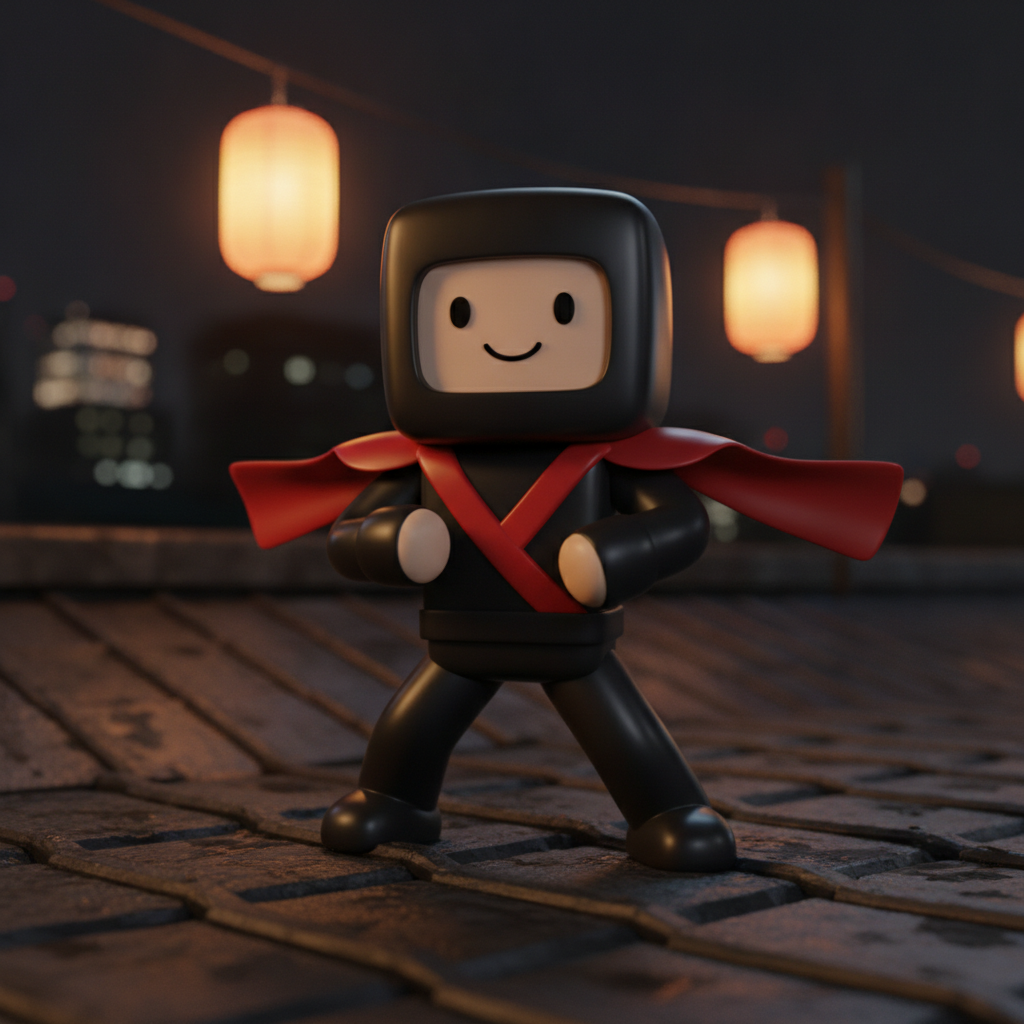
AI Roblox skin generator result: a blocky avatar in a black hooded ninja outfit with a red crossed wrap and a red scarf caught mid-motion, posed on a dark rooftop under warm hanging lanterns. The outfit reads instantly at thumbnail size, which is the point of the archetype, but the build has drifted towards a soft vinyl toy — the head is rounded rather than cubic and the arms merge into the torso, ending in pale stubs where hands should be
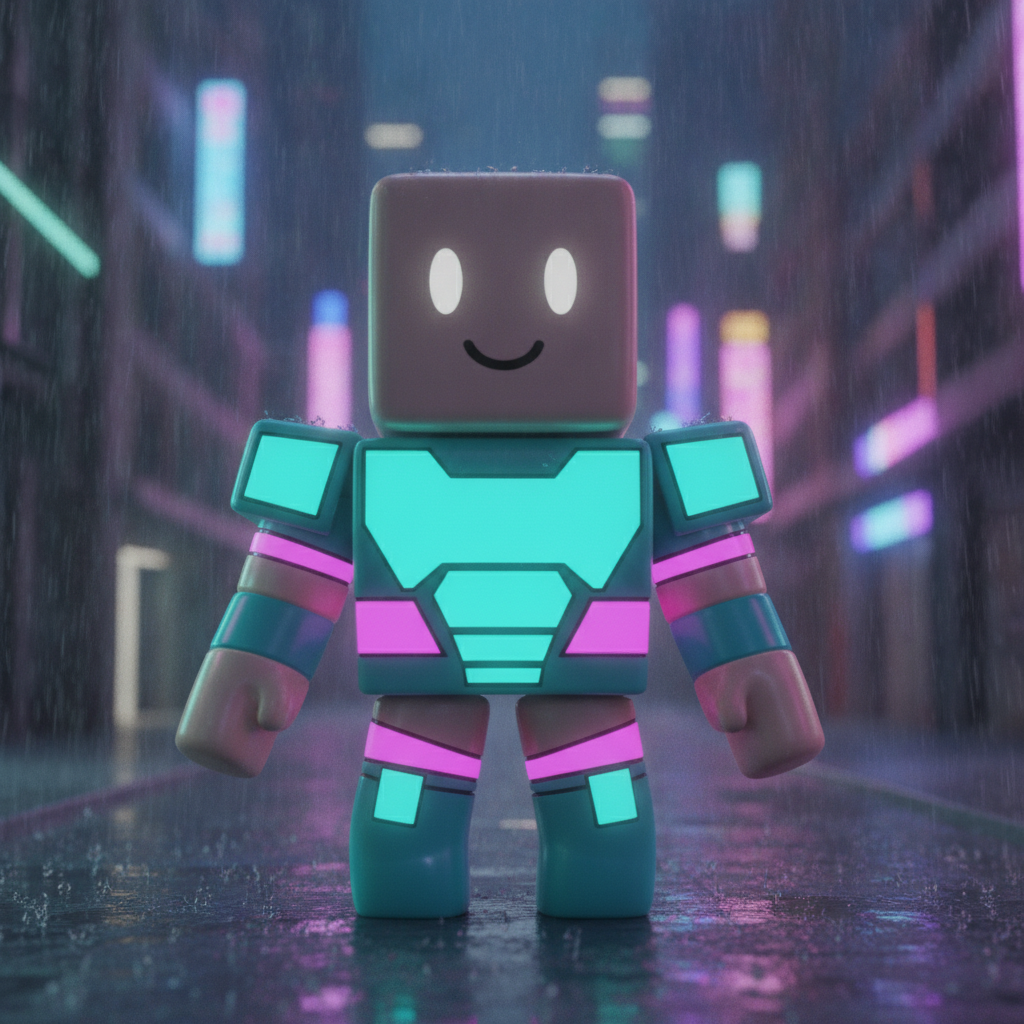
A neon cyber avatar with glowing teal chest panels and magenta bands, standing in a rainy city street with pink and blue signage bokeh behind. This is the closest of the six to the real platform silhouette: flat cube head with two eyes and a simple smile, boxy torso, separate cylindrical arms with fists. The only defect is a fringe of stray hair-like wisps around the head and shoulder edges, a render artefact rather than a design choice
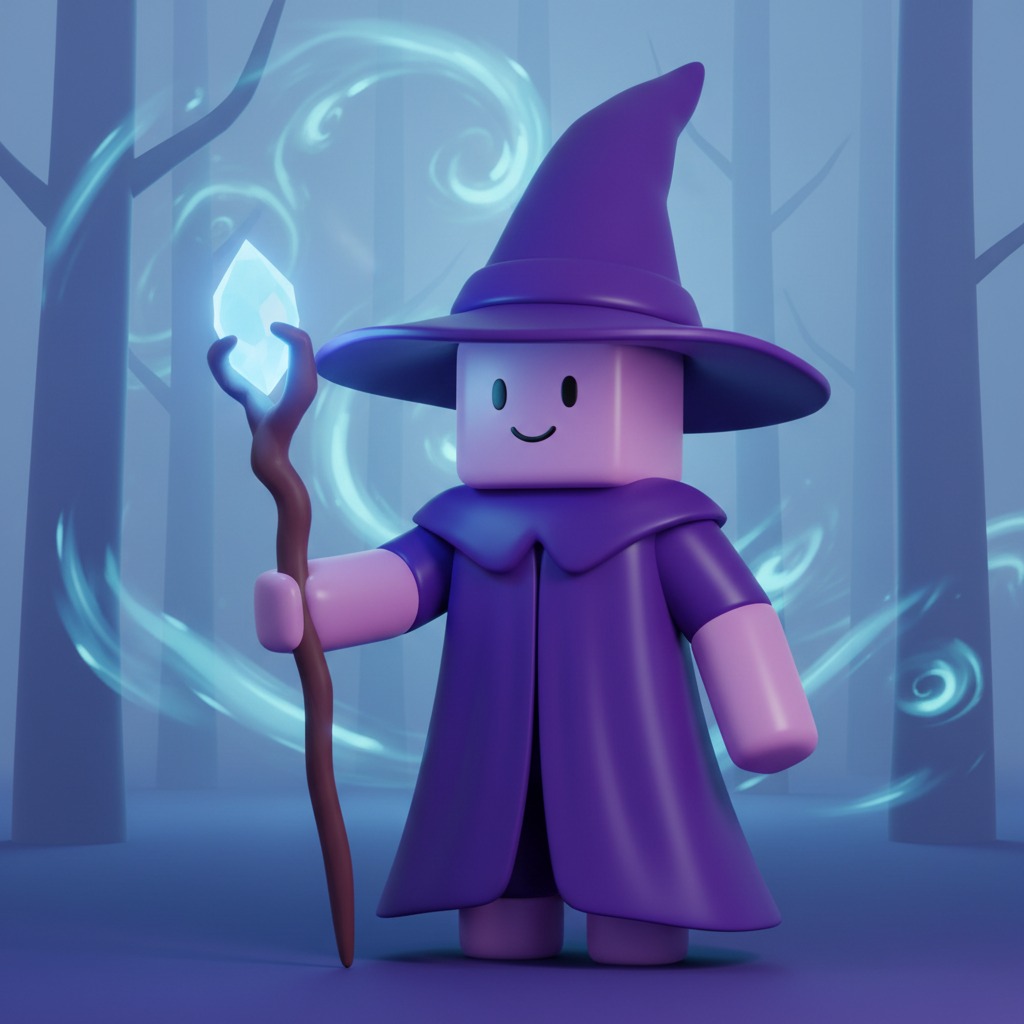
A wizard avatar in a purple robe and tall pointed hat, a glowing crystal staff beside it and pale blue magic swirling through a misty forest. Two things went wrong and both are worth seeing: the staff floats next to the arm rather than being held, because the model has no hand to close around it, and the robe swallows the legs entirely so only two short stubs remain underneath
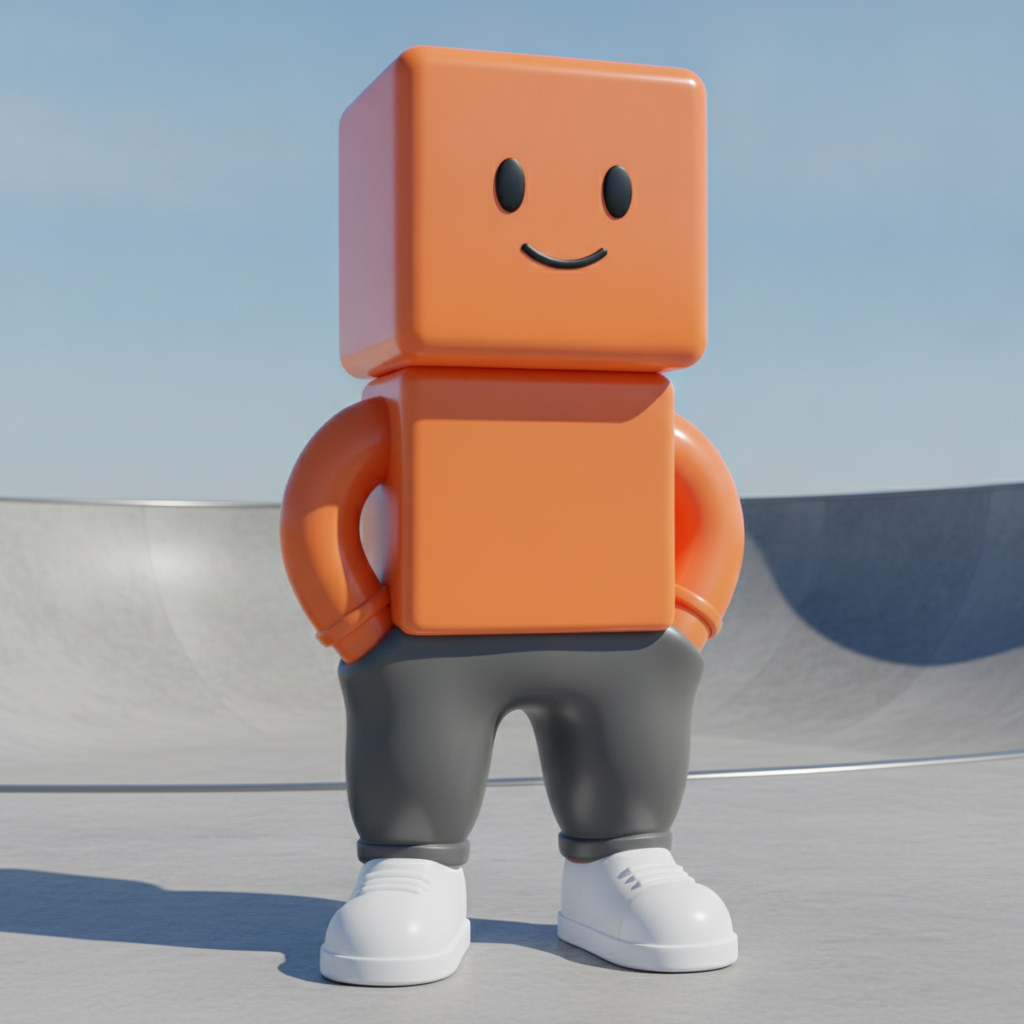
A streetwear avatar in orange and grey standing in a bright concrete skate park with white chunky sneakers. The weakest frame of the six. The hoodie asked for arrived as a plain orange box with no hood at all, and the arms curl round behind the body into two inflatable-ring shapes with no hands visible. Arms and hands are where this style breaks most often, so judge them first on anything you plan to build from
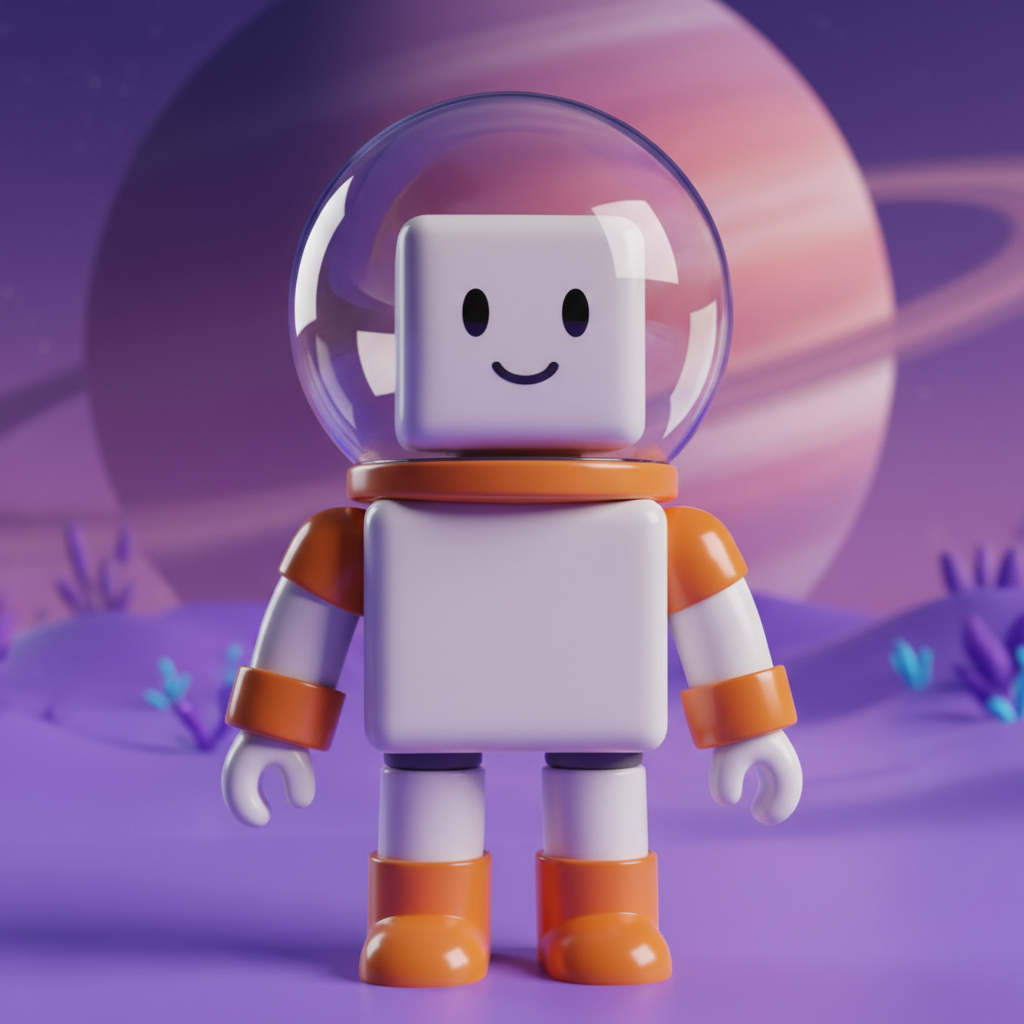
A space explorer avatar in a white and orange suit under a clear bubble helmet, standing on a lilac alien surface beneath a huge ringed planet. The best build of the set: cube head, rectangular torso, properly separated cylindrical limbs, open claw hands and colour blocking that stays legible when the image is shrunk to feed size. The helmet reads as real glass rather than a painted-on dome
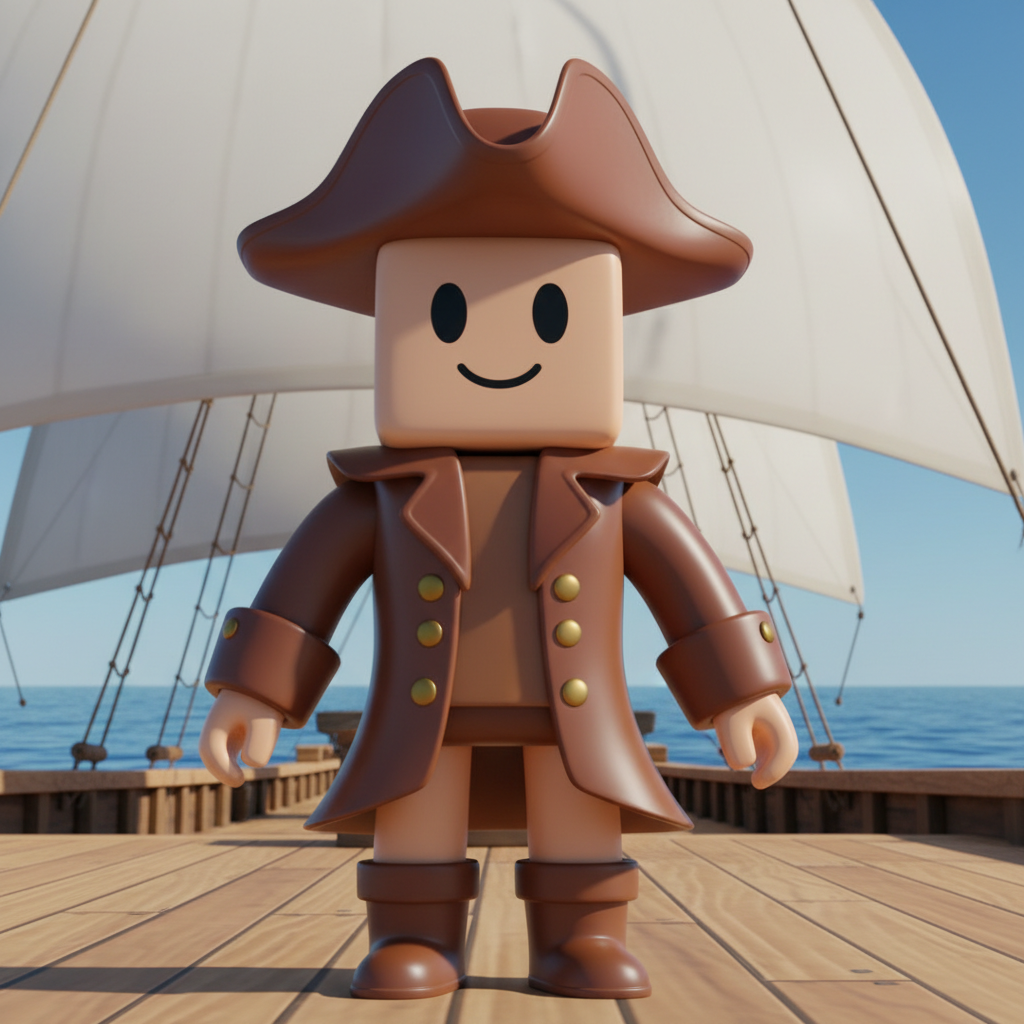
A pirate avatar in a brown coat with wide turned-back cuffs, a tricorn hat and tall boots, on a ship deck with white sails and open ocean behind. The coat is the most convincing garment across all six — lapels, skirt and cuffs are all resolved well enough to model from. Note the brass buttons render as domed spheres rather than flat discs, and the hat sits forward of the head so the head briefly reads as detached
How the AI Roblox Skin Generator Works
Pick an outfit archetype
Ninja, neon cyber, wizard, streetwear, space explorer or pirate. That choice sets the silhouette, the props and the world the character stands in — far more of the design than a colour decision, and the part that decides whether an avatar reads at thumbnail size.
Add your own colours and details
Type the palette, the accessories or the setting you want in the box and it is appended to the preset. Keep that wording identical across generations and the whole set comes back matched, which is how you design a squad, a group uniform or a cast of NPCs rather than one lucky character.
Build the real asset from the concept
Concepts arrive in about twenty seconds at up to 4K. Take the one you like into Studio as reference for a classic clothing template or a layered UGC mesh — or use the render as it stands for a thumbnail, a group logo or a shop image, which needs no conversion at all.
What a Render Settles, and What Studio Still Has to Do
Six things decide whether an avatar design works on the platform, and an image carries roughly half of them. Knowing which half is the difference between a concept you can build from and a picture of something that cannot be uploaded the way it looks.
Classic clothing is a flat net, not a character
A classic shirt or pants is a 585x559 PNG whose regions unfold onto the body like papercraft. Artwork has to be laid out on that net, with the front, back, sides and arms in the right boxes, or it lands on the avatar rotated and skewed. A render tells you what the garment should look like; the net is a separate file you build afterwards.
Layered UGC is a mesh with a cage
Anything that sits on top of the body as real 3D geometry is modelled, cage-fitted and uploaded through Studio, with polygon and texture limits to respect. That is a modelling job no image can shortcut. What the image does do is give the modeller an unambiguous target, which is usually the slowest thing to agree on.
Silhouette beats detail at thumbnail size
Most people first see an avatar at a couple of hundred pixels in a feed. Fine surface detail disappears at that size and the outline does the work, so judge concepts zoomed out. A hood, a tall hat or chunky boots survive the shrink; a subtle fabric texture does not.
Moderation applies to every upload
Trademarks, copyrighted characters and lettering the system reads as offensive all get rejected, and that applies to thumbnails and group images as much as to clothing. The presets here ban logos, badges and text by name for exactly that reason, so concepts arrive clean and any branding you add is deliberate.
Body proportions are not yours to invent
Avatar bodies come from a fixed set of rigs and bundles, so a garment has to fit one of them. A render can happily draw a coat that no existing body would wear. Judge outfits against the rig you intend to publish for, and treat unusual proportions in a concept as art direction rather than as a specification.
Colours read differently in-engine
A studio render is lit to flatter. The same palette under a game map's lighting, with fog or a coloured sky, can go muddy or wash out entirely. Pick contrast that holds up in bad lighting, and check any near-black or near-white choice inside the actual experience before committing to it.
Why Use This AI Roblox Skin Generator
Six archetypes, not six recolours
Ninja, neon cyber, wizard, streetwear, space explorer and pirate differ in silhouette, props and setting all at once, so switching preset changes what the character is rather than what colour it happens to be.
One consistent blocky silhouette
Every preset specifies the same boxy torso, cylindrical limbs and cube head, which is what lets a set of six generations sit side by side in a shop listing or a group page without looking like six different games.
Mark surfaces banned by name
Logos, badges, emblems, numbers and lettering are excluded individually rather than with a blanket no-text clause, because that is the only version image models reliably obey — and it keeps concepts on the right side of moderation.
Deliberately not pixel-art
Pixelated textures and voxel terrain are excluded, so this stays distinct from our Minecraft skin tool. You get the rounded blocky look rather than a cubic one, which is the difference that matters here.
Consistent across a whole squad
Nano Banana Pro holds a described style across separate generations, so reusing one palette and lighting description while changing only the outfit gives you a matched team instead of six unrelated characters.
Cheap enough to iterate properly
About twenty seconds per concept and plans from $2.99 means testing twenty outfit directions costs less than an evening of modelling one, which is what makes the exploratory stage affordable at all.
AI Roblox Skin Generator FAQ
Related Design Tools
AI Minecraft Skin Generator
The cubic, pixel-textured cousin of this page — and it works from an uploaded photo rather than a description, so it turns you into the character.
AI Game Asset Generator
Props, items and environment art in a matched style. Useful once the avatars are settled and the world around them needs to look like it belongs.
AI Thumbnail Generator
What people see before they ever load your experience. Worth doing at the same time, because the thumbnail sells the game more than the game does.
Design Your Avatar Now
Six outfit archetypes, one consistent blocky silhouette, no invented logos or lettering, and 4K concept art in about twenty seconds. Free to start, from $2.99 for more.
Start Designing FreeAbout This AI Roblox Skin Generator
An AI Roblox skin generator is most useful when you are honest about which part of the job it does. A blocky avatar look is assembled from parts rather than painted as one texture: a body colour or bundle, a head and face, clothing that is either classic artwork painted onto the body or layered 3D garments that sit above it, and accessories hanging off attachment points. None of those parts can be conjured out of a picture. What a picture settles — quickly, cheaply and better than a written description ever will — is what the character should look like once all those parts are chosen. That is the slowest decision in the whole process and the one most likely to be argued about, which is why getting it to twenty seconds matters more than it first appears.
That is also why the six presets on this page are archetypes rather than colourways. A ninja in a hood, a neon cyber character glowing in the rain, a wizard with a crystal staff, a streetwear avatar in a skate park, a space explorer under a ringed planet and a pirate on a ship deck differ in silhouette, in props and in the world they occupy — the things that actually make a character recognisable at feed size. Changing a hoodie from orange to green is not a design decision in the same sense. Each preset also fixes the same physical language: boxy rectangular torso, smooth cylindrical arms and legs, a simple cube head with a minimal cartoon face and glossy toy-plastic shading. Holding that constant is what lets six separate generations sit together in a shop listing as one coherent set instead of six unrelated art styles, and it is the specific thing Nano Banana Pro is good at that a general image model is not.
The exclusions in every preset are doing real work too. Blocky avatars are among the most heavily branded silhouettes in games, and left to itself an image model will happily stamp a chest panel with garbled pseudo-lettering or drift a coat towards trade dress it has seen a million times. Both of those outcomes are worse than useless here, because platform moderation rejects uploads that carry other people’s trademarks or copyrighted characters. So logos, wordmarks, badges, emblems, numbers and text are each banned by name rather than with a single blanket clause, and the prompts ask for an original design that does not resemble any existing franchise character. Pixelated textures and voxel terrain are excluded as well, which keeps this page firmly distinct from our Minecraft skin tool — that one is cubic and pixel-textured and works from your uploaded photo, this one is rounded, plastic-shaded and works from a description.
Where the concept goes next depends on what you are making. If you are building classic clothing, the buildable file is a flat 585x559 template PNG whose regions unfold onto the avatar like a papercraft net, so the render becomes reference and the artwork is rebuilt on that net. If you are making a layered UGC item, it becomes the brief for a mesh that gets modelled, cage-fitted and uploaded through Studio within the platform’s polygon and texture limits. And if what you needed was an experience thumbnail, a group logo, a shop banner or a social post, the render is already the deliverable and needs no conversion at all. Concepts arrive in roughly twenty seconds at up to 4K, it is free to start, and paid plans begin at $2.99 — cheap enough that exploring twenty directions before committing to one is the sensible way to work rather than an indulgence.