
AI Postcard Generator
A postcard is the smallest complete piece of design there is. One side is a picture with a handful of words on it, the other side is a message and an address, and there is no envelope to hide behind — it travels through the post in public, so it has to work at a glance. This AI postcard generator handles both sides: pick a style — greetings-from lettering, modern travel photo, vintage linen, direct-mail promotion, save the date, or the divided back itself — type your wording, and Nano Banana Pro renders the finished card in about twenty seconds at up to 4K.
Try It Now — Free
Choose a postcard style, then type the wording into the box — the place name, the offer, or the two names and the date. Keep it to a few words; the picture does the work and the message goes on the back. Your postcard arrives in about twenty seconds at up to 4K.
AI Postcard Generator
Pick a postcard style, type your wording, and get a finished postcard design in seconds
Postcards From the AI Postcard Generator
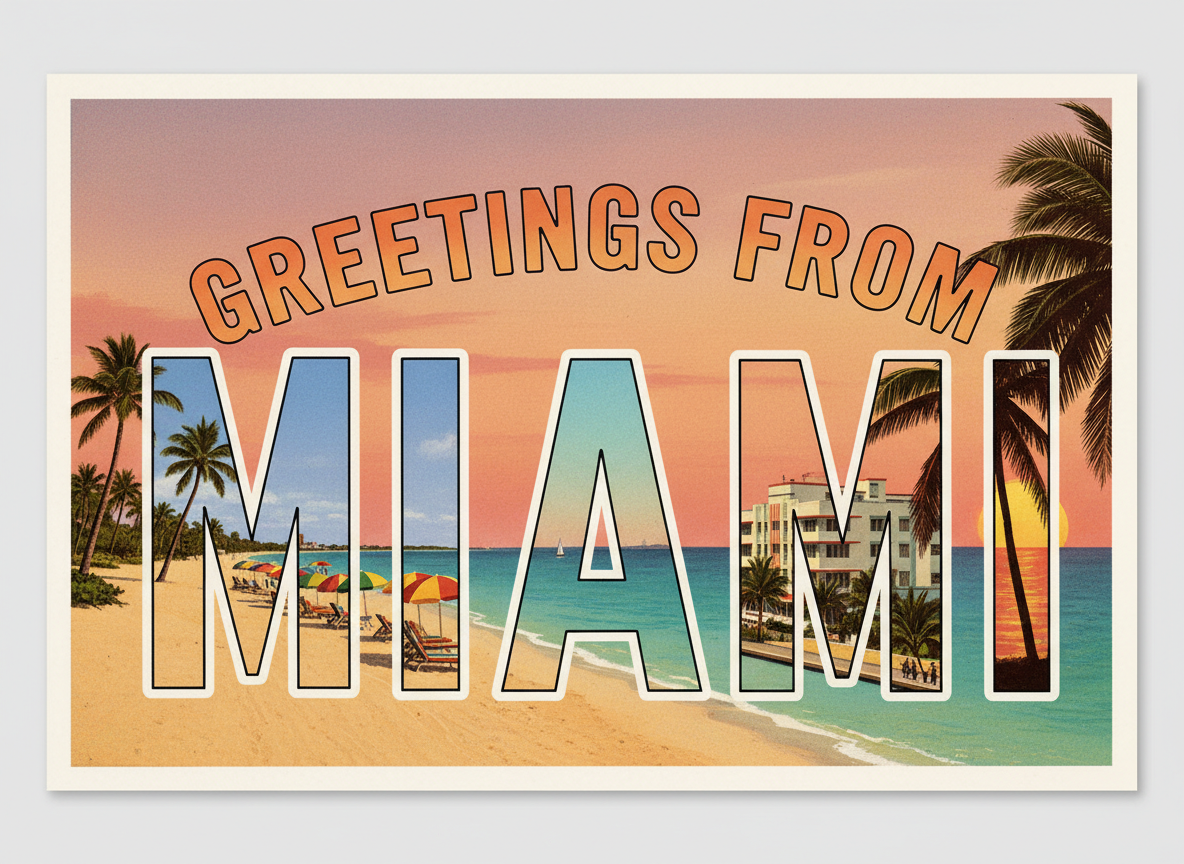
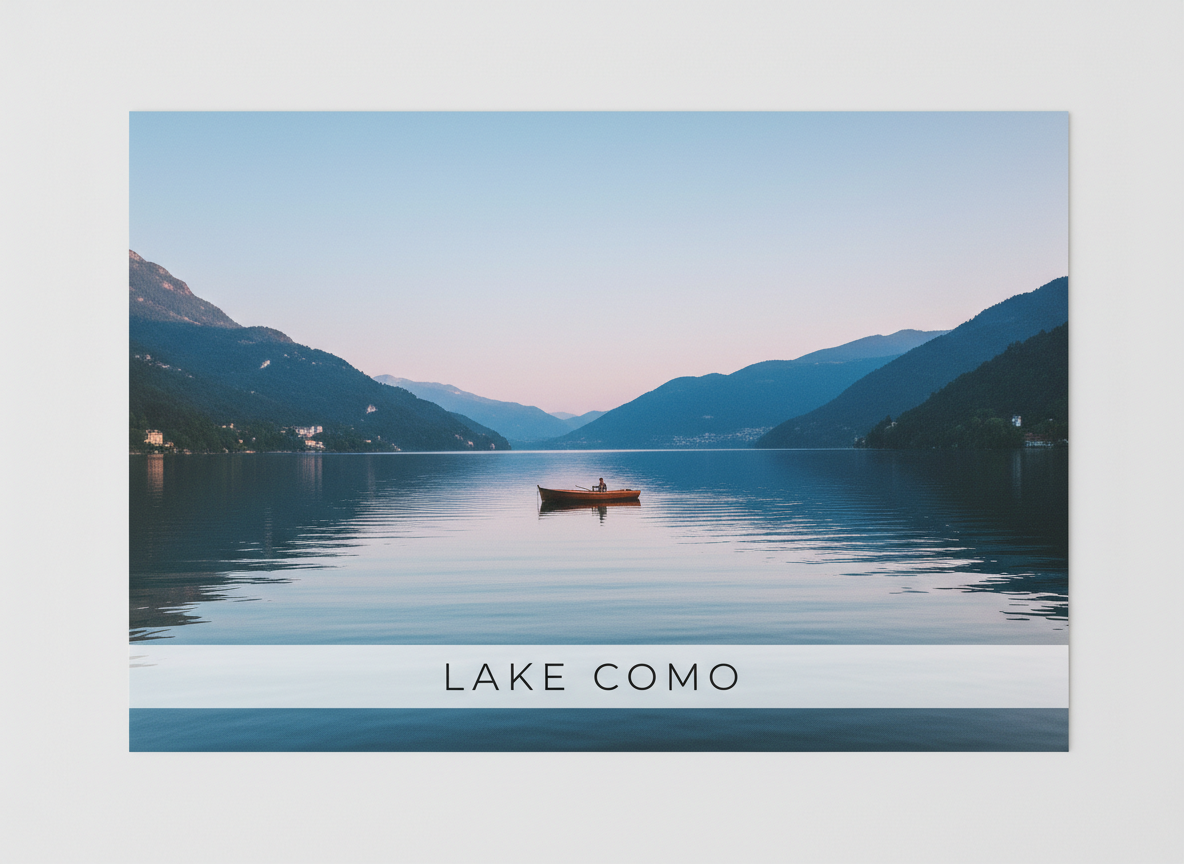
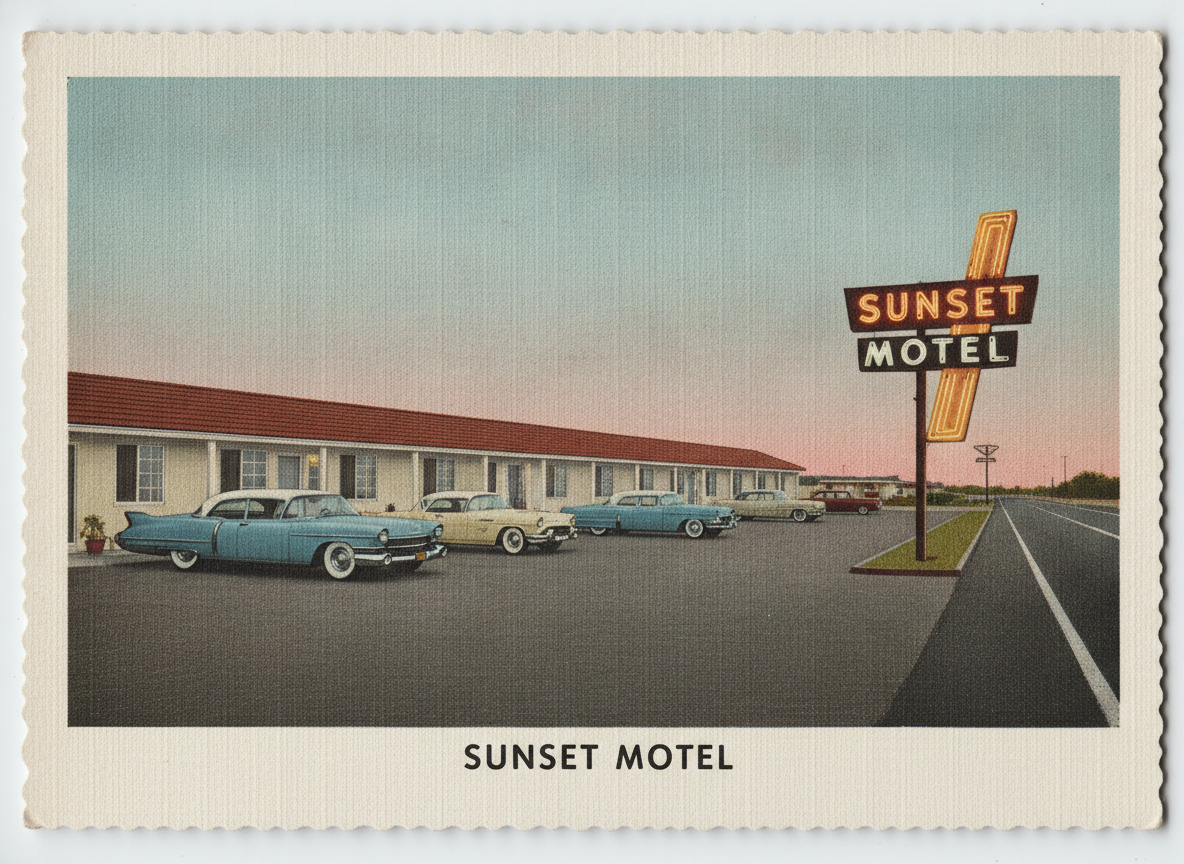
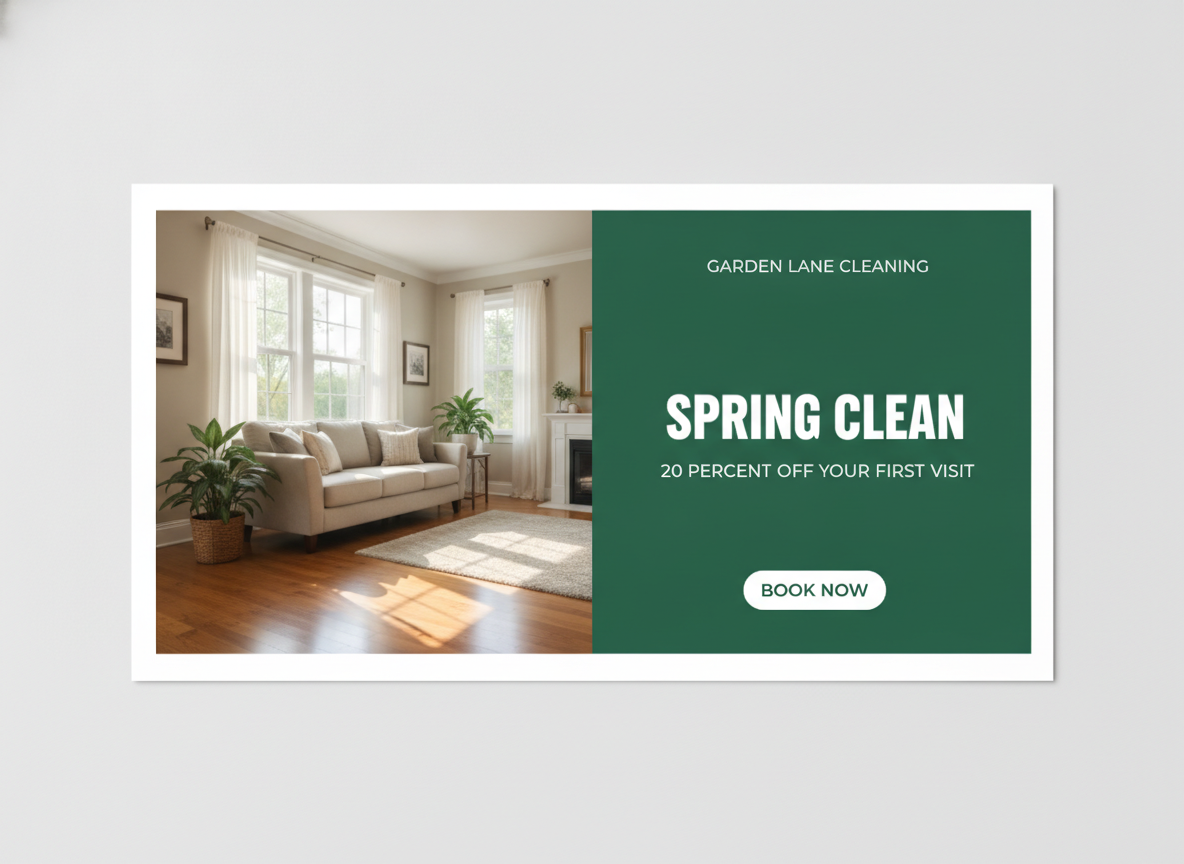
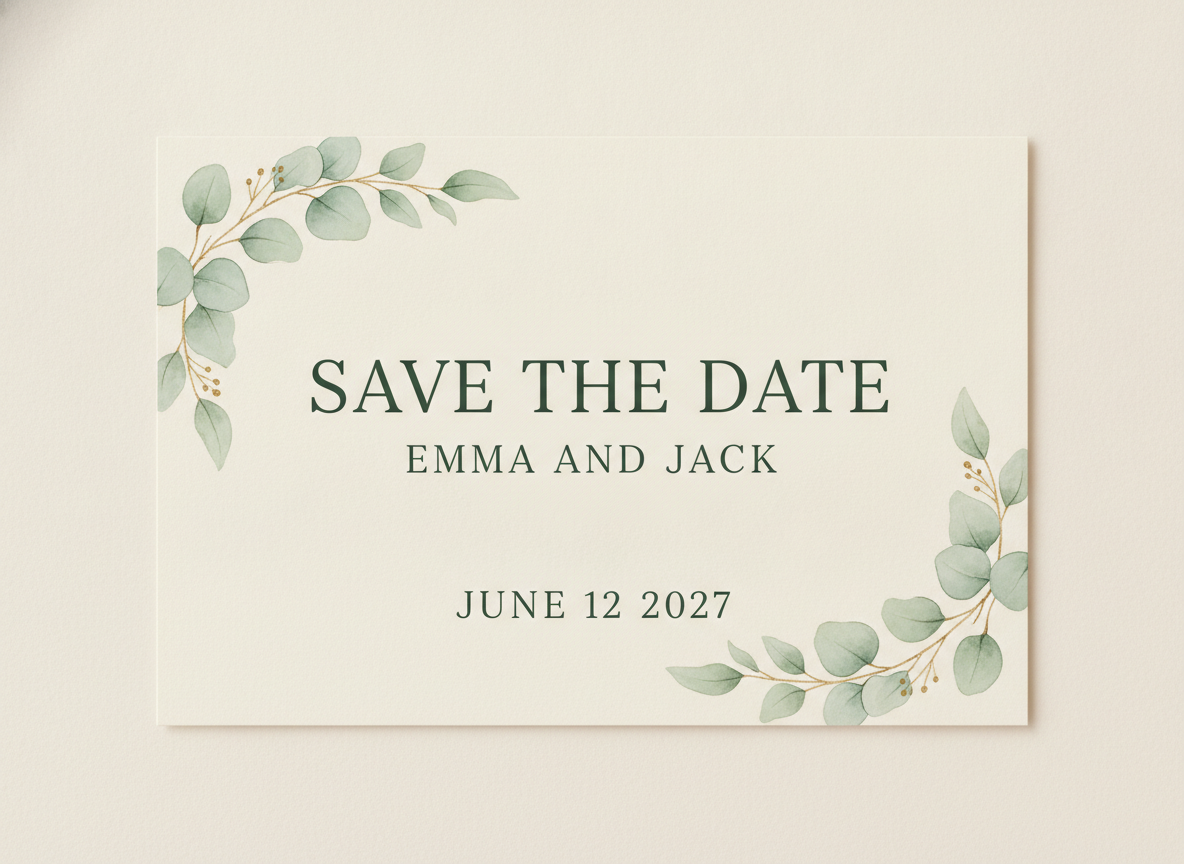
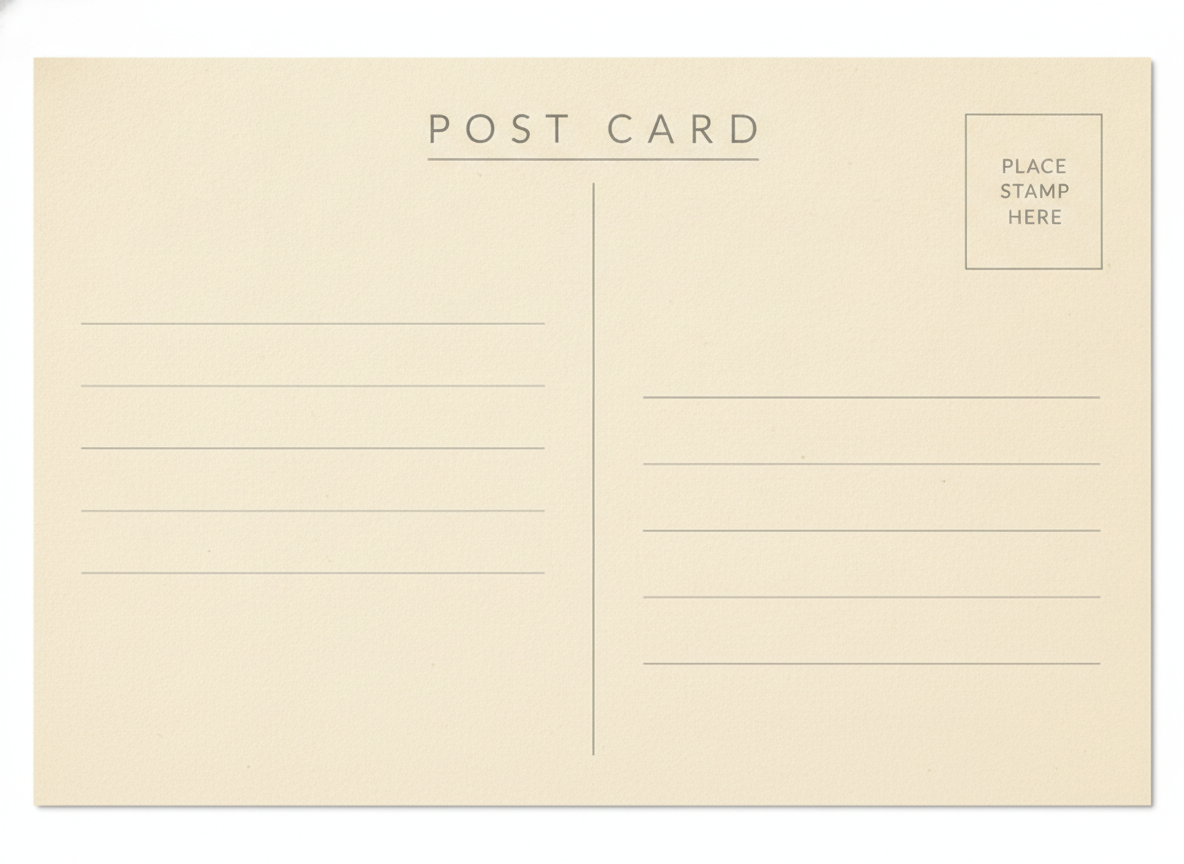
Greetings-from lettering, modern travel photo, vintage linen, direct-mail promotion, save the date and the divided back — six postcard styles, all generated from typed wording
How the AI Postcard Generator Works
Three steps from a place name to a card you can send to a printer
Choose a Postcard Style
The six presets are six different jobs, not six colour schemes. Greetings From builds the classic souvenir card where the place name is the artwork, each letter filled with its own scene. Modern Travel Photo is one strong photograph with a single place name on a slim bar. Vintage Linen Postcard reproduces a nineteen-fifties linen print, faded ink and deckle edge included. Business Promotion splits the card into photo and colour panel for a headline, an offer and a call to action. Save the Date runs three ranked lines on ivory stock. Postcard Back gives you the divided reverse — message area, ruled address lines and a stamp box — so you have both sides of the card.
Type the Wording
Put the real words in the details box and keep them short. "GREETINGS FROM MIAMI, palm trees and pastel hotels at sunset" is a complete brief for the front of a souvenir card. A postcard front carries roughly two to six words before it starts to look like a flyer, because the picture is doing the talking and the message belongs on the back in your own handwriting. For the promotion preset, give it the business name, one headline, one offer and a two-word call to action — that is the whole card.
Proof It, Then Print Both Sides
Your card comes back in about twenty seconds at up to 4K. Read every word against your own spelling, and give any date or figure a second look — words are the model’s strength, digits are its weak spot. Then generate the back separately with the Postcard Back preset, and hand both files to a print shop or an online postcard printer, who will set the finished trim size, add the bleed and keep the address half of the reverse clear for the address and the postal barcode.
Why People Use an AI Postcard Generator
Six reasons this beats hunting for a template that nearly fits
The Place Name Is the Design
On a souvenir postcard the lettering is not decoration laid over a picture — it is the picture. The whole charm of the greetings-from card is that each letter is a window onto a different view of the town, which only works if the letters are actually readable as your town’s name. That used to be exactly where image models failed, producing gorgeous cards that said something almost but not quite like a real word. Nano Banana Pro sets legible type inside the image, which is what makes this style possible rather than merely suggestive.
Both Sides, Not Just the Pretty One
Every postcard template gallery shows you fronts. A postcard is two designs: the picture side and the divided back with its message area, ruled address lines and stamp box — and if you are printing rather than buying, you need both files. The Postcard Back preset generates that reverse to match your front, in the same stock colour and the same restrained style, so you turn up at the printer with a complete card instead of half of one.
Six Styles, Six Different Jobs
A holiday souvenir, a mailshot for a cleaning business and a save the date are only the same object in the sense that they are all cardboard. The presets carry their own content logic: greetings-from puts everything into one word, the modern travel card allows a single line, the promotion card runs a four-part hierarchy ending in a call to action, and the save the date holds three ranked lines and one date. Switching preset rebuilds the card around what it has to say.
A Place You Cannot Photograph
Half the reason people want a custom postcard is that no one sells the card they want — of a small village, a rented cottage, a wedding venue, a fictional town in a novel, or a place at a season they were not there for. Describe it and you get it, in the visual language of a printed card rather than a phone photo: the linen texture, the deckle edge, the slightly heavy ink of a mid-century souvenir press.
Direct Mail Without a Design Round
Postcards remain one of the cheapest pieces of physical marketing a small business can send, and the design is usually the thing that stalls it. Here the promotion preset gives you the whole layout — photo, headline, offer, call to action — in one pass, so you can put three headline variants side by side, pick one, and get to the mail house the same afternoon. Try the offer as a percentage and as a fixed amount and see which card actually reads.
Free to Start, Cheap to Iterate
No credit card to begin, and plans start at $9.98 — less than a pack of blank cards, and enough to work through every preset, test how your place name renders in block capitals, and produce a matching front and back. Output is up to 4K, carries no watermark and is cleared for commercial use, so a shop can sell the cards it makes here.
Frequently Asked Questions
Common questions about using an AI postcard generator
Send a Postcard Nobody Else Has
Pick a style, type your wording, and get a finished postcard design at up to 4K — greetings-from lettering, modern travel photo, vintage linen, direct-mail promotion, save the date, and the divided back to match. Powered by Nano Banana Pro. Free to start, plans from $9.98.
Design a Travel, Vintage or Direct-Mail Postcard With an AI Postcard Generator
The postcard survived the arrival of the photograph, the telephone, email and the group chat, and it survived for a reason: it is a physical object that arrives at someone’s door with a picture on it. What has become hard is finding the one you want. Racks carry the same six views of the same cities, nobody prints a card of a small village or a rented cottage, and a small business that wants a mailshot has to pick a template that nearly fits. An AI postcard generator removes that constraint: you describe the card and it exists, in about twenty seconds.
What makes this newly possible is text rendering. A postcard front is mostly one word, set large, and for years image models produced beautiful souvenir cards whose place name dissolved into confident nonsense on inspection. Nano Banana Pro was built to set legible type inside an image, and you can read more about how that works on the text in images page. That is what turns the greetings-from card from an atmospheric mock-up into a postcard that actually names your town.
Six presets cover the postcards people genuinely send. Greetings From is the classic large-letter souvenir card, each letter a window onto a different view. Modern Travel Photo is one strong photograph with a single place name on a slim bar. Vintage Linen Postcard reproduces a nineteen-fifties print with its paper texture, deckle edge and faded ink — the same period feel the AI vintage image generator applies more broadly. Business Promotion splits the card between photograph and colour panel for a headline, an offer and a call to action. Save the Date holds three ranked lines on ivory. And Postcard Back gives you the divided reverse, so you leave with both halves of the card.
For Travellers, Small Businesses, Couples and Shops
A postcard sits in the middle of a family of small printed things, and the neighbouring tools divide the work cleanly. A postcard is a single flat card that travels through the post with its message in the open; a folded card with an interior belongs to the AI greeting card generator, and a formal invitation with reply details to the AI invitation maker. For a sheet you hand out or pin up rather than post, use the AI flyer generator; for the card you leave on a counter, the AI business card generator; and for seasonal cards specifically, the AI Christmas card generator. If you want scenery to build a travel card around, the AI landscape generator is the place to start.
Four limits are worth stating plainly, because a postcard gets printed in quantity and posted. You get a flattened image rather than a layered file with live text, so a typo cannot be fixed at the printer — proof every word at full size before a run. The image has no dimensions, and postage depends on them: in the United States the postcard rate applies only between 3.5 by 5 and 4.25 by 6 inches on card at least 0.007 inches thick, so set the trim size deliberately and add bleed as your printer asks. Digits are the weak spot, so treat any date or offer figure as a draft and read it character by character — and never generate a real mailing address, which belongs in variable data printing at the press, not in a picture. If you want a scannable code on the card, make a working one with the AI QR code art generator and test it with a phone before printing.
Two boundaries and then it is yours. The stamp box is a printed marker, not postage — designing something meant to pass as a real stamp or a franking mark is counterfeiting, and bulk postage printed on the card is arranged through your postal service under their artwork rules. And keep the imagery your own: a generated view is an impression of a place rather than a photograph of it, so do not present it as documentary, and leave other companies’ logos, trade dress and protected landmarks off cards you intend to sell. Beyond that, output is up to 4K, unwatermarked and cleared for commercial use. It is free to start with no credit card, and plans begin at $9.98. Type in the name of the place, and see it across the front of a card.
Try the AI postcard generator free today. Type your wording, pick one of six postcard styles, and download a finished front and back at up to 4K. No credit card required to start. Paid plans from $9.98.