
AI Car Wrap Design Generator
A wrap is a four-figure decision you normally make from a swatch book and a shop’s photos of somebody else’s car. This AI car wrap design generator puts the design on your vehicle instead. Upload a photo of your car, van or truck, pick a wrap type, and get a photorealistic render in about twenty seconds at up to 4K — enough to settle the colour argument, show a client, or walk into the wrap shop knowing what you actually want.
Try It Now — Free
Upload one clear side or three-quarter photo of your vehicle, pick the kind of wrap you are pricing, and add your colours in the box. Every preset is written to hold your vehicle’s shape, wheels and angle steady and change only the painted panels — the way a real wrap does.
AI Car Wrap Design Generator
Upload a photo of your car, van or truck, pick a wrap type, and see the design on your own vehicle
Upload a clear side-on or three-quarter photo of your vehicle in even daylight, then pick a wrap type below
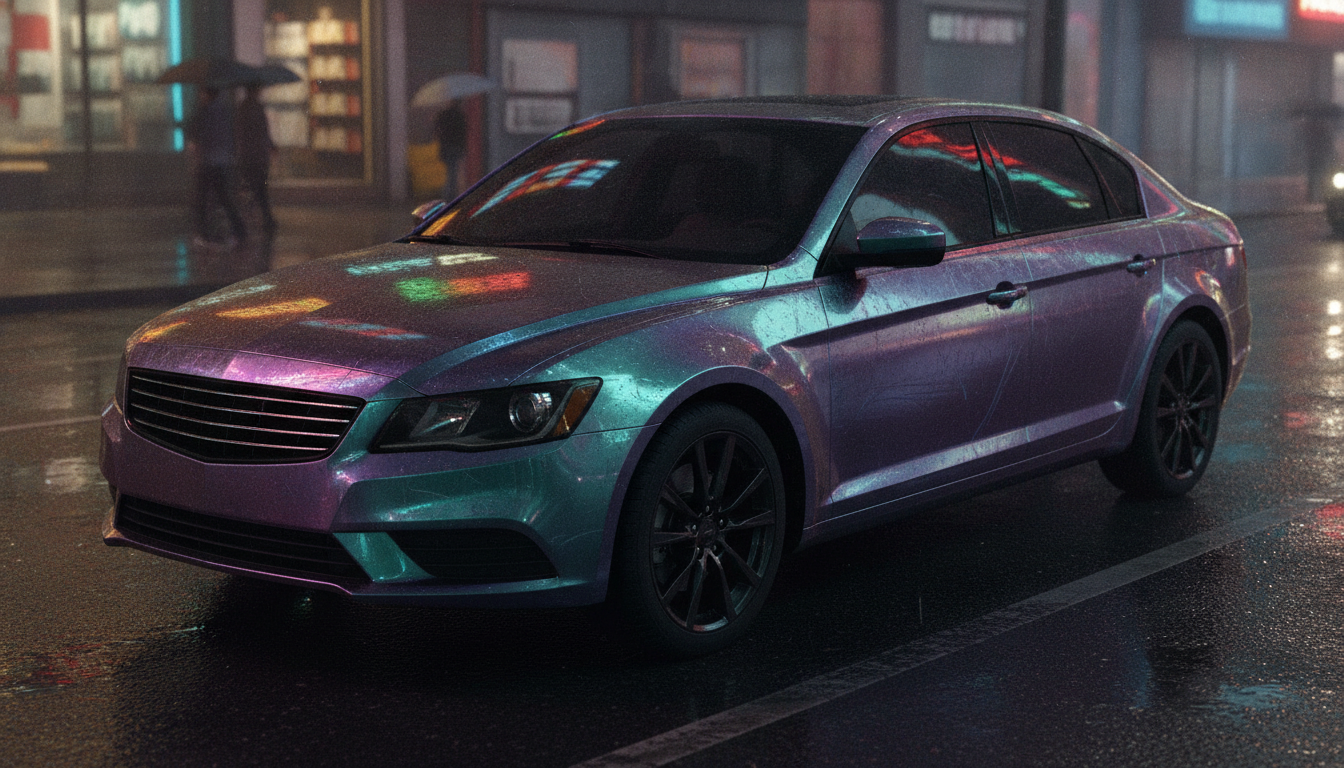
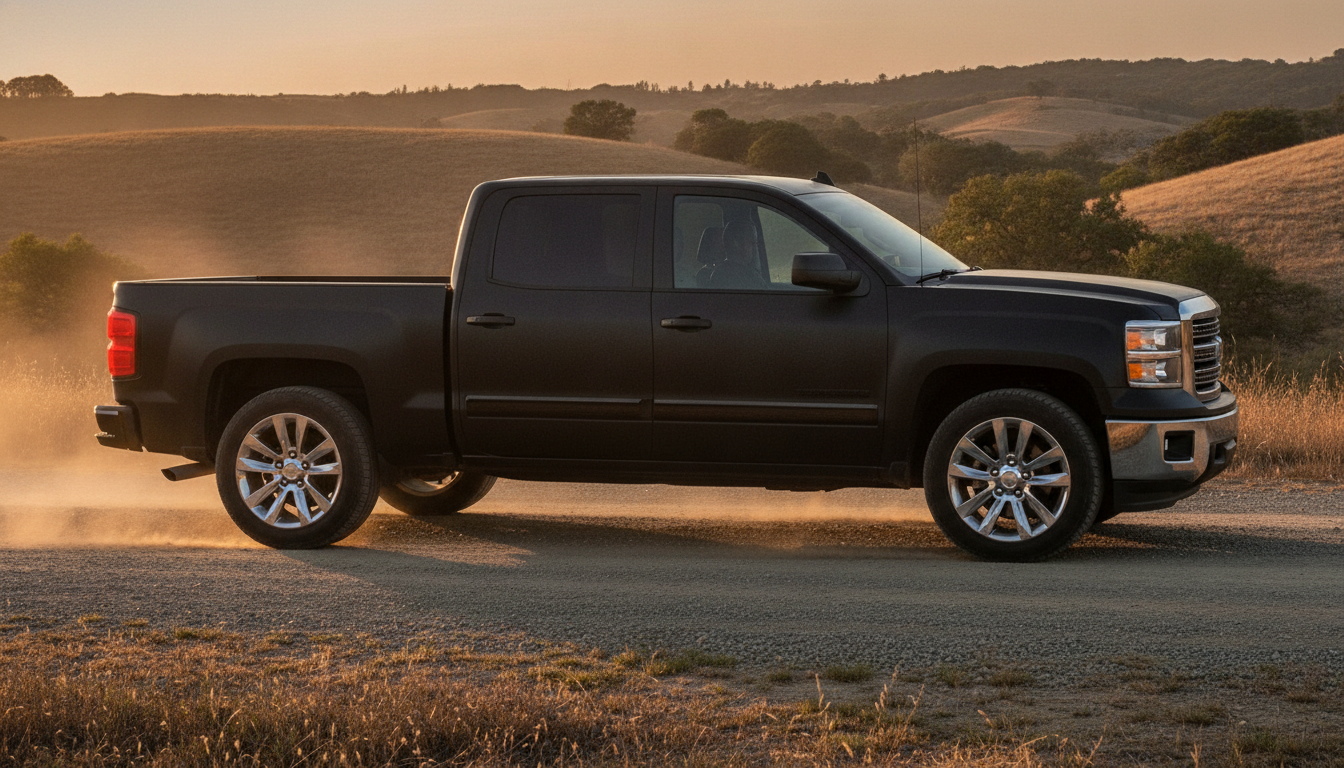
Wraps From the AI Car Wrap Design Generator
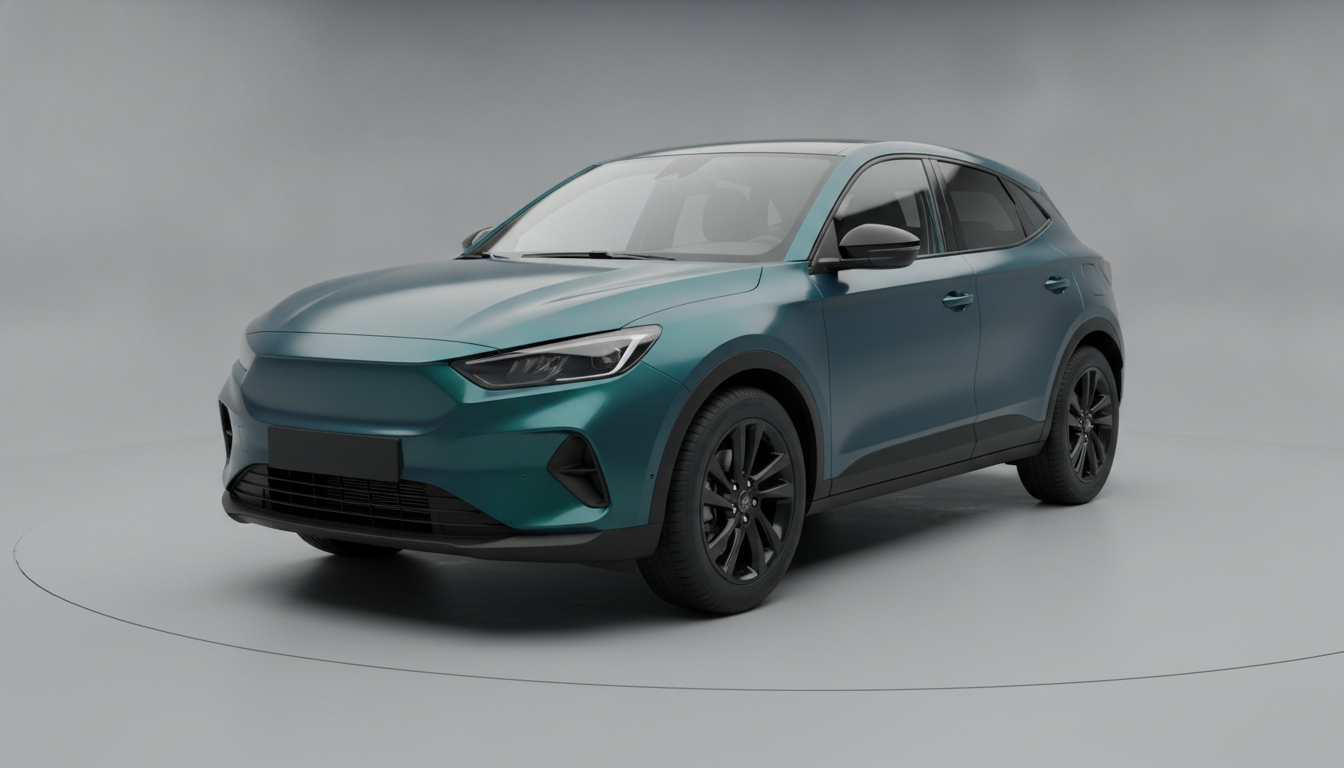
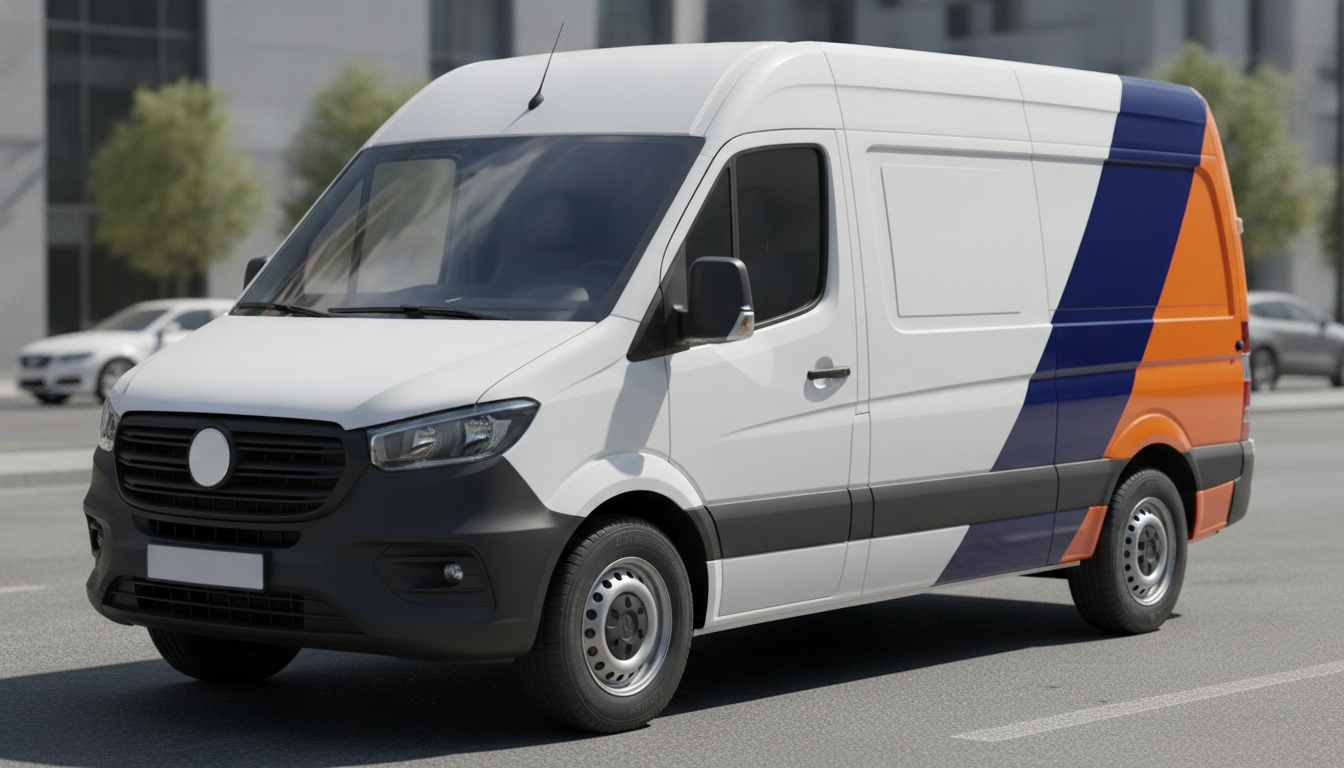
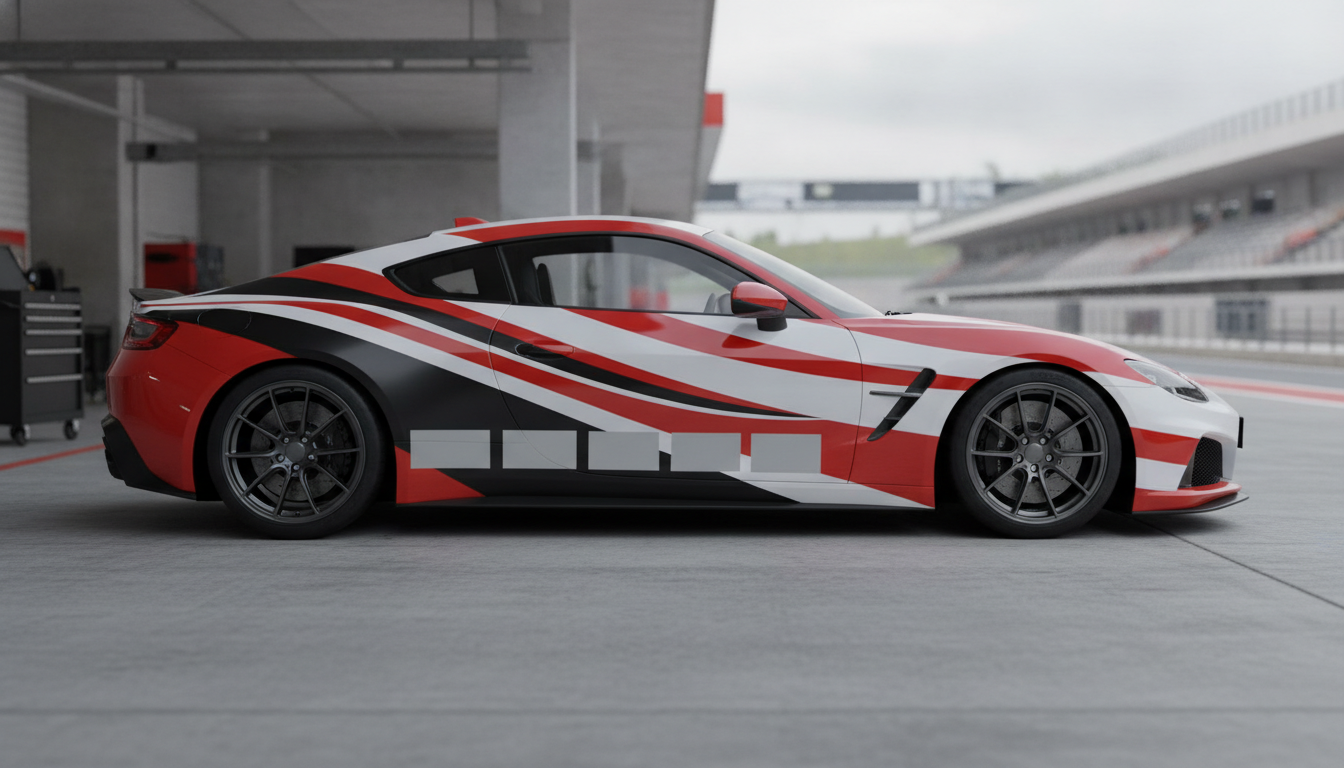
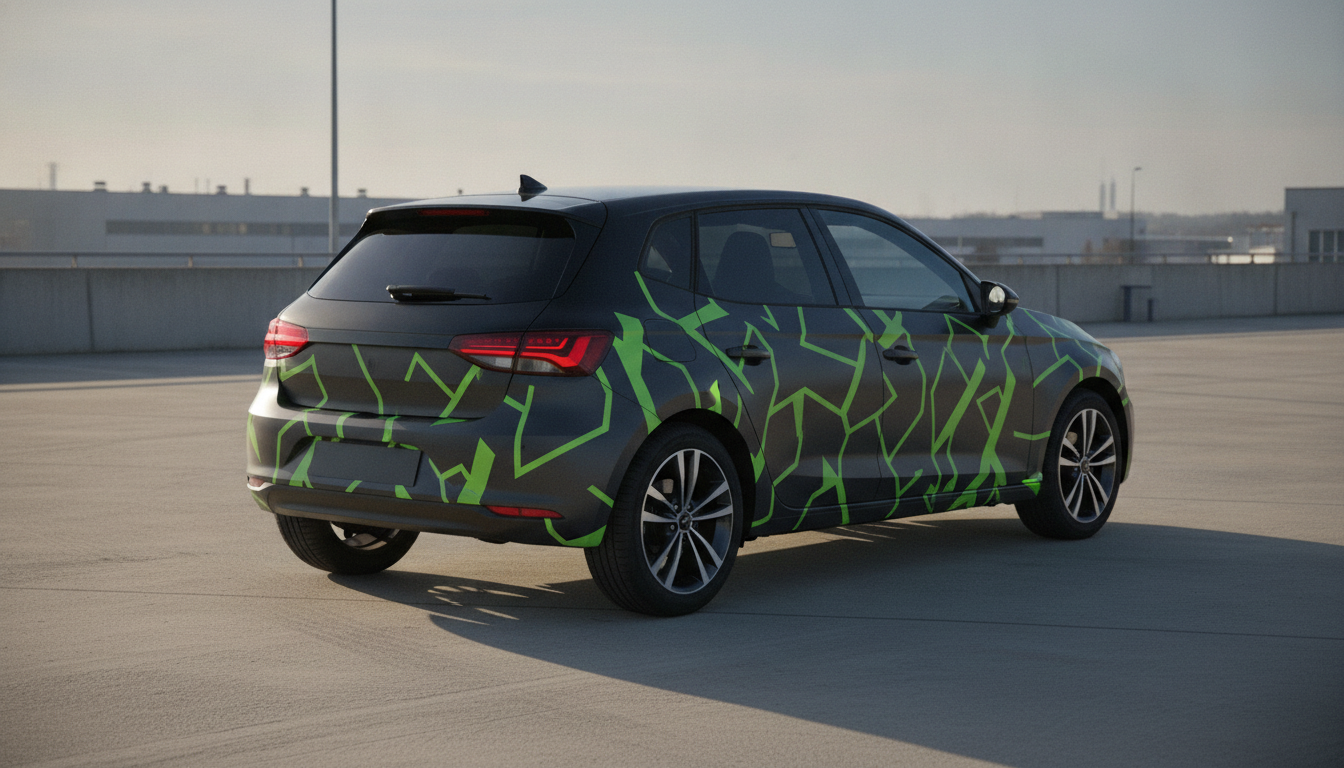
Colour change, fleet livery, racing, camo, chrome and partial — six different jobs a wrap does, not one design in six colours
How the AI Car Wrap Design Generator Works
Three steps from a swatch book to a picture of your own vehicle
Upload Your Vehicle
One photo, taken side-on or at a three-quarter angle, in even daylight with the whole vehicle in frame and nothing parked against it. That angle matters more than the camera: a three-quarter shot shows the flank and the front together, which is where a livery lives, while a straight side-on shot is the right one for a van you are branding. Wash it first if you can. The render only changes the painted panels, so the wheels, glass, trim and background you photograph are the ones you get back.
Pick a Wrap Type and Your Colours
Six presets, each a different job rather than a different colourway: a full colour change, a commercial fleet livery with blank branding panels, a racing livery, a partial wrap that leaves the factory paint showing, a chrome or colour shift film, and a printed pattern or camo. Then use the box to name the actual colours and finish — "satin forest green", "navy and safety orange, gloss", "matte grey with a bronze stripe". Naming a finish as well as a colour is the single biggest upgrade you can make, because gloss, satin and matte are three completely different cars.
Compare, Then Take It to the Wrap Shop
Each render takes about twenty seconds at up to 4K. Run the same vehicle through three colours side by side — that is usually the moment somebody discovers they wanted satin rather than gloss, or that the full colour change they were set on looks better as a partial. Then send the images to your installer as a design brief. It is an approved look, not production artwork: the shop still redraws it as vector graphics on that exact model template, and that is the step you are paying them for.
Why Use an AI Car Wrap Design Generator
Six reasons a render beats a swatch book and somebody else’s demo car
Your Vehicle, Not a Demo Car
A 100mm vinyl swatch tells you almost nothing about how a colour behaves over four metres of curved metal, and the shop’s gallery shows the film on a car that is not yours. Because this works from your photograph, the colour lands on your body shape, your wheel arches, your window line and your wheels. Satin grey on a slab-sided van and satin grey on a low coupe are not the same colour experience, and that difference only shows up once the film is on the shape you actually own.
Six Wrap Types, Not Six Swatches
The presets change coverage and graphic logic together, because a wrap is a category of decision before it is a colour. A full colour change is edge to edge with no graphics. A fleet livery is a colour block plus deliberately blank branding panels. A racing livery runs over the bonnet and roof. A partial wrap leaves factory paint showing and meets it on a chosen line. Chrome and colour shift behave like a mirror rather than a paint. Camo is a printed pattern with a scale problem to solve. Those are six different quotes.
Settle It Before the Deposit
Wrap disputes are description disputes. One person hears "dark green" and pictures British racing green in gloss; the other pictures satin olive. A render resolves that in half a minute, while it is still free and nothing has been ordered. Once film is cut and the vehicle is booked in, changing your mind costs the full job again — wrap material is bought per roll and per vehicle, and a shop cannot un-cut it. Being sure before the deposit is the entire value here.
A Sales Tool for Wrap Shops
Installers and sign shops use this differently from owners. Send a customer three directions the same evening they enquire, without an hour of Photoshop on a vehicle template, and close the job while they are still interested. Fleet buyers can see the scheme on their actual van model before ordering twelve of them. Output is up to 4K with no watermark and cleared for commercial use, so a concept goes straight into a quote, a proposal or a website gallery — labelled as a concept, not as a vehicle you wrapped.
Finish and Reflection Rendered Honestly
Nano Banana Pro handles the things that make a wrap read as a wrap: the way satin kills a reflection that gloss would hold, the pooled highlight that chrome throws down a flank, how matte film flattens a body crease that paint would pick out, and where a stripe has to break at a panel gap. Those cues are what let an installer look at a render and tell you which parts are straightforward and which need inlays, relief cuts or a second set of hands.
Free to Start, $9.98 to Go Further
You can render a wrap free with no credit card, which is enough to settle gloss versus satin or to see whether your colour works on your body shape. Paid plans start at $9.98 for the point where you are working properly — a fleet scheme across several vehicle types, three directions per customer enquiry, or a gallery of concepts for a shop website. Against a wrap that typically runs into four figures, spending nothing to be certain is not a close call.
Frequently Asked Questions
Common questions about using an AI car wrap design generator
See the Wrap on Your Own Vehicle First
Upload one photo, pick a wrap type, and get a photorealistic render at up to 4K — colour change, fleet livery, racing, partial wrap, chrome or camo. Powered by Nano Banana Pro. Free to start, plans from $9.98.
From a Swatch Book to Your Own Driveway: the AI Car Wrap Design Generator
Buying a wrap has a specific failure mode. You look at a hundred-millimetre vinyl swatch under shop lighting, then at a gallery of other people’s cars, and you are asked to imagine the two combined on a vehicle that appears in neither. Nobody imagines the same car. The swatch tells you the colour in isolation; it cannot tell you that satin grey turns a slab-sided van into a featureless block, or that the deep green you love goes almost black on a low coupe in overcast light. An AI car wrap design generator closes that gap by putting the film onto a photograph of the vehicle sitting on your driveway, at the angle people actually see it from.
That matters because vehicle wrapping hides several expensive decisions behind similar-sounding words. Full coverage and a partial wrap are not two levels of the same thing — they are different quotes, and a partial that meets the factory paint on a deliberate line often looks better than the full colour change people ask for by default. Gloss, satin and matte are three different vehicles rather than three moods. Chrome and colour shift films sit at a completely different price point and are harder to lay over deep curves. A commercial livery lives or dies on how much blank space it leaves. When the conversation happens over a picture of your own van, all of that becomes visible before anyone cuts film.
The six presets cover the jobs a wrap is asked to do. Full Colour Change re-finishes every painted panel edge to edge with no graphics at all. Fleet Livery is a two-colour commercial scheme with a swept colour block and deliberately blank panels where your branding goes. Racing Livery runs bold stripes over the bonnet, roof and boot with empty sponsor blocks along the lower doors. Partial Wrap keeps the factory paint on the upper body and wraps the sills, bonnet and roof. Chrome and Colour Shift is the mirror-finish film that behaves like liquid metal down a flank. Pattern and Camo is a printed geometric design scaled to run across the doors without repeating awkwardly. Each carries its own coverage and graphic logic, which is why they read as six different quotes rather than one design recoloured six times.
Getting a Usable Render, and What This Tool Will Not Do
The quality of a wrap render comes from the photo and the nouns. Shoot the whole vehicle side-on or at a three-quarter angle in even daylight, wash it, and keep other cars out of the frame. Then name a colour and a finish — “satin forest green” and “gloss forest green” are different cars, and “dark green” is not an instruction. If you are building a whole brand around the vehicle, the AI logo generator and the AI signage generator produce the mark and the lettering that drop into the blank panels, the AI business card generator carries the same scheme onto print, and the AI car generator is the one to use when you want to invent a vehicle from scratch rather than re-finish your own.
Four limits are worth stating plainly. First, a render is not print-ready artwork — your installer redraws it as vector graphics on that exact model’s panel template, and that redraw is the work you are paying for. Second, screen colour is not vinyl colour: films come from a finite catalogue and satin, matte and chrome all shift as you move around the vehicle, so ask for a physical swatch in daylight. Third, panel geometry eats detail — handles, mirrors, fuel flaps, panel gaps and deep creases interrupt and distort any graphic, so bold shapes survive where fine detail does not. Fourth, the film needs sound paint underneath; rust and failing clear coat telegraph through and can lift on removal.
Branding text is deliberately left blank throughout. Phone numbers, web addresses and company names are exactly where an image model drops a character, and a van rendered with the wrong digit is the one output worse than nothing, so the presets leave clean empty panels and the wording is set properly in vector afterwards. Two legal notes belong with that: never generate anything imitating emergency services livery or another company’s branding, and remember that a colour change usually has to be declared to your licensing authority and your insurer, with written permission needed on leased vehicles. Within those limits the renders are yours — up to 4K, no watermark, cleared for commercial use, so wrap shops can put concepts into quotes and galleries as long as they are labelled as concepts. If you would rather write the brief from scratch than start from a preset, the text-to-image generator gives you a blank box, and the AI mockup generator covers the rest of the branded items around the vehicle. Free to start, no credit card, plans from $9.98.
Try the AI car wrap design generator free today. Upload a photo of your car, van or truck, pick one of six wrap types, and download a photorealistic render at up to 4K. No credit card required to start. Paid plans from $9.98.