
AI Beer Label Generator
The beer is finished and the label is the reason it is still sitting in the garage. This AI beer label generator gives you a full design — brewery name, beer name, style, ABV and volume, laid out properly — in about twenty seconds. Six of them are below exactly as they came back, including the one where the brewery name came out misspelled, because that is the mistake worth knowing about before you print anything.
Design a Beer Label FreeTry the AI Beer Label Generator — Free
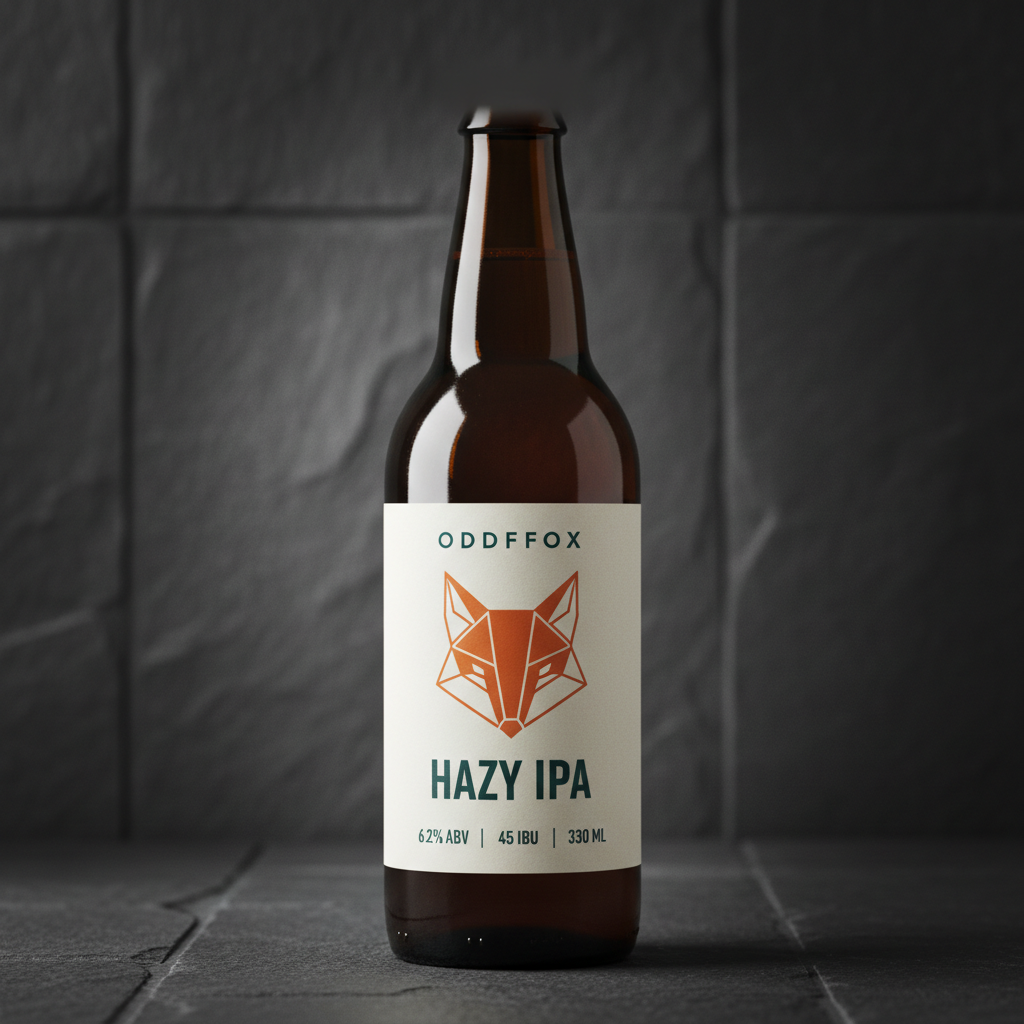
Pick a preset, then type your actual brewery name, beer name, style and numbers into the box. Every figure that was dictated on this page came back correct, and the only thing that came back wrong was a made-up brand name — so spell that one out and check it first.
AI Beer Label Generator
Choose a label format, dictate your brewery name, beer name, style and specs, and get a finished craft beer label design. Up to 4K.
Six Labels From This AI Beer Label Generator, Shown Exactly As They Came Back
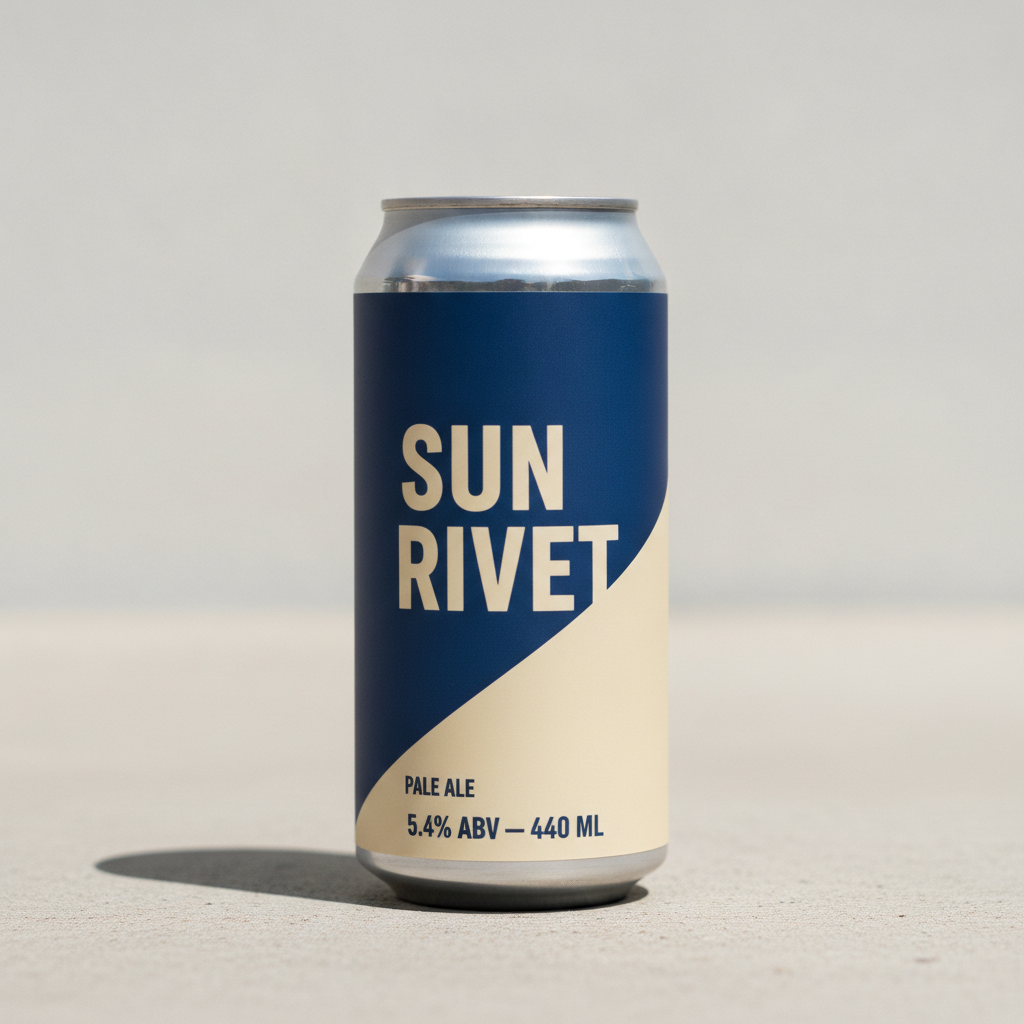
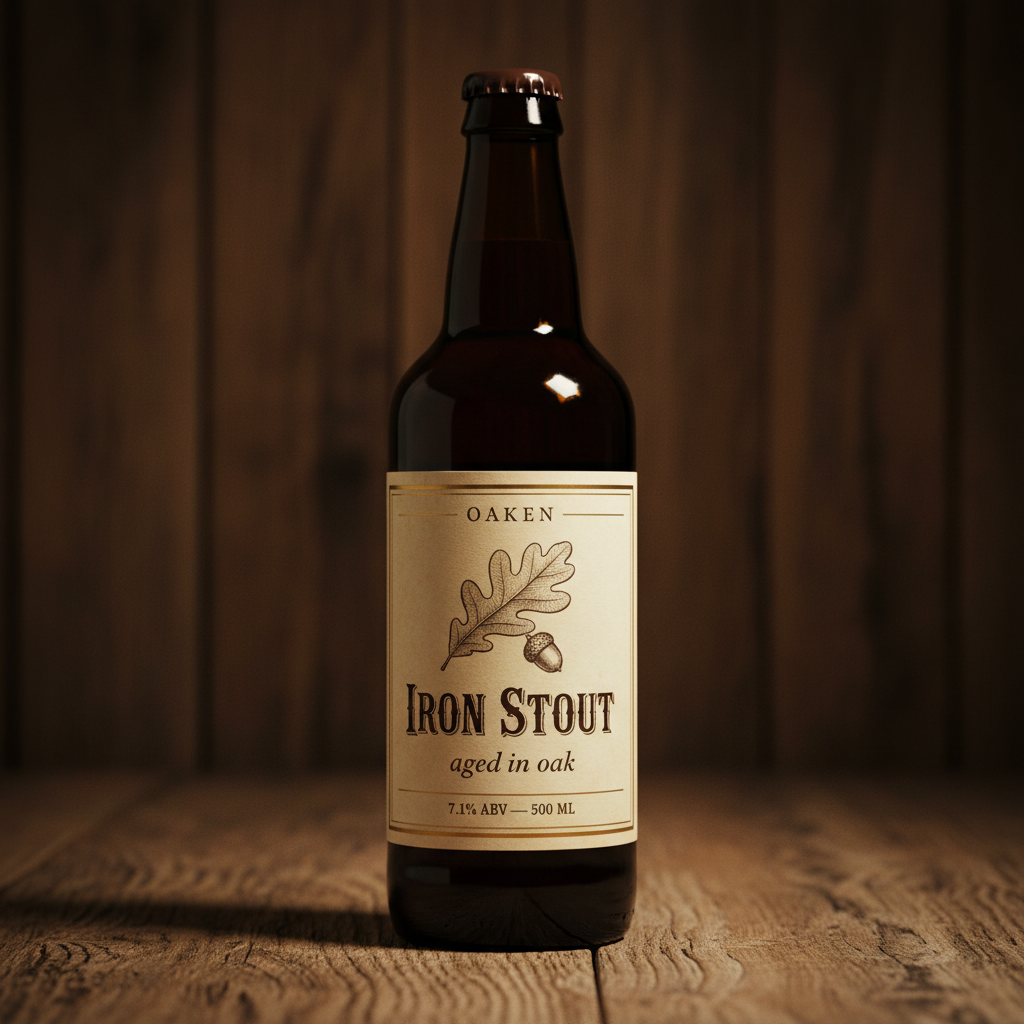
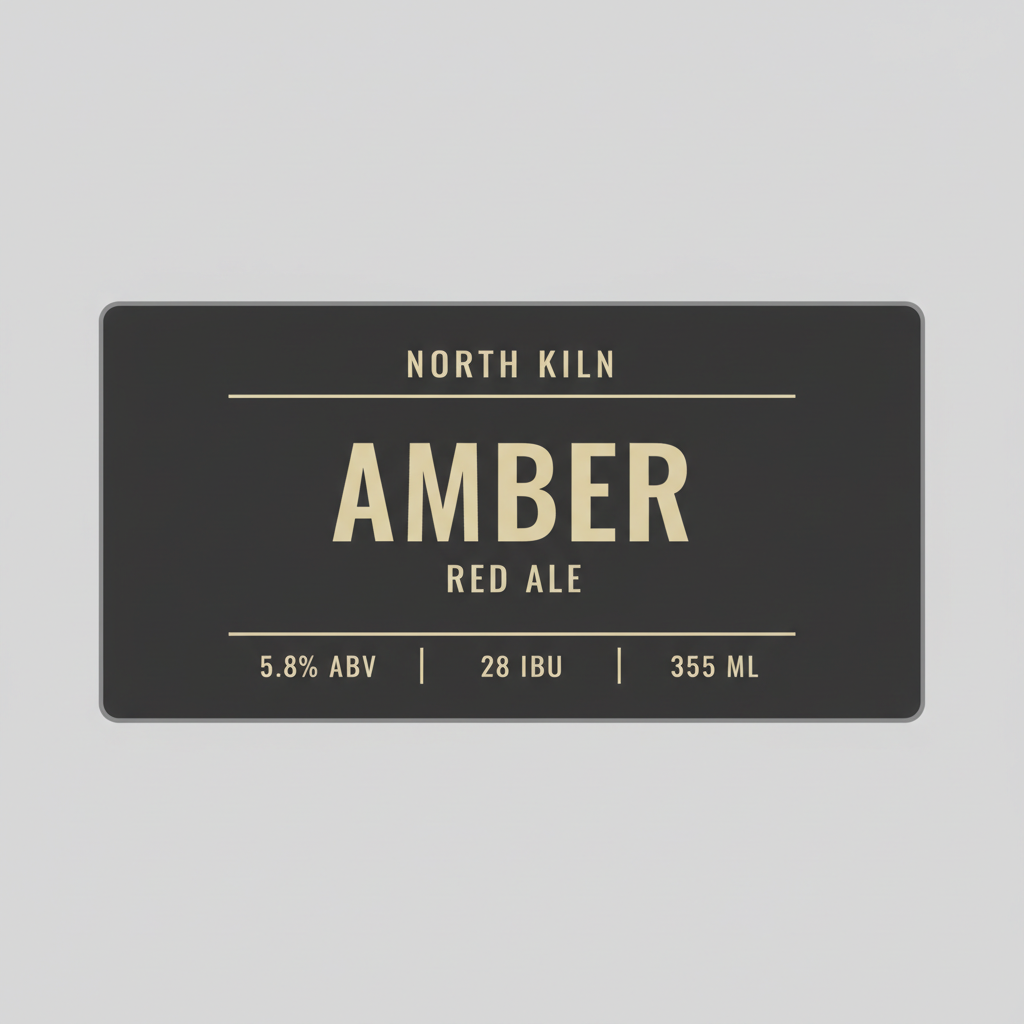
Nothing here has been retouched, reordered or regenerated to flatter the tool. Twenty-nine pieces of text were dictated across these six labels and twenty-eight came back correct. Read the note under each one — it says what landed and what drifted.
How It Works
Pick the label format
Six presets: modern brewery bottle, bold can wrap, vintage engraved, flat label layout with no bottle, a matching two-can series, and a homebrew gift bottle. Each one already carries the structure a beer label needs — brand at the top, name in the middle, style beneath, spec row at the foot — plus a long clause keeping caps, barcodes, crates, coasters and background signage blank.
Dictate your brewery name and numbers
This is the step that decides whether the label is usable. Type the brewery name, the beer name, the style and each figure exactly: "6.2% ABV, 45 IBU, 330 ML". Dictated numbers came back right every time across the six labels here. Anything you leave vague gets invented, and the model invents plausible beer statistics very convincingly.
Zoom in on the brand name, then download
Twenty seconds later you have a label. Before you do anything else, enlarge the brewery name and read it letter by letter — it is an invented word, it is the only thing on the label the model has never seen before, and it is the one thing that went wrong on this page. Then download at full resolution and add the mandatory label information separately.
What This AI Beer Label Generator Gets Right, and What It Gets Wrong
A beer label is a harder subject than it looks. It is mostly type, the type is mostly numbers, and one of the words on it is invented. Here is exactly where the line falls, based on the six labels above.
The numbers are reliable
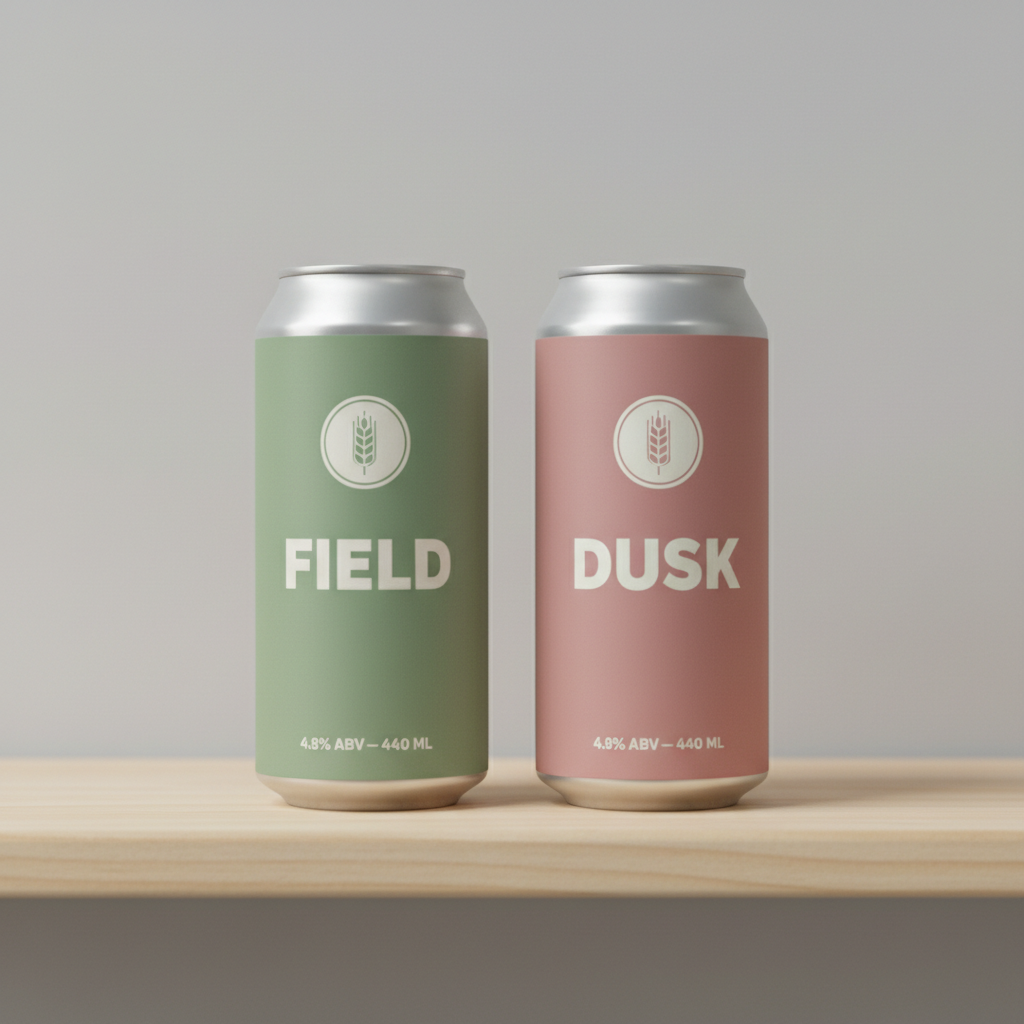
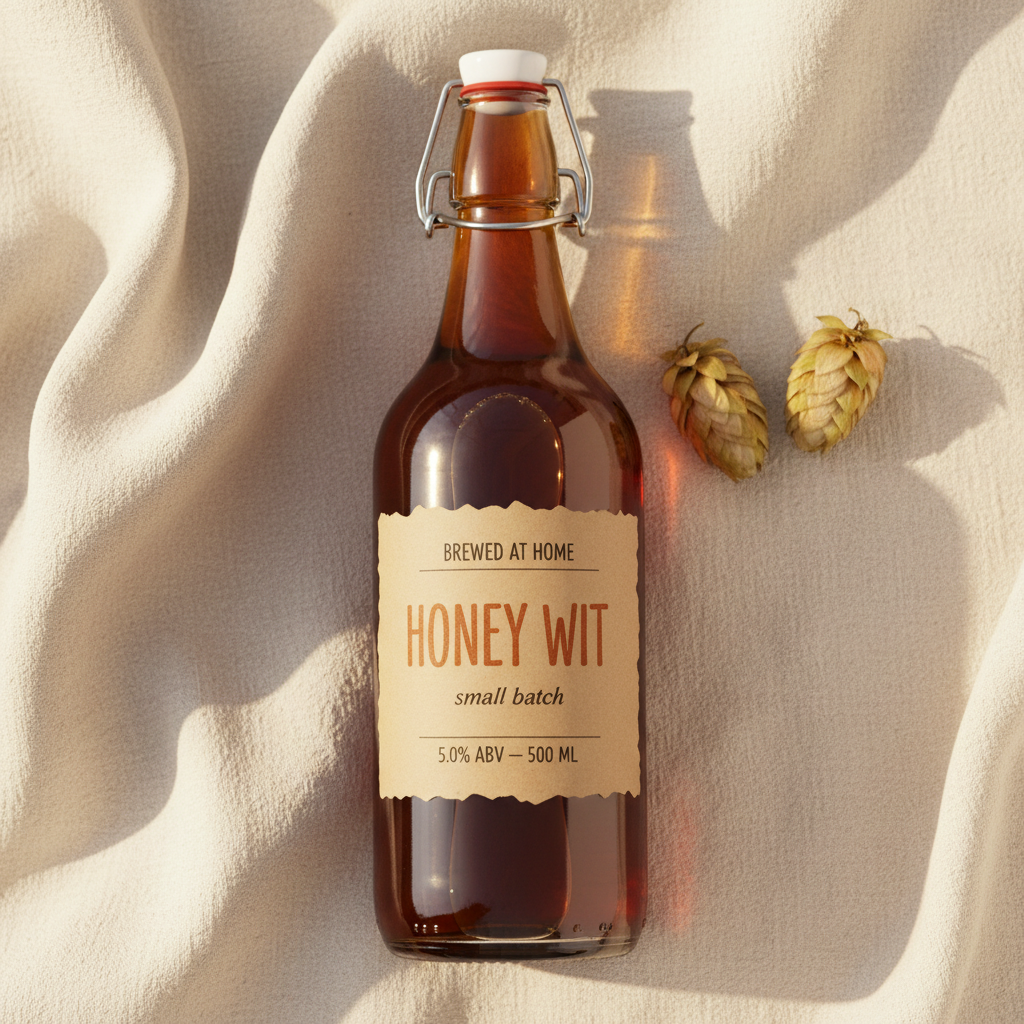
Every ABV figure, every IBU figure and every volume across the six labels came back exactly as dictated: 6.2% and 45 IBU and 330 ML, 5.4% and 440 ML, 7.1% and 500 ML, 5.8% and 28 IBU and 355 ML, 4.8% on both cans of the series, 5.0% and 500 ML. Decimal points, percentage signs and unit abbreviations all held. That is the part most people expect to fail and it did not.
The invented brand name is the weak point
One error on this page and it is the brewery name: ODDFOX returned as ODDFFOX. Real words are safe because the model has seen them; a made-up brand is a string of letters it is reproducing blind, and doubled or dropped letters cluster exactly there. Keep it short, set it in spaced capitals, and read it at full zoom every single time before you approve a design.
Typographic hierarchy is genuinely good
Brand small and spaced at the top, beer name large in the centre, style in smaller capitals beneath, spec row divided by rules at the foot. Four of the six labels nailed that structure without being told the sizes, and the charcoal flat layout in particular reads like something a designer set rather than something a model arranged. This is the real value here — it knows what a beer label looks like.
Series consistency breaks on type size
The two-can series shares an emblem, a layout and an identical foot line, then sets DUSK visibly larger than FIELD because it fits each name to the width rather than holding one size. Short name, big letters. It is invisible on one can and obvious across a shelf, so generate the family to settle the look, then rebuild the range once with the type locked.
Labels sit flat on curved glass
On every bottle and can here, the label edges run as straight verticals and the type shows almost no foreshortening toward the sides, where paper on a real cylinder compresses sharply. It reads fine as a presentation mockup and it misleads you about how much of the design will actually be visible face-on. Use the flat layout preset when you need to judge the artwork itself.
The physical hardware is frequently wrong
The swing-top bottle looks convincing until you enlarge the neck: the stopper rests on the mouth instead of plugging into it, and the wire bail arcs around the neck without crossing the stopper, so the mechanism would not close. The beer is also filled with no headspace. Bottle furniture — caps, cages, crowns, fill lines — is where this model quietly invents things.
Before You Print: What a Generated Label Does Not Include
Beer is regulated differently from almost anything else you can put a label on, and the artwork above is deliberately missing every part of that. This is a practical checklist, not legal advice — confirm the current rules with your own regulator before a run.
Mandatory information
In the US, a malt beverage label generally has to carry the brand name, a class or type designation, net contents, and the name and address of the brewer or bottler — plus the government health warning statement in its exact prescribed wording. None of that is on a generated image, and most of it belongs on a back label you will set yourself.
Approval before printing
Many malt beverage labels need a certificate of label approval from the TTB before they go on sale, and other countries run their own schemes with their own allergen and ingredient requirements. The time to find that out is before you commission 2,000 printed sleeves, not after.
It is not a print file
What you download is a flat raster image: no layers, no vector type, no bleed, no trim marks and no die line. The rounded corners on the flat layout above are pixels, not a cut shape. A converter needs the artwork rebuilt to their template, which is a short job once the design is decided.
Stock and adhesive matter
A render cannot tell you that uncoated kraft turns translucent when a bottle sweats in an ice bucket, or that a standard adhesive lifts at the edges on a cold wet bottle. Pick the stock and the glue for where the bottle will actually be, then match the artwork to it.
Writing a Prompt That Produces a Usable Beer Label
Four habits that separate a label you can take to a designer from one you regenerate, learned from the six in the gallery.
Dictate every number
"Some stats along the bottom" gets you invented statistics that look entirely real. "6.2% ABV, 45 IBU, 330 ML" gets you those figures. Dictated numbers were correct on every label here, so there is no reason to leave a single one to the model.
Keep the brand name short and spaced
Your brewery name is the one word the model has never seen. Four to six letters in widely spaced capitals is the safe zone, because spacing separates the letterforms and makes a doubled letter obvious the moment you look. Long or compound names fail more often.
Name the surfaces that stay blank
Beer photography is wall-to-wall writing — caps, barcodes, crates, coasters, tap handles, chalkboards. Listing each of those as blank is why these six labels came back clean. A bare "no other text" loses to a million training images.
Ask for the flat label, not the bottle
A bottle shot sells the idea; a flat label lets you judge the artwork, the margins and the hierarchy without glass, highlights and shadows doing half the work. Generate the mockup for the pitch and the flat layout for the decision.
Who Uses an AI Beer Label Generator
Homebrewers
Twenty bottles of something good and nothing on the glass but a marker pen. A kraft gift label with the beer name, the batch line and the ABV turns a swing-top into a present, and nobody is filing paperwork over a bottle handed to a neighbour.
Nano and taproom breweries
A seasonal one-off does not justify a design retainer, but it still has to look like it belongs beside the core range. Generate three directions in ten minutes, pick one, and hand that to whoever builds the print file.
Designers pitching brewery work
Six visual directions in front of a client in one meeting instead of one direction in a week. The hierarchy is sound enough to discuss seriously, and rebuilding the chosen route properly is where your time actually goes.
Brewpubs and beer festivals
Festival specials, collaboration brews and cask badges all need artwork with a deadline measured in days. Consistency across a series needs manual work, but a single one-off label is a twenty-second job.
Wedding and event favours
Personalised bottles for a wedding, a birthday or a company anniversary, where the beer is bought and only the label is yours. Dictate the names and the date, check the spelling twice, print on a home label sheet.
Brand and packaging students
Testing twenty label directions against each other is a coursework exercise that used to eat a term. Judge the ones that work, then learn the craft by rebuilding your favourite as proper vector artwork.
AI Beer Label Generator FAQ
Related Label & Packaging Tools
AI Label Generator
The general-purpose neighbour of this page. Candle jars, jam jars, spice sets, skincare bottles and soap wraps, with the same approach to dictated text and the same honest account of where the rendering drifts.
AI Wine Label Generator
The other drinks label, and a very different design problem — estate engraving, vintage years and a much more conservative typographic tradition, plus its own set of regulated information you have to add yourself.
AI Packaging Design Generator
One step out from the label: the four-pack carrier, the shipper carton and the gift box a beer range travels in. Useful once the bottle or can is settled and everything around it has to match.
Give the Batch a Label It Deserves
Six label formats — brewery bottle, bold can wrap, vintage engraved, flat print layout, matching series and homebrew gift — each a finished design in about twenty seconds, with your brewery name, beer name and specs dictated onto it. Up to 4K. Free to start, from $2.99.
Design a Beer Label FreeAn AI Beer Label Generator for Breweries, Homebrewers and Designers
The problem an AI beer label generator solves is not that beer labels are hard to imagine. Most brewers know exactly what they want theirs to feel like — the bold flat can that looks right in a taproom fridge, the engraved stout label that looks like it has been brewed since 1890, the kraft gift bottle you hand across a fence at Christmas. The problem is the gap between that feeling and a finished piece of artwork, which normally means a designer, a brief, a fortnight and an invoice that a single seasonal batch will never justify. So the beer sits in the garage in unlabelled bottles, or it goes out with a name written on in marker, and the thing you spent six weeks brewing looks like nothing at all.
The six presets here cover the label formats that get printed most: a modern independent-brewery bottle with an emblem and a spec row, a bold colour-block can wrap, a vintage engraved bottle label, a flat print-style layout with no bottle at all so you can judge the artwork on its own, a matching two-can series for a range, and a kraft homebrew gift bottle. Each one already carries the structure that makes a beer label read as a beer label rather than a poster — brewery name small and spaced across the top, beer name large through the middle, style in smaller capitals beneath it, and a foot row holding the alcohol percentage, the bitterness figure and the volume divided by thin rules. Each also carries a long clause keeping every other surface in the frame blank, because beer photography is wall-to-wall writing and a model that has seen a million pictures of bottles will helpfully add a barcode, a neck label and a chalkboard in the background unless you name them and forbid them one by one.
Those six labels are shown exactly as they were generated, mistake included, because the strengths and weaknesses of this AI beer label generator are consistent enough to be worth learning before you rely on it. The headline result is better than most people expect: twenty-nine pieces of dictated text across six labels and twenty-eight came back correct, including every ABV figure, every IBU figure and every volume, with decimal points and unit abbreviations intact. The single failure was the one word that is not a word — the invented brewery name ODDFOX, which returned as ODDFFOX with a doubled F. That is where the risk always sits. Real words are words the model has seen; a brand name is a string of letters it is reproducing blind, and it is also the largest, most expensive thing on the label to get wrong. Beyond spelling, the honest list is short and specific: labels sit flat on curved glass with almost no foreshortening, a series keeps its layout but not its type size, flat artwork floats in the frame rather than filling it, and bottle hardware like a swing-top cage is drawn to look right rather than to work.
The working rule follows from all of that. Dictate every word and every number, keep the brewery name short and set it in spaced capitals, name the surfaces that must stay blank, and enlarge the brand name before you approve anything. Then treat the result as what it is — a finished visual direction and a convincing mockup, not a print file and not a compliant label. The mandatory information, the back label, the health warning in its exact wording, the die line and the approval are all still yours to handle, and on a regulated product they are not optional. What you get in exchange is the part that used to cost a fortnight: a design you can actually look at, argue about and choose between, roughly twenty seconds after you thought of it.