
AI Label Generator
A label is the smallest piece of design a product has and the one it is judged on. It has to name the thing, say what is in it, carry a net weight someone can read at arm's length, and look deliberate enough that a shopper picks the jar up. This AI label generator handles that layout for you. Pick a format — candle jar, jam and preserve jar, craft beer bottle, skincare bottle, spice jar set or soap bar wrap — type in your brand name, your product name, your variety and your net weight, and Nano Banana Pro sets the whole label in about twenty seconds, ready to print onto label stock.
Try It Now — Free
Choose a label format, then type your brand name, the product name, the variety or scent and the net weight into the box. Write them exactly as they should appear. Your label arrives in about twenty seconds at up to 4K.
AI Label Generator
Pick a label format, add your brand name, product name, variety and net weight, and get a print-ready product label in seconds
Labels From the AI Label Generator
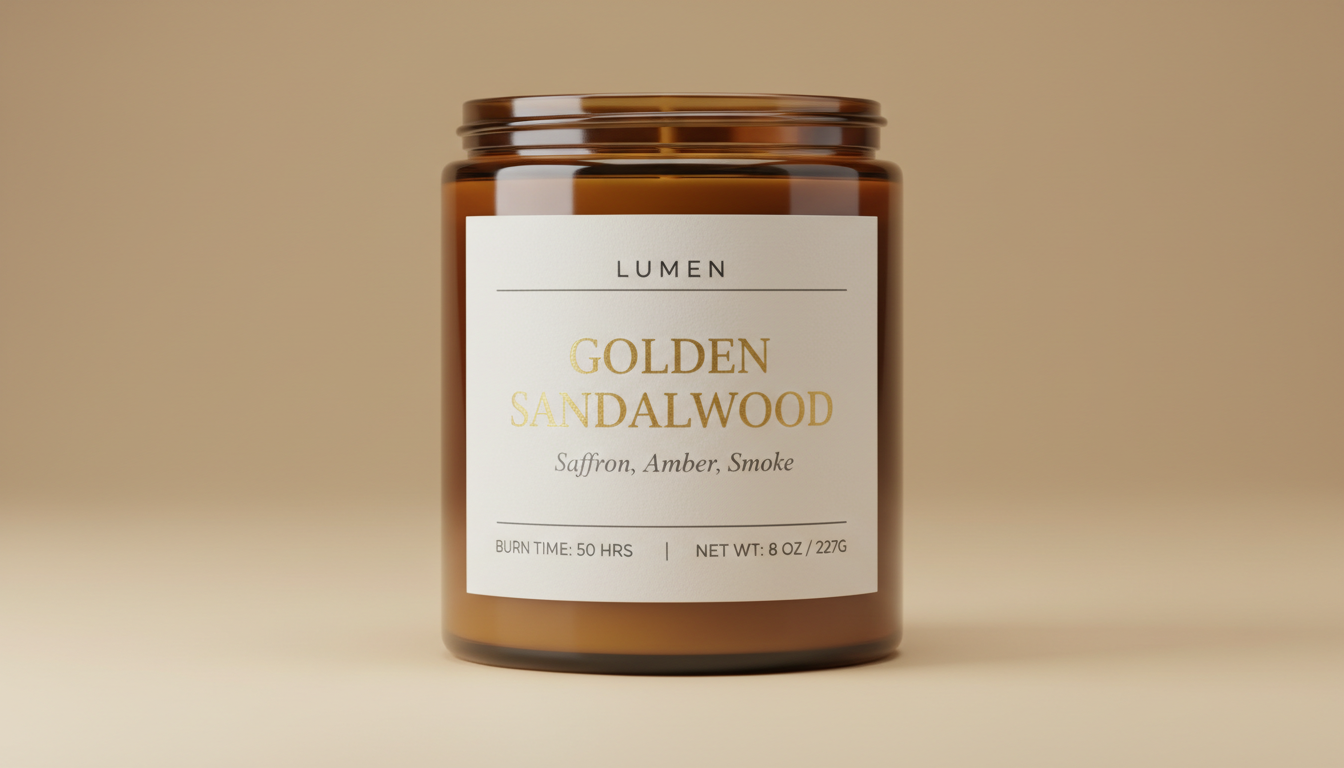
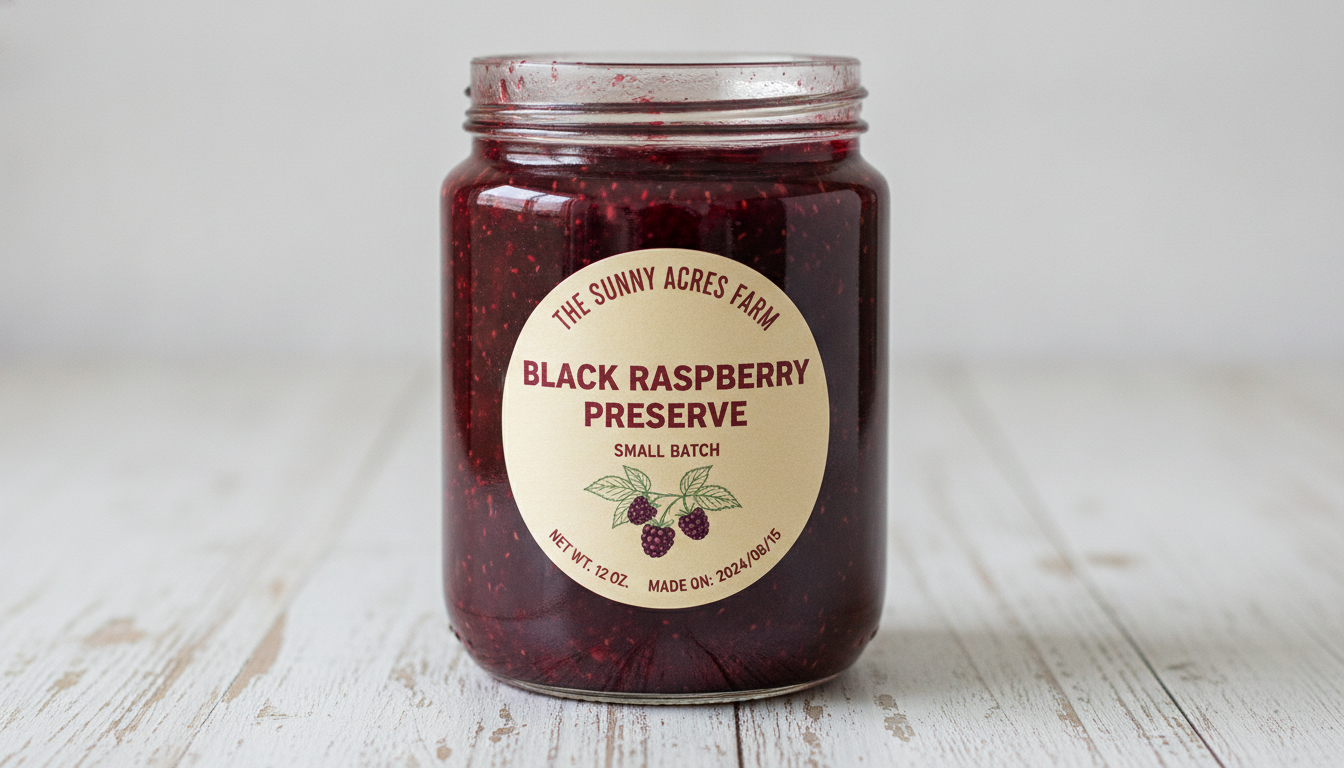
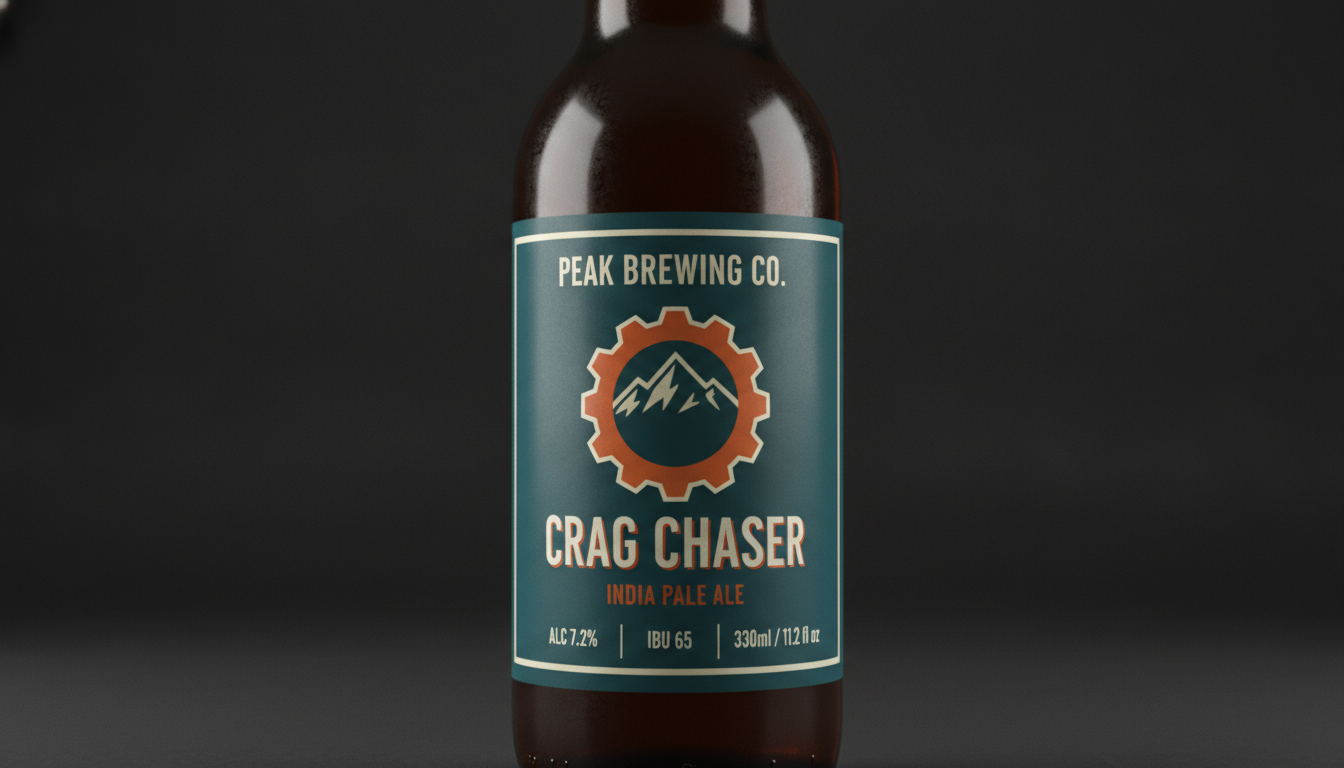
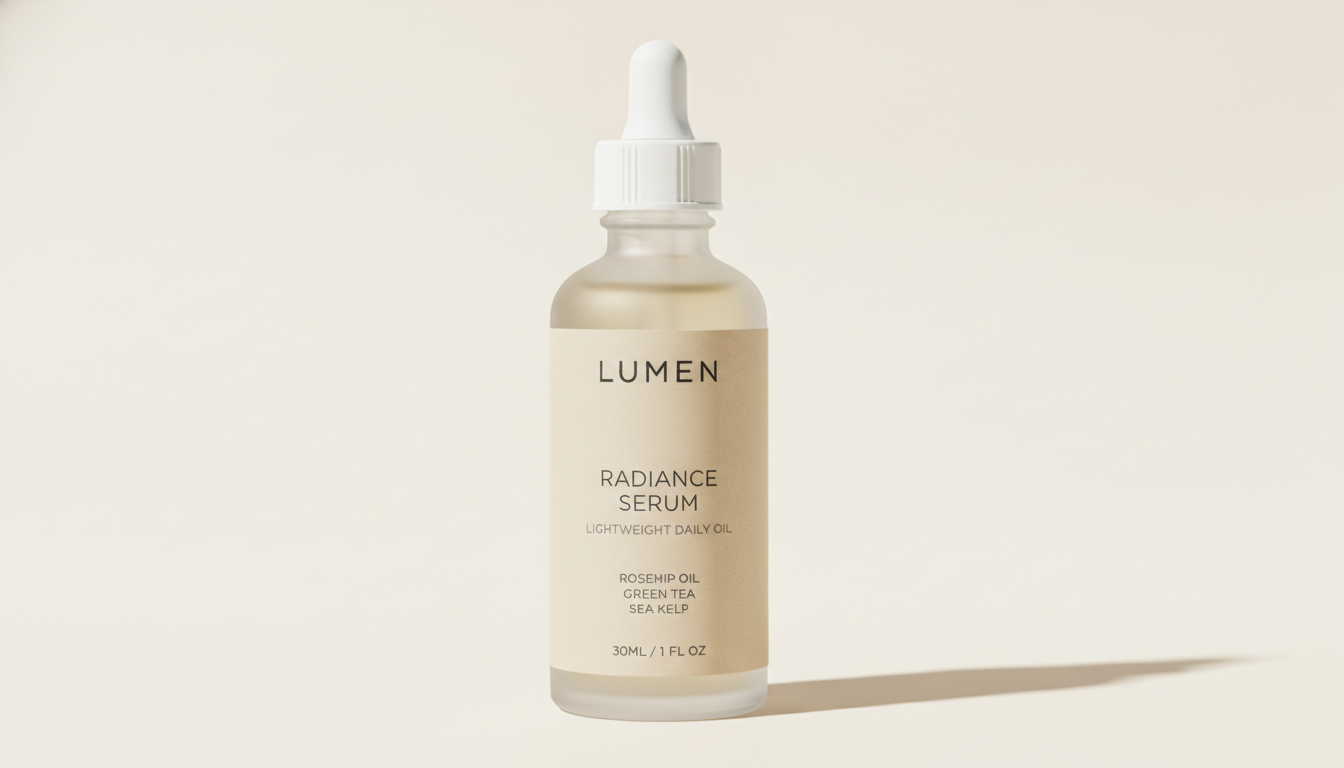
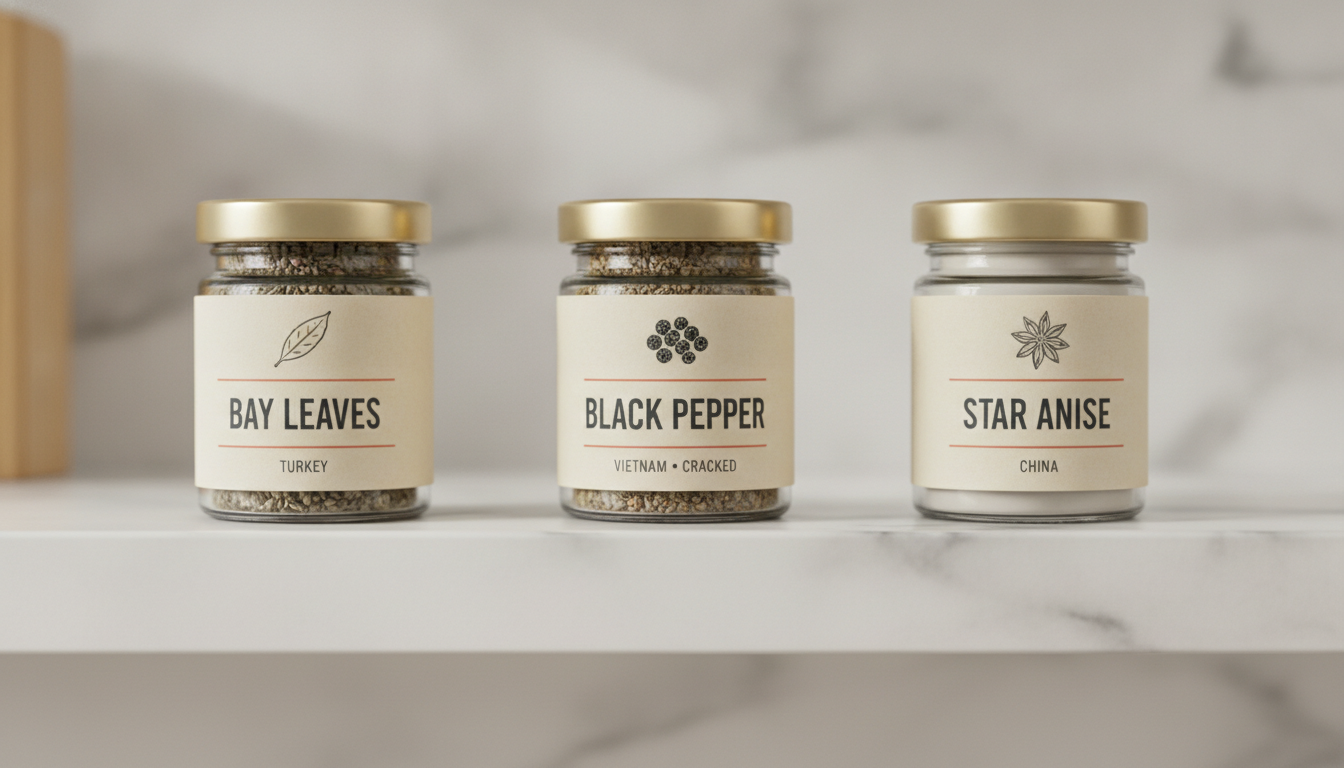
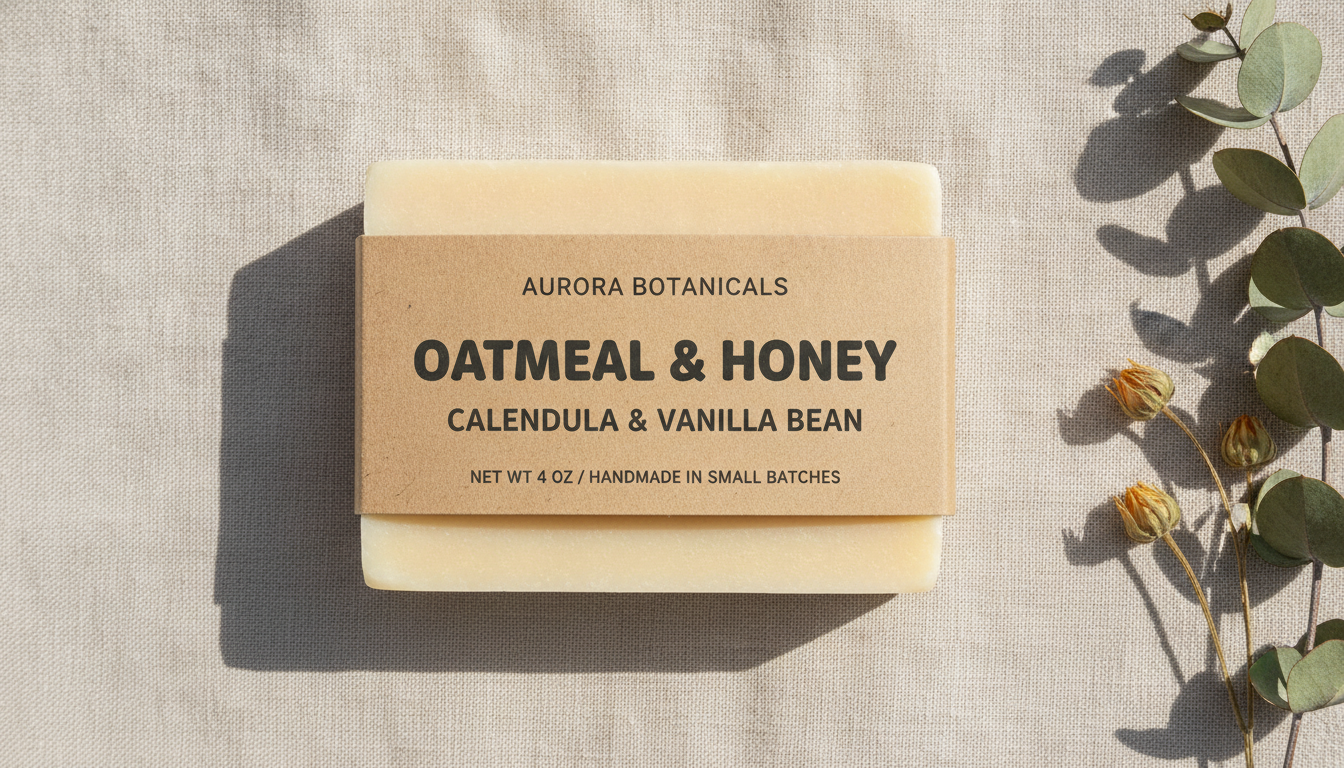
Candle jar, jam jar, craft beer bottle, skincare bottle, spice jar set and soap bar wrap — six formats, all generated from a typed product name
How the AI Label Generator Works
Three steps from a product sitting in unlabelled jars to a label you can send to print
Choose a Label Format
Six presets cover the containers small producers actually fill: an amber candle jar with a scent name and a burn time, a round preserve label with a made-on date, a craft beer bottle with an alcohol percentage and volume row, a frosted skincare dropper with key ingredients, a set of three matching spice jars, and a kraft paper wrap for a soap bar. Each preset already carries its own stock, palette and information hierarchy — where the product name sits, what belongs in the foot row, whether there is an illustration — so you are choosing a kind of product, not building a layout from nothing.
Type the Product Details
Put the real product in the details box: brand name, product name, the variety or scent, and the net weight or volume in the units you actually use. "HOLLOW LANE, scented soy candle, Fig & Cedar, 8 oz / 227 g, 45 hour burn time" gives the AI label generator something precise to typeset. Vague input produces a handsome label for a product nobody can identify, and on a shelf of forty jars that is the one a shopper puts back down.
Proof It, Then Add the Regulated Text
Each label comes back in about twenty seconds at up to 4K. Read every word against the real product — the weight, the volume, the strength — because the model will happily set a number it invented in beautiful type. Then add the text the law requires and the model cannot supply: your full ingredient or INCI list, allergen declarations, batch codes, a real barcode, and any warning statements your category carries. The design comes from here; the regulated content comes from you.
Why Small Producers Use an AI Label Generator
Six reasons this beats stretching a stock template around your jar
It Actually Renders Your Product Name
Most image models turn text into decorative nonsense, which is why label design has been out of reach for them — a label whose product name you cannot read is a picture of a label. Nano Banana Pro was built to set legible type inside an image, so the brand name, the scent, the net weight and the alcohol percentage come back as words and figures rather than squiggles. That single capability is what makes this tool work, and it is the first thing to test on any alternative you are weighing up.
Six Label Formats, Not One Template
A candle jar, a beer bottle and a soap wrap are different objects with different conventions. The presets span an amber candle jar with scent notes and a burn time, a round preserve label with a made-on date, a bottle label with an alcohol and volume foot row, a minimal skincare dropper with an ingredient stack, a matching three-jar spice set, and a kraft soap band. Each brings its own stock, palette, type treatment and hierarchy, so switching format redesigns the product rather than recolouring it.
The Foot Row Is the Hard Part
Anyone can put a product name on a rectangle. The fiddly bit is everything around it: the net weight in both units sitting where a shopper expects it, the scent notes small but legible, the burn time or alcohol percentage clear of the edge, and enough quiet space that the whole thing does not look like a raffle ticket. Those decisions are what separate a label that reads as a product from one that reads as a craft project, and they are encoded in the presets.
Right for Makers With No Designer
Candle makers, jam and chutney producers, home brewers, soap and skincare makers, market-stall bakers and Etsy sellers all need labels and almost never have a designer. The usual fallback is a word-processor template on sticker paper, and it looks it — which quietly caps what people will pay. Generating a proper label takes a couple of minutes here, and a sheet of them prints on an inkjet with adhesive label stock or goes to a label printer for a short run.
Test a Look Before You Order 500
Label printing has minimums. Ordering a roll and then deciding the type is wrong is an expensive way to learn something, so the useful thing here is cheap iteration: run the same product through three formats, look at them at actual jar size rather than full screen, and settle the direction before anything is committed to a print run. Output reaches 4K with no watermark and is cleared for commercial use, so the version you settle on is one you can actually sell against.
Cheaper Than a Template Subscription
Label templates on design sites sit behind a monthly plan, and the free ones are the ones every other candle shop is already using. Here you start free with no credit card, and plans begin at $9.98 — so trying six formats for a new product, or making a fresh label for every scent in a range, costs less than one month of a design subscription you would cancel as soon as the launch was over.
Frequently Asked Questions
Common questions about using an AI label generator
Design a Product Label in Twenty Seconds
Pick a format, type your product name, variety and net weight, and get a print-ready label at up to 4K — candle jar, jam jar, craft beer bottle, skincare bottle, spice jar set or soap bar wrap. Powered by Nano Banana Pro. Free to start, plans from $9.98.
Make a Print-Ready Product Label With an AI Label Generator
Most small products get their label from whoever is nearest the laptop. The candles have set, the jam is in jars, the soap has cured for six weeks — and the thing standing between all that work and a market stall is a rectangle with a name on it. What usually happens next is a word-processor template on sticker paper, a font chosen because it was in the list, and a maker who quietly knows the jar looks homemade in the wrong way. An AI label generator removes that step: you type the product you have already made, choose a direction, and a label comes back laid out in about twenty seconds.
What makes this possible now is text rendering. Image models have been able to produce a handsome photograph of a labelled jar for years, provided nobody tried to read it — the product name dissolved into approximate letterforms and the net weight became texture. Nano Banana Pro was built to set legible type inside an image, which is what moves this from a mood-board exercise to a label with your actual brand name, your actual scent and your actual 8 oz on it. You supply the words and the figures; the preset supplies the stock, the palette, the hierarchy and the spacing.
Six presets cover the containers makers really fill. Candle Jar Label puts a matte label on amber glass with scent notes and a burn time. Jam & Preserve Jar gives the round cream label a fruit name, a small batch line and a made-on date. Craft Beer Bottle sets a brewery emblem above an alcohol and volume foot row. Skincare & Cosmetics goes quiet and minimal on a frosted dropper. Spice & Pantry Set lays out three matching jars so a range reads as a range. Soap Bar Wrap bands a kraft paper strip around a cured bar. Same maker, six shelves.
For Candle Makers, Preserve Sellers, Brewers, Soap and Skincare Makers
Getting a usable label comes down to how you fill the details box. Give it the brand name, the product name, the variety or scent, and the net weight or volume in the units your market uses — both metric and imperial if you sell in either. Then run the same product through two or three formats and look at them at actual jar size rather than full screen, because type that reads on a laptop disappears at three inches across. Once the label is settled, the same styling carries across the rest of the product: the AI packaging design generator handles the box or pouch it ships in, the AI mockup generator puts the finished product into a shop photo, the AI sticker generator covers the seals and thank-you stickers, and the AI product photo generator is the better fit when what you need is the listing image rather than the label itself.
Three limits are worth stating plainly, because the output is convincing enough that they matter. Any ingredient list, INCI line or nutrition figure in the image is invented text that happens to be beautifully set — replace every word of it with your real formulation, because a mislabelled cosmetic or food product is a regulatory problem rather than a design one. Barcodes are decorative and will not scan; genuine retail numbers come from GS1, and you can generate a working scannable code with the AI QR code art generator if what you want is a link to your shop. And you get a flattened image at up to 4K rather than a layered file with live text, so there is no die line, bleed or CMYK setup for a trade label printer, and fixing a typo means regenerating rather than editing.
Within those limits, everything you generate is yours. Labels export at up to 4K with no watermark and are cleared for commercial use, which matters when the jar is going on a shelf with a price on it. Two things to keep straight: your category almost certainly requires text this tool cannot supply — net quantity in prescribed units, allergens, batch codes, a business address, candle safety wording, alcohol warnings — so add it and check it against your national guidance before printing; and keep the design your own, because copying another maker's label or putting a familiar brand on a product it did not come from is a different matter entirely and not what this is for. It is free to start with no credit card, and plans begin at $9.98 when you want a label for every scent in the range. Type in the product you have already made, and put something on the jar that looks like you meant it.
Try the AI label generator free today. Add your brand name, product name and net weight, pick one of six label formats, and download a print-ready label at up to 4K. No credit card required to start. Paid plans from $9.98.