
AI Scarf Design Generator
A scarf is almost never seen flat. Folded into a band, knotted at the neck or wound under a coat, most of the printed area is hidden and the border does all the work. This AI scarf design generator is built around that fact: six real scarf formats — silk carré, bandana, wool wrap, chiffon, geometric repeat and cashmere stole — composed from the edges in. Describe yours and get a design in about twenty seconds.
Start Designing FreeTry the Scarf Design Generator — Free
Pick a scarf format, then add your own palette, motif and fabric. Every preset renders square so a carré, a bandana or a folded band crops cleanly out of the same artwork.
AI Scarf Design Generator
Choose a scarf format, describe the palette, motif and fabric, and get a scarf design at up to 4K
Scarf Designs Made With This Generator
Six scarf formats rather than six decorative styles, generated with the presets below and unedited. Three of them make the case of this page on their own. The knotted square is the whole argument in one photograph: the ink blue field that dominates the flat carré above it is entirely folded away, and what is left doing the work is the border, a strip of scrollwork along the fold and two hanging corners. The backlit chiffon was asked for scarlet poppies and returned pale blush ones, which is exactly what a sheer fabric does to a print in real life. And the scarf knotted on the handbag handle shows a fine repeat giving up: at four centimetres wide it is no longer a pattern, only a texture. The macro on the rolled hem is the fourth lesson — the outer edge of the artwork is physically curled under and stitched away.
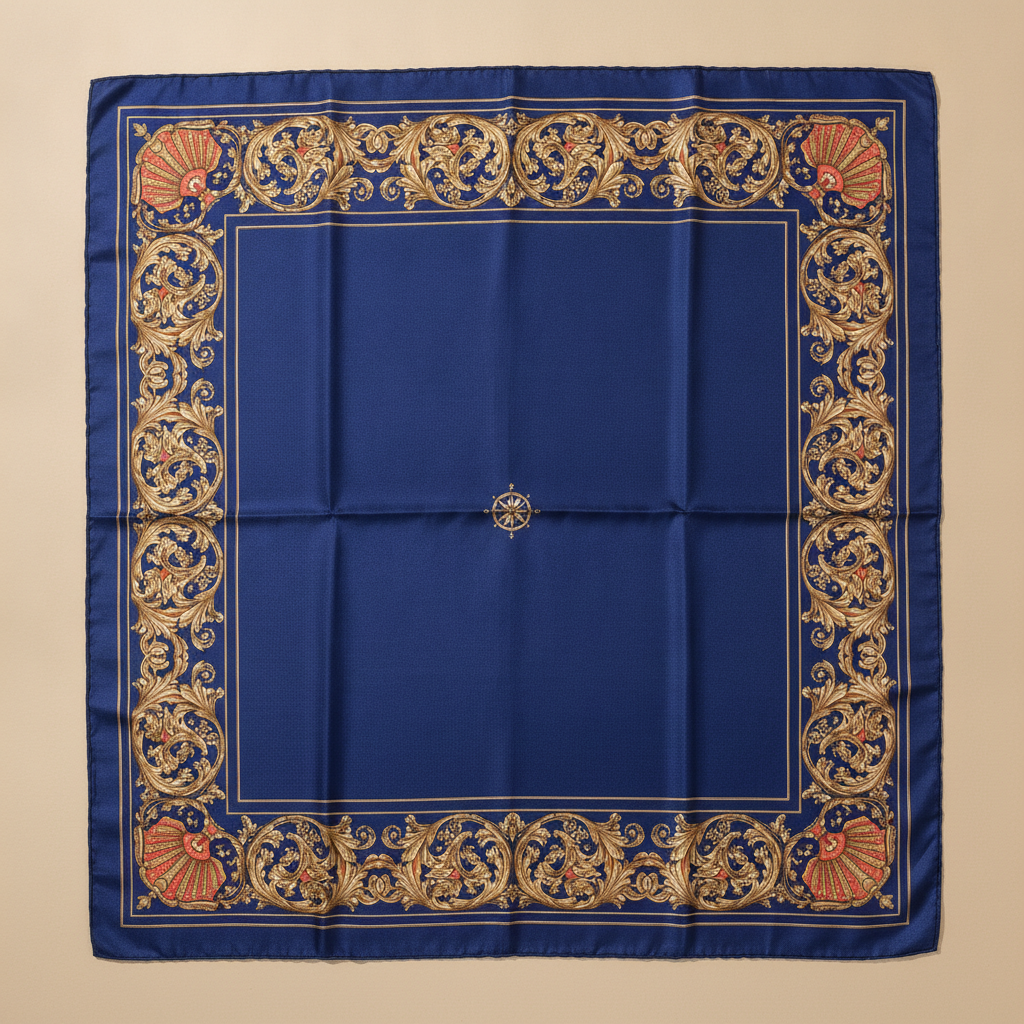
AI scarf design generator result: a large square silk carre laid flat on warm sand, deep royal blue with a wide gold acanthus scroll border, a coral and gold scallop shell filling each corner and nothing in the centre field but a tiny gold compass rose, the fold creases from its packet still showing
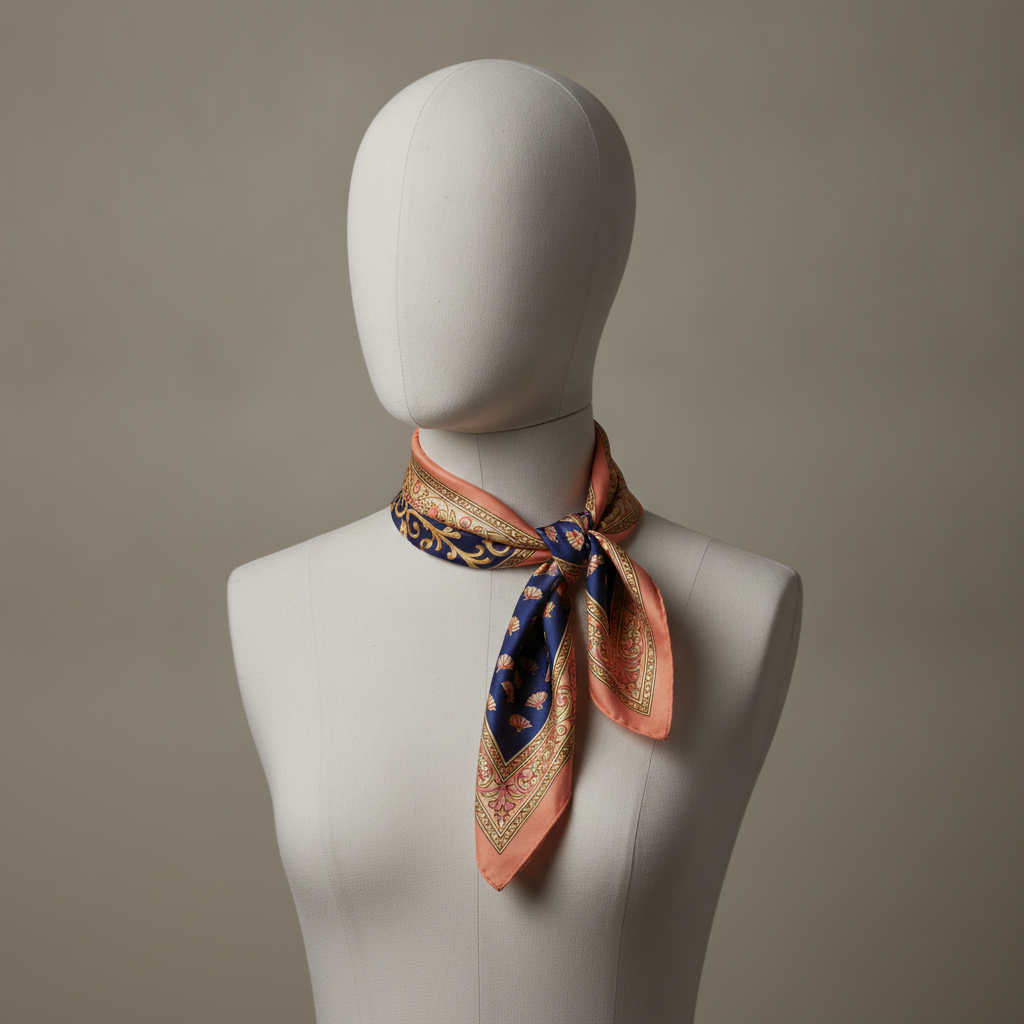
The knot test: a square scarf folded into a bias band and tied at the neck of a faceless ivory dress form, where all that reads is the salmon border, a strip of gold scrollwork along the folded edge and the two corners left hanging — the navy centre is folded away
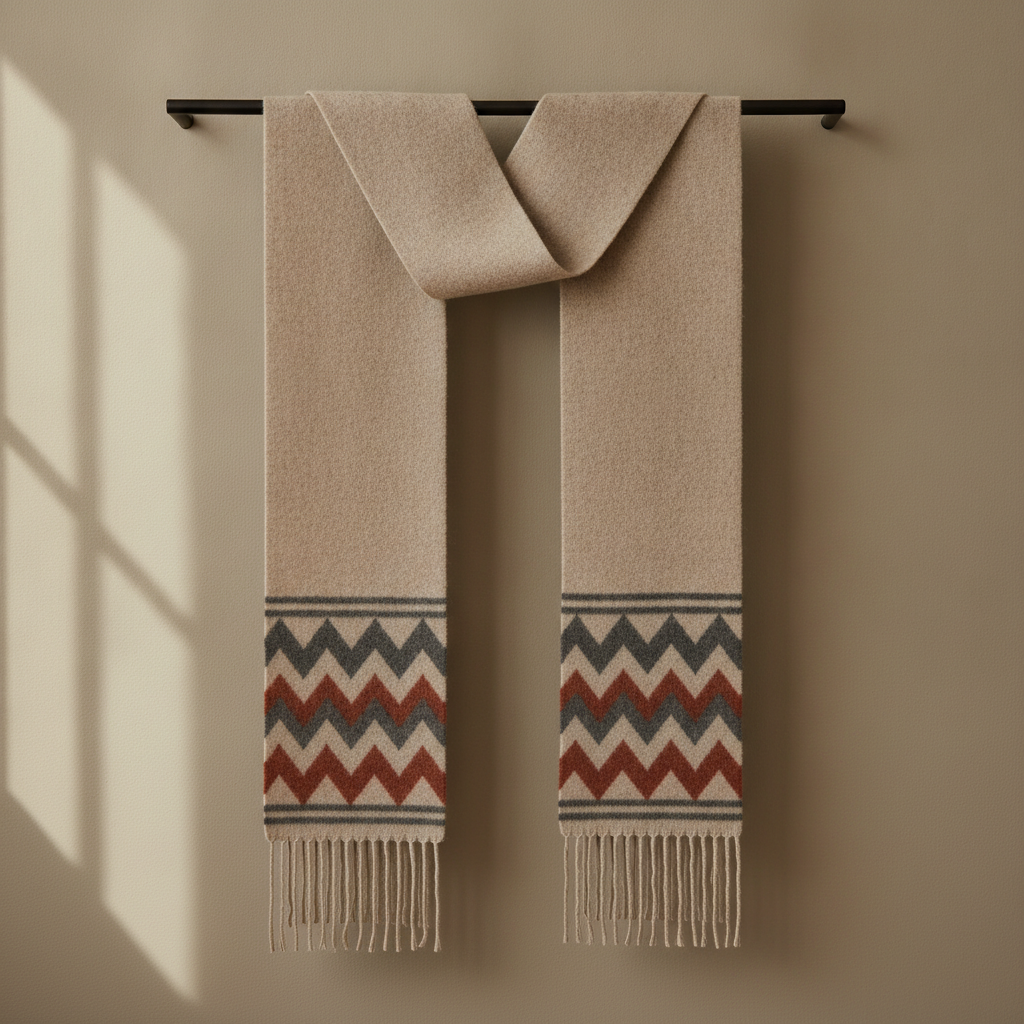
A long wool wrap hanging over a black rail, its plain oatmeal body filling most of the frame with the whole design confined to a deep band of rust, charcoal and cream chevrons above the twisted fringe at each end
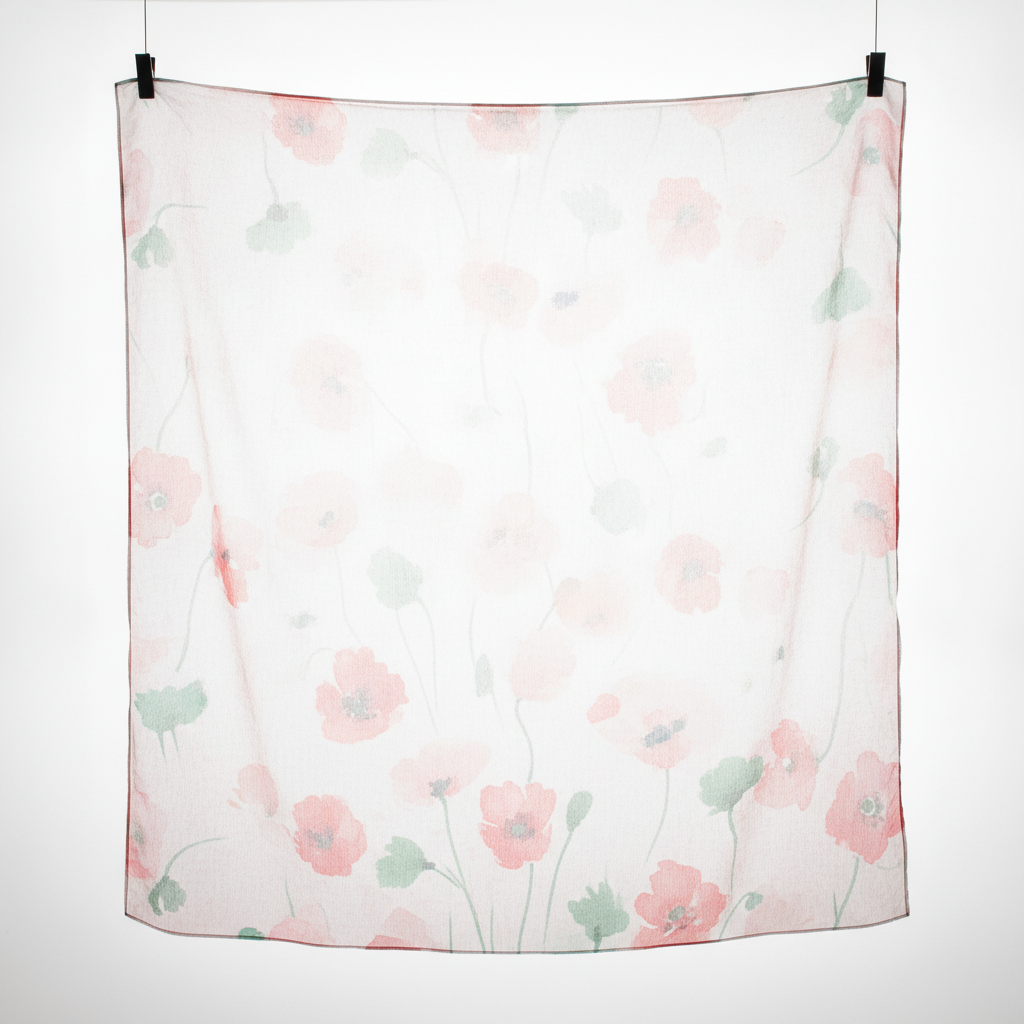
A sheer chiffon square clipped taut in front of a softbox: poppies specified in scarlet come back as pale blush and sage, bleached by the light passing through the cloth, with the dark rolled edge left as the strongest colour in the picture
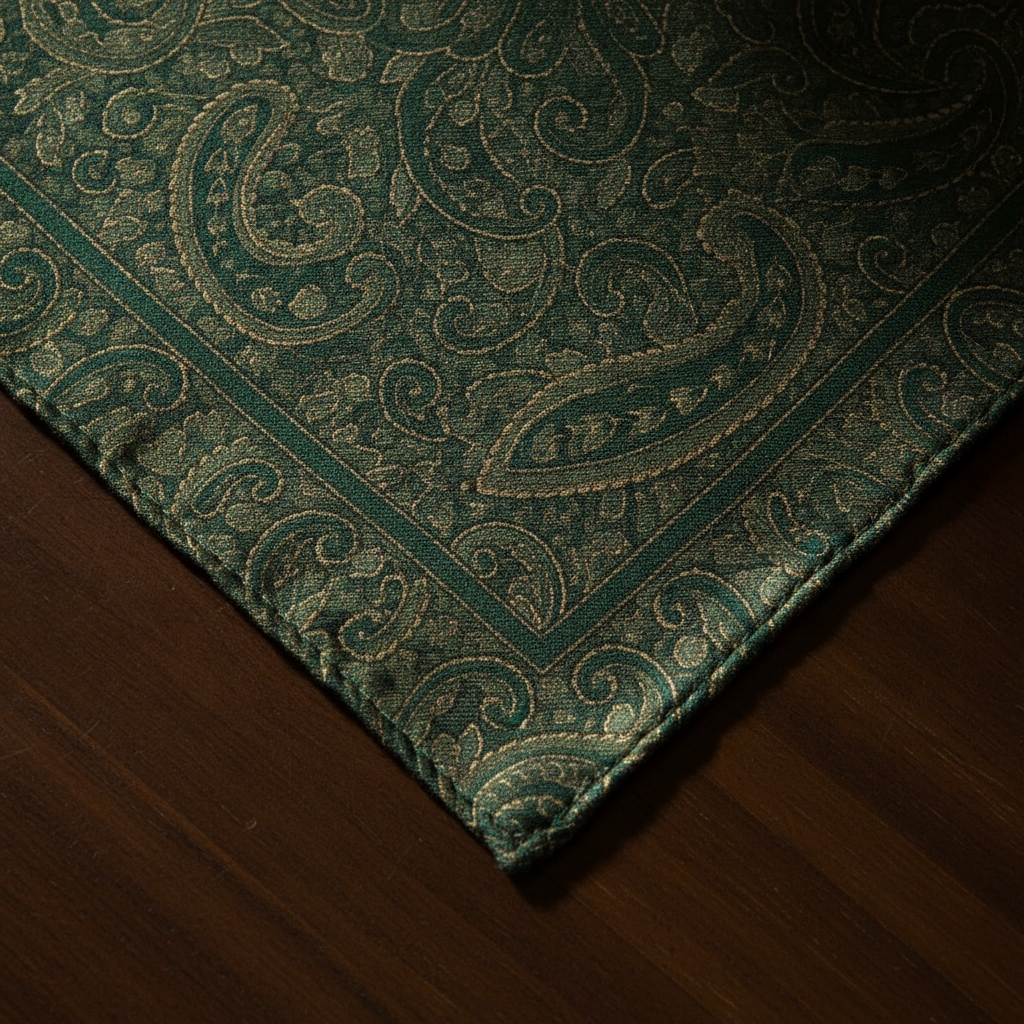
Macro on the corner of an emerald and gold paisley silk, where the hand-rolled hem is curled into a fine stitched cord and the border pattern runs straight off the cloth into it, so the outer part of every motif along that edge is swallowed by the roll
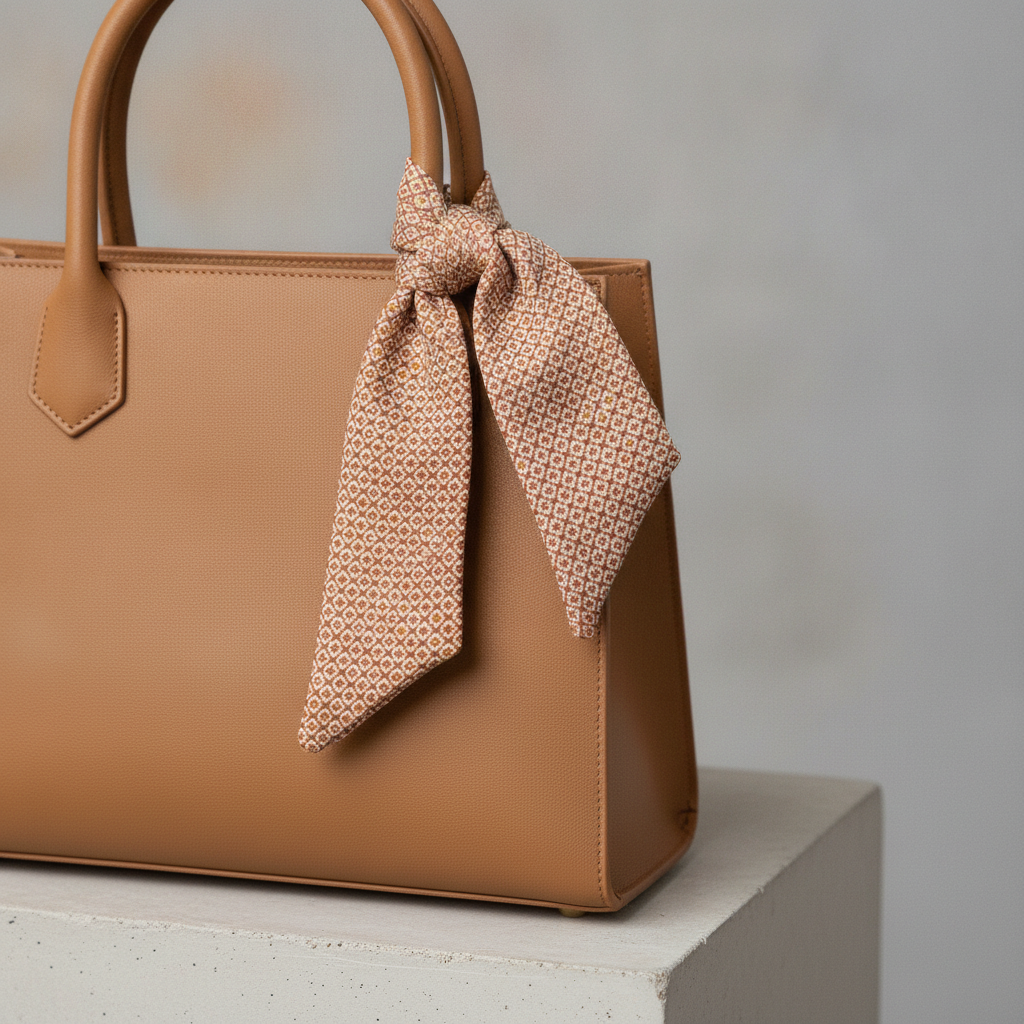
A printed square folded down to a four centimetre band and knotted on the handle of a tan handbag, where a fine terracotta and cream diamond repeat stops reading as a pattern at all and becomes a mottled woven texture
How the AI Scarf Design Generator Works
Pick the scarf format
Silk carré, bandana, long wool wrap, sheer chiffon, geometric repeat or cashmere stole. The format decides the layout logic — a carré is composed from its border in, a wrap only decorates its two ends — so it comes first.
Describe palette, motif and fabric
Add a colour story and a subject, then name the cloth: silk twill, chiffon, cotton, brushed wool, cashmere. Fabric changes how saturated the colour reads and how much fine detail survives, and the render reflects it.
Download, then have it redrawn to size
Designs come back in about twenty seconds at up to 4K. Use them to lock the layout and palette, then have the artwork rebuilt at physical size with hem allowance before a printer runs cloth.
What Actually Decides a Scarf Design
Six constraints separate a scarf from every other printed product. They are the reason this generator renders formats rather than filters — and the reason a beautiful flat design can still be a bad scarf.
Most of it is hidden, all of the time
Fold a square into a bias band and roughly four fifths of the print vanishes into the folds. Wind a long scarf round a neck and the middle disappears under a collar. Whatever is left — a strip along a folded edge, a corner hanging free, the last stretch of each end — is the whole design in practice. Design that visible fraction first and treat the rest as backdrop, not the other way round.
The border carries the identity
This is why classic squares look the way they do: a wide decorative frame, self-contained corner motifs, and a centre calm enough to be folded away without loss. A border survives every fold, every knot and every drape, and it still reads when only four centimetres of cloth are showing. A centred medallion has exactly one viewing condition in which it works, and nobody wears a scarf that way.
Symmetry survives knotting, direction does not
A square scarf gets tied with no regard for which way up it started, so anything with an obvious top and bottom will spend half its life upside down. Radial and four-fold symmetric layouts read correctly from every direction, which is why they dominate the classics. If you do want a directional motif, repeat it so that at least one instance is upright in any orientation, or confine it to a corner where the tilt looks deliberate.
The hem eats a centimetre or two all round
A hand-rolled hem — the mark of a good silk square — rolls the outermost edge of the cloth under and stitches it down, so any artwork that runs to the very edge is partly swallowed. Machine hems on cotton and poly take a similar bite. Plan a clear allowance around the whole perimeter, put the outer frame rule inside it rather than on it, and never let a motif you care about straddle the edge.
Fabric, not your screen, decides the colour
Silk twill takes dye deeply and holds a fine line. Chiffon prints pale and shows the reverse through the face. Brushed wool and cashmere swallow fine detail into the nap, so they want yarn-dyed stripes and colour blocks instead of print. Sublimated polyester has no white ink, so pale areas are simply undyed cloth. Choose the fabric before the artwork and ask for a strike-off before any real length is printed.
A render is a design decision, not a print file
A 90 cm square at 300 DPI is about 10,600 pixels a side, and a textile printer wants flat artwork at physical size with the hem allowance planned in — not a photograph of cloth complete with folds, shadows and a studio floor. What a render settles is the layout, the palette, the border width and the motif language. Getting from there to yardage means having the artwork rebuilt at size.
Why Use This AI Scarf Design Generator
Six formats, not six filters
The presets differ in how the cloth is composed and worn — framed square, dense bandana, patterned ends, sheer backlit, bold repeat, yarn-dyed knit — so switching preset changes the layout logic, not just the palette.
Composed from the border in
Every square preset builds a real frame with corner motifs and a calm centre, which is the only structure that still reads once the scarf has been folded into a band and knotted.
Fabric is part of the prompt
Name silk twill, chiffon, cotton, brushed wool or cashmere and the render changes accordingly — sheen, saturation and how much fine detail survives are all fabric decisions, not colour ones.
Square renders that match a carré
Presets render at 1:1, the same proportion as a real square scarf, so nothing has to be squeezed or cropped to see how the design will sit on the cloth.
4K for scaling up
Downloads are large enough to work from when the design is redrawn at physical size, and detailed enough to judge whether a fine repeat is going to survive the fold.
Cheap enough to test the fold
About twenty seconds per design and plans from $2.99 means generating a palette, checking it at thumbnail size and trying three more costs less than a metre of the silk.
AI Scarf Design Generator FAQ
Related Design Tools
AI Pattern Generator
The upstream tool: it makes the flat seamless tile. This page shows what happens to that tile once it is bordered, hemmed, folded and knotted.
AI Fashion Design Generator
For the garment the scarf is worn with. Useful when the accessory has to sit inside a wider collection palette rather than stand alone.
AI Leggings Design Generator
The opposite construction order — printed flat and then cut apart into pieces, where a scarf is hemmed whole and folded instead.
Design Your Scarf Now
Six formats, border-first compositions, square renders and 4K downloads. Free to start, from $2.99 for more.
Start Designing FreeAbout This AI Scarf Design Generator
An AI scarf design generator has to answer a stranger question than most design tools, because a scarf is the rare printed product that is deliberately hidden from itself. It is made flat and worn folded. Tie a square into a bias band and about four fifths of the artwork disappears inside the folds; wind a long wrap round a neck and the entire middle vanishes under a collar. What is actually on show is a strip along a folded edge, a corner left hanging, or the last stretch of each end. That is why the six presets here — silk carré, bandana square, long wool wrap, sheer chiffon, geometric repeat and cashmere stole — are composed from the outside in rather than from a centred illustration outwards.
The classic square is the clearest lesson in how a scarf design generator should think. A wide ornate border, a self-contained motif in each corner, two thin rules to frame it and a centre field quiet enough that losing it costs nothing: that layout has survived a century because it is the only one that still reads at four centimetres wide. Symmetry matters for the same reason — a square gets tied with no regard for which way up it started, so a design with an obvious top and bottom spends half its life inverted, while a radial or four-fold layout is right in every orientation. Long scarves invert the rule rather than break it: decorate the two ends, leave the body plain, and the design lands exactly where a coat leaves it visible.
Fabric decides more than the artwork does, so name it in the prompt. Silk twill takes dye deeply and holds a hair-thin line, which is why the classics are printed on it. Chiffon is sheer, so the same design reads roughly a third lighter and the reverse shows faintly through the face. Brushed wool and cashmere bury fine detail in the nap and want yarn-dyed stripes, checks and colour blocks instead of print. Sublimated polyester, the standard for print-on-demand, has no white ink at all, so every pale area in the file is simply unprinted cloth. And a hand-rolled hem quietly eats a centimetre or two of the outer edge all the way round, which is the single most common way a good scarf design goes wrong at the factory.
This scarf design generator runs on Nano Banana Pro, the same image model behind the rest of the tools on this site, and it renders cloth convincingly — twill sheen, chiffon translucency, the fibre halo on brushed cashmere and the twist of a rolled hem all read at a glance. Designs arrive in about twenty seconds at up to 4K. Treat what comes back as the design settled rather than the file finished: it fixes the layout, the palette, the border width and the motif language, and the step from there to yardage is having the artwork rebuilt at physical size with the hem allowance planned in. It is free to start and paid plans begin at $2.99, so a full set of colourways costs less than a single metre of the silk you would print them on.