
AI Newspaper Generator
Type a masthead and a headline, get a printed newspaper page about thirty seconds later. This AI newspaper generator handles the part that used to mean an afternoon in a layout tool — columns, rules, halftone photos, captions, a boxed weather panel — and it spells your headline right. Six pages are below exactly as they came back, including the one where a brand logo appeared in a photo it was told to keep clean.
Make a Newspaper FreeTry the AI Newspaper Generator — Free
Pick a style, then put your masthead, your headline and your photo subject in the box — in quotes, exactly as you want them printed. Each preset already carries the layout, the column structure and the instructions that keep invented text and stray logos out, so you only have to write the words.
AI Newspaper Generator
Choose a newspaper style, dictate your masthead and headline, and get a finished front page. Up to 4K.
Six Pages From This AI Newspaper Generator, Shown Exactly As They Came Back
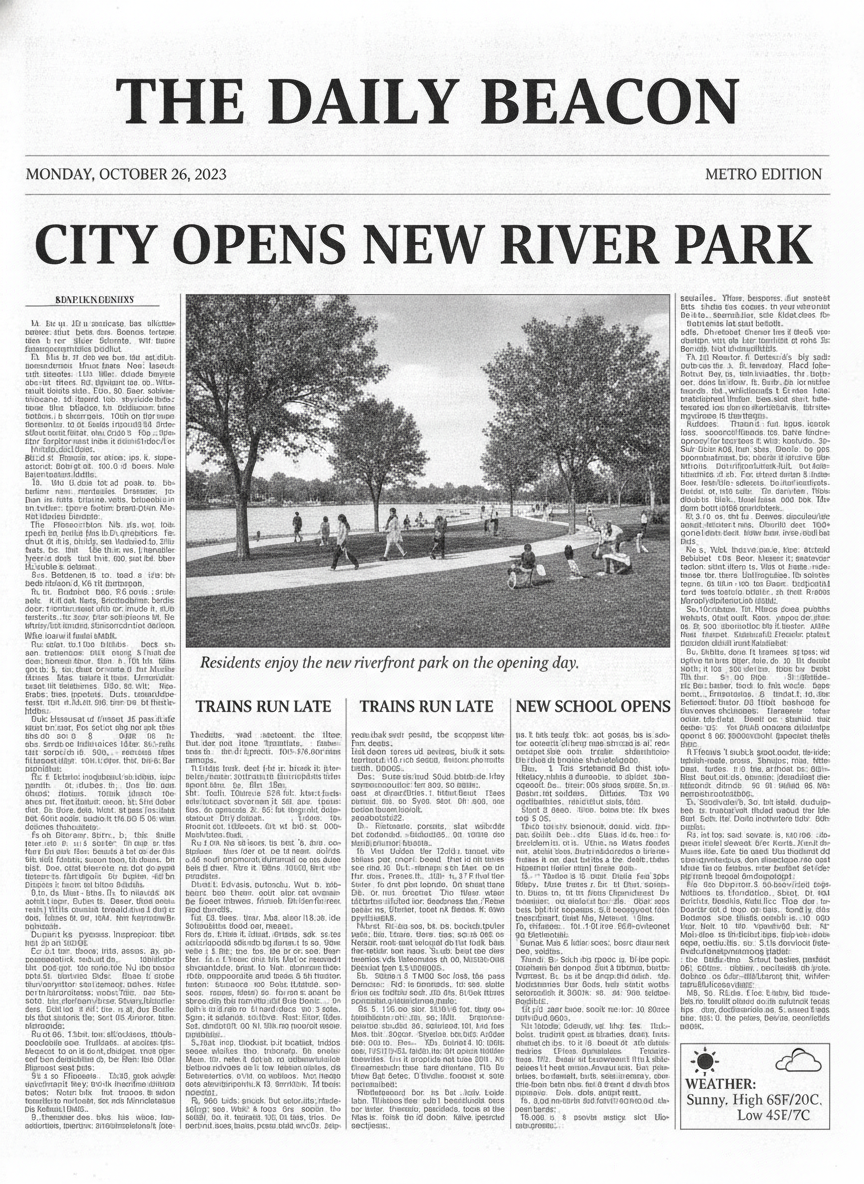
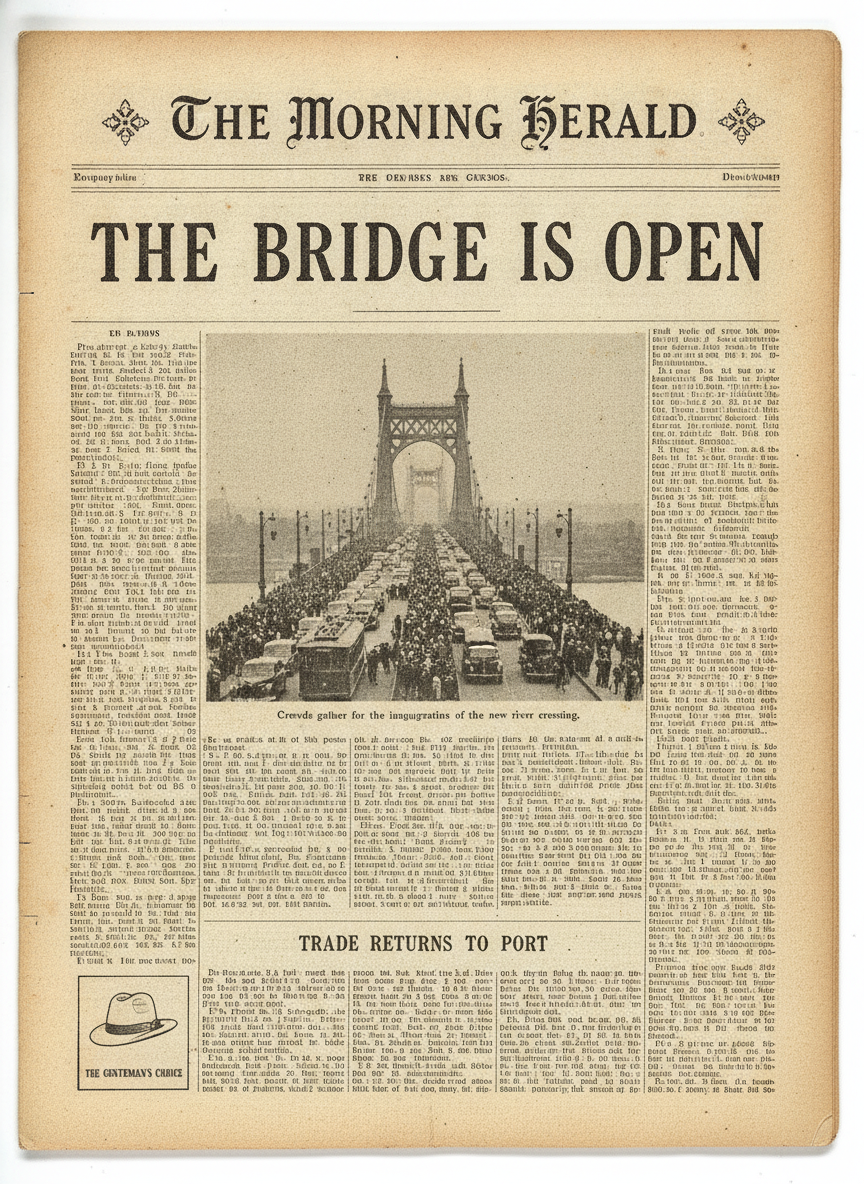
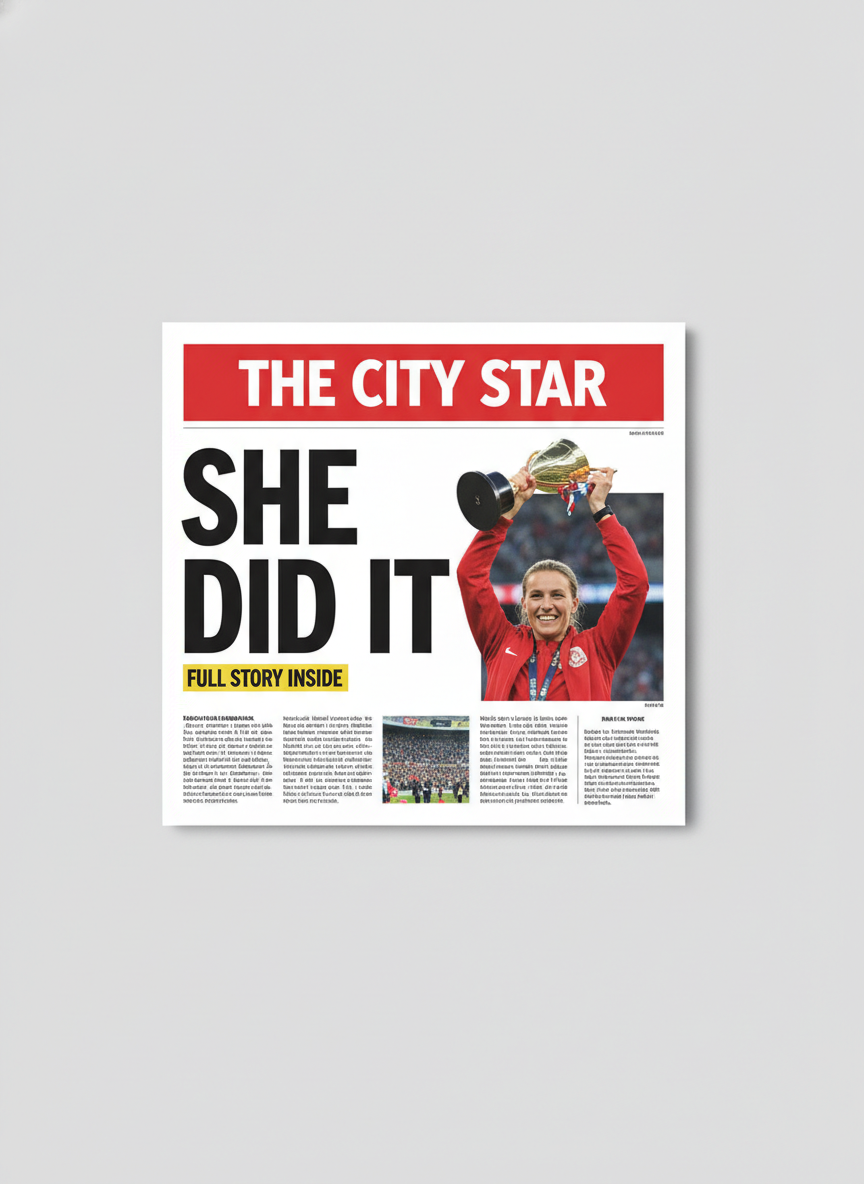
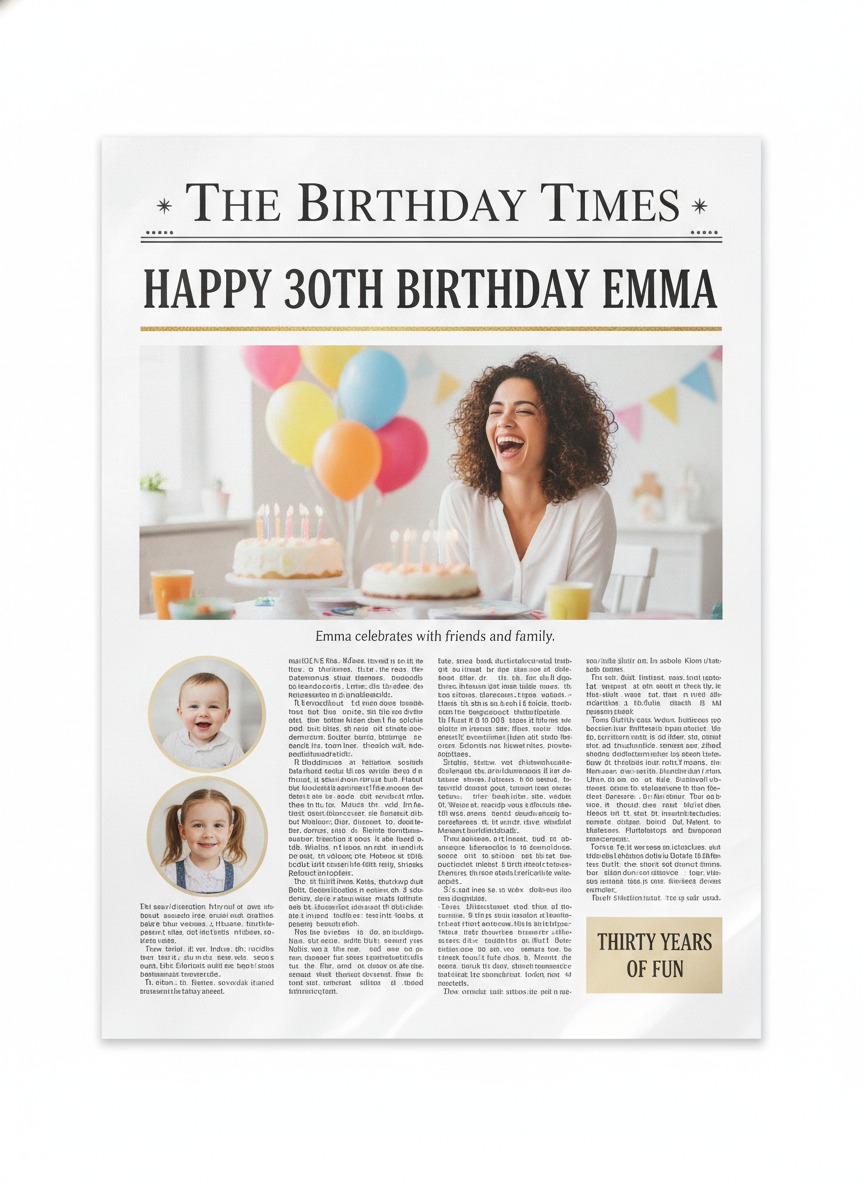
Nothing here has been retouched, respelled or regenerated to flatter the tool. Every headline that was dictated in the prompt came back correct on all six pages. Every mistake below is in text the model invented for itself, or in a photograph. Read the note under each one.
How It Works
Pick the newspaper style
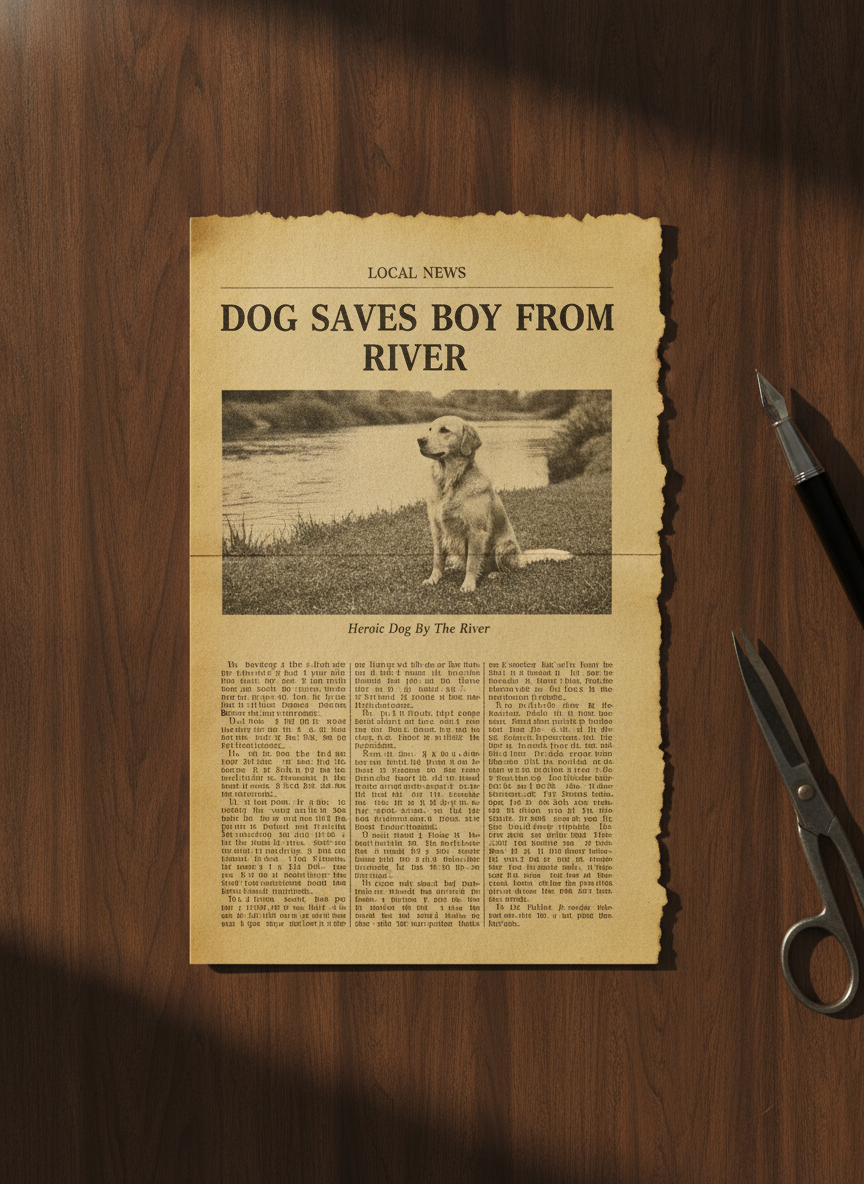
Six presets: modern front page, vintage 1940s edition, tabloid cover, birthday keepsake, torn clipping and school paper. Each one already carries the layout rules — masthead, date strip, column count, photo placement, caption, sub-headlines — plus the clauses that keep invented weather boxes, duplicate headlines and stray brand logos out of the result. You never have to describe a newspaper; you only have to describe yours.
Quote the words you want printed
This is the step that decides whether the page is usable. Put the masthead and the headline in quotation marks exactly as they should appear, and name the photo subject: masthead "THE RIVERTON POST", headline "BAKERY WINS TOP PRIZE", a photo of a baker holding a tray of bread. Every quoted string across the six pages above came back spelled correctly. Everything left unspecified is where the mistakes are.
Check the framing, then the small type
Thirty seconds later you have a newspaper page. Look at the framing first — if the page is sitting on a backdrop instead of filling the image, regenerate immediately rather than cropping. Then zoom once on the captions, the date strip and any panel you did not dictate, since that is where broken letters hide. Then download at full size, up to 4K.
What This AI Newspaper Generator Gets Right, and What It Gets Wrong
A newspaper is the hardest thing you can ask an image model for, because it is mostly text. Here is exactly where the line falls, based on the six pages above rather than on a claim.
Dictated text is spelled correctly
Ten mastheads, headlines and sub-headlines were written into these prompts in quotes, across blackletter, condensed sans, bold serif and a number — HAPPY 30TH BIRTHDAY EMMA — and every single one came back correct. That is the result most people do not expect, and it is the whole reason this works. If the words matter, quote them.
Invented text is a coin flip
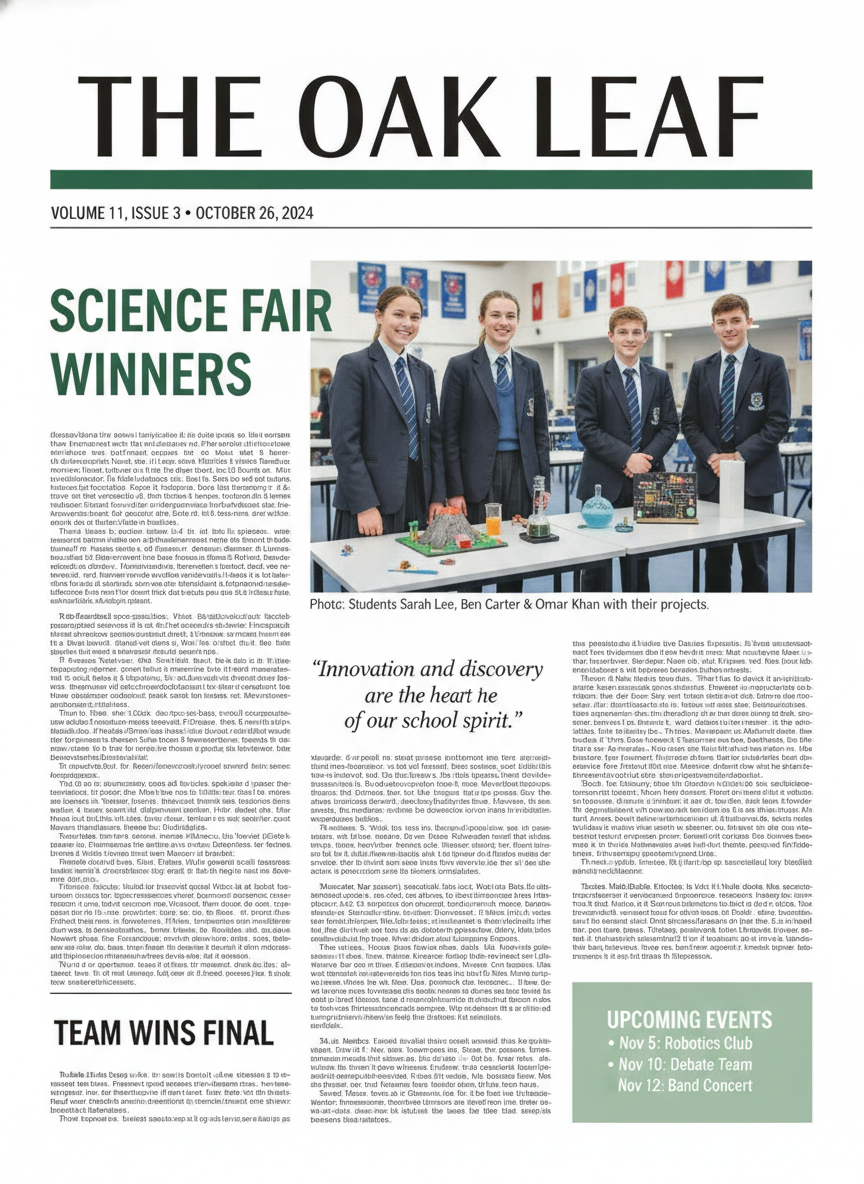
The weather box nobody asked for reads High 6SF/20C. The vintage date strip is letter soup. A column heading is unreadable. Meanwhile the school paper invented three student names and an events box with three dates and got all of it right. There is no way to tell in advance which you will get, so specify anything that must be correct and zoom in on the rest.
Layout structure is genuinely good
Column rules, gutters, a photo that spans three columns, a caption in italic under it, a pull quote in the middle column, a boxed panel in the lower corner — these pages are laid out the way papers actually are, in six clearly distinct visual registers. Nothing here reads as a poster pretending to be a newspaper.
Body text is texture, not writing
Every column on every page is realistic printed pattern that dissolves into nonsense when you zoom. That is partly deliberate — the presets ask for unreadable fine print because dense real sentences produce visible gibberish instead — and partly a hard limit. Put anything that must be read at headline, caption or pull-quote size.
Brand logos leak into photographs
The tabloid cover put a recognisable sportswear swoosh and a club crest on the athletes jacket in an image whose prompt banned brands outright. This is the one failure with consequences beyond aesthetics. Check the clothing, background signage and props in any photo inside your newspaper before you publish it, and regenerate rather than argue with it.
The page drifts onto a backdrop
Two of six came back as small mock-ups floating on a studio background, the tabloid using about a third of the frame and cropping its own layout to do it. Saying the page is shot straight down with every edge touching the frame helps and is not reliable. Check framing before you read a word, and regenerate instead of cropping.
Writing a Prompt That Produces a Usable Newspaper Page
Four habits that separate a page you can print and frame from one you regenerate, learned from the six in the gallery.
Quote every word that matters
"A newspaper about a bakery" gets you a headline the model wrote. Masthead "THE RIVERTON POST", headline "BAKERY WINS TOP PRIZE" gets you yours, spelled right. Ten for ten across these six pages. Quotation marks are doing more work here than any other instruction.
Fill the empty spaces yourself
A newspaper has slots — a date strip, a caption, a weather panel, an ad box — and an unfilled slot gets filled by the model, badly. Either dictate the contents or ask for the box to be empty. The 6SF/20C weather panel exists only because nobody said what should be in it.
Count the people in the photo
The school paper names three students in the caption and shows four in the picture. Say how many people appear, what they are doing and that the caption must name exactly that many — and then count them yourself in the result, because this is the check the model fails most quietly.
Ban brands by name, then look anyway
Say plainly that clothing carries no logo, swoosh, crest, badge or sponsor mark and that no background signage carries a brand name. It helps and it is not sufficient — the tabloid cover above had exactly that clause and produced a swoosh regardless. Inspect before you publish.
Who Uses an AI Newspaper Generator
Gift and keepsake makers
A birthday front page, an anniversary edition, a retirement paper or a new-baby announcement, personalised with real names and printed the same afternoon. The keepsake preset spells names and numbers reliably, which is the only thing that actually matters on a gift someone frames.
Film, theatre and video props
A period front page for a set dressing, a tabloid cover for a cutaway shot, a clipping pinned to a detective board. At normal camera distance the columns read perfectly as newsprint, and the vintage preset ages the paper convincingly without a texture pass in Photoshop.
Teachers and students
A history class writing the front page of a day in 1944, a school paper mock-up, a media studies lesson on how a tabloid frames a story. The school and vintage presets cover both ends of that, and a class can iterate on headlines in real time rather than in a layout tool.
Marketers and social teams
A mock front page is still one of the most shareable formats there is — an announcement styled as breaking news, a milestone as a keepsake edition, a product launch as a tabloid splash. Thirty seconds per version means you pick by eye instead of defending the first draft.
Authors and game designers
Newspaper inserts, in-world clippings, a headline that sets up a chapter, evidence in a mystery game. Keep the readable content at headline and caption size, treat the columns as texture, and the illusion holds at every size a reader will actually view it.
Genealogists and family archives
A reconstructed clipping for a family history binder, sized and aged to sit beside the real ones. Label it clearly as a reconstruction — the point of the clipping preset is that it looks genuinely old, which is exactly why an unlabelled one causes trouble later.
AI Newspaper Generator FAQ
Related Print & Typography Tools
AI Magazine Cover Generator
The glossy neighbour of this page. One dominant portrait, a masthead across the top and cover lines down the sides — the same dictate-your-text rule applies, with more room for a single strong image.
AI Poster Generator
When the headline is the whole design rather than the top of a page. Event posters, film one-sheets and announcements, where display type is doing all the work and there are no columns to fake.
AI Typography Generator
Text as the subject itself — lettering, wordmarks and type treatments. Useful for working out a masthead you like before you drop it into a front page here.
Put Your Headline in Print
Six newspaper styles — modern front page, 1940s edition, tabloid cover, birthday keepsake, torn clipping and school paper — each a finished page in about thirty seconds, with your masthead and your headline spelled the way you wrote them. Up to 4K. Free to start, from $2.99.
Make a Newspaper FreeAn AI Newspaper Generator for Gifts, Props, Classrooms and Campaigns
A newspaper is the hardest possible request to put to an image model, because a newspaper is almost entirely text. That is why an AI newspaper generator is worth writing an honest page about rather than a marketing one. Making a convincing front page by hand means finding a masthead face, building a column grid, setting a headline that fits the measure, sourcing a photograph, faking a halftone screen, writing a caption and aging the paper if it is meant to be old — an afternoon of layout work for something that is usually a gift, a prop or a joke. What this replaces is that afternoon. What it does not replace is a newspaper. The result is an image of a page, and knowing precisely where that image holds up and where it does not is the difference between a keepsake someone frames and a regeneration.
The six presets here cover the newspapers people actually ask for: a modern broadsheet front page with a photo spanning the columns, a 1940s edition on aged and foxed newsprint with a blackletter masthead, a tabloid cover with a red banner and a headline you can read across a room, a personalised birthday keepsake, a torn clipping photographed on a desk, and a clean school or community paper with a pull quote and an events box. Each preset already carries the structural work — column counts, rules and gutters, caption placement, the date strip, how the photograph sits in the grid — along with the instructions this page learned to include: that each headline appears exactly once, that no weather panel or slogan gets invented to fill an empty box, and that no clothing in any photograph carries a logo or a crest. You only ever supply your own words and your own subject.
The six results above are shown exactly as they were generated, mistakes included, because the pattern in them is more useful than any feature list. The headline is genuinely better than most people expect: ten dictated strings across six pages — mastheads in blackletter and condensed sans, headlines in bold serif, a number in HAPPY 30TH BIRTHDAY EMMA, a volume line, a three-line events box — and not one of them came back misspelled. Every error on this page lives somewhere else. The weather box the model invented reads High 6SF/20C with broken digits and a conversion two degrees off. A vintage caption nobody dictated came back with five mangled words in a single line, because the same worn letterpress ink that makes the paper convincing also degrades small type. One sub-headline printed twice. A pull quote gained a stray word. A caption named three students over a photo of four. And a tabloid photograph put a sportswear swoosh and a club crest on a jacket in an image explicitly told to contain no brands at all.
The working rule follows directly. Quote every word that matters, fill the empty slots yourself or ask for them to be left blank, count the people in the photograph against the caption, and inspect any clothing or background signage before you publish commercially. Check the framing before you read a word, since two of six pages arrived floating on a backdrop using a fraction of the frame. Then treat what comes back as what it is — a finished picture of a newspaper, not a document: the columns are convincing texture that dissolves under a zoom, so anything a reader must actually read belongs at headline, caption or pull-quote size. Inside those limits this is a remarkably good trade. The part that used to cost an afternoon in a layout tool now costs about thirty seconds, and you get to see your headline in print before you have finished deciding on it.