
AI Event Ticket Generator
A ticket is a small object with a lot of jobs. It has to name the event, carry a date and a door time, survive a pocket, tear cleanly at the stub, and look like something worth keeping afterwards. This AI event ticket generator handles that layout for you. Pick a format — concert ticket with a tear-off stub, vintage cinema admit-one, sports ticket, conference pass, gala ticket or a numbered raffle book — type in your event name, date, venue and seat details, and Nano Banana Pro sets the whole ticket in about twenty seconds, ready to print.
Try It Now — Free
Choose a ticket format, then type your event name, the date and door time, the venue, the price and any seat or admission details into the box. Write them exactly as they should appear. Your ticket arrives in about twenty seconds at up to 4K.
AI Event Ticket Generator
Pick a ticket format, add your event name, date, venue and seat details, and get a print-ready ticket in seconds
Tickets From the AI Event Ticket Generator
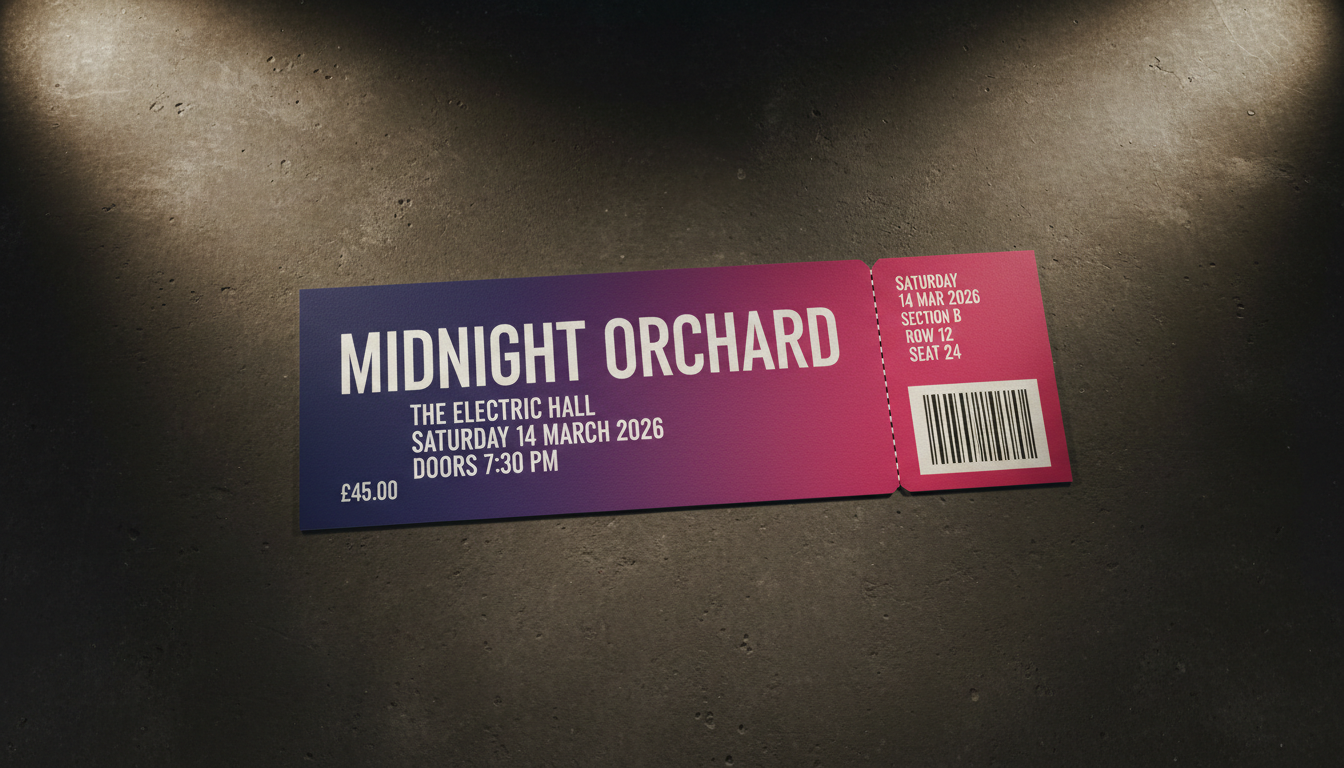
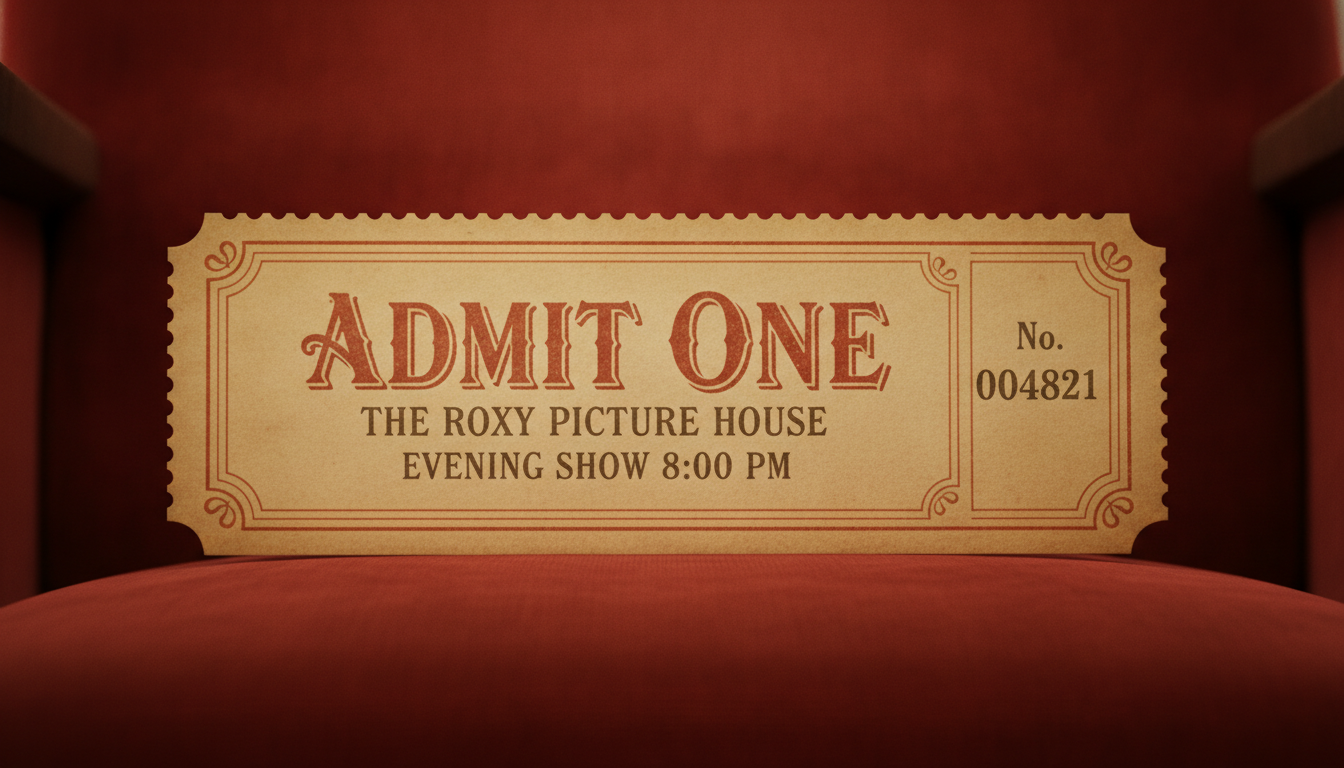
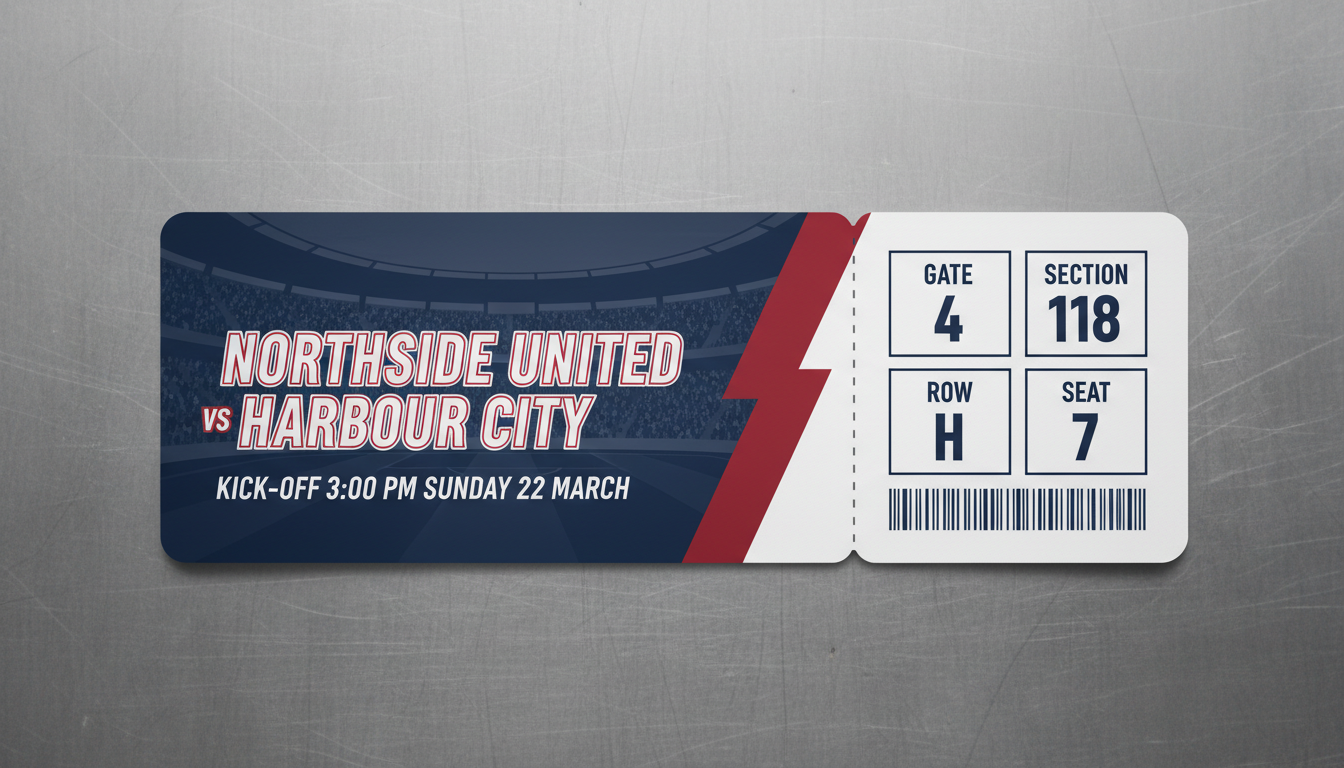
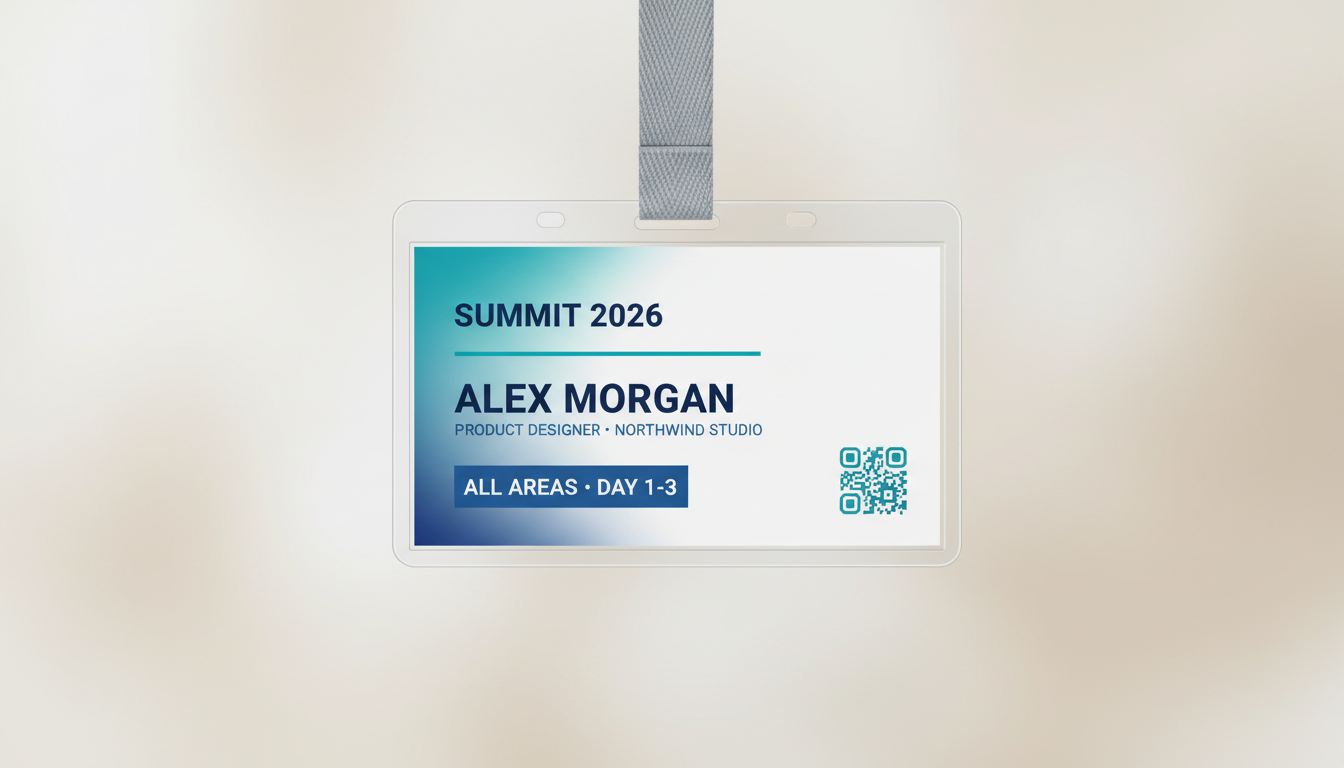
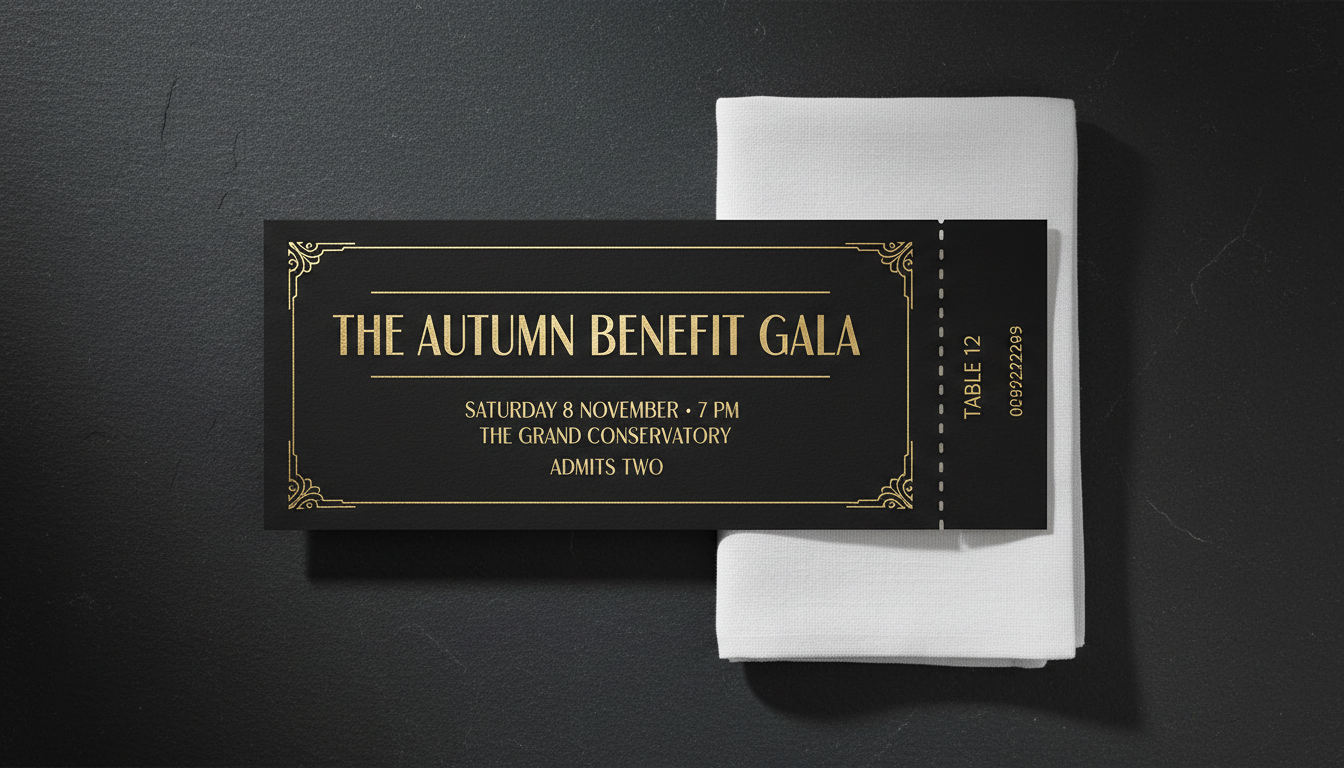
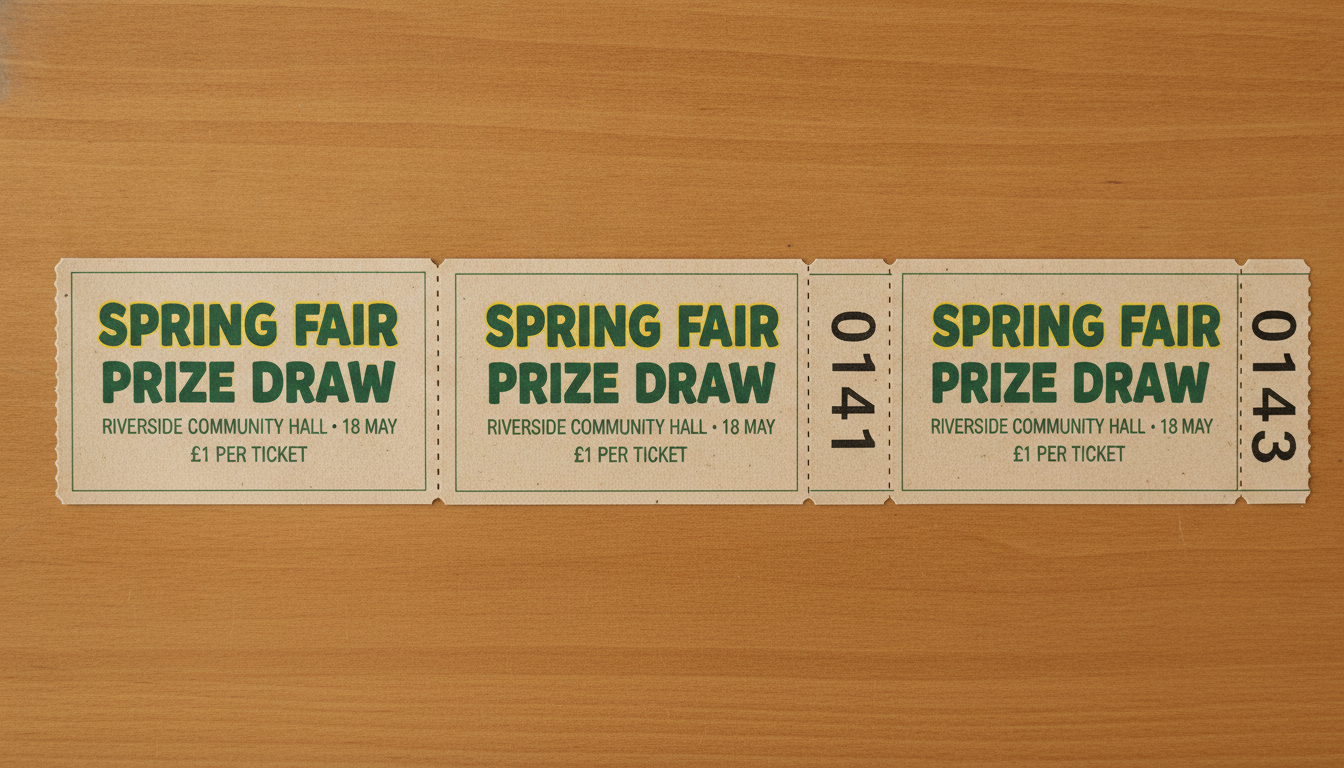
Concert stub, vintage cinema, sports fixture, conference pass, black-tie gala and raffle book — six formats, all generated from typed event details
How the AI Event Ticket Generator Works
Three steps from an event listing to a ticket you can print
Choose a Ticket Format
Six presets cover the shapes a ticket really takes: a concert ticket with a perforated tear-off stub, a vintage cinema admit-one, a sports ticket with gate, section, row and seat boxes, a conference lanyard pass with a name and access level, a black-tie gala ticket with a table number, and a raffle book of three numbered stubs. Each preset already carries its own layout logic — where the stub divides, what goes on it, how the admission details stack — so you are choosing a kind of ticket, not building one.
Type the Event Details
Put the real information in the details box: event name, venue, the full date, the door or kick-off time, the price, and any seat, table or admission wording. "MIDNIGHT ORCHARD, The Electric Hall, Saturday 14 March 2026, doors 7:30 PM, £22, Section B Row 12 Seat 24" gives the AI event ticket generator something exact to typeset. Vague input produces a beautiful ticket to an event nobody can find; specific input produces yours.
Proof It, Then Add a Real Code
Each ticket comes back in about twenty seconds at up to 4K. Read every line against your listing — the date, the weekday, the door time, the venue, the price — because a ticket carries information people act on, and a wrong door time is a queue outside a locked venue. Then replace the barcode or QR block: the one on the design is decorative artwork and will not scan. Drop in the real code from your ticketing platform before you print a run.
Why Organisers Use an AI Event Ticket Generator
Six reasons this beats forcing a stock template to fit your event
It Actually Renders Your Words
Most image models turn text into decorative nonsense, which is why ticket design has been out of reach for them — a ticket whose date you cannot read is a picture of a ticket. Nano Banana Pro was built to set legible type inside an image, so the event name, the venue, the door time and the seat numbers come back as words and figures rather than squiggles. That single capability is what makes this tool work, and it is worth testing on any alternative you are weighing up.
Six Ticket Formats, Not One Template
A gig stub, a conference credential and a raffle book are different objects with different anatomies. The presets span a concert ticket with a perforated stub, a vintage cinema admit-one, a sports ticket with gate and seat boxes, a lanyard pass built around an attendee name, a gold-on-black gala ticket with a table number, and a numbered raffle strip. Each brings its own stock, palette, type treatment and division of information, so switching format redesigns the ticket rather than recolouring it.
The Stub Is the Hard Part
Anyone can put an event name on a rectangle. The fiddly bit is the stub: it has to be narrow enough to tear off, wide enough to carry section, row and seat legibly, repeat just enough of the event details to be useful once torn, and keep the perforation line clear of type. Those are the decisions that make a ticket look real rather than homemade, and they are encoded in the presets, so you supply the words and skip the alignment work.
Right for Small Events With No Budget
School plays, church fundraisers, club nights, village fairs, amateur fixtures and society dinners all need tickets and almost never have a designer. The usual fallback is a word-processor table with a dotted line down the middle, and it looks it. Generating a proper ticket costs a couple of minutes here, and a run of them prints on a home printer or at a copy shop for the price of the card — which makes a fundraiser look organised before anyone has walked through the door.
Print-Ready Resolution
Tickets export at up to 4K, which is ample for a standard ticket at around 2 by 5.5 inches, a lanyard credential, an A4 sheet of several tickets, or a digital ticket sent by email. There is no watermark and output is cleared for commercial use, so a promoter can sell against it and a charity can print a full raffle run. Landscape 16:9 is the default because that is the shape a ticket is, and it leaves room for the stub.
Cheaper Than a Template Subscription
Ticket templates on design sites sit behind a monthly plan, and the free ones are the ones every other event in town is using. Here you start free with no credit card, and plans begin at $9.98 — so trying three formats for a one-night fundraiser, or making a distinct ticket for each event in a season, costs less than one month of a design subscription you would cancel the week after the show.
Frequently Asked Questions
Common questions about using an AI event ticket generator
Design an Event Ticket in Twenty Seconds
Pick a format, type your event name, date, venue and seat details, and get a print-ready ticket at up to 4K — concert stub, vintage cinema, sports fixture, conference pass, gala ticket or raffle book. Powered by Nano Banana Pro. Free to start, plans from $9.98.
Make a Print-Ready Ticket With an AI Event Ticket Generator
Most events are organised by someone who is not a designer. The hall is booked, the band is confirmed, the raffle prizes are in a box in somebody's hallway — and then the tickets need to exist by Friday. What usually happens next is a word-processor table with a dotted line down the middle, six to a page, and everyone quietly agrees not to mention it. An AI event ticket generator removes that step: you type the details you already have written down somewhere, choose a direction, and a ticket comes back laid out in about twenty seconds.
What makes this possible now is text rendering. Image models have been able to produce a handsome photograph of a ticket for years, provided nobody tried to read it — the event name dissolved into approximate letterforms and the date became texture. Nano Banana Pro was built to set legible type inside an image, which is what moves this from a mood-board exercise to a ticket with your actual venue, your actual Saturday and your actual 7:30 PM on it. You supply the words; the preset supplies the stock, the palette, the stub division and the spacing.
Six presets cover the tickets people really print. Concert Ticket gives a modern gig stub with a perforated tear-off carrying section, row and seat. Vintage Cinema Stub sets an aged letterpress admit-one with a serial box. Sports Game Ticket puts the fixture beside gate, section, row and seat panels. Conference Pass builds a lanyard credential around an attendee name and access level, which works equally as an event badge. Gala & Fundraiser goes gold on black matte with a table number. Raffle Ticket Book strips three numbered tickets together on newsprint card. Same event, six objects.
For Promoters, Schools, Charities, Conferences and Clubs
Getting a usable ticket comes down to how you fill the details box. Give it the event name, the venue, the full date including the weekday, the door or kick-off time, the price, and the exact admission wording — admits two, all areas, day pass, standing. Then run the same event through two or three formats and look at them at ticket size rather than full screen, because type that reads on a laptop can vanish at 2 by 5.5 inches. Once the ticket is settled, the same styling carries into the rest of the event: the AI flyer generator handles the promotion, the AI poster generator covers the wall behind the box office, the AI invitation maker takes care of the guest list, and the AI certificate generator produces whatever gets handed out at the end of the night.
Three limits are worth stating plainly, because the output is convincing enough that they matter. The barcode and QR blocks are decorative artwork and will not scan — overlay a real code from your ticketing platform if entry depends on it, or generate one with the AI QR code art generator and check it with your phone before printing. Sequential numbering should be added after the design, not asked of the model, which will drift or repeat. And you get a flattened image at up to 4K rather than a layered document with live text, so there is no bleed, CMYK or crop-mark setup and the perforation line is printed rather than cut — for a professional run, hand the image to your printer as the design reference and let them perforate and trim.
Within those limits, everything you generate is yours. Tickets export at up to 4K with no watermark and are cleared for commercial use, which matters for a promoter selling a gig, a school charging for a Christmas concert or a charity running a raffle. Keep it to your own events — reproducing a real venue's official ticket branding, or making anything meant to pass as a genuine ticket to an event you do not run, is a different matter entirely and not what this is for. It is free to start with no credit card, and plans begin at $9.98 when you want a distinct ticket for every night of a season. Type in the event that is already booked, and print something worth keeping in a coat pocket.
Try the AI event ticket generator free today. Add your event name, date and venue, pick one of six ticket formats, and download a print-ready ticket at up to 4K. No credit card required to start. Paid plans from $9.98.