
AI Backpack Design Generator
A backpack is not a graphic you print — it is a sewn object cut from flat panels, and the design lives where those panels meet. This AI backpack design generator renders the bag itself: the panel blocking, the fabric, the harness and the hardware, in six pack types that are built differently rather than six styles pasted onto the same shape. Describe the pack, get photoreal concepts in about twenty seconds.
Start Designing FreeTry the Backpack Design Generator — Free
Pick a pack type, then add your own colourway, fabric and hardware notes. Every preset generates an unbranded bag with blank label areas, so your own mark goes on afterwards.
AI Backpack Design Generator
Choose a pack type, describe the fabrics, colours and hardware, and get a photoreal backpack concept at up to 4K
Backpack Design Concepts Made With This Generator
Six pack types rather than six decorative styles, generated with the presets below and unedited. Two of them argue the page’s own case. The commuter is a single near-black fabric and its seams have all but vanished — every panel line that gives the olive daypack its shape is still there, it just cannot be seen, which is why an all-black bag has to be designed in texture and silhouette instead of colour. And the open travel pack came back with its lid drawn as two overlapping flaps that no patternmaker could cut: a good reminder that these are concept photographs, not construction drawings. The blue school pack shows the other house rule — the patch on its front is left deliberately blank, because that is where your mark goes after the render, not during it.
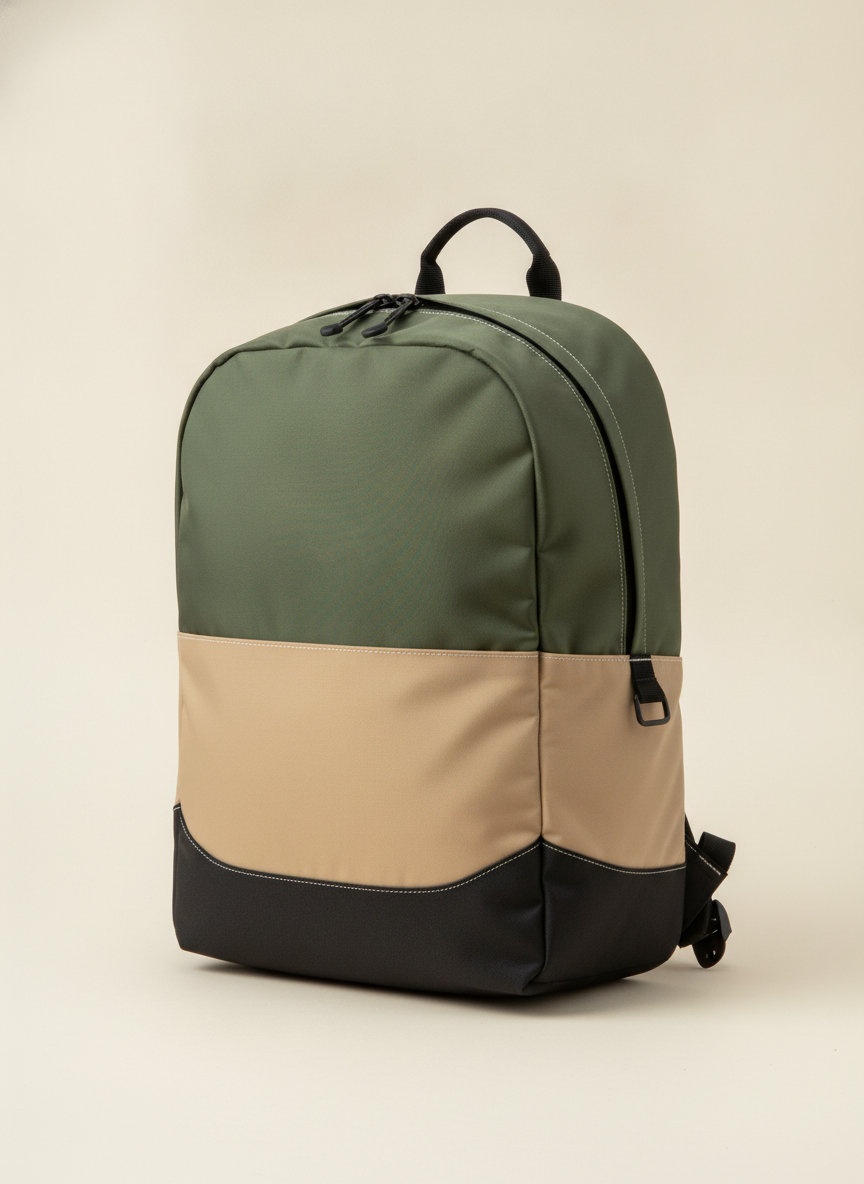
AI backpack design generator result: an unbranded everyday daypack in matte nylon, colour-blocked into an olive main body, a sand lower panel and a black wrapped base, photographed three quarters on against a pale studio background
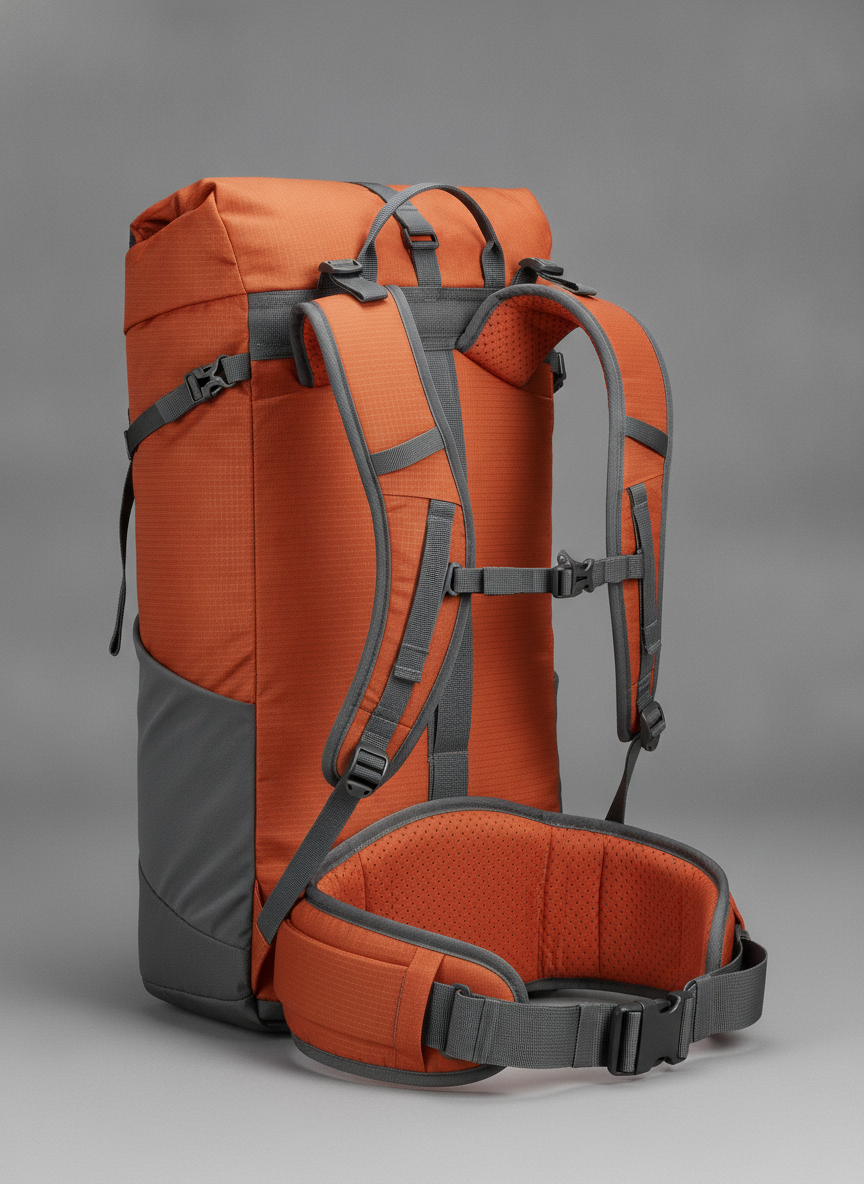
A fifty litre technical hiking backpack shot from a three quarter rear angle so the harness faces the camera: burnt orange perforated foam shoulder straps and a deep padded hip belt, grey webbing with load lifters and plain buckles, a rolltop closure and an orange ripstop body sitting on a charcoal grey reinforced base panel
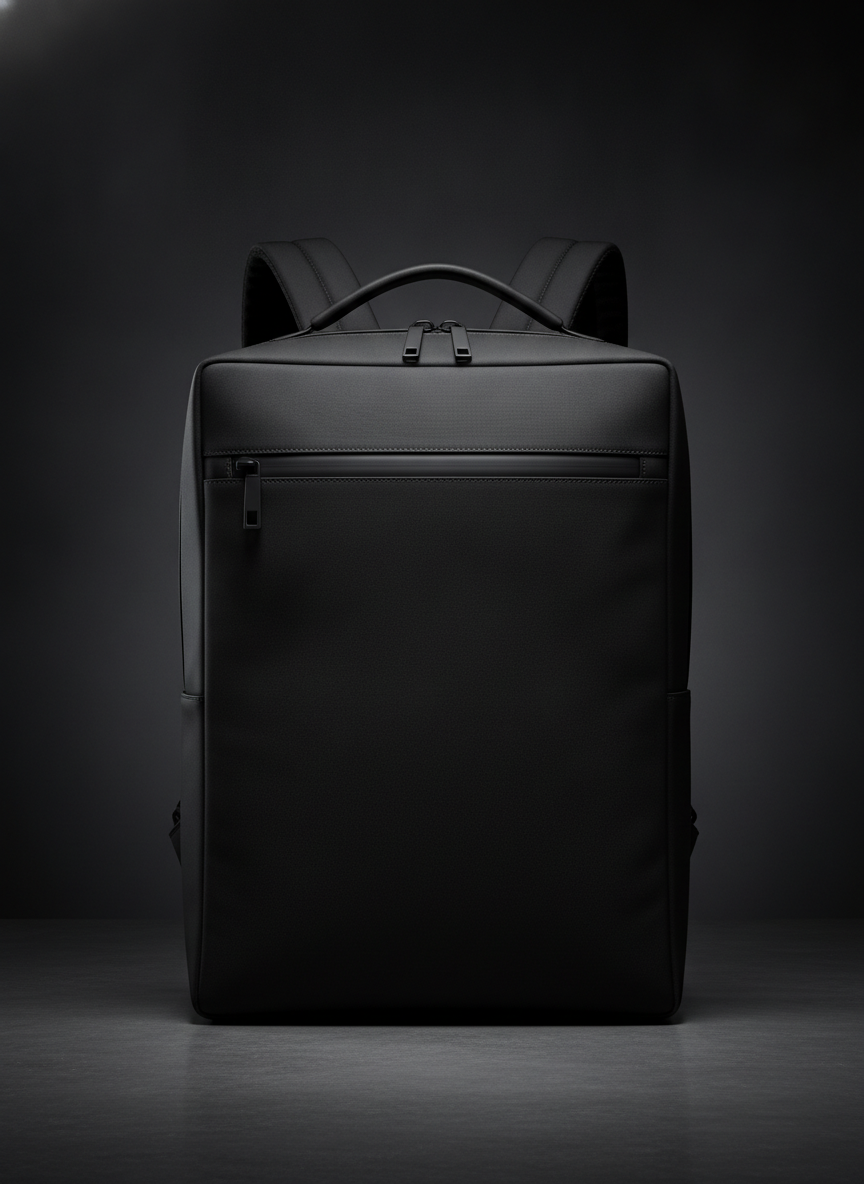
A structured laptop commuter backpack in a single near-black ballistic nylon, square silhouette with crisp corners, a full width water resistant zip below the top edge and slim padded shoulder straps, lit against a dark graduated background so the seams almost disappear into the body
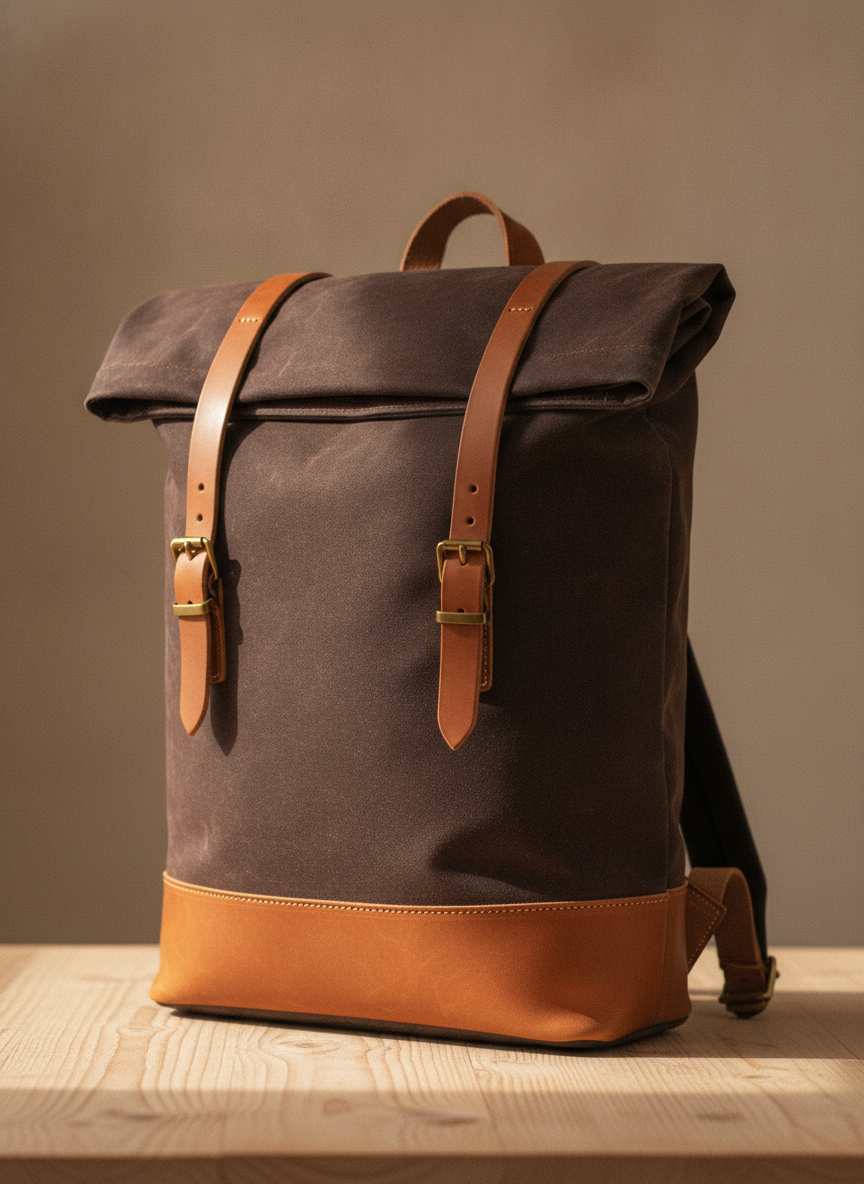
A waxed cotton canvas rolltop backpack in dark tobacco brown standing on a pale wooden surface, rolled down and closed with two tan leather straps and solid brass buckles, with a deep tan leather base panel and visible creasing and wax bloom across the canvas
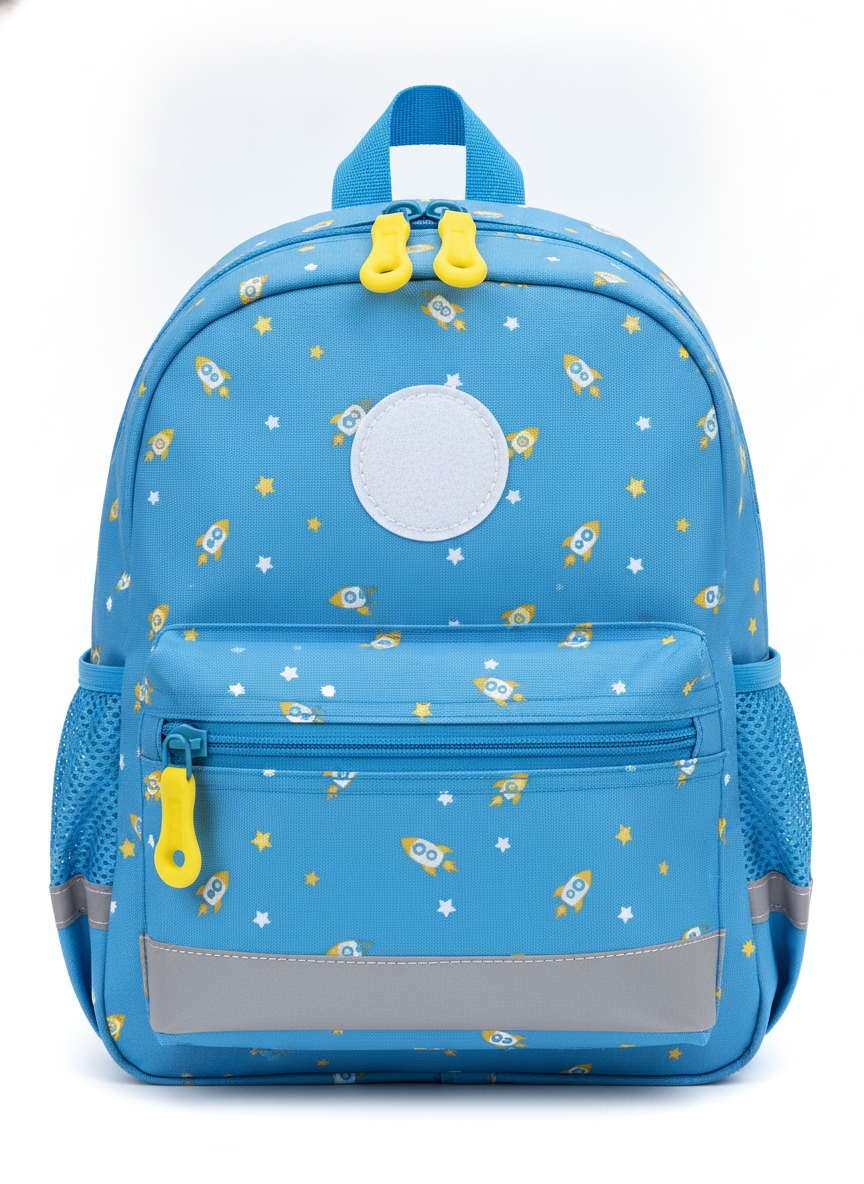
A small childrens school backpack in cornflower blue with an allover print of yellow cartoon rockets and white stars, oversized yellow easy-grip zip pulls, blue stretch mesh bottle pockets, a grey reflective band across the lower front and a blank white circular patch sewn to the upper front panel
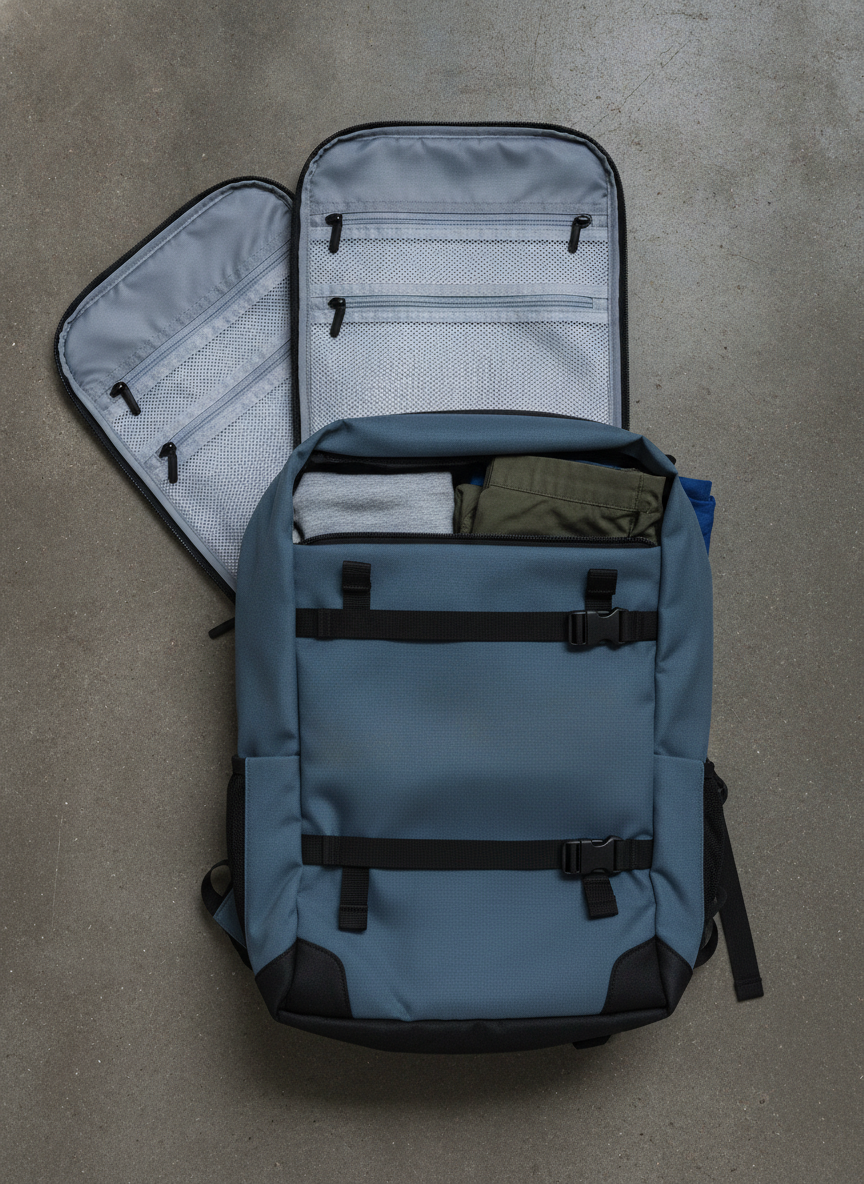
A forty litre slate blue travel backpack photographed from directly above lying open on a concrete floor, its clamshell lid folded back to show a pale grey mesh lining with flat zip pockets, black webbing compression straps buckled across the main compartment and folded clothing visible above them
How the AI Backpack Design Generator Works
Pick the pack type
Choose how the bag closes and loads — daypack, hiking pack, commuter, rolltop, kids pack or travel clamshell. This is the decision every other decision hangs off, so it comes first rather than last.
Describe fabric, colour and hardware
Add a colourway and name real materials: ripstop nylon, 1000D Cordura, waxed canvas, mesh. Say coil zip or moulded zip, side release buckle, 25mm webbing. Concrete component words render far better than adjectives.
Generate, compare, hand over
Concepts come back in about twenty seconds at up to 4K with every label area left blank. Download the ones that work, drop your own logo on top, and send them to a maker or a sampling factory with a written spec.
What Actually Decides a Backpack Design
Five constraints separate a backpack design from a print job. They are the reason this generator renders construction rather than decoration — and the reason a good-looking render can still be an unmakeable bag.
Every colour change is a seam
Colour-blocking is not a paint job, it is the cutting plan. Each block is a separate piece cut, edged and sewn, so a four-colour render is a four-panel bag with more labour, more thread and more places to leak. Two or three panels is where most production bags land, and it is why the daypack preset puts its colour break on a real horizontal seam instead of anywhere it likes.
The harness is the product
Nobody keeps a bag because of its front panel. Strap curve, foam density, back panel ventilation and hip belt placement decide whether it is still on someone’s shoulders in a year, and none of it is visible in a front three quarter hero shot. That is why one of the six presets deliberately shoots the pack from behind — the view catalogues skip is the view your maker needs.
Hardware comes from a catalogue
Zips, sliders, buckles, ladder locks, D-rings and cord locks are stock components bought by size, and webbing arrives in standard widths like 20, 25 and 38mm. A buckle you invented in a render either does not exist or means custom tooling, minimums and months. Ask for standard hardware by name and the concept stays quotable.
Litres are a spec, not a picture
An image has no volume. The model draws a plausible shape for the words you gave it, so it will happily render your thirty litre pack at forty five litre proportions. Fix capacity and the three external dimensions numerically before anyone drafts a pattern, and remember a carry-on is governed by airline linear dimensions rather than by a litre figure at all.
Structure is foam, not fabric
The crisp square commuter silhouette in a render is not achieved by choosing a stiff cloth — it comes from a frame sheet, closed cell foam and internal facings. Soft ripstop with nothing behind it slumps the moment it is loaded. If a shape matters to you, say what is holding it up, because that is a component and a cost, not a fabric choice.
Branding is a separate operation
Woven labels, rubber patches, embroidery, heat transfers and moulded zip pulls each carry their own minimum order and tooling, and each lands at the end of the build. Generating a logo into the fabric would only bake in a mistake, so every preset leaves label and patch areas blank and your artwork goes on top of the render.
Why Use This AI Backpack Design Generator
Six pack types, not six filters
The presets differ in closure and load path — lid, rolltop, full width zip, clamshell — so switching preset changes how the bag is built, not just how it is coloured.
Unbranded by default
Every prompt bans logo patches, woven labels and printed webbing, so concepts arrive clean instead of wearing somebody else’s trade dress.
Material words that land
Ripstop grids, Cordura texture, wax bloom on canvas and perforated foam all render distinctly, so fabric choices are visible in the concept rather than described in a caption.
Front and back views
Harness, hip belt and back panel get their own preset, which is what a factory or a maker asks for first and what most concept decks are missing.
4K downloads for decks
Concepts export large enough for a client presentation, a crowdfunding page or a line sheet without upscaling artefacts appearing in the fabric weave.
Iterate at conversation speed
Twenty seconds per variation means you can settle a colourway argument in a meeting instead of booking a week of CAD time for options nobody chooses.
AI Backpack Design Generator FAQ
Related Design Tools
AI Tote Bag Design Generator
The other half of the bag question: a tote is a flat printed panel on a stock blank, so that page designs the artwork. This one designs the object.
AI Mockup Generator
Once your logo exists, drop it onto product mockups for a line sheet or a store listing.
AI Phone Case Design Generator
Same accessory customer, opposite constraint — a fixed shell where the whole design is the printed surface.
Design Your Backpack Now
Six pack types, real materials, blank label areas and 4K downloads. Free to start, from $2.99 for more.
Start Designing FreeAbout This AI Backpack Design Generator
An AI backpack design generator answers a narrower question than a general image tool. A backpack design is not a picture applied to a bag — it is a set of construction decisions: how many panels the body is cut from, where the seams fall, which fabric carries the abrasion, how the harness is shaped and which stock components close it. Those decisions are what a maker, a patternmaker or a sampling factory needs from you, and they are what the six presets on this page are organised around. Each one builds a different bag rather than recolouring the same one, so the concept you download reflects a real pack type instead of a mood board.
The most common misuse of a backpack design generator is treating the render as a technical document. It is not one. An image model draws finished photographs, not flat pattern pieces with seam allowances and notches, and it has no concept of volume, so a bag described as thirty litres may come back drawn at quite different proportions. Use the render for what images are genuinely good at — settling the panel layout, the colourway, the material mix and the overall character — then fix capacity, dimensions and components numerically in a written spec. That combination, a strong concept image plus a dimensioned bill of materials, is what turns into a sample.
Every preset here generates an unbranded bag. Logo patches, woven strap labels, printed webbing and lettering on zip pulls are banned in the prompt for two reasons: image models are unreliable with small text and will misspell a mark, and branding on a real bag is a separate finishing operation with its own tooling and minimum order anyway. Leaving those areas blank keeps the concept honest and keeps it clean of anyone else’s trade dress, which matters because distinctive bag features can be protected as registered designs or trade dress even when no logo is copied. Place your own artwork over the render afterwards in any design tool.
This backpack design generator runs on Nano Banana Pro, the same image model behind the rest of the tools on this site, and it renders fabric and hardware detail well enough that ripstop grids, Cordura texture, wax bloom on canvas and perforated foam all read at a glance. Concepts arrive in roughly twenty seconds at up to 4K, which is large enough for a client deck, a crowdfunding page or a line sheet. It is free to start and paid plans begin at $2.99, so a full set of colourway options costs less than the first hour of the CAD work it replaces.