
Free AI Thumbnail Maker
YouTube Thumbnails — No Login
Generate YouTube thumbnails free with AI — no sign up, no login. Describe your video and get a clean, click-worthy thumbnail in seconds. Works for any niche and any platform.
Try the Free Thumbnail Maker
Pick a style or describe the YouTube thumbnail you want
Free Thumbnail Maker
Choose a niche preset or describe the thumbnail you want — no login required
Upload your image, select a thumbnail style, and get a click-worthy result
Free Thumbnail Examples
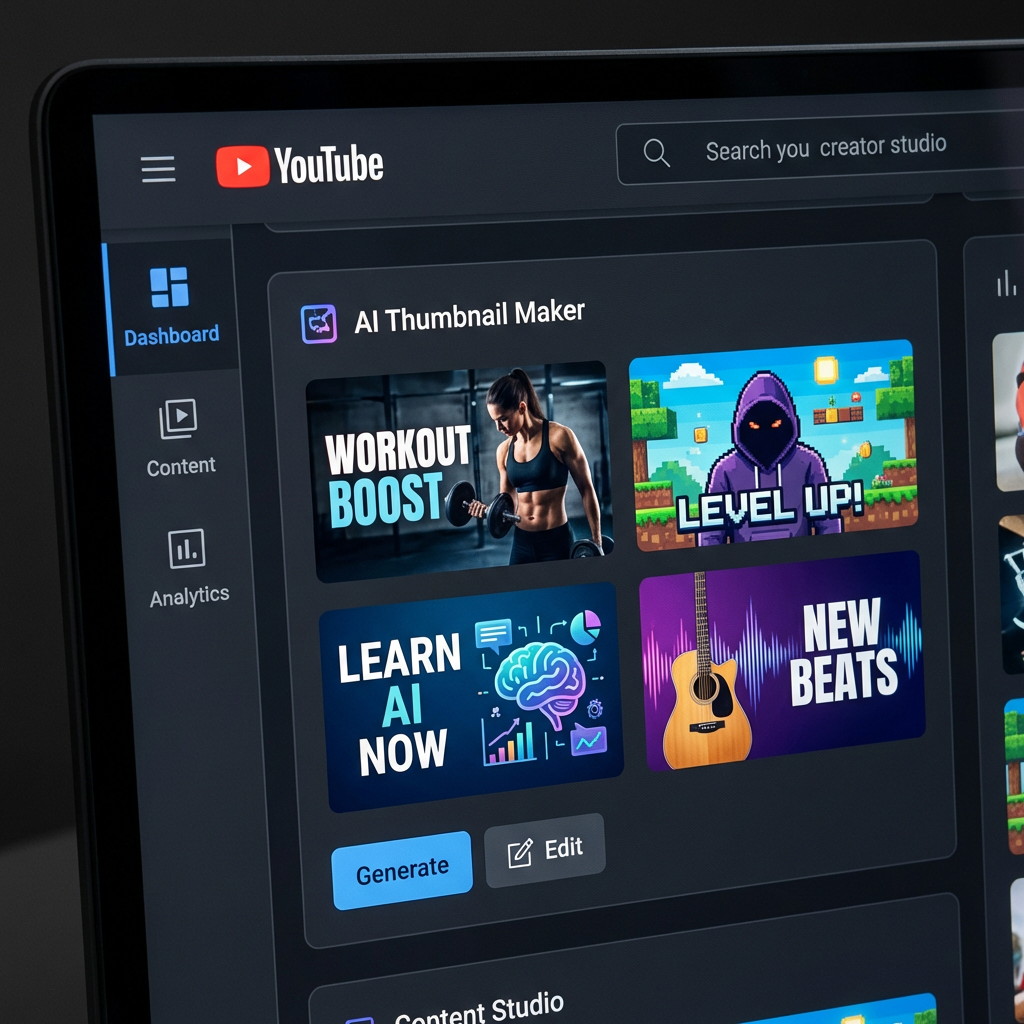
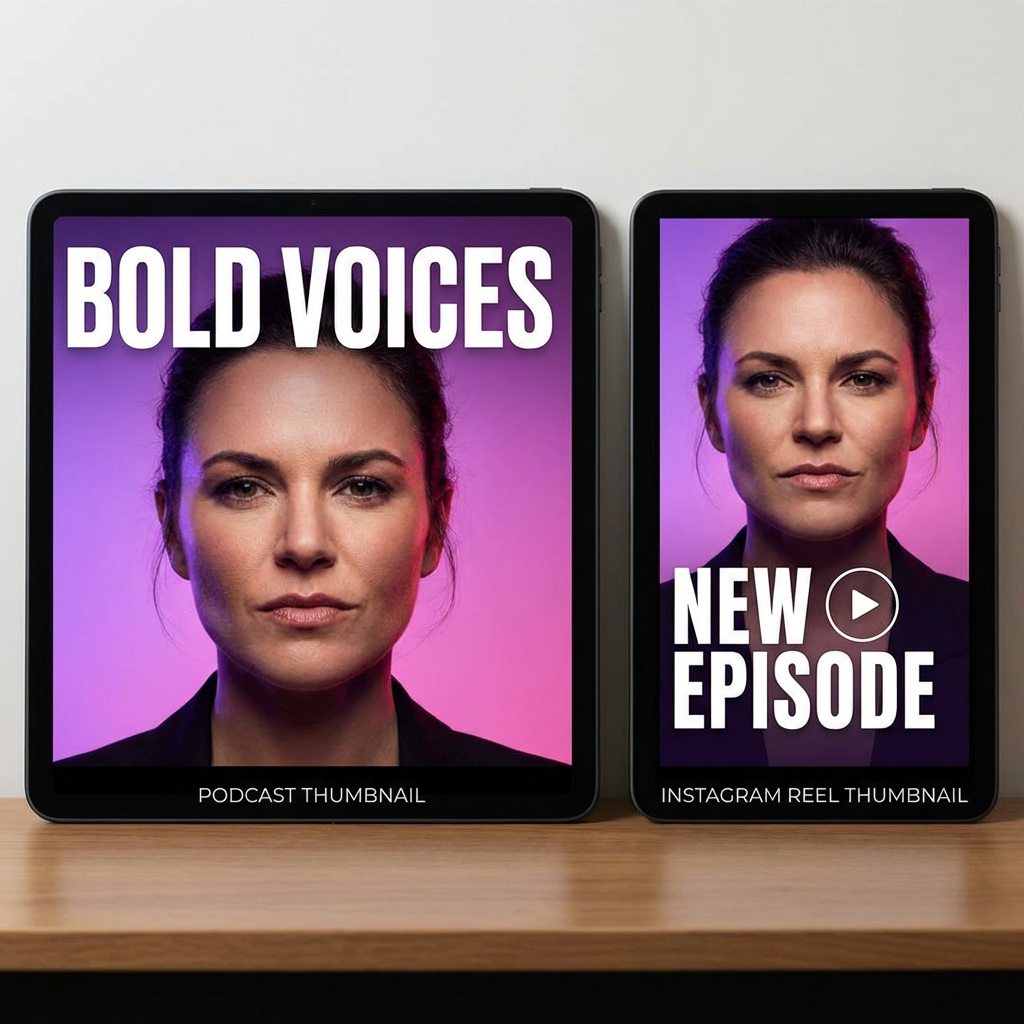
Real thumbnails generated free with our AI thumbnail maker — no login used




How the Free Thumbnail Maker Works
Make a YouTube thumbnail in three simple steps — no login, no setup
Pick a Style or Describe
Choose from six niche presets — gaming, cooking, tech review, travel, tutorial, or podcast — or write your own description. Include the words you want on the thumbnail, the mood, and your color preferences. No account creation needed at any step.
AI Generates Your Thumbnail
Nano Banana Pro creates a clean, professional YouTube thumbnail with bold text, balanced composition, and high-contrast colors that read well on small mobile screens. Generation typically takes about five seconds, free of charge.
Download & Upload
Download the high-resolution thumbnail and upload it to YouTube, Instagram, TikTok, your podcast host, or your blog. Generate a few variations and swap the one that gets the highest click-through rate after a couple of days.
Why Use Our Free Thumbnail Maker
A genuinely free thumbnail creator that respects your time — no signup wall, no watermarks
Free Without a Catch
Generate thumbnails on the page without entering an email, payment method, or password. The free tier is meant to be used — not to push you into a trial. If you outgrow it later, paid plans start at $2.99.
Bold Built-In Text
Most AI image models cannot draw clean text. Nano Banana Pro can. Put your video title, channel name, or short hook in the prompt and the thumbnail comes back with bold, readable typography baked into the design.
Optimized for Click-Through
The model has been trained to favor the visual patterns that perform on YouTube — high contrast, clear focal points, expressive faces, and short text. Your thumbnails read clearly even at small mobile sizes in suggested feeds.
Any Channel, Any Niche
Gaming, cooking, finance, fitness, travel, education, lifestyle, podcasts — the AI adapts to whatever you describe. Reference popular creators in your niche or describe a specific style and the thumbnails will match.
Multiple Variations Quickly
Generate three to five thumbnails for the same video, pick your favorite, then A/B test. Iterating used to take hours in Photoshop or Canva. With this free thumbnail maker, you can have a shortlist ready in a few minutes.
Works for More Than YouTube
The same thumbnail maker creates Instagram post covers, TikTok video covers, podcast cover art, blog featured images, and Pinterest pins. One free tool covers most of your social-channel thumbnail needs.
Thumbnail Pro Tips
Improve click-through rate using your free thumbnail maker
Use High Contrast
Thumbnails compete with dozens of others on the screen. Use bold, contrasting colors — bright text on dark backgrounds, or vice versa. Add "high contrast" and "vibrant colors" to your prompt for maximum visibility in mobile feeds.
Keep Text Short
The best YouTube thumbnails carry three to five words at most. Use short, punchy phrases like "GREAT RESULTS" or "WATCH THIS." Put the text in quotes inside your prompt and add "bold readable text" so the AI emphasizes it.
Include a Face
Thumbnails with a clear, expressive face often outperform plain product shots. Describe the expression — "focused", "excited", "surprised" — and the AI will compose the thumbnail around an emotional human focal point.
Match Your Niche
Gaming thumbnails use neon and motion. Cooking thumbnails use warm tones and steam. Tech thumbnails use clean gradients. Study top creators in your niche and describe their visual style in your prompts so your thumbnails fit the audience.
Generate Multiple Options
Never settle for the first thumbnail. Generate three to five variations with different compositions and color schemes. Upload the best one, check YouTube Analytics after 48 hours, and swap if click-through rate is below five percent.
Avoid Clutter
A cluttered thumbnail performs worse than a simple one. Focus on one main subject, one text element, and a clean background. Add "clean composition" and "minimal elements" to your prompt — the thumbnail must read clearly at thumbnail size on mobile.
Frequently Asked Questions
Everything to know about the free thumbnail maker
Make a YouTube Thumbnail Free — Right Now
No sign up, no login, no payment. Try the free thumbnail maker in your browser. Premium plans start at $2.99 if you ever want more.
Make a Free ThumbnailA Genuinely Free Thumbnail Maker — No Login, No Watermark
Why a Free Thumbnail Maker Matters
Most so-called free thumbnail makers ask for an email before you can do anything, then push a paid plan after a single download. That kills the experience for casual creators, students, and anyone testing whether AI thumbnails are right for their channel. We built this thumbnail maker so you can use it without an account at all — pick a style, type a prompt, and get a clean YouTube thumbnail in seconds.
A good thumbnail is the single biggest lever for click-through rate on YouTube. Studies of top channels consistently show that custom thumbnails outperform auto-generated frames by a wide margin, and channels that iterate on thumbnails see double-digit improvements in CTR. With a free AI thumbnail generator, you can iterate as much as you want without burning hours in Photoshop or paying for a Canva subscription.
The thumbnail maker is powered by Nano Banana Pro, a multimodal image model that handles text rendering inside the image. That matters because most AI models cannot draw legible words — they smear letters together. Nano Banana Pro can place a real video title or short hook directly on the thumbnail, so you do not need to layer text on top in a separate editor.
From Zero to Click-Worthy Thumbnails
Small channels compete with established creators for the same clicks in search results and suggested videos. A clean thumbnail levels the field — viewers judge content quality from the thumbnail before they hit play. With a free thumbnail maker, every creator gets access to professional-looking thumbnail design regardless of budget or graphic design experience.
The fastest way to improve your thumbnail game is iteration. Generate three to five thumbnails per video, upload your favorite, then check the click-through thumbnail metric in YouTube Analytics. If CTR is below five percent after the first 48 hours, swap to one of your other variations. The free AI thumbnail generator makes this loop fast — there is no extra cost per attempt, no login session to manage, and no rate limit that pushes you toward a paid trial.
Whether you create gaming videos, cooking tutorials, tech reviews, podcasts, travel vlogs, or educational content, the free thumbnail maker adapts to your niche. The same thumbnail creator also covers Instagram covers, TikTok thumbnails, podcast art, and blog headers, so a single workflow handles most of your visual needs. Try it free today — and if you eventually want more credits, premium plans start at just $2.99 a month.
Make YouTube thumbnails free with AI — no sign up, no login. Generate click-worthy video thumbnails in seconds with the Nano Banana 2 free thumbnail maker. Premium plans available from $2.99 if you need more.