
Sketch to Image AI
The idea arrives as lines on paper. A house drawn in ballpoint on the back of an envelope, a character roughed out in pencil, a product shape blocked in with marker, a dragon scribbled by a six-year-old. The gap between that drawing and something you can show a client, a classroom or a comment section has always been hours of rendering skill you may not have. This sketch to image AI closes it: photograph or upload your drawing, say what it is meant to be, and get back a finished image that keeps your composition, proportions and intent — at up to 4K, in about twenty seconds.
Try It Now — Free
Upload a photo or scan of your drawing, pick the style you want it rendered in, and describe what the lines represent. Your finished image comes back in about twenty seconds at up to 4K.
Sketch to Image AI
Upload a pencil sketch, pen drawing, doodle or wireframe and get a finished image that keeps your composition
Upload a photo or scan of your sketch, choose a render style, then describe what you drew
Drawings Finished by Sketch to Image AI
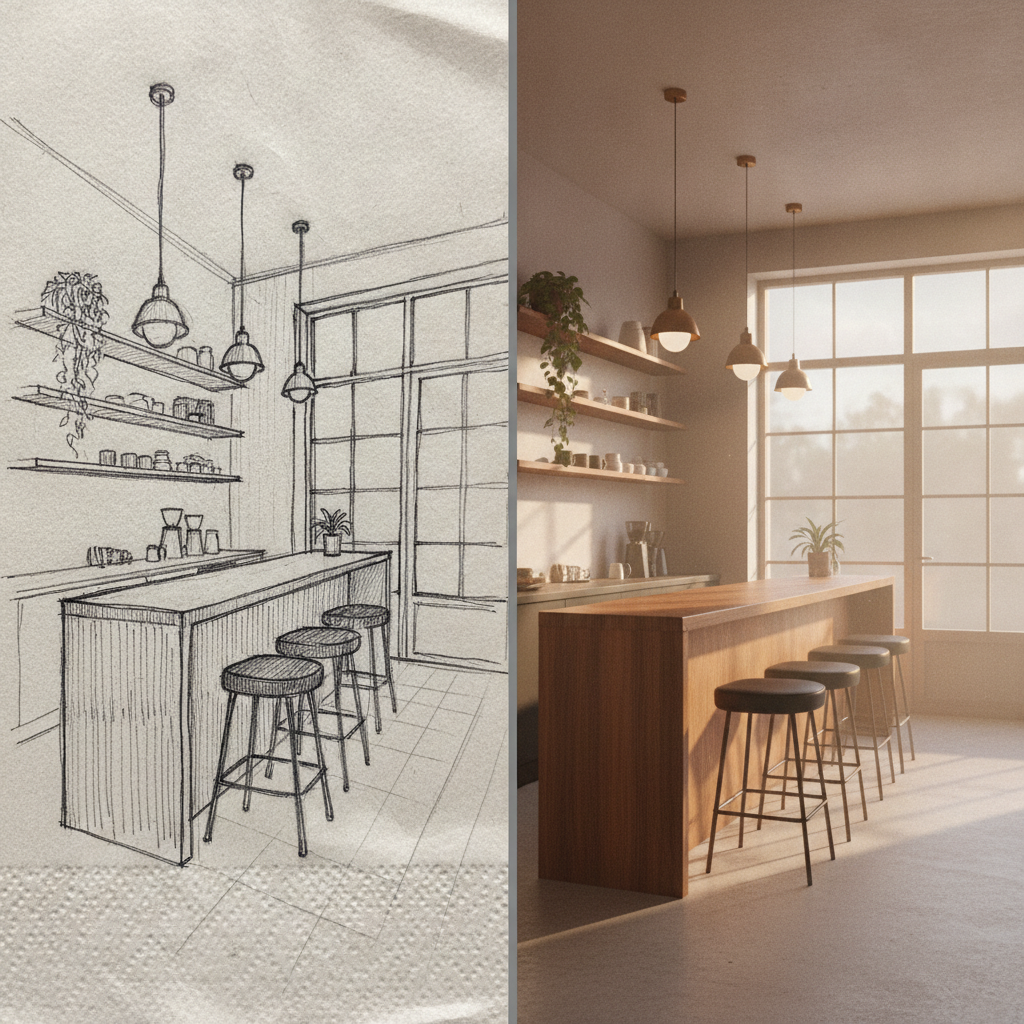
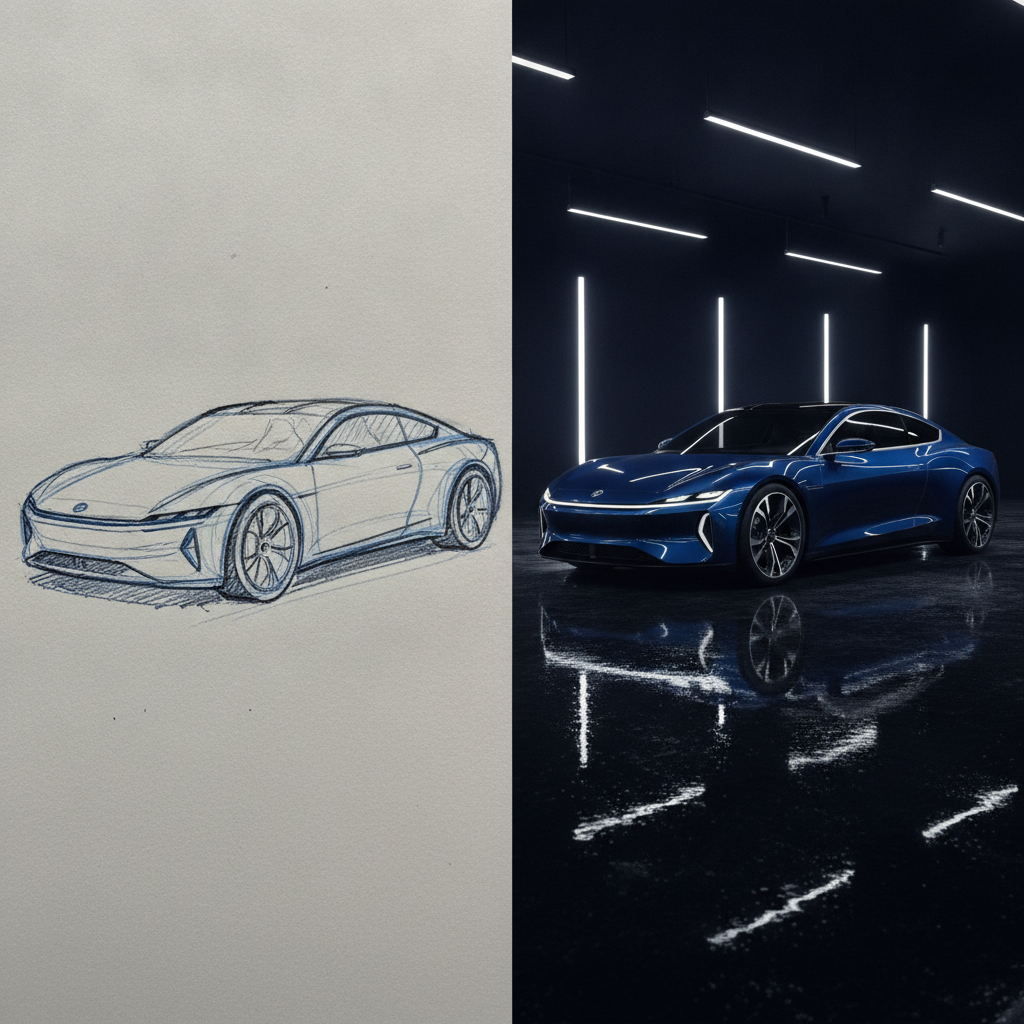
A pencil house plan, a crayon dragon, a fashion croquis, a sneaker concept, a napkin cafe interior and a marker car sketch — each shown as the original drawing beside its finished render
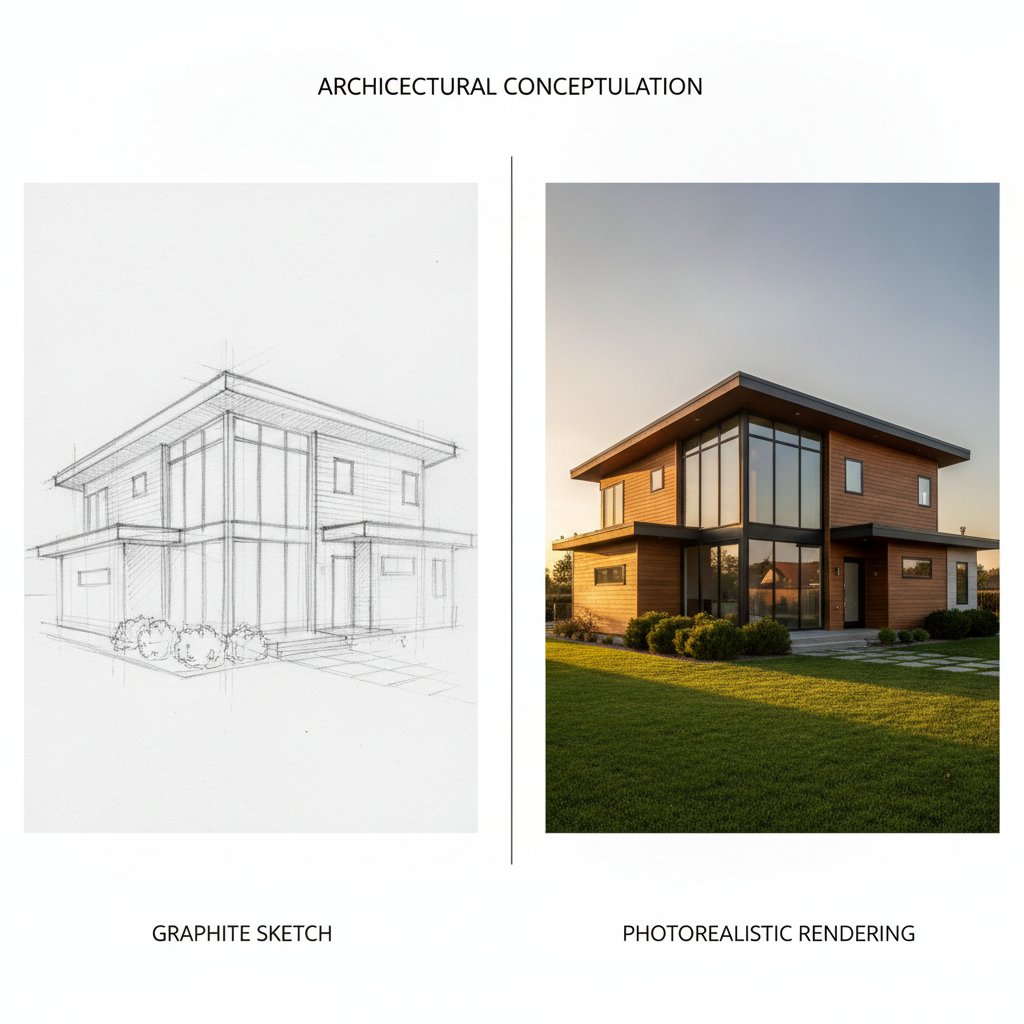
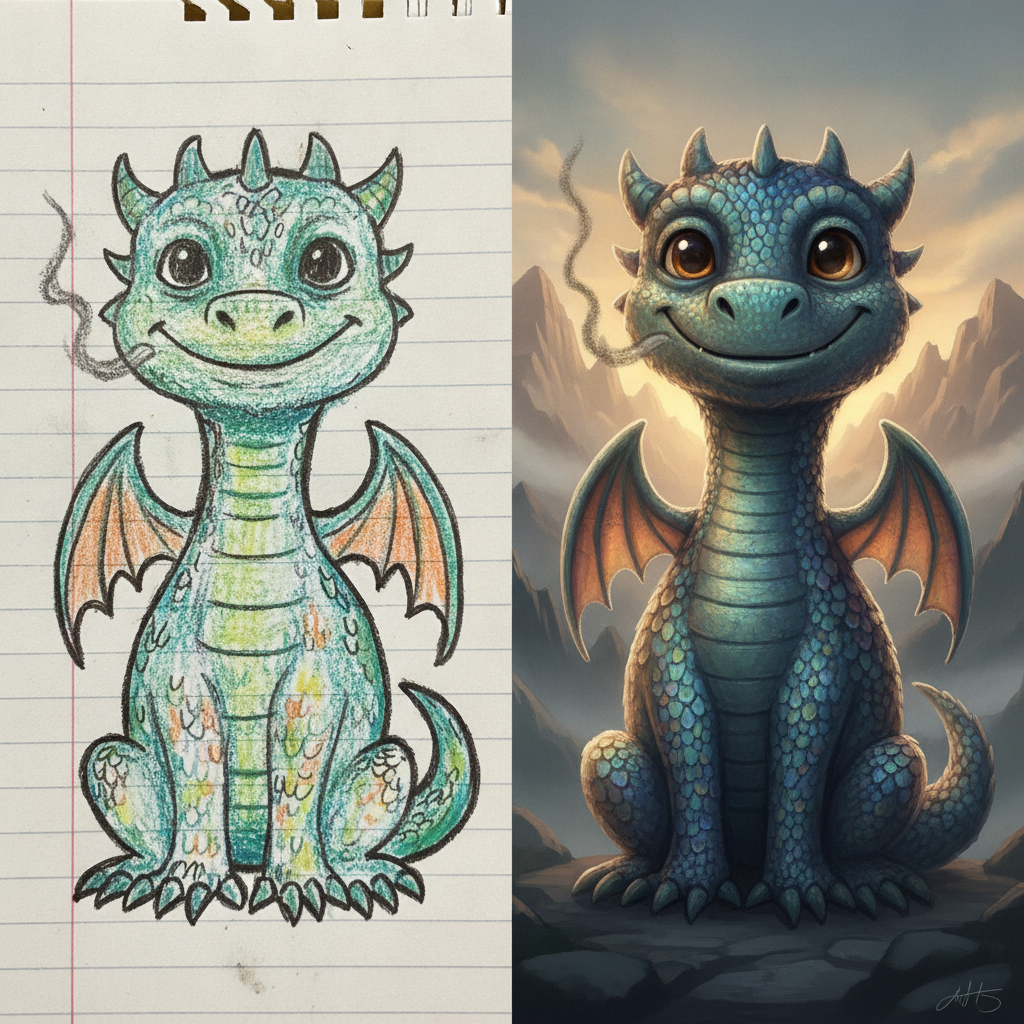
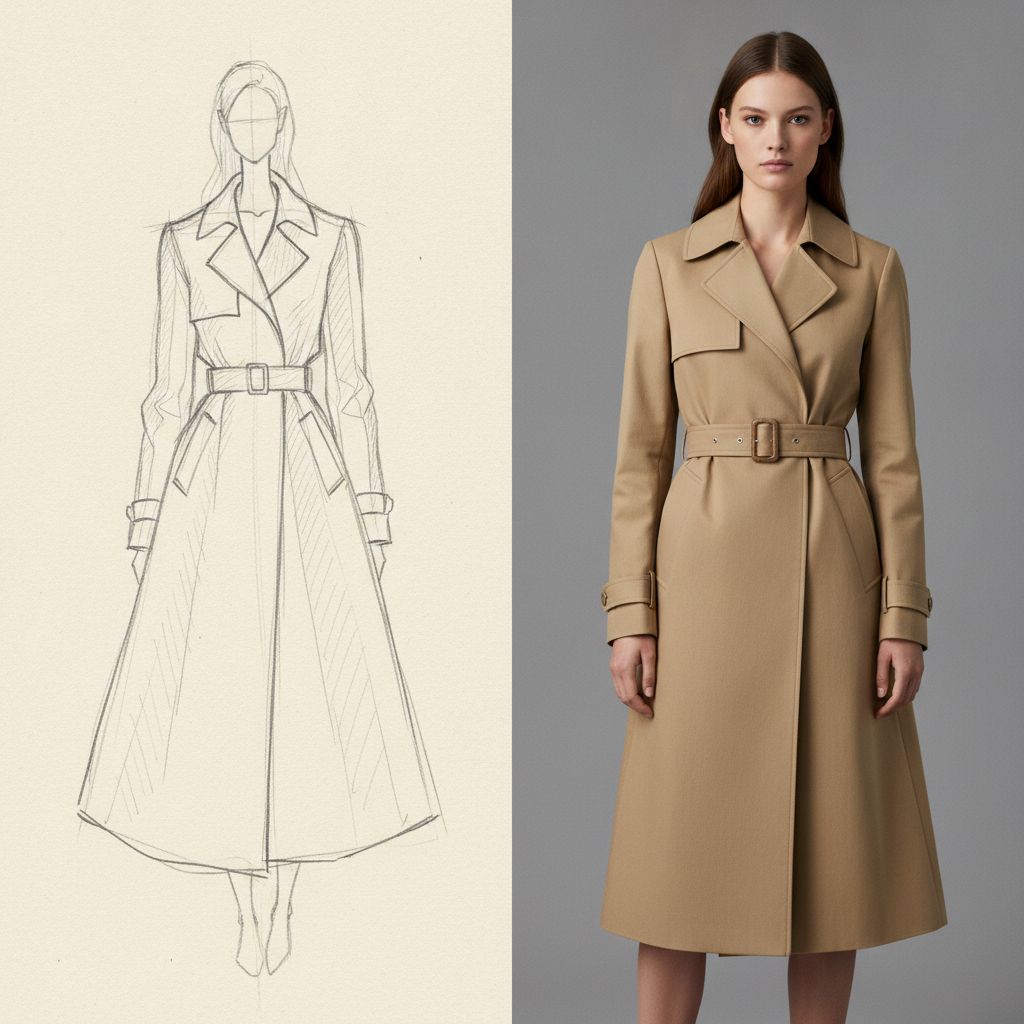
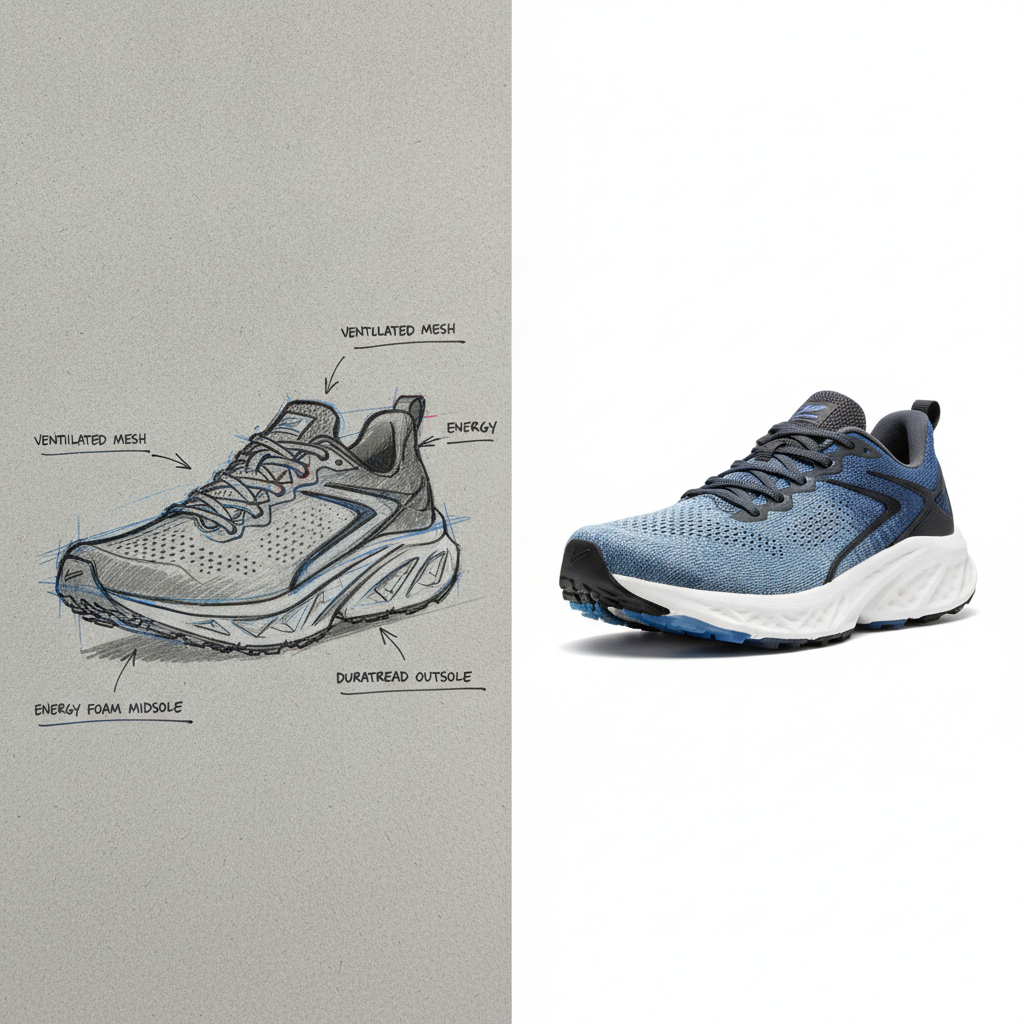
How the Sketch to Image AI Works
Three steps from lines on paper to a picture you can actually show someone
Upload Your Drawing
Photograph the page flat with the light coming from one side, or scan it if you can. Fill the frame with the drawing, keep the paper square to the camera and avoid your own shadow falling across it — a skewed, half-lit phone photo makes the model read wobbly perspective into the sketch. Pencil, ballpoint, fineliner, marker, chalk on a whiteboard, a tablet doodle exported as PNG and a napkin scribble all work. Darker, more confident lines are read more reliably than faint ones.
Pick a Style and Say What It Is
Choose the render you want — photorealistic, architectural visualization, concept art, product render, clean line art or watercolor. Then use the details box to name what the lines mean, because a sketch is ambiguous in ways a photo never is. "A red brick cottage with a slate roof and a green front door" gives the sketch to image AI the material and color information your pencil could not carry, and it is the single biggest difference between a result that matches your idea and one that merely resembles your drawing.
Generate and Refine
Your finished image arrives in roughly twenty seconds at up to 4K, watermark-free and cleared for commercial use. Compare it against the drawing for the things that matter to you — is the roofline the shape you drew, is the character facing the right way, did the proportions survive. If something drifted, add the correction to the description and run it again rather than redrawing: naming the specific element that went wrong fixes it far faster than starting over with a new sketch.
What Makes This Sketch to Image AI Keep Your Drawing
Six reasons the render still looks like the thing you drew
Your Composition Survives
The common failure of drawing-to-picture tools is that they treat your sketch as a mood board and hand back something in the same general genre — a house, but not your house. Every preset here is written to hold the drawn composition, proportions, perspective and element placement fixed, and to change only the rendering. The window you put on the left stays on the left at the size you drew it. That constraint is the entire point: you already made the design decisions on paper, and the model is there to finish them, not to overrule them.
Paper Artifacts Get Removed, Not Painted Over
A phone photo of a sketchbook brings ruled lines, grid squares, coffee rings, eraser smudges, the shadow of your hand and the grey cast of indoor light. Weaker tools bake all of that into the output as texture, so the render looks like a drawing someone colored in. The presets here explicitly strip construction lines, paper grain and stray marks while keeping the intentional strokes, which is why the photorealistic outputs read as photographs rather than as enhanced scans.
Six Renders From One Drawing
The same sketch can leave as a photorealistic photograph, an architectural visualization with physically correct daylight, polished concept art with rim lighting and atmosphere, a clean white-background product render, crisp vector-style line art for logos and coloring pages, or a traditional watercolor with granulation and paper highlights. Running one drawing through several presets is genuinely useful — a client meeting often wants the realistic version and the loose painted version side by side.
Rough Input Is Expected
You do not need to be able to draw. Wobbly lines, unclosed shapes, inconsistent line weight, three overlapping attempts at the same edge, wildly optimistic proportions — these are what real thinking-on-paper looks like, and the model is prompted to read intent through them rather than reproduce every stray stroke. A child crayon dragon renders as a real creature holding its original goofy pose. A napkin floor plan becomes a room. The clean line art preset exists specifically to tidy shaky strokes into even, printable outlines.
Text Descriptions Fill What Lines Cannot
Graphite is monochrome and materials are invisible in outline, so a sketch can never say brass rather than chrome, oak rather than pine, matte rather than gloss. The details box carries that missing half of the brief straight into the render, and Nano Banana Pro is strong at following long, specific material and color instructions. Sketch plus sentence beats either alone, and it is why the workflow suits designers who know exactly what the finished thing should be made of.
4K Output, Free to Start, $9.98 to Scale
Renders export at up to 4K with no watermark and full commercial rights — enough for a pitch deck, a printed board, a portfolio page or a product listing. Start free with no credit card, ideally on your own worst sketch rather than a tidy one, since that is the honest test. Plans begin at $9.98 when volume arrives: a sketchbook of concepts to visualize, a class set of student drawings, or a design review needing every option rendered before Monday.
Frequently Asked Questions
Common questions about turning drawings into finished images
Your Drawing Deserves to Be Finished
Turn pencil sketches, pen doodles, floor plans and concept scribbles into photorealistic renders, illustrations and product shots. 4K, watermark-free, powered by Nano Banana Pro. Free to start, plans from $9.98.
Turn Any Drawing Into a Finished Picture With Sketch to Image AI
Ideas almost never arrive fully formed. They arrive as lines — a floor plan drawn on the back of a utility bill, a character roughed out during a phone call, a product silhouette blocked in with three marker strokes, a monster scribbled by a child who is certain it is real. The drawing is the thinking, and it is usually enough for the person who made it. What it is not enough for is a client, a crowdfunding page, a classroom wall or a portfolio. Bridging that gap has traditionally meant either years of rendering practice or a commission. Sketch to image AI removes the bridge entirely: the drawing goes in, the finished picture comes out, and the design decisions stay yours.
What separates this from a generic prompt-only generator is the constraint. Typing a description into a text-to-image model gives you somebody's house, and you spend twenty attempts nudging it toward yours. Starting from your sketch inverts that: the composition, proportions, perspective and placement are already fixed on paper, and the model's job is only to render them. Every preset here carries that instruction explicitly, along with a second one that matters just as much — strip the paper. Ruled lines, grid squares, eraser smudges, coffee rings, construction strokes and the shadow of your hand all get removed rather than baked in as texture, which is the difference between a photograph of the thing you drew and a scan of a drawing someone colored in.
Six presets cover what people actually need from a sketch. Photorealistic render reads your lines as real edges and materials with believable lighting and depth of field. Architectural visualization holds your vanishing points and applies physically correct daylight to real building materials. Concept art illustration develops a rough character or creature into polished art with rim lighting and atmosphere, keeping the silhouette and personality of the original. Product design render turns a marker industrial sketch into a clean white-background studio shot. Clean line art vector tidies shaky strokes into even printable outlines for logos and coloring pages. Watercolor painting finishes the drawing in translucent washes with granulation and paper highlights.
Architects, Designers, Teachers, Parents and Anyone With a Sketchbook
The people using a sketch to image AI daily are the ones whose ideas start on paper and have to end up in front of somebody else. Architects and interior designers turning early elevations and plans into visualizations before the CAD work is anywhere near ready. Industrial and product designers rendering a page of marker concepts so a review meeting can choose between them. Illustrators and game artists developing thumbnails into finished pieces. Fashion designers taking croquis to fabric. Teachers bringing a whole class of student drawings to life in one lesson, and parents doing the same for one child at the kitchen table. Marketers and founders sketching a layout or a mascot they cannot draw well enough to show anyone.
Two habits separate good results from frustrating ones. First, photograph the page properly: flat, in even light, square to the camera, filling the frame, with no shadow across it — a tilted, half-lit phone snap makes the model read skewed perspective and false shading into your sketch before it starts. Second, describe what the lines mean. Graphite cannot say brass rather than chrome, oak rather than pine, matte black rather than gloss white, or that the roof is slate and the door is green. That missing half of the brief goes in the details box, and Nano Banana Pro follows long, specific material and color instructions well. Sketch plus sentence consistently beats either one on its own, and when something drifts, correcting it in words is faster than redrawing.
Worth saying plainly: the render is an interpretation, not a measurement. A visualization produced from a freehand elevation is a persuasive picture of an intention — excellent for a pitch, a mood board or a client conversation, and not a substitute for drawings that have been dimensioned, engineered and checked. Use it on work you own or have permission to develop, and keep the finished renders in the role they are good at: communicating an idea early, while it is still cheap to change. Within those limits everything you produce here is yours — up to 4K, watermark-free, cleared for commercial use, free to start with no credit card, and plans from $9.98 when a whole sketchbook needs finishing.
Try the sketch to image AI free today. Upload any pencil drawing, pen sketch or doodle and get a finished photorealistic render, illustration or product shot at up to 4K. No credit card required to start. Paid plans from $9.98.