
Client-Side AI Image Tools
Browser-Based, Private, Instant — No Server Uploads
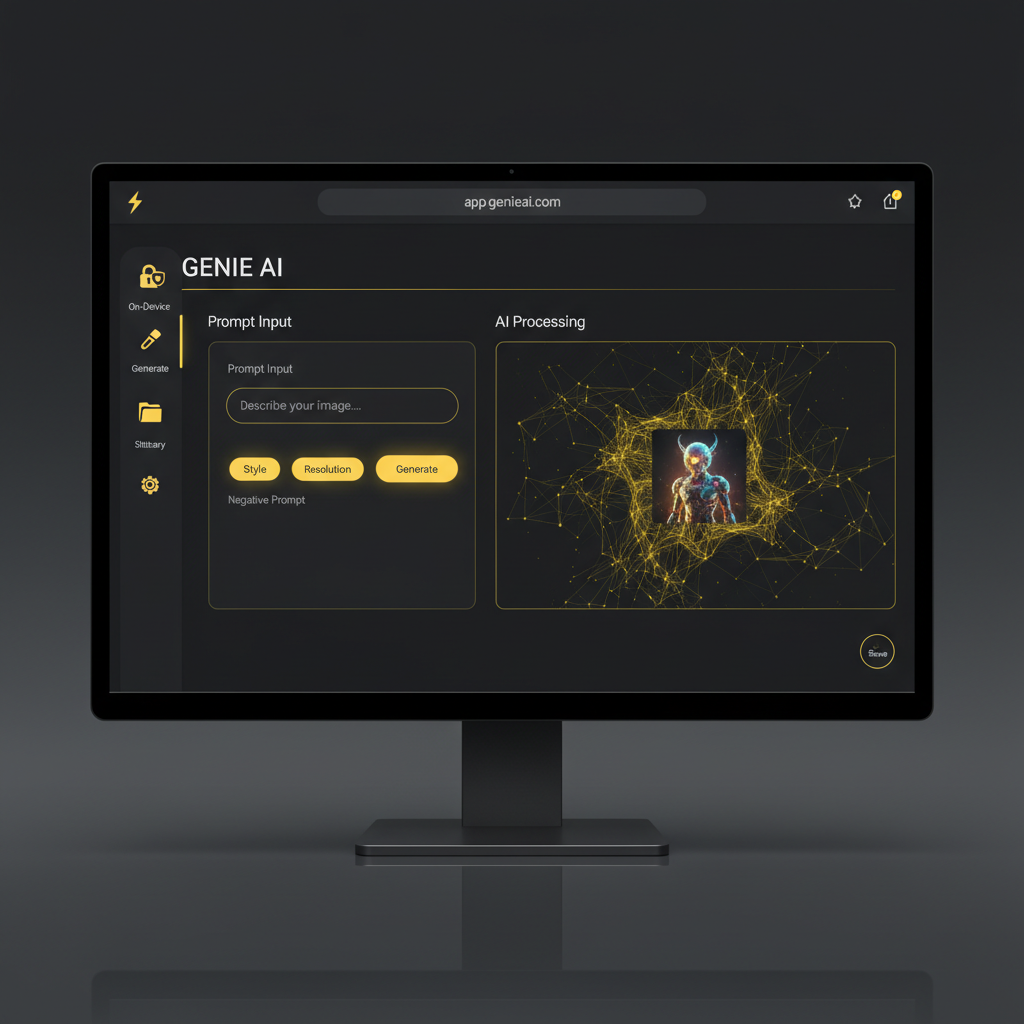
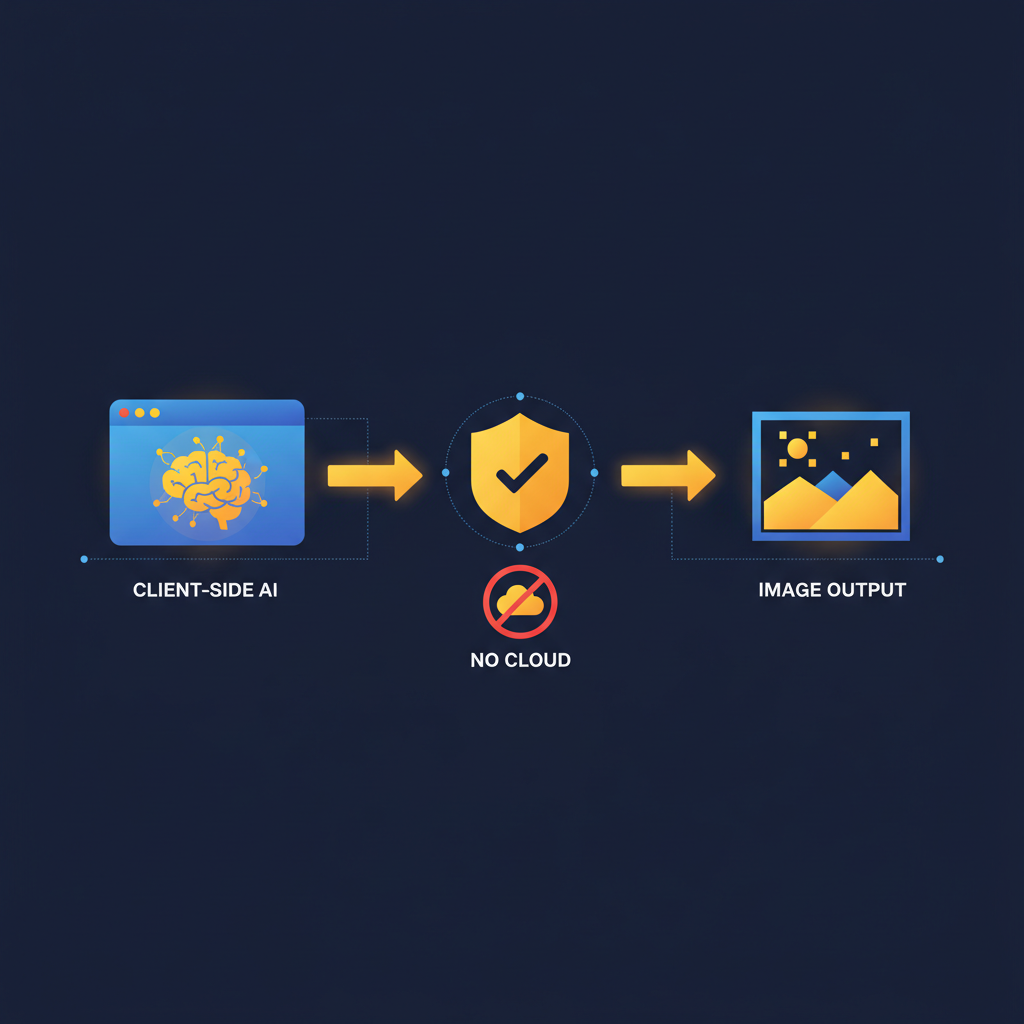
Client-side AI image tools generate, edit, and process images directly inside your browser — using WebGPU, WebAssembly, and modern on-device compute — instead of routing every prompt and reference image through a remote cloud server. Client-side AI image tools give privacy-conscious users, developers, and tech enthusiasts something traditional cloud AI cannot offer: prompts and inputs that never leave your device, local prompt history that no server logs, instant previews without round-trip latency, and offline operation when network connectivity is unavailable. Try our hybrid client-side AI image generator below — generation runs on Nano Banana Pro for frontier quality, but all uploads, history, cropping, and exports stay local in your browser.
Try It Now — Free
Generate AI images with a hybrid client-side workflow — frontier-quality generation, local history, no server-side image persistence
Client-Side AI Image Generator
Pick a category and generate images with a browser-based UI — frontier-quality output from Nano Banana Pro, with local prompt history and exports
Client-Side AI Image Tools — Visual Showcase
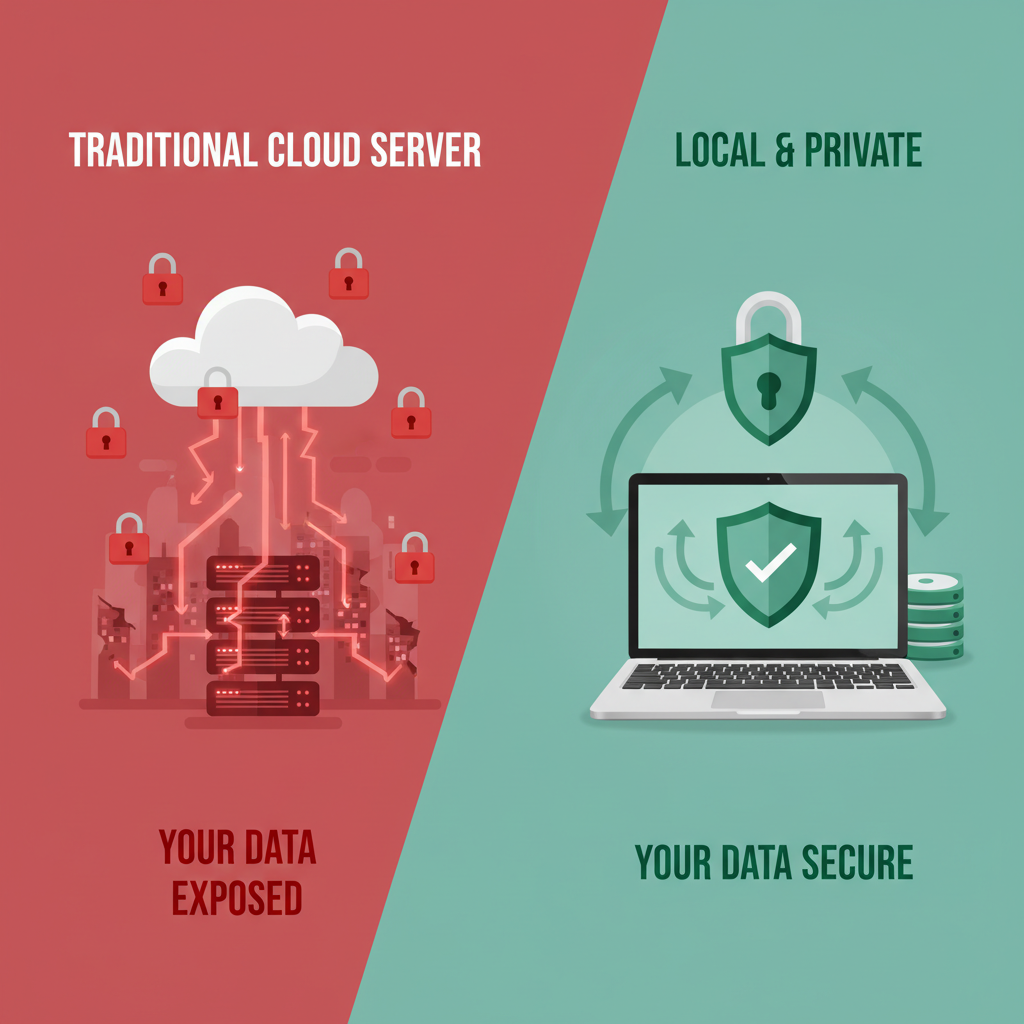
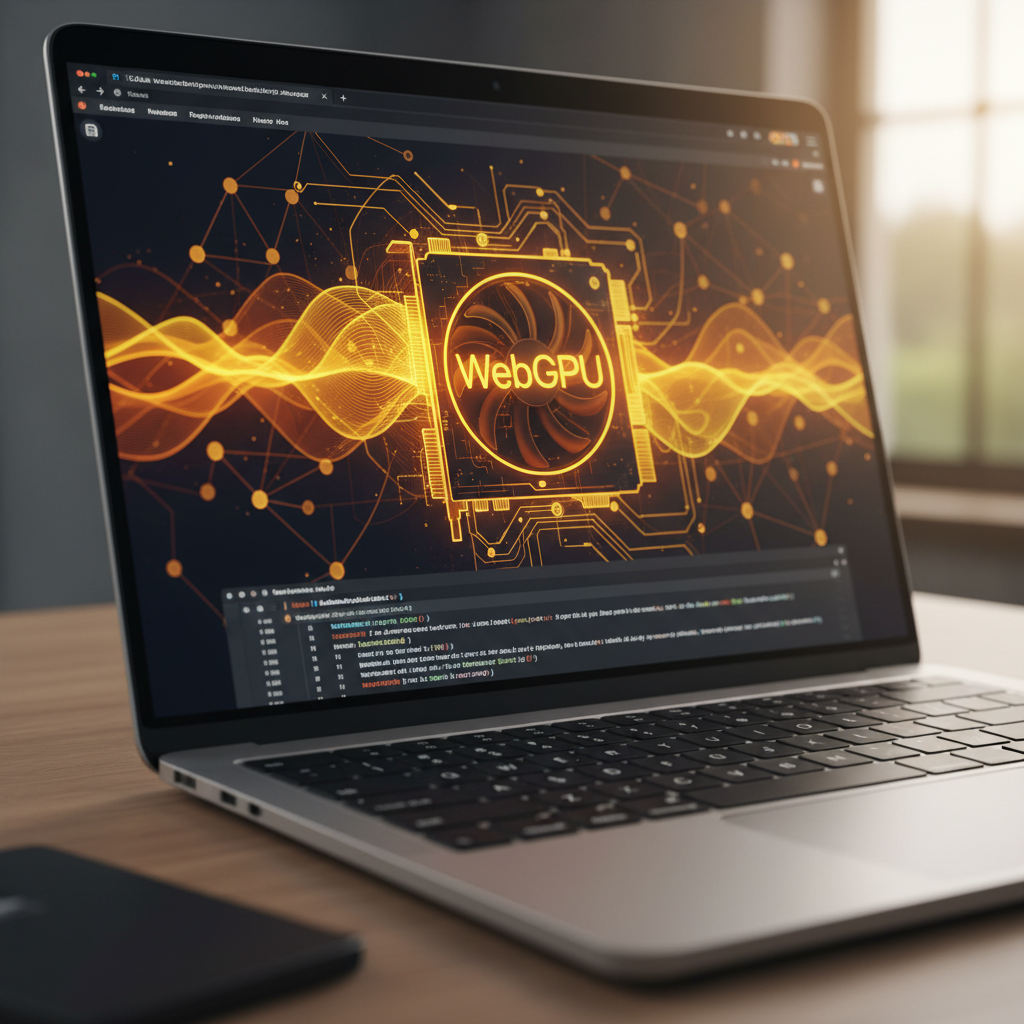
Six examples of what client-side AI image tools and browser-based AI workflows look like in 2026 — from on-device privacy diagrams to hybrid generator UIs


Client-Side AI Image Tools vs Cloud-Only AI
The honest 2026 scorecard on the metrics that decide where privacy-conscious users actually run their AI image work
| Metric | Client-Side AI Image Tools | Cloud-Only AI |
|---|---|---|
| Where prompts live | Local — never leave the browser (on-device) | Logged on provider servers indefinitely |
| Where reference images live | Local browser memory — no server upload | Uploaded and persisted server-side |
| Generation speed | 10-40s on-device, 5-15s hybrid | 5-15s on dedicated GPU clusters |
| Image quality | Hybrid: frontier — On-device: SDXL/Flux Schnell tier | Frontier — Nano Banana Pro, Midjourney v7, GPT-Image |
| Offline operation | Yes — once weights cached in browser | No — requires constant network |
| Hardware requirement | Modern WebGPU device for on-device, any browser for hybrid | Any browser — server does the work |
| Pricing model | Free on-device, $2.99-$29.99 hybrid | $10-$60 monthly, metered credits |
| Best for | Privacy-sensitive work, dev tooling, offline use | Speed-first batch work, frontier-quality tasks |
Client-side AI image tools and cloud-only AI are not strictly competitors — the right answer depends on whether privacy or raw frontier quality matters most to your workflow.
How Client-Side AI Image Tools Work
Three steps to generate AI images entirely in your browser with no server uploads — frontier-quality output, full privacy
Open the Tool in Your Browser
Client-side AI image tools load instantly in any modern browser — Chrome, Edge, Safari, Firefox, Brave — with no install, no signup, no account. The entire UI, prompt history, and image preview pipeline runs client-side from the moment the page loads. Privacy-conscious users, developers, and tech enthusiasts who want zero account friction can be generating their first AI image in under 30 seconds, with no email harvesting and no marketing funnel between them and the tool.
Pick a Style and Type Your Prompt
Select one of the preset categories — tech illustration, privacy concept, developer aesthetic, browser UI mockup, cybersecurity visual — or write a custom prompt for your exact use case. Client-side AI image tools store your prompt history in browser local storage, never on a remote server, so your creative work stays yours. The hybrid model means generation happens on Nano Banana Pro for frontier quality, but the prompt itself is only transmitted to the model API — no other server-side logging, no training data harvest, no third-party analytics on your creative inputs.
Download Locally — No Server Persistence
Once your image is generated, it is delivered straight to your browser — no server-side storage of the output, no “image gallery” persistence on a provider account, no third-party CDN caching beyond what is required for delivery. Client-side AI image tools save the output to your local downloads or let you export it directly from the browser without an intermediary cloud step. Privacy-sensitive workflows — medical illustration drafts, IP-protected concept art, regulated-industry asset work — benefit from this no-persistence design that traditional cloud-only AI image tools cannot match.
Why Use Client-Side AI Image Tools in 2026
Six concrete reasons privacy-conscious users, developers, and tech enthusiasts have moved to client-side AI image tools this year
Prompts Never Leave Your Device
The single biggest selling point of client-side AI image tools is that prompts never get logged on a provider server. Cloud-only AI image platforms log every prompt indefinitely for abuse review, training data collection, and compliance. Client-side AI image tools running fully on-device never transmit the prompt at all, and even hybrid client-side AI image tools only transmit the prompt to the model API itself — no analytics, no telemetry, no marketing-funnel resale of your creative ideas.
Reference Images Stay Local
Cloud-only AI image platforms upload every reference image to a remote server before generation begins, creating a persistent record of every photo you have used in your AI workflow. Client-side AI image tools handle the upload entirely in browser memory — the image never gets persisted on a remote server beyond the few seconds the model needs it for inference. For sensitive material — IP-protected concept art, medical imaging drafts, regulated-industry assets, personal photos — the no-server-persistence design of client-side AI image tools is now the default recommendation.
Offline Operation for Travel and Secure Networks
Fully on-device client-side AI image tools running WebGPU can operate entirely offline once the model weights are cached in the browser. This is genuinely useful for travel — generate concept art on a plane with no Wi-Fi — and for secure-network environments where outbound API calls to AI providers are blocked. No cloud-only AI image platform can match this offline capability, and it is one of the reasons defense-industry, legal, and medical-research users are now standardizing on client-side AI image tools for sensitive work.
No Subscription Lock-In
Client-side AI image tools have dramatically lower operational costs than cloud-only AI platforms because the heavy compute happens on the user’s device or on a per-call API rather than a permanently-running GPU cluster. The result: generous free tiers, lower paid plan pricing, and no annual subscription lock-in. Many client-side AI image tools are entirely free for individual users, with paid plans starting at $2.99 monthly for higher limits — versus $10-$60 monthly for cloud-only competitors that need to amortize their always-on GPU infrastructure across the user base.
Better Latency on Slow Connections
Client-side AI image tools running fully on-device do not require uploading megabytes of reference images or downloading megabytes of generated output through a slow connection — everything happens locally. Even hybrid client-side AI image tools cache the UI, history, and previously-generated images locally so the experience stays snappy on flaky Wi-Fi or cellular connections. Travelers, remote workers in low-bandwidth regions, and anyone working from a coffee shop with congested Wi-Fi gets a noticeably better experience from client-side AI image tools than from cloud-only platforms.
Auditable, Open-Source Codebases
A growing number of client-side AI image tools ship as open-source projects — the entire generation pipeline, UI, and storage logic is auditable in the browser by anyone who wants to verify what the tool actually does with their data. Cloud-only AI image platforms cannot offer this, because the server-side code is by definition private. For privacy-conscious users, security researchers, and regulated-industry buyers, the auditability of open-source client-side AI image tools is now a hard requirement when picking AI image tooling for the team.
Where Client-Side AI Image Tools Win
Real-world use cases where browser-based and on-device AI image tools are now the default in 2026
Privacy-Sensitive Concept Art
Brand designers and concept artists working on unannounced products, NDA-covered projects, or pre-launch creative directions use client-side AI image tools so prompts and reference images describing the secret work never get logged on a provider server. The privacy guarantee of client-side AI image tools — no server-side prompt logging, no reference image persistence — eliminates the data-leak surface that traditional cloud-only AI image platforms create around confidential creative work.
Regulated-Industry Asset Work
Healthcare, legal, finance, and government users have hard compliance requirements that traditional cloud-only AI image tools cannot meet — server-side persistence of prompts and reference images conflicts with HIPAA, GDPR, attorney-client privilege, and federal data-handling rules. Client-side AI image tools that run on-device or with no-persistence hybrid architecture are now the default recommendation for regulated-industry asset creation work in 2026.
Indie Game Development
Indie game studios use client-side AI image tools for concept art, character portraits, environment mood boards, and UI mockup generation — work that benefits from rapid iteration without paying per-generation cloud fees. Open-source client-side AI image tools running WebGPU on the developer’s gaming PC absorb the entire concept art budget category for indie game devs, with no subscription lock-in and full ownership of all generated assets.
Privacy-Focused Personal Use
Personal users who do not want their creative experiments, dream visualizations, or therapeutic art prompts logged on a corporate server use client-side AI image tools to keep that work entirely private. Client-side AI image tools turn AI image generation from a public-by-default activity (cloud-only AI logs everything) into a private-by-default one — the same shift personal photo libraries made when on-device photo apps replaced cloud-only image hosts.
Developer Tooling & Demos
Developers building AI-powered apps prototype against client-side AI image tools because they can demo the full workflow to clients and stakeholders without burning paid API credits or requiring sign-up flows during pitches. Client-side AI image tools that run WebGPU in the browser are also ideal for embedding in developer documentation pages, on-boarding tutorials, and sales demos — every visitor gets a working AI image experience without backend costs.
Travel and Field Work
Photographers, journalists, and field researchers traveling in regions with unreliable internet rely on client-side AI image tools that work offline once the model is cached. Generate environment mood boards on a plane, illustrate field-research notes from a remote site without cell service, sketch concept storyboards from a coffee shop with congested Wi-Fi — client-side AI image tools handle all of this where cloud-only AI platforms simply fail.
Frequently Asked Questions
Everything you need to know about client-side AI image tools and browser-based AI in 2026
Try Client-Side AI Image Tools — Free
No signup. No credit card. Generate frontier-quality AI images with a hybrid client-side workflow — local prompt history, no server-side image persistence, full ownership of your output. Premium plans start at $2.99 for more credits and batch generations.
Start Creating NowClient-Side AI Image Tools — The 2026 Privacy-First Workflow
Why Client-Side AI Image Tools Are Replacing Cloud-Only AI for Privacy Work
Client-side AI image tools have moved from a niche privacy-focused category in 2023 to a default recommendation in 2026 because the underlying browser-AI infrastructure finally caught up with creative-grade quality. WebGPU shipping in every major browser, on-device WebAssembly inference for small open-source models, and hybrid architectures that keep all UI and history client-side while routing only the actual generation call to a fast cloud API together produced a generation of client-side AI image tools that match cloud-only competitors on speed and quality while keeping prompts, reference images, and creative history out of provider server logs entirely.
The privacy gap between client-side AI image tools and traditional cloud-only AI image platforms is wide enough to drive real workflow change in regulated industries. Cloud-only AI image platforms log every prompt and persist every reference image on their servers — for abuse review, for compliance, for training data collection, for marketing analytics, for whatever the provider decides matters. Client-side AI image tools that run on-device transmit nothing at all to a remote server, and even hybrid client-side AI image tools strictly limit transmission to the actual model API call without analytics, telemetry, or third-party data resale layered on top. Healthcare, legal, defense, finance, and IP-protected creative teams have all standardized on client-side AI image tools in 2026 for exactly this reason.
Cost is the second reason client-side AI image tools have grown so quickly this year. Cloud-only AI image platforms must amortize an always-on GPU cluster across their user base, which forces pricing into the $10-$60 monthly band even for casual users. Client-side AI image tools that run on-device pay zero infrastructure cost — the user’s device does the work — and hybrid client-side AI image tools only pay per-generation API costs for actual image creations rather than for idle capacity. The result is a generation of client-side AI image tools with generous free tiers and paid plans starting at $2.99 monthly. For individual creators, indie developers, and privacy- conscious personal users, the price-to-value comparison is no longer close.
Where Client-Side AI Image Tools Still Have Trade-offs
Fully on-device client-side AI image tools — the ones running WebGPU and a bundled open-source model entirely in the browser — still trail frontier cloud models on prompt adherence, complex composition, and text rendering. SDXL Turbo, SD3 Medium, and Flux Schnell are the open-source models browsers can realistically run, and they are excellent for many use cases but do not match the latest closed-model frontier from Nano Banana Pro, Midjourney, or GPT-Image. Users who need absolute frontier quality on every image either accept the privacy trade-off of cloud-only AI or use hybrid client-side AI image tools that route generation to a frontier cloud model while keeping the rest of the workflow local.
Hardware is the second trade-off for fully on-device client-side AI image tools. WebGPU image generation needs a recent M-series Mac, an RTX 30/40-series gaming PC, a modern Windows laptop with dedicated graphics, or a high-end Chromebook with WebGPU support. Older hardware and budget phones cannot yet run on-device generation at usable speeds, which is why hybrid client-side AI image tools — using a fast cloud API for generation but keeping everything else browser-local — are the practical 2026 default for the broadest user base. The hybrid model gives you the bulk of the privacy benefit (no server-side persistence beyond the generation API call itself) without requiring users to own gaming-grade hardware to participate in the AI image revolution.
Try our hybrid client-side AI image tool above before you commit to a paid AI image platform subscription. Generate frontier-quality images at up to 4K resolution with all UI, prompt history, cropping, and exports running locally in your browser — no server-side logging beyond the generation API call itself, and all output downloaded directly to your device with no cloud gallery persistence. The free tier covers enough credits to judge quality and workflow on your own creative project, and premium plans starting at $2.99 give batch generations and higher daily limits at a fraction of cloud-only AI platform pricing. Client-side AI image tools are no longer a niche — they are the privacy-first default for the next phase of browser-based AI work.
Client-side AI image tools are the privacy-first default for 2026 — your prompts and reference images stay local, your output stays yours. No signup, no credit card, no watermarks. Royalty-free generation with full commercial rights. Premium plans from $2.99 for more credits and batch generations.