
AI Style Transfer for Images
Turn any photo into a work of art with AI style transfer. Upload an image and Nano Banana Pro repaints it in the style you choose — Van Gogh oil painting, Japanese anime, soft watercolor, cyberpunk neon, and more — all in crisp 4K in seconds. No design skills, no filters, just instant artistic style AI.
Try It Now — Free
Upload a photo, pick an artistic style, and watch AI style transfer repaint your image in seconds with the tool below.
AI Style Transfer Tool
Upload any photo, choose an artistic style, and transform it instantly
Upload a photo, select an art style, and click Generate
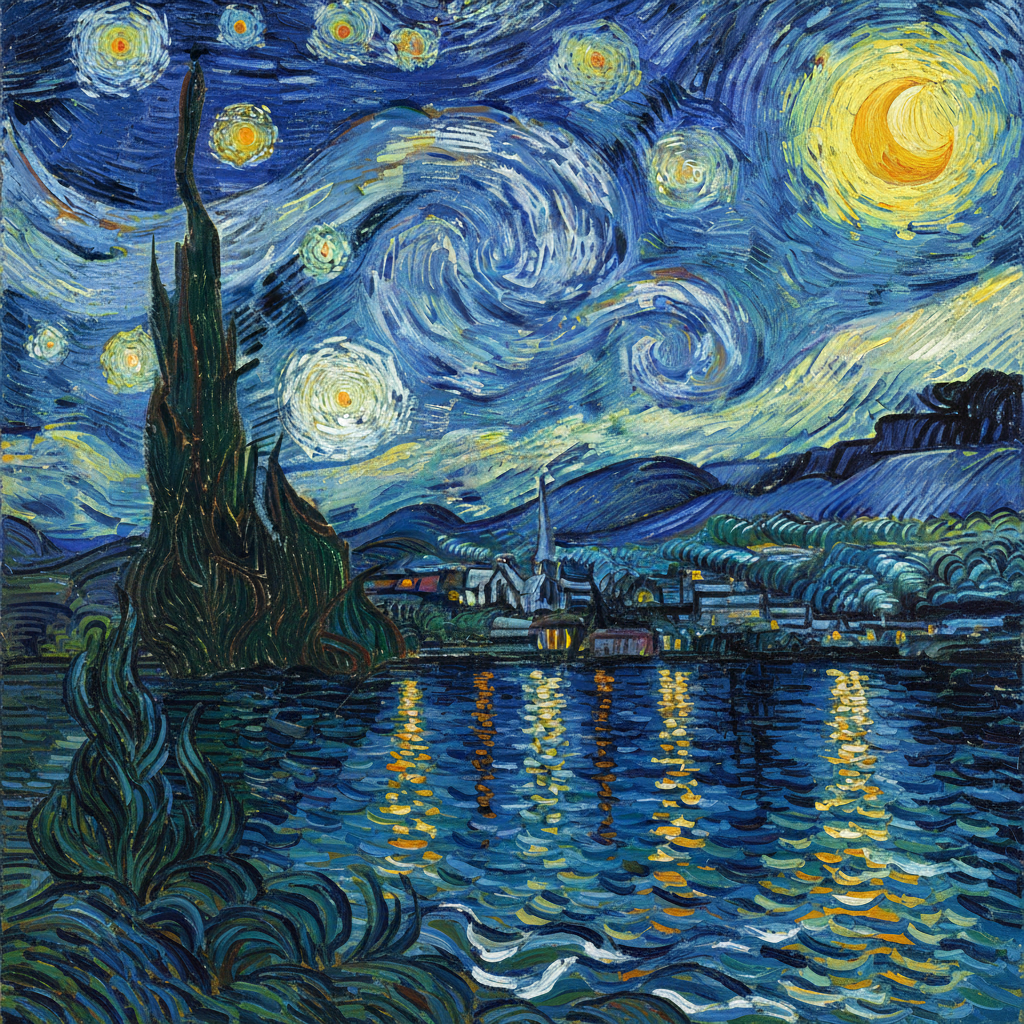
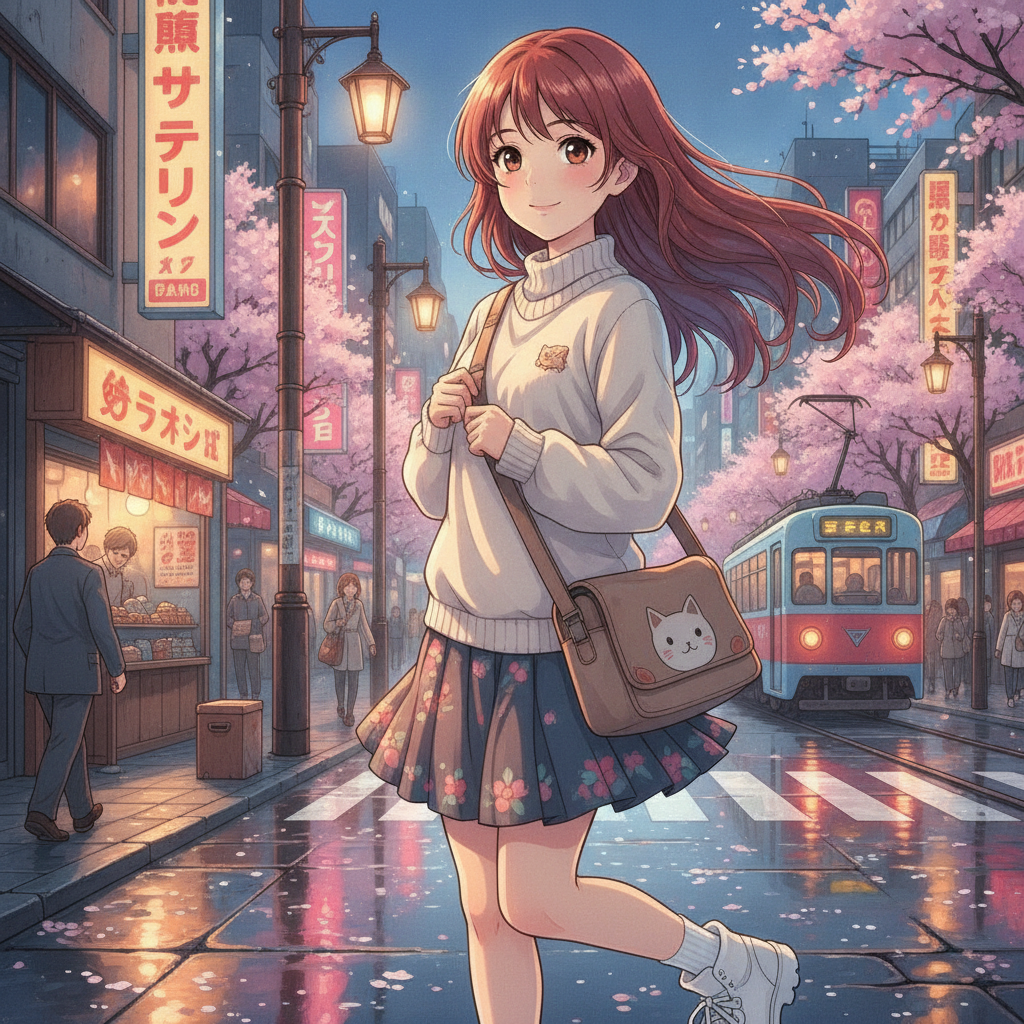
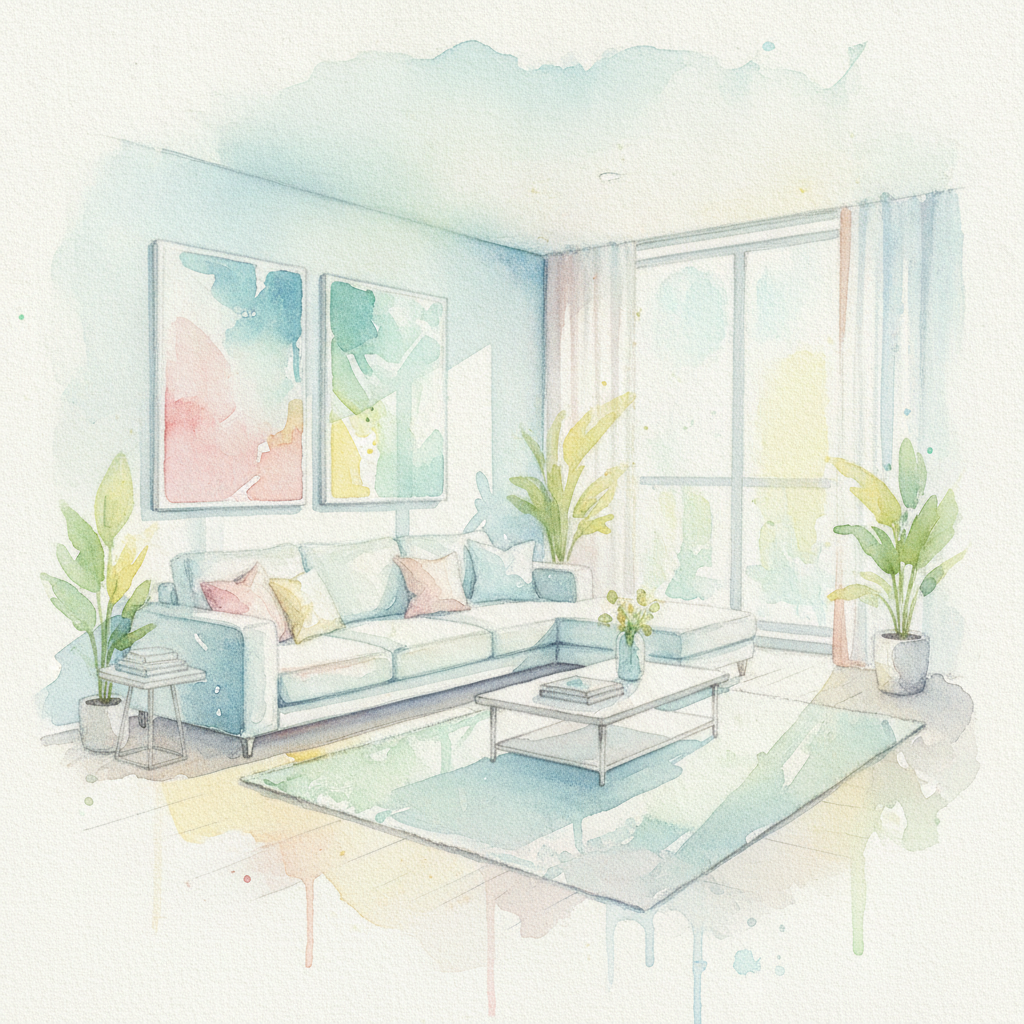
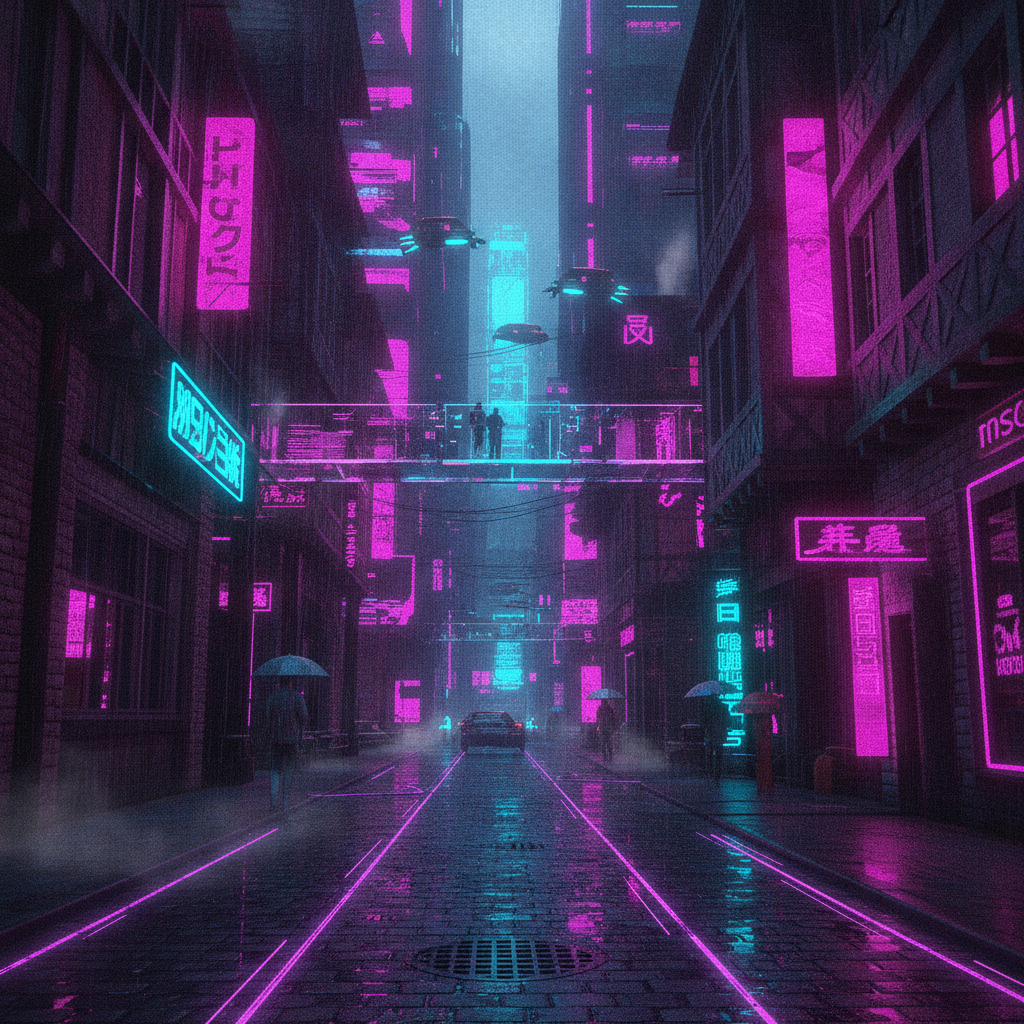
AI Style Transfer in Action
From oil paintings to anime and watercolor — see the range of artistic styles you can apply to any photo with AI style transfer
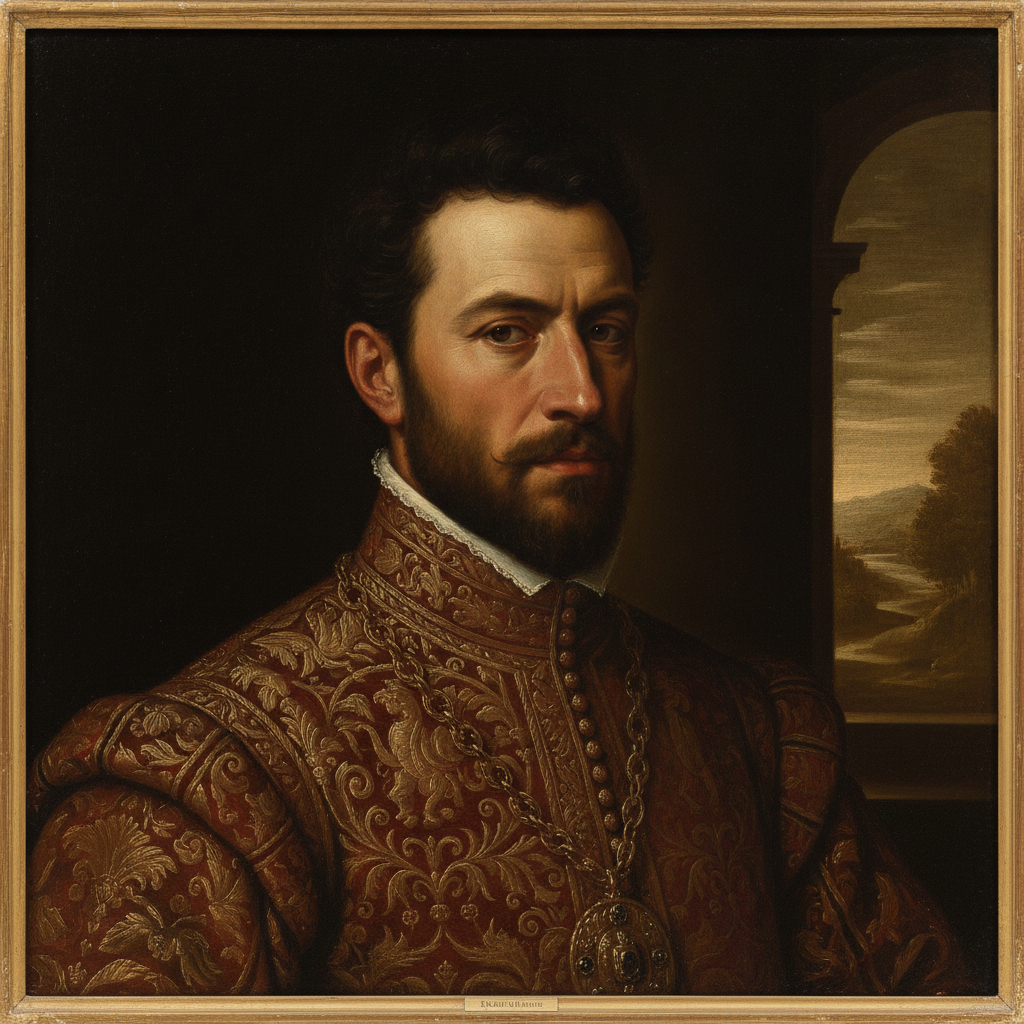
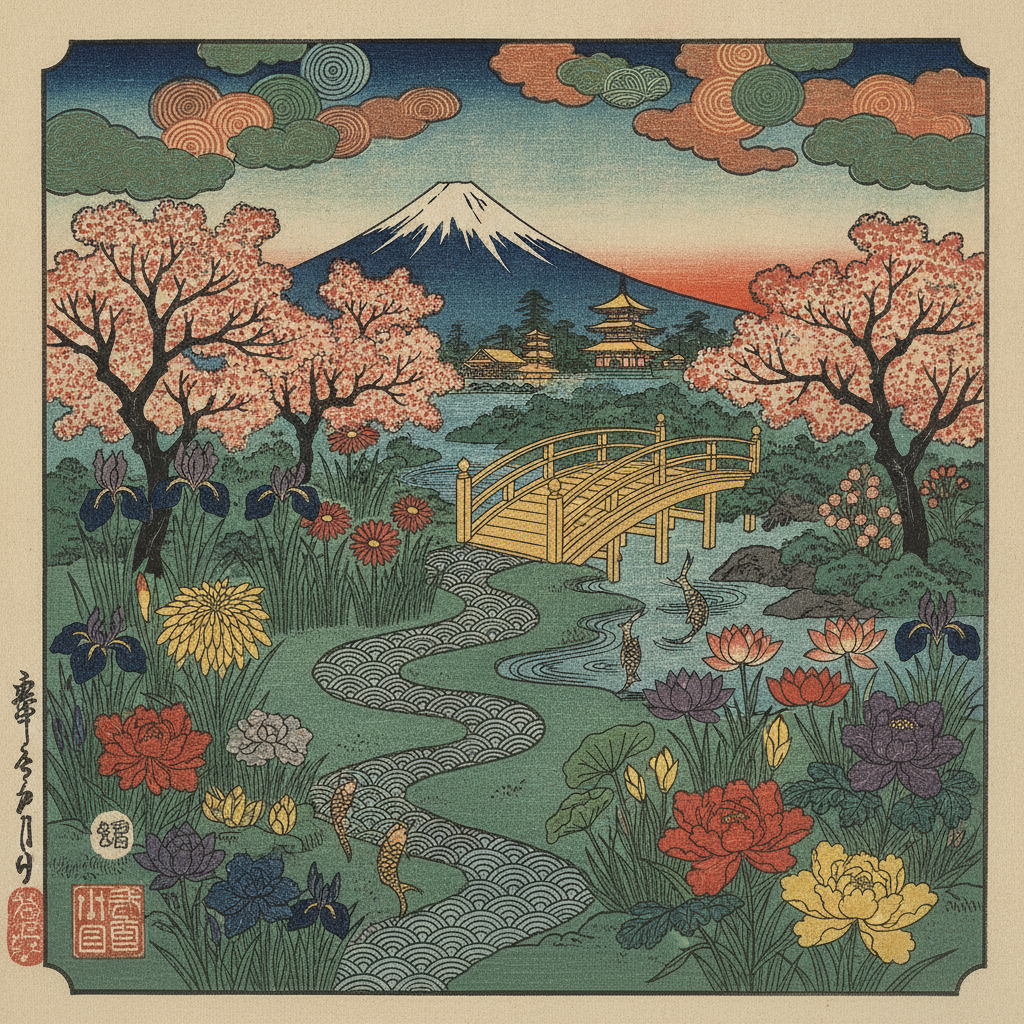
Artistic Styles You Can Apply
One photo, endless looks — the AI style transfer tool matches the mood you want, from timeless fine art to bold digital styles
Oil Painting
Rich impasto brushstrokes and warm tones turn any photo into a gallery-worthy Van Gogh or Renaissance-style painting.
Anime & Cartoon
Clean line art, cel shading, and vivid colors restyle portraits and scenes into Studio Ghibli-style anime.
Watercolor
Soft flowing washes and paper texture give images a delicate, hand-painted artistic feel.
Cyberpunk & Neon
Glowing neon, reflections, and moody atmosphere transform city shots into futuristic digital art.
Ukiyo-e & Ink
Bold outlines, flat colors, and decorative patterns recreate traditional Japanese woodblock prints.
Custom Styles
Describe any artist, era, or aesthetic and the artistic style AI repaints your image to match.
How AI Style Transfer Works in 3 Steps
Go from an everyday photo to a stunning piece of art in under a minute
Upload Your Photo
Drop in any image — a portrait, landscape, street shot, or product. Nano Banana Pro analyzes the composition and content while keeping your subject intact.
Choose an Art Style
Pick a preset like oil painting, anime, watercolor, or cyberpunk — or describe your own. The AI applies the style transfer in about 20 seconds.
Refine & Download
Generate unlimited variations until the look is perfect, then download your styled image in crisp 4K — ready to print, post, or share.
Why Creators Choose This AI Style Transfer Tool
Built for photographers, digital artists, and designers who want professional artistic style AI without the learning curve
Subject-Aware Styling
Unlike basic filters, the AI understands your image. It restyles the look while preserving faces, composition, and the recognizable subject of your photo.
Dozens of Art Styles
Apply oil painting, watercolor, anime, ukiyo-e, cyberpunk, sketch, and more — or type any custom style and the artistic style AI matches it.
4K High-Resolution Output
Every style transfer renders in up to 4K, sharp enough for large prints, posters, and detailed digital art — not blurry, low-res filter output.
Seconds, Not Hours
Skip painting tutorials and complex software. The image style conversion AI delivers a finished artwork in about 20 seconds per generation.
Endless Variations
Try the same photo as a Van Gogh, an anime scene, and a watercolor from one upload — explore looks freely until you find the perfect style.
Free to Start
Run AI style transfer with free starter credits and no credit card. Upgrade only when you need more. Paid plans start at just $9.98/month.
Who Uses AI Style Transfer
Photo style transfer AI powers art, content, and design across every creative field
Artists & Photographers
- • Fine art prints — turn photographs into painterly artworks ready to frame and sell.
- • Style exploration — preview a shoot in dozens of artistic styles before committing.
- • Portfolio pieces — add striking stylized work without learning new painting software.
Designers & Creators
- • Social content — stylize photos into eye-catching anime or neon posts for every feed.
- • Marketing visuals — give campaigns a unique artistic look that stands out from stock.
- • Gifts & merch — convert personal photos into custom artwork for prints, cards, and products.
Frequently Asked Questions
Everything you need to know about AI style transfer for images
Turn Your Photos Into Art
Apply AI style transfer to any image — oil painting, anime, watercolor, cyberpunk, and more in 4K. Try the AI style transfer tool free — plans from $9.98/mo.
AI Style Transfer for Images, Made Simple
Style transfer used to require deep learning expertise, expensive software, or hours of manual painting. The Nano Banana Pro AI style transfer tool removes all of that. Upload any photo — a portrait, a landscape, a city street, even a quick phone snapshot — choose an artistic style, and the AI repaints your image in crisp 4K in about twenty seconds. It is the fastest way to turn ordinary photos into striking, gallery-quality art.
Because this is true artistic style AI rather than a flat filter, the results actually look like real artwork. The model studies the shapes, lighting, and composition of your photo, then re-renders it with authentic brushstrokes, line work, or painterly texture. Apply a Van Gogh oil painting style to a mountain lake, convert a portrait into Japanese anime, soften a room into watercolor, or light up a street scene with cyberpunk neon. One upload becomes an entire series of artistic variations.
Photographers use the photo style transfer AI to create painterly prints they can sell. Digital artists explore dozens of looks before starting a project. Designers give marketing campaigns a unique, non-stock aesthetic. And because every styled image ships with full commercial rights, you own everything you create — ready for prints, posts, products, and client work.
Why Nano Banana Pro Excels at Style Transfer
Many image style conversion AI tools either distort the subject or apply a style so heavily that the original photo disappears. Nano Banana Pro strikes the right balance. It is subject-aware, so faces stay recognizable, landscapes keep their layout, and products hold their shape — while the artistic style is applied convincingly across the whole image. The result is art that still feels personal to your original photo.
The model also understands nuanced creative direction. Beyond the built-in presets, you can describe any artist, movement, medium, or mood, and the artistic style AI will interpret it — from Renaissance oil and ukiyo-e woodblock to pop art, pencil sketch, and modern digital styles. You can iterate endlessly, generating new variations from the same upload until the look is exactly what you imagined, all in up to 4K resolution.
Best of all, there is nothing to install and nothing to learn. The AI style transfer tool runs right in your browser, the free tier lets you start without a credit card, and paid plans begin at just $9.98 a month. Whether you are a photographer, a digital artist, or a designer who just wants something beautiful fast, Nano Banana Pro turns plain photos into art in seconds. Scroll up, upload an image, and create your first AI style transfer now.
Try AI style transfer for images today. Turn any photo into oil painting, anime, watercolor, and more in 4K. No software and no credit card required. Paid plans from $9.98/mo.