
AI Skateboard Design Generator
A deck graphic is printed on the one surface the board is dragged, ground and slammed on, in a shape that is four times taller than it is wide. This AI skateboard design generator shows your idea printed on a real deck — full-length illustration, centre graphic, all-over repeat, two-colour screen print, colour blocking or a translucent wood stain — so you can see how it sits in that shape and how it will age. Up to 4K, about twenty seconds.
Try It Now — Free
Pick the deck layout first, then use the details box for your motif and colours. Each preset already carries the thing that layout has to solve — how a tall narrow shape is filled, what happens at the nose and tail, and how many inks the graphic can afford.
AI Skateboard Design Generator
Pick a deck layout, describe your motif and colours, and see it printed on a real skateboard
Decks From the AI Skateboard Design Generator
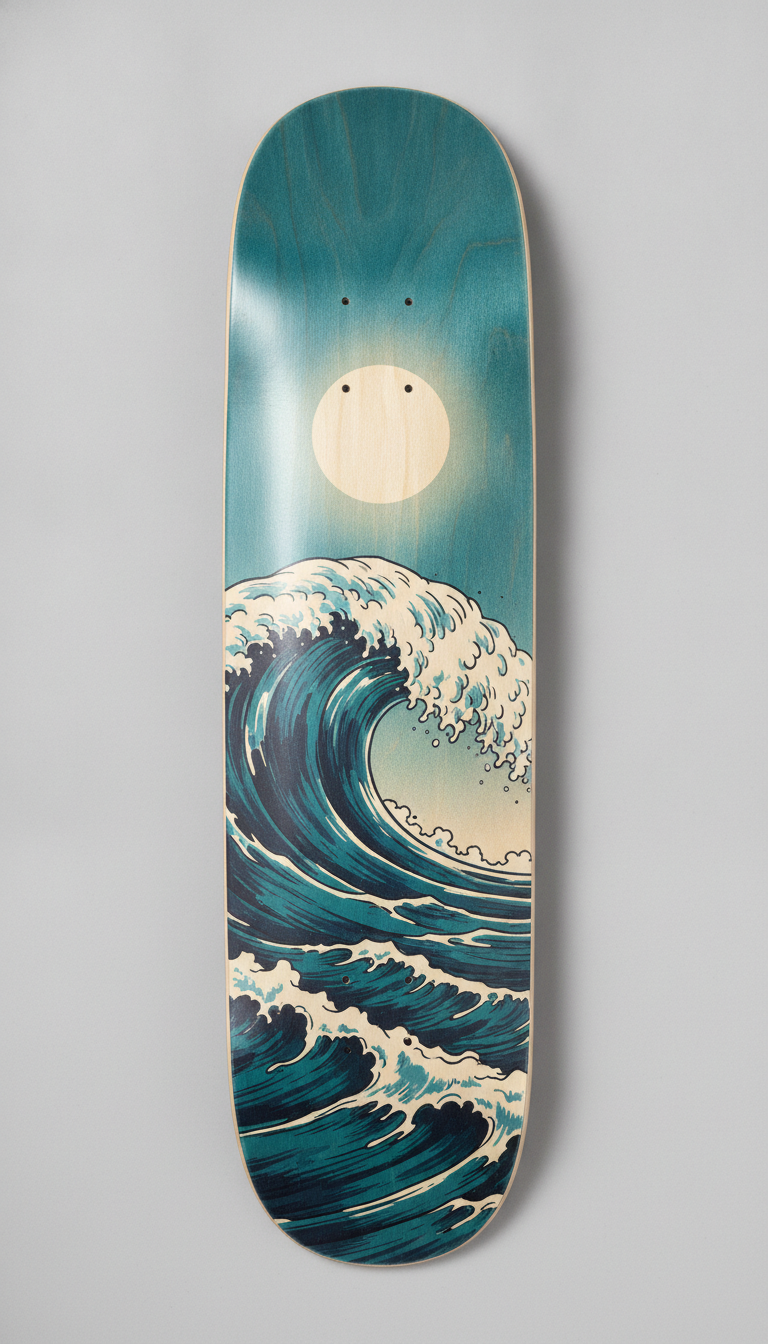
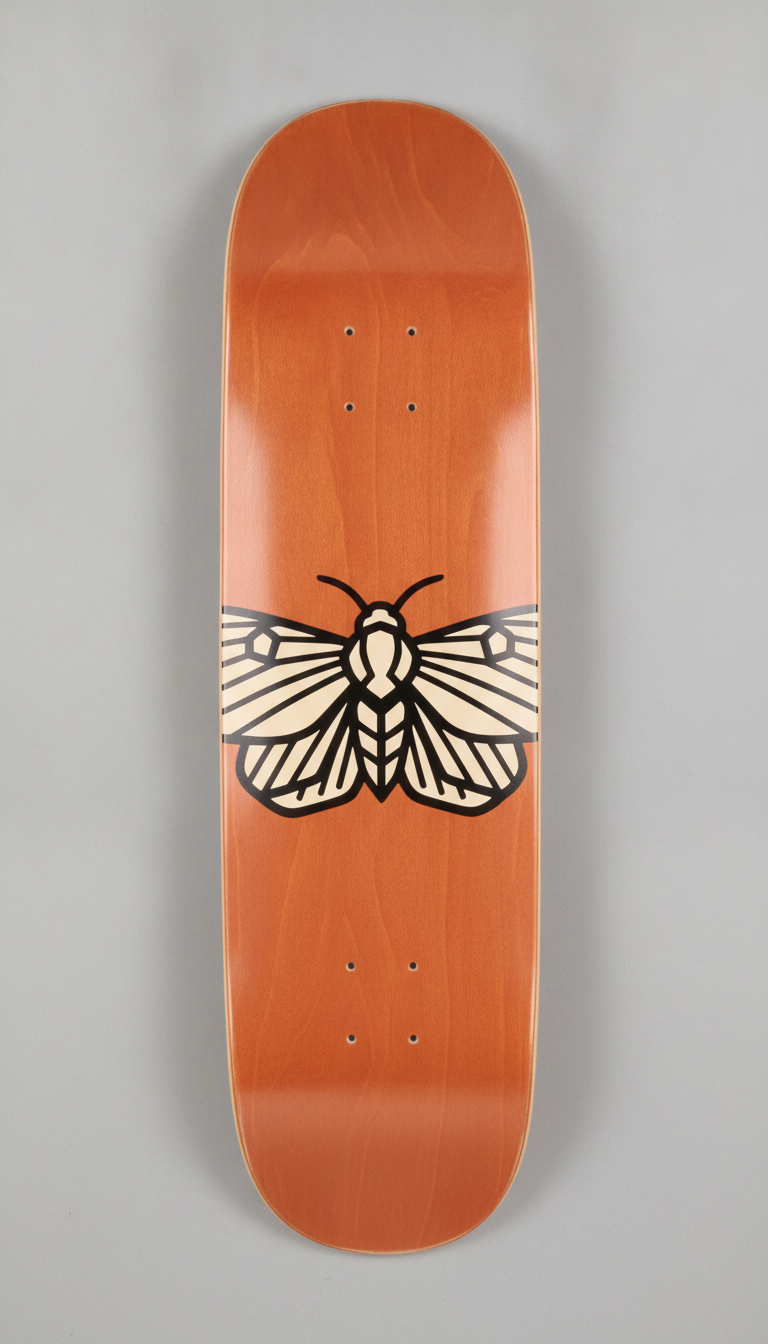
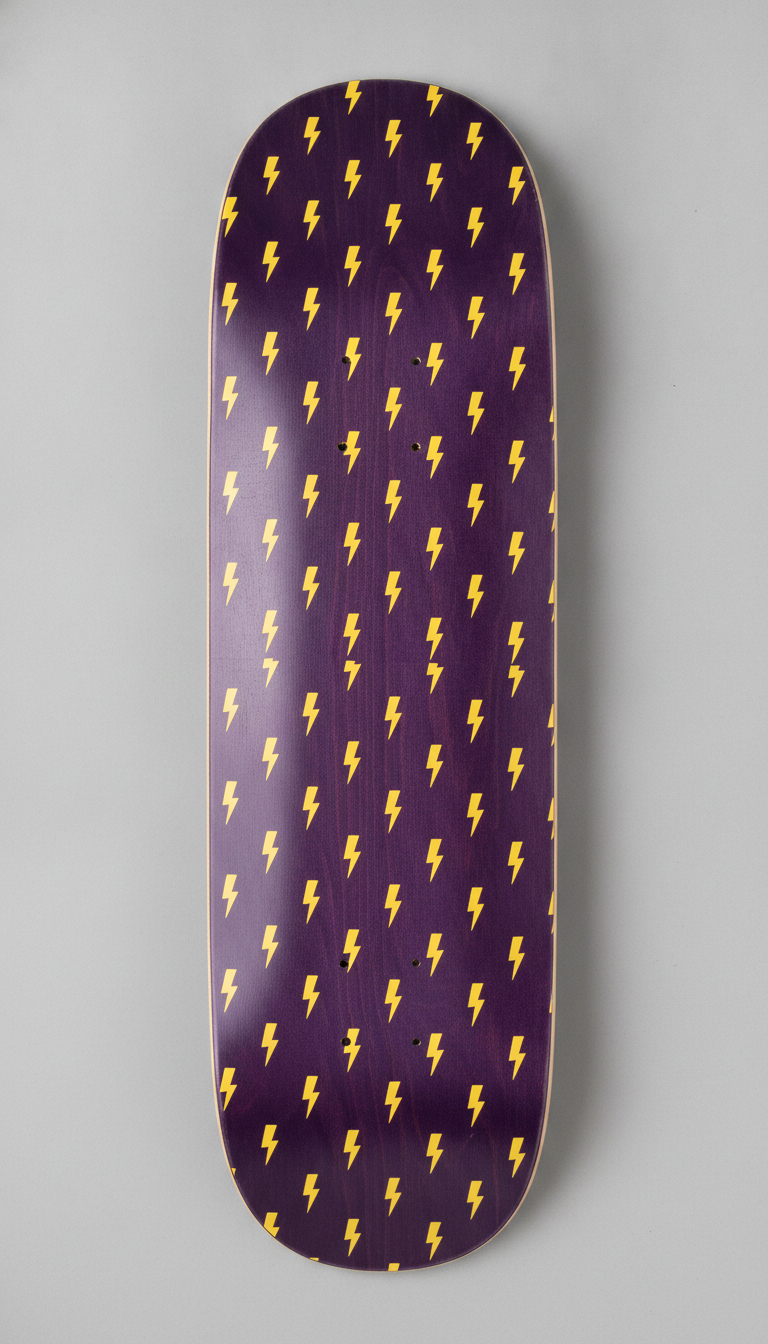
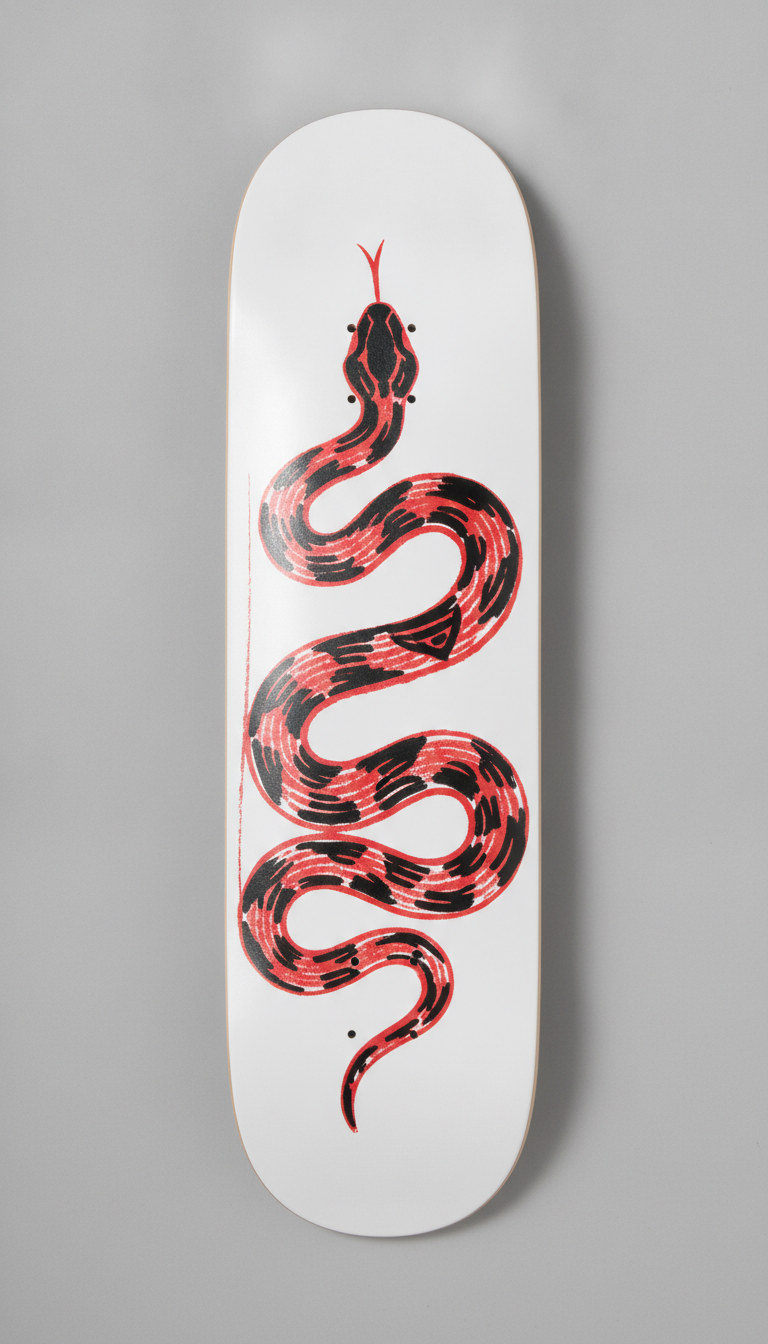
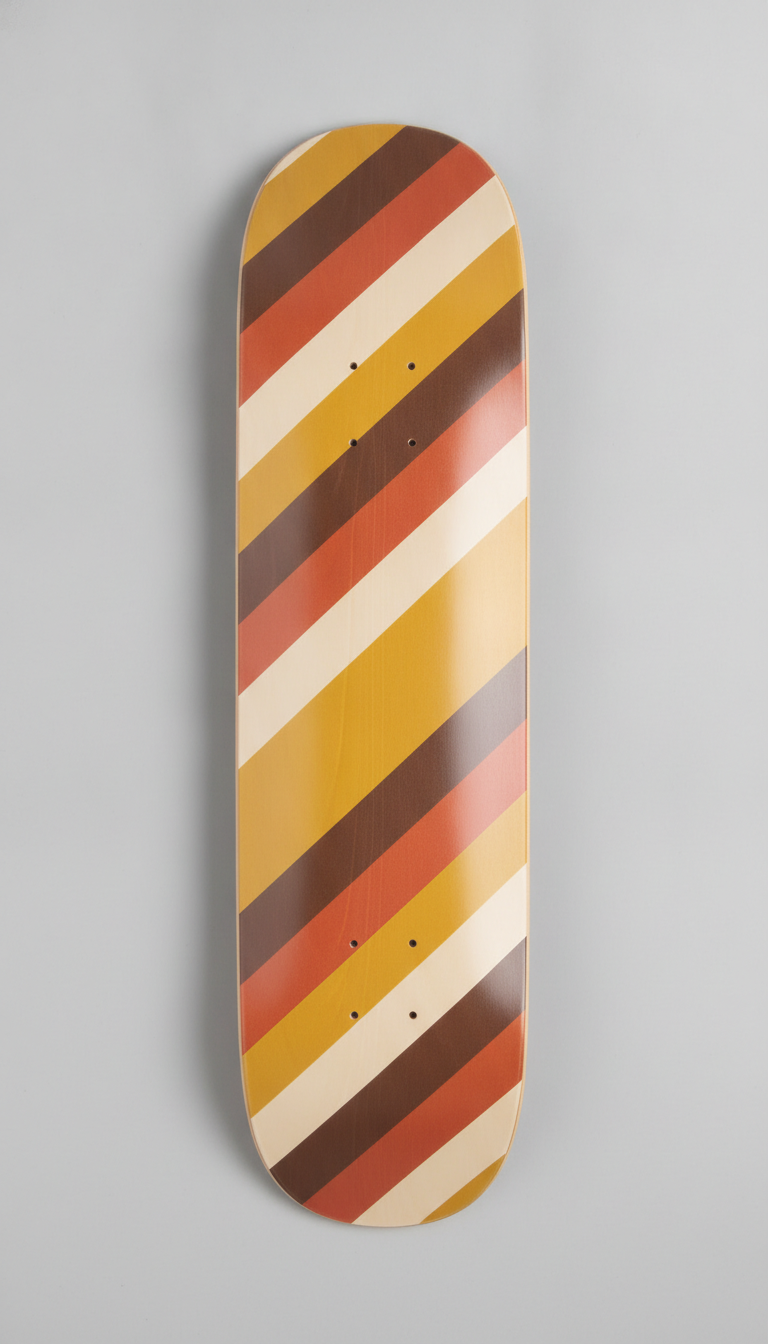
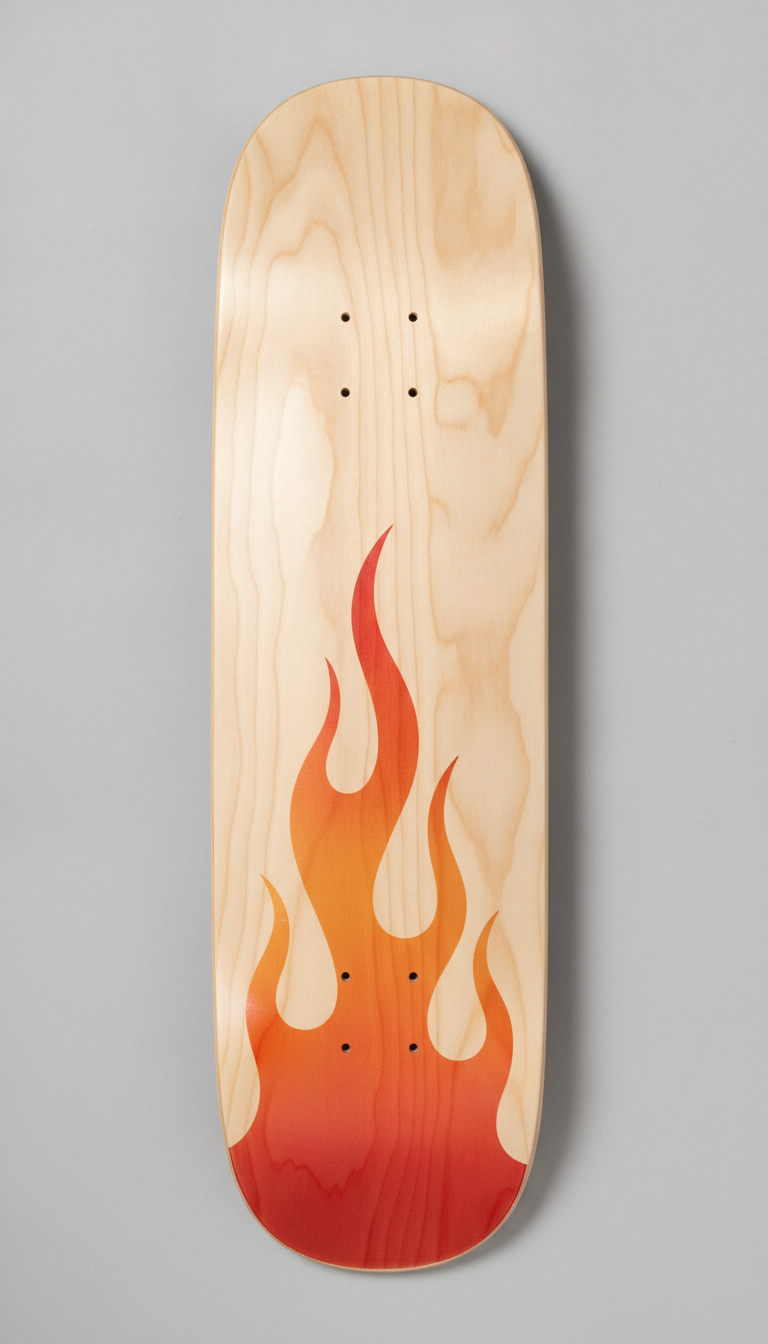
Full-length illustration, centre graphic, all-over repeat, two-colour screen print, colour blocking and a translucent wood stain — six ways of filling the same tall narrow shape
How the AI Skateboard Design Generator Works
Three steps from an idea to something a deck manufacturer can quote against
Pick the Layout, Not the Picture
The six presets are six ways of filling a deck rather than six art styles, because the shape is the problem to solve. Full-Length Art runs one scene the whole way and bleeds off every edge. Centre Graphic puts one strong shape in the middle third and leaves the nose and tail plain, which is where the board wears first. All-Over Repeat survives any amount of scuffing because no single part of it is the design. Two-Colour Print is flat spot colour, the cheapest thing a screen printer can run. Colour Blocking is pure geometry with no drawing at all. Wood Stain lets the maple grain read through a translucent dye. Choose how the deck is filled and the rest follows.
Describe the Motif and the Colours
Use the details box for what the preset cannot guess: a coiled snake instead of a wave, cherries instead of lightning bolts, black and red instead of teal and cream. Name two to four colours rather than a full palette, because on a screen-printed deck each colour is a separate screen and a separate pass, and the count shows up directly in the price of a small run. Leave lettering out. A brand name or a team name belongs in proper type set by a designer rather than in generated artwork, and it is the one element an image model reliably gets wrong.
Generate, Judge How It Will Wear, Then Send It On
Each design comes back in about twenty seconds at up to 4K, printed on a deck so you can see it in the real proportions instead of in a square. Ask the questions a skater would: does the graphic still read once the rails are white, is anything important sitting on the tail, does the composition survive being looked at from four feet away on the ground. What you download is a picture of a printed deck, not a print file — a manufacturer needs vector or high-resolution artwork laid out on their template for your exact deck width. Treat the render as an approved design and a brief.
Why Use an AI Skateboard Design Generator
Six reasons a printed deck beats a drawing sitting in the middle of a white square
The Shape Is the Whole Problem
A deck is roughly eight inches wide and thirty-two long, so a graphic has to work at about one to four — a proportion almost nothing else you design shares. Artwork that looks balanced in a square gets stranded in the middle of a deck with dead space above and below it, and a wide composition has to be cropped so hard it stops making sense. Seeing the idea inside the actual outline, with the kicks curving up at both ends, answers in one image the question that a flat drawing quietly avoids.
The Graphic Sits on the Surface You Destroy
The printed side faces the ground. It is the side that grinds along coping and ledges, slides down rails, and lands on concrete every time a trick does not. Within a few sessions the rails go white and the tail wears through to the wood, and no print process changes that. It does change how you design: put nothing you care about on the nose or the tail, keep the important shapes in the middle third, and prefer bold forms that still read once the edges have gone. That is exactly what the Centre Graphic and All-Over Repeat presets are for.
Colour Count Is the Price of a Small Run
Most short-run decks are screen printed, which means each colour is a separate screen, a separate pass and a separate setup charge. A four-colour illustration and a two-colour drawing are not close in cost when you are ordering a few dozen boards. Rendering the same motif as a flat two-colour print and as a full illustration side by side makes that trade visible before you brief anybody, and often the two-colour version is the better-looking board as well as the cheaper one.
Brands, Shops and Teams Ordering a Run
Anyone putting a series together — a small skate brand, a shop board, a team deck, a competition giveaway — needs several designs that clearly belong to each other while staying distinct. Running one motif through different layouts, or one layout through several colourways, builds that family quickly and gives a manufacturer something concrete to quote against. If the mark itself is still unsettled, the AI logo generator handles that part and this tool shows it on the board.
Personal Decks and Wall Art
A large share of decks sold are never ridden — they go on a wall, which is the one use where fine detail survives indefinitely and none of the wear rules apply. Designing a deck as a gift, a commission or a piece for your own room is a genuinely different brief from designing one to skate, and it is worth knowing which you are doing before you start. Output at up to 4K carries no watermark, so a finished design can go to a print-on-demand deck service or to a local printer.
Free to Start, $9.98 to Go Further
You can generate skateboard designs free without a credit card, which is enough to see whether an idea holds up in the shape. Paid plans begin at $9.98 for real work: putting one motif through every layout, building colourways for a series, or taking the several passes it takes to simplify a graphic down to something a two-colour screen print can carry. Against a minimum order of blank decks printed with a design that turned out not to work, it is not a close comparison.
Frequently Asked Questions
Common questions about using an AI skateboard design generator
Design a Deck Worth Printing
Pick a deck layout, describe your motif and colours, and see it printed on a real board at up to 4K — full-length art, centre graphic, repeat, two-colour print, colour blocking or wood stain. Powered by Nano Banana Pro. Free to start, plans from $9.98.
Designed for the Surface That Gets Destroyed: the AI Skateboard Design Generator
Two facts decide whether a deck graphic works, and neither of them is about the drawing. The first is the shape: about eight inches by thirty-two, a proportion of roughly one to four, with both ends curving upward. The second is where the graphic goes: on the underside, which is the face that grinds along coping, slides down rails and hits concrete. An AI skateboard design generator is useful because it puts both of those in front of you at the start. A drawing on a white square tells you nothing about either one, and the gap between the two only becomes obvious after somebody has paid a minimum order.
Every preset here renders your idea as a photographed deck — the printed sheen, the countersunk truck holes, the kicks lifting at each end, the bare maple at the edges. The six are six ways of filling that shape rather than six art styles: one scene running the full length and bleeding off every edge, a single bold graphic held in the middle third with plain nose and tail, an all-over repeat that no amount of scuffing can spoil, a flat two-colour screen print, hard-edged geometric colour blocking, and a translucent stain that leaves the wood grain visible. Change the motif and the colours inside those rules and the design keeps working as a deck.
The second lesson from the gallery is about wear. Design as though the perimeter is temporary, because it is — the rails will be white and the tail will be through to the wood long before the board is finished. Boards that still look good after a season are the ones whose idea lives in the middle, or whose pattern has no centre at all. The one exception is a deck bound for a wall, where nothing wears and detail lasts forever, and it is worth deciding which of the two you are designing before you write the first prompt.
From Render to Printed Deck, and What This Tool Will Not Do
Be clear about the handover. What you download is an image of a printed deck, not production artwork. A manufacturer prints from a file built on their template for one exact deck width, with the correct nose and tail lengths and bleed past every edge, and a screen printer needs it separated into one film per spot colour. That rebuild is straightforward once the design is settled, which is what the render settles: the layout, the colour count, the scale of the motif against the board. If the artwork needs enlarging before it goes anywhere, the 4K image upscaler covers that step.
Two other limits deserve naming. Lettering is best left off the prompt entirely — a brand name, a team name or a date belongs in type set by a designer, and generated text is the least reliable thing an image model produces, so build the mark with the AI logo generator and place it afterwards. And screen colour is not ink colour, so specify a Pantone reference and ask for a first-off sample if a brand colour matters. If you are building a range around one motif, the AI pattern generator makes the repeat, and the AI t-shirt design generator, AI sticker generator and phone case designer carry it onto the rest of the merchandise.
Within those limits the designs are yours. Output reaches 4K with no watermark and is cleared for commercial use, which matters for small brands, shops and one-off commissions alike — with the obvious caveat that a commercial licence on the render is not permission to print somebody else's logo, characters or album artwork on boards you sell, a habit skateboarding has expensive form in. It is free to start with no credit card and plans begin at $9.98. Pick a layout, describe the motif, and see it on a deck before anyone sets up a screen.
Try the AI skateboard design generator free today. Pick one of six deck layouts, describe your motif and colours, and download the design shown printed on a real board at up to 4K. No credit card required to start. Paid plans from $9.98.