
AI Pumpkin Carving Stencil Generator
Describe the pumpkin you want and print the template about thirty seconds later. This AI pumpkin carving stencil generator draws the black-and-white pattern — the part that used to mean hunting through the same twelve free printables everyone else on the street is using — and it bridges the letters so nothing drops onto the candle. Six templates are below exactly as they came back, including the two you would need to thicken with a marker pen first.
Make a Stencil FreeTry the AI Pumpkin Carving Stencil Generator — Free
Pick a preset, then use the box for the part only you know: the breed of the dog, the word you want in quotation marks, how scary it should be for the age of the child holding the saw. Each preset already carries the carving rules — solid black cut areas, thick bridges, nothing thinner than a finger — so you only supply the subject.
AI Pumpkin Carving Stencil Generator
Choose a Halloween preset, describe your design, and get a printable carving template. Up to 4K.
Six Templates From This AI Pumpkin Carving Stencil Generator, Shown Exactly As They Came Back
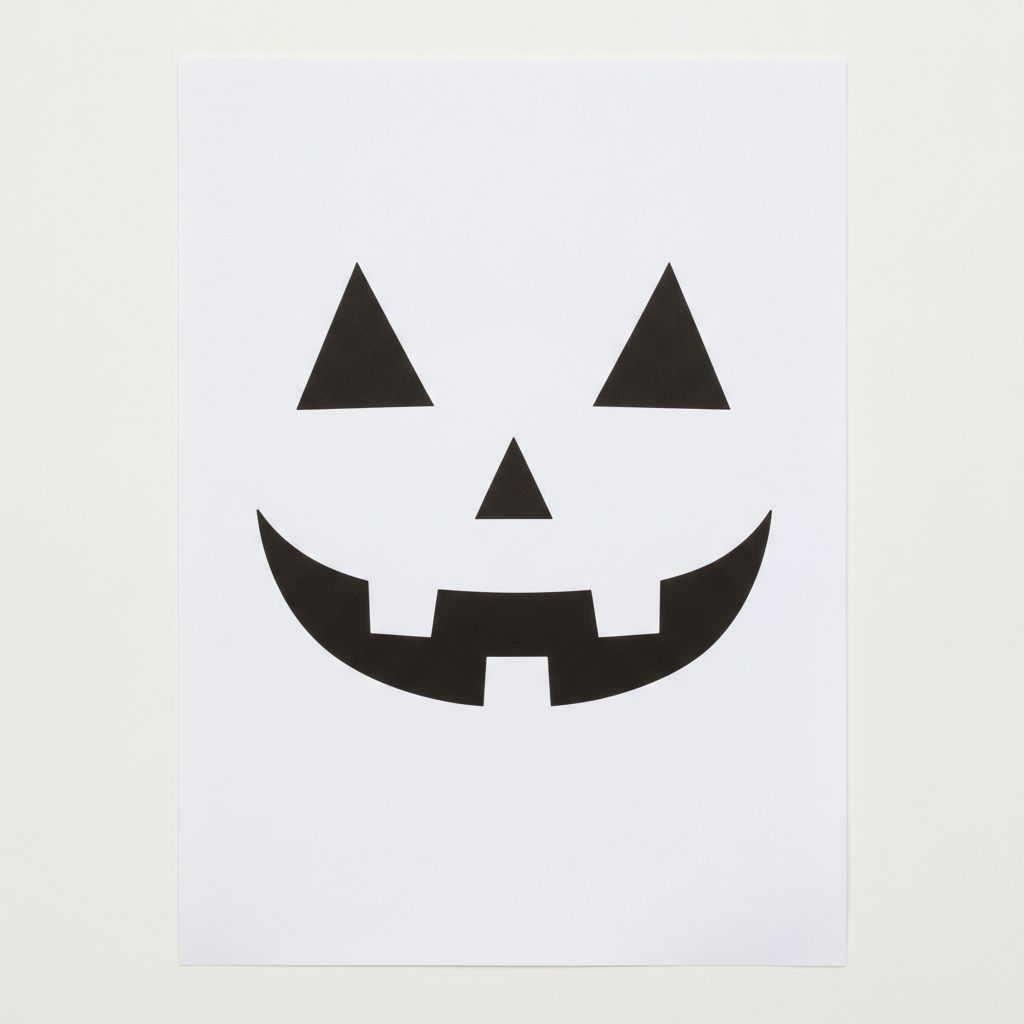
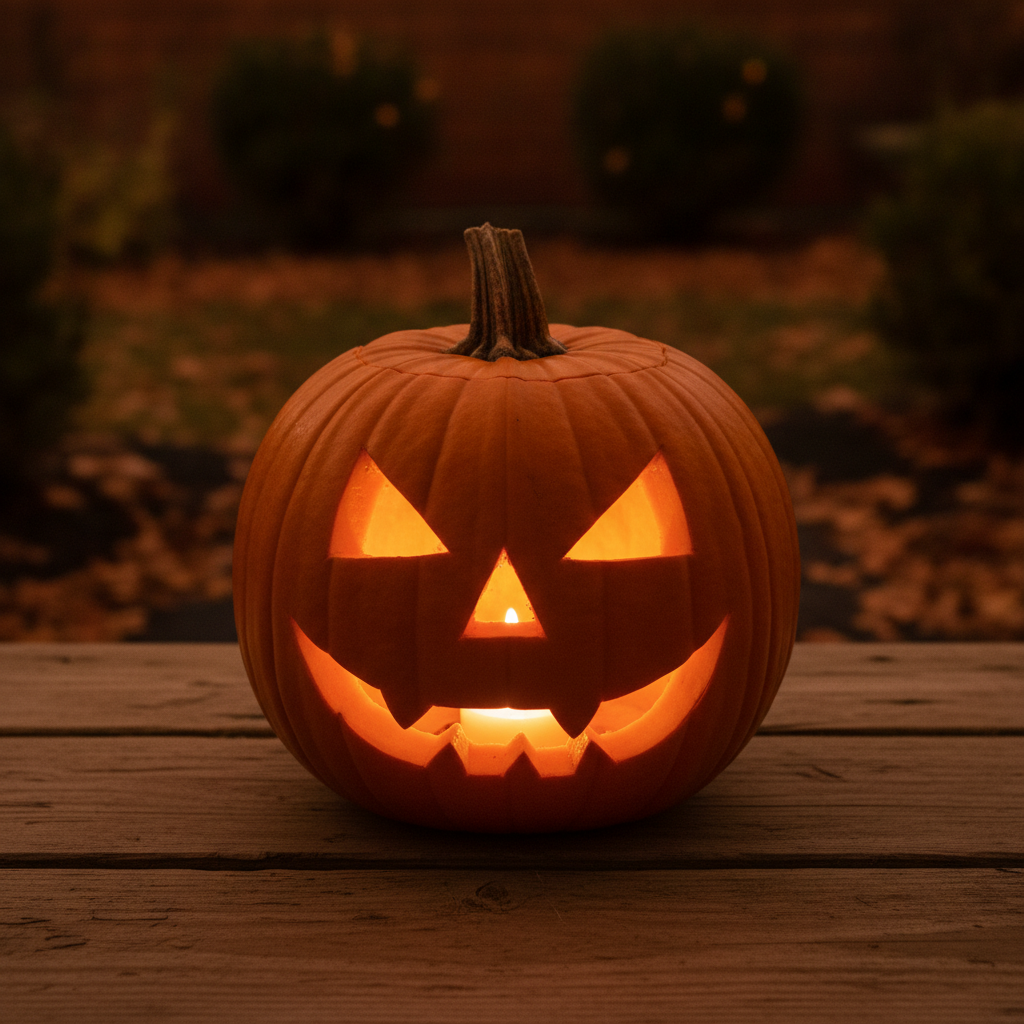
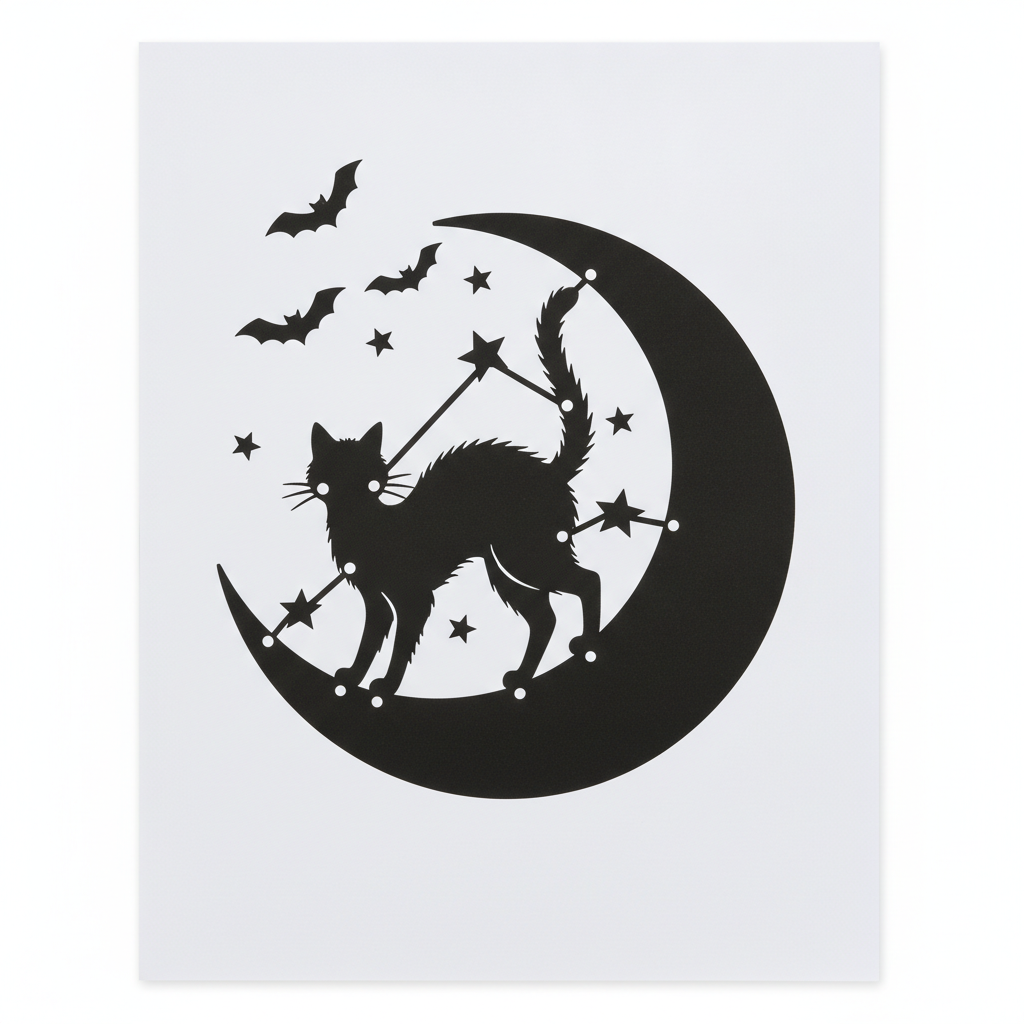
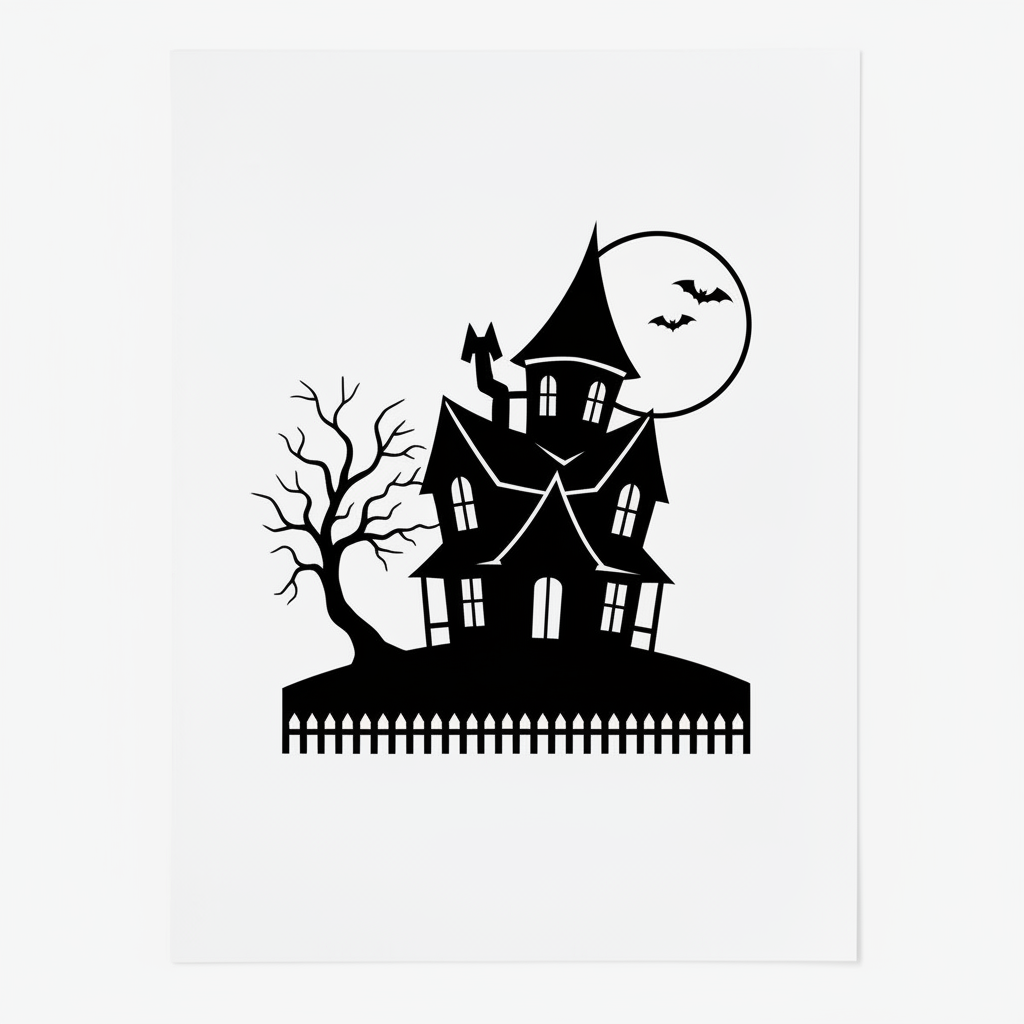
Nothing here has been redrawn, thickened or regenerated to flatter the tool. Two are ready to print and cut as they are, two need a marker pen first, one is the wrong kind of drawing entirely, and one is a photograph rather than a template. Read the note under each one — the pattern in them is the useful part.
How It Works
Pick a preset
Six of them: a classic triangular-eyed face, a cat arching its back on a crescent moon, a haunted Victorian mansion under a full moon, a pet portrait in solid tonal blocks, a bridged word stencil, and a lit preview photograph that shows how the design will look glowing on the porch. Each preset already carries the carving rules this page learned the hard way — solid black cut areas, bridges thicker than a finger, and no hairline detail anywhere.
Describe the part only you know
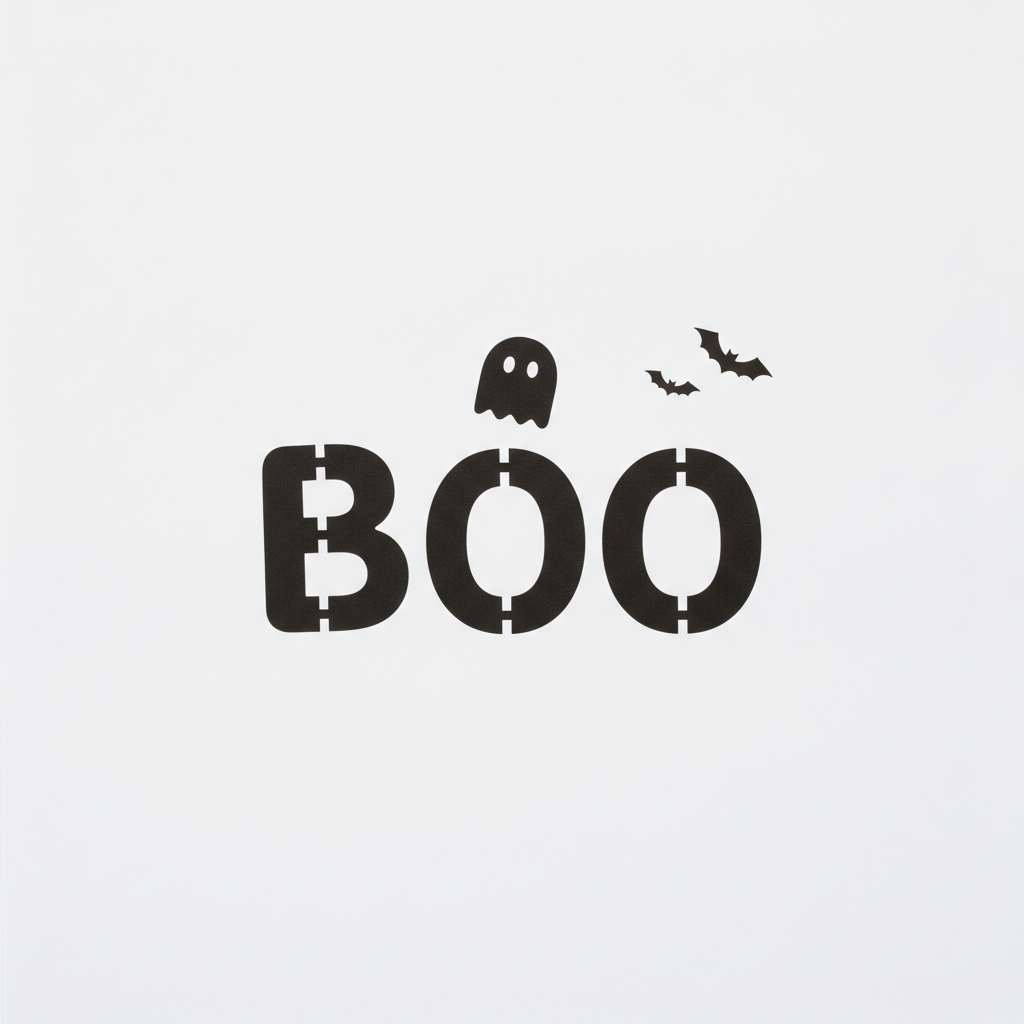
The breed of the dog, the word you want in quotation marks, whether the face should be friendly or genuinely frightening, how much detail the person holding the saw can handle. Short strings of capital letters are the one kind of text worth trusting here: BOO came back correctly spelled and correctly bridged. Longer phrases are where image models start inventing characters, so keep the word short and put it in quotes.
Print, pin, then saw
Download at full size, up to 4K, and print the template to fit the flattest face of your pumpkin. Hold the sheet at arm length first and look for anything that reads as a grey smudge rather than a shape — that is the part that will snap. Thicken those with a marker, tape the sheet on, poke the outlines through with a pin, then cut the smallest shapes first and the biggest last so the pumpkin keeps its strength.
What This AI Pumpkin Carving Stencil Generator Gets Right, and What It Gets Wrong
A carving stencil is a drawing with a physical constraint attached: it has to survive being cut out of a vegetable by a person holding a small saw. The drawing half is solved. The physical half is where the six templates above split apart.
Bold shapes come back genuinely cuttable
The classic face and the lettering are ready to print and use with no editing at all: wide triangles, a mouth with square teeth, letterforms with thick even strokes. When a design is built from big enclosed shapes, this does the whole job in thirty seconds, and that covers most of what anyone actually carves.
Bridges are understood without being nagged
The counters inside the B and both O shapes came back with white bars crossing the black stroke, exactly as a real stencil needs, so nothing would fall onto the candle. This is the detail that usually separates a proper carving template from a piece of clipart, and it was handled on the first attempt.
Detail requests turn into uncuttable hairlines
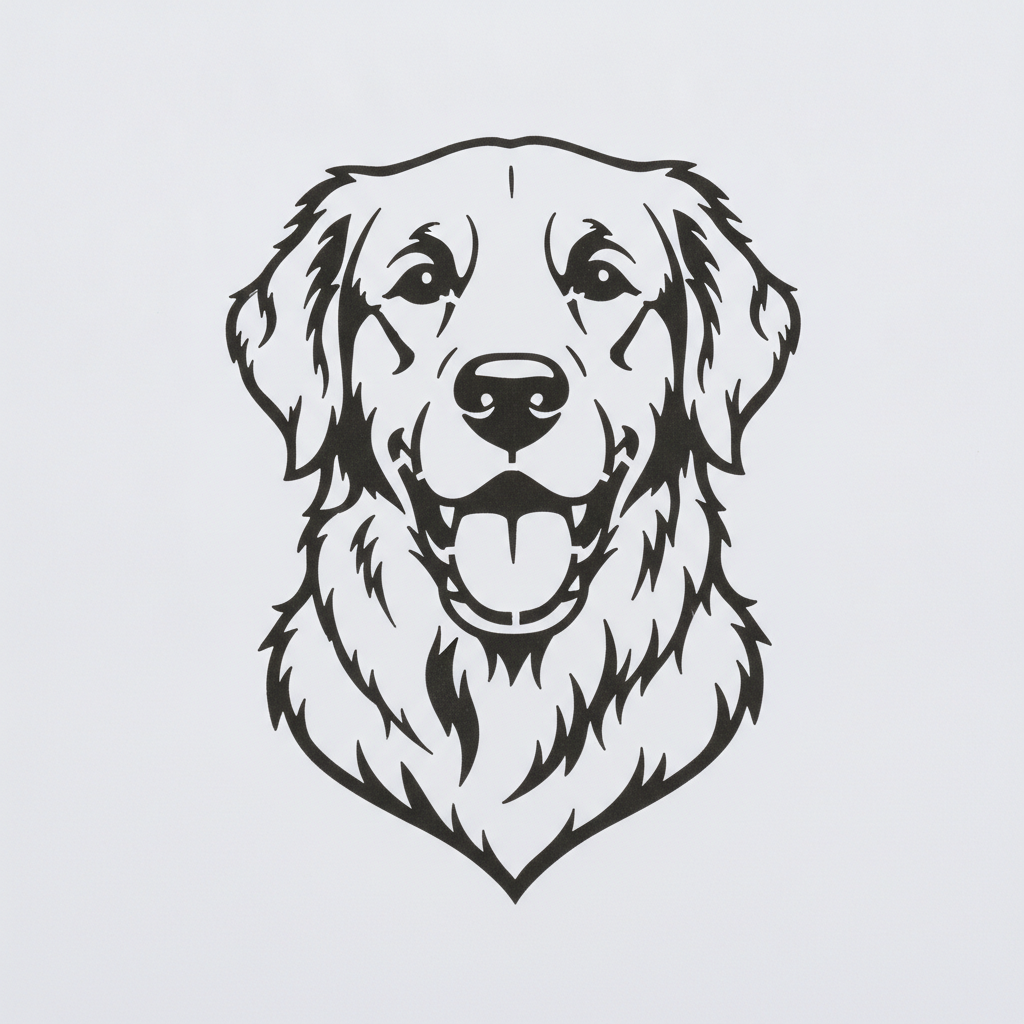
The cat grew whiskers a hair wide, the haunted tree tapered its branches to points, and the dog came back as pure outline art. All three would look fine on paper and fall apart in a pumpkin. Ask for solid black masses, name a saw rather than a scalpel, and avoid the words detailed, intricate and realistic.
Overlapping black shapes merge into one blob
The cat stands on a black crescent moon, and where its tail and legs cross it the silhouette disappears. Lit from inside, that would read as a single shapeless glow. Whenever two black elements touch, ask for a clear white gap between them and state how thick that gap should be.
Which areas glow gets inverted
The haunted house left its full moon white and cut bats out inside it, which reverses what should light up. The model composes a picture rather than a lighting plan, so say plainly which elements should be cut away and glow and which should stay as solid rind.
Composition drifts and the sheet gets photographed
Four of the six templates came back as a photograph of a printed page lying on a desk rather than flat artwork, and the lettering sat low and left of centre using under half the frame. Neither ruins a print, but crop before you print, and ask explicitly for flat artwork filling the frame.
Writing a Prompt That Produces a Stencil You Can Actually Carve
Four habits that separate a template you tape to a pumpkin from one you regenerate, learned from the six in the gallery above.
Say masses, never outlines
Solid black shapes, bold connected masses, no line thinner than a finger. The dog portrait is what happens without those words: a beautiful outline drawing that would take two hours to cut and read as a faint scribble when lit.
Name the tool doing the cutting
A template for a serrated pumpkin saw produces chunkier shapes than a template for a craft knife, and both produce chunkier shapes than saying nothing. If a child is carving, say so — it changes the shape count more than any other single word.
Say what glows and what stays
State that black areas are cut away and glow while white areas stay as solid rind, then name the key elements: the moon is solid black so it will glow, the cat stays white. That one clause would have fixed the haunted house.
Quote the word, keep it short
BOO, EEK, RIP and a two-digit year are the safe zone, in quotation marks, with a line asking for a bridge across every enclosed letter centre. Longer phrases are where characters get invented, and a misspelled pumpkin is on the porch until November.
Who Uses an AI Pumpkin Carving Stencil Generator
Parents carving with small children
A five year old wants a friendly face, a nine year old wants something genuinely frightening, and both want it now. Generating a template sized to the child rather than picking whatever printable came up first is the difference between an hour of carving and ten minutes of frustration.
Halloween party hosts
Six pumpkins on the porch steps that read as a set — the same cat, the same moon, the same lettering face — instead of six unrelated printables. The lit preview is worth generating first, because it shows how the row will actually look after dark.
Teachers and youth group leaders
A class of thirty needs thirty templates at three difficulty levels, printed on Monday for Thursday. Chunky shapes for the youngest, a scene for the oldest, and no licensing worry about the character someone found on a fan site.
Pet owners
A pumpkin of your own dog is the one design no printable pack will ever have. Describe the breed, insist on solid black masses rather than outlines, and consider a side-on silhouette over a front-facing portrait — it carves faster and reads from the pavement.
Porch and yard decorators
Lettering across three pumpkins, a haunted skyline on a fourth, bats on the small ones. Short words are the reliable text case here, and the bridges come back correct, which is exactly what a word spread over several pumpkins depends on.
Community and church event organisers
Trunk-or-treat, harvest festival and pumpkin contest organisers need a stack of printable templates in a house style, free to hand out and free to reprint when it rains. Commercial use is included, so a stencil pack for the whole event is a single afternoon of work.
AI Pumpkin Carving Stencil Generator FAQ
Related Halloween & Template Tools
AI Halloween Costume Generator
The other half of the night. See a costume idea on a person before you buy the wig, and match the pumpkin on the step to whoever is walking past it.
AI Coloring Page Generator
The same black-and-white printable problem with the opposite rule: here thin outlines are what you want. Useful for the younger children at the table who are not holding a saw.
AI Pet Portrait Generator
Where a pet pumpkin should start. Get the likeness right as a portrait first, then bring the pose back here and ask for it as solid black carving masses.
Carve Something Nobody Else Has
Six presets — classic face, cat and moon, haunted house, pet portrait, bridged lettering and a lit preview — each a printable template in about thirty seconds, with the cut areas solid and the letter centres bridged. Up to 4K. Free to start, from $2.99.
Make a Stencil FreeAn AI Pumpkin Carving Stencil Generator for Families, Classrooms and Porches
Every October the same thing happens. Somebody searches for a pumpkin template, finds the same dozen free printables that have been circulating since 2009, prints the least bad one, and ends up with a pumpkin that four other houses on the street also have. An AI pumpkin carving stencil generator changes the arithmetic of that evening: the template is drawn to order in about thirty seconds, so the cat can be your cat, the word can be your name, and the difficulty can match the child holding the saw rather than whatever a stranger decided to draw fifteen years ago.
The six presets here cover what people actually carve. A classic jack-o-lantern face with triangular eyes and a toothed grin, for the pumpkin that has to be finished before the doorbell starts. A cat arching its back on a crescent moon with bats overhead. A haunted Victorian mansion under a full moon with a picket fence along the bottom. A pet portrait built from solid tonal blocks instead of outlines. A short word in fat stencil capitals with a bridge across every enclosed letter centre. And a lit preview photograph, which is not a template at all but a picture of the carved pumpkin glowing on the boards, and is the fastest way to settle an argument about which design to cut.
The six templates above are shown exactly as they were generated, mistakes included, because a carving stencil is judged by a physical test rather than an aesthetic one. Two passed it outright: the classic face and the lettering print and cut as they are, and the lettering bridged all three of its letter centres without being asked twice, which is the detail most clipart never gets right. Two passed with a marker pen: the cat needs its whiskers thickened and a white gap opened where it overlaps the moon, and the haunted house needs its branches blunted and its moon inverted so the moon glows rather than the bats inside it. One failed outright: the dog came back as fine outline art, which is a lovely drawing and an impossible carve. And four of the six arrived as photographs of a sheet of paper on a desk rather than flat artwork, which costs you a crop before printing.
The working rule follows from that split. Ask for solid black masses and never outlines, give the thinnest allowed line a physical reference like the width of a finger, name the tool that will do the cutting, and state which areas are cut away to glow and which stay as solid rind. Keep any lettering short and in quotation marks, and ask for a bridge across every enclosed shape. Then hold the printed sheet at arm length before you tape it to the pumpkin and thicken anything that reads as a smudge. Inside those limits an AI pumpkin carving stencil generator is an unusually good trade for one evening a year: the design is yours, it takes half a minute, and the pumpkin on your step stops looking like everybody else on the street.