
AI Bookmark Design Generator
A bookmark spends its life nine tenths hidden — only the top two centimetres show above a closed book, and that strip has to do all the work. This AI bookmark design generator is built around that constraint: six real bookmark formats in true 1:3 proportions, designed top-down, printed both sides. Describe yours and get print-ready artwork in about twenty seconds.
Start Designing FreeTry the Bookmark Design Generator — Free
Pick a bookmark format, then add your own colours, motif and mood. Every preset renders in tall 9:16 proportions so the artwork crops cleanly to a standard 2 x 6 inch bookmark.
AI Bookmark Design Generator
Choose a bookmark format, describe the colours and motif, and get a print-ready bookmark design at up to 4K
Bookmark Designs Made With This Generator
Six bookmark formats rather than six decorative styles, generated with the presets below and unedited. The last one is the whole argument of this page in a single photograph: a finished bookmark doing its job inside a closed book, with a bare cover filling the frame and nothing of the design visible but a tab the size of a thumbnail. Set it against the classroom row, where the name banners sit dead centre — they look right on screen and they are the first thing a book swallows. The bookstore pair makes the other house point: its entire reverse comes back blank apart from placeholder shapes, because a shop name belongs on top of the render as real type rather than inside it as drawn lettering.
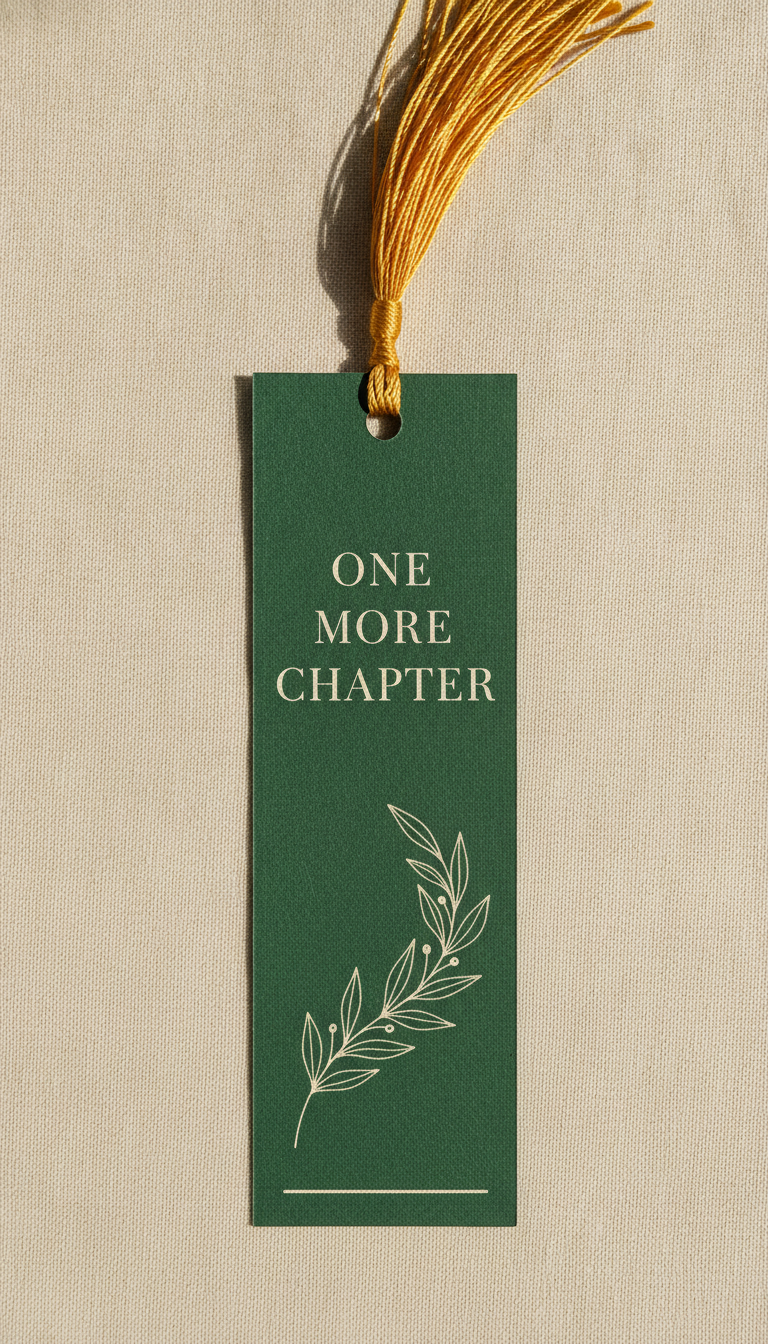
AI bookmark design generator result: a tall narrow forest green cardstock bookmark photographed flat on cream linen, a mustard silk tassel threaded through the punched hole at the top, a short three line message set in cream serif capitals across the top band and a fine-line cream leafy branch filling the length below it
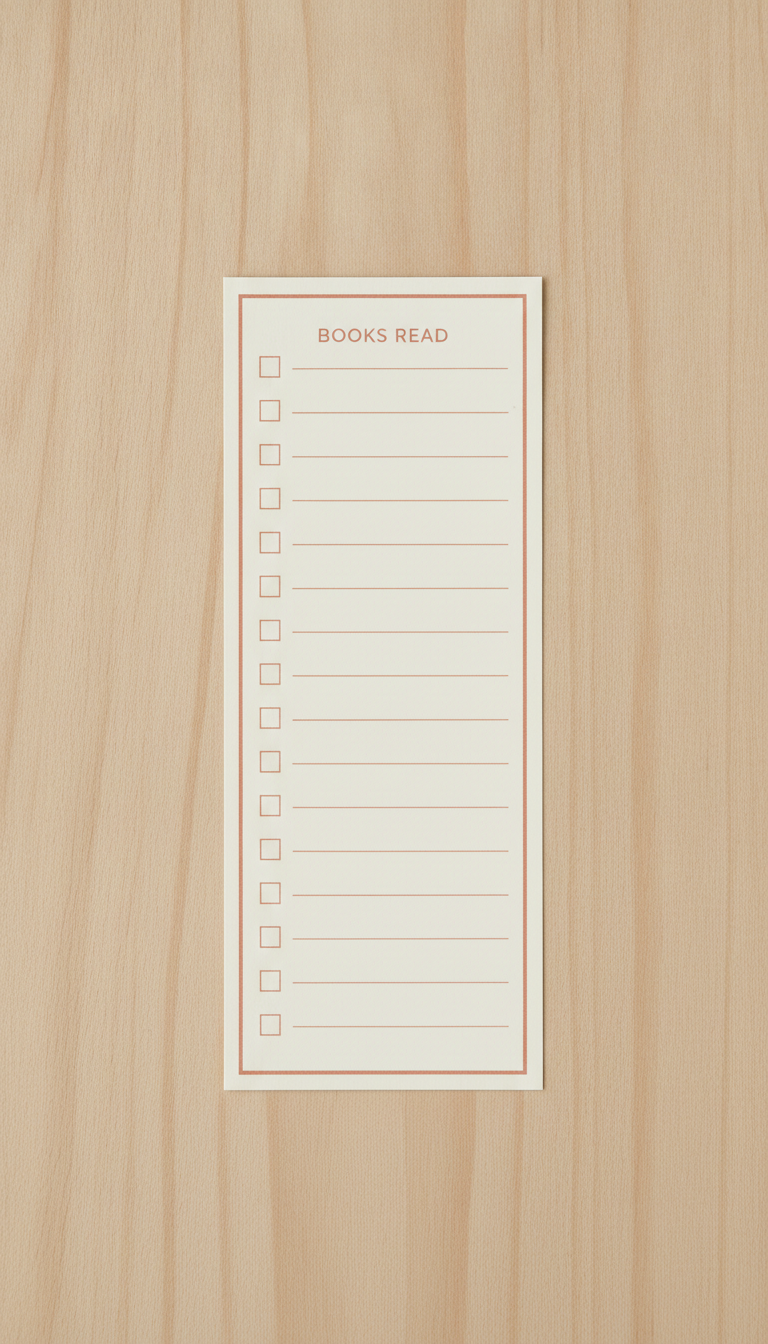
A reading tracker bookmark lying square to the frame on pale oak: an ivory card with a thin terracotta border, a short heading at the top and a long column of empty terracotta checkboxes, each sitting level with its own blank ruled line waiting for a book title to be written in by hand
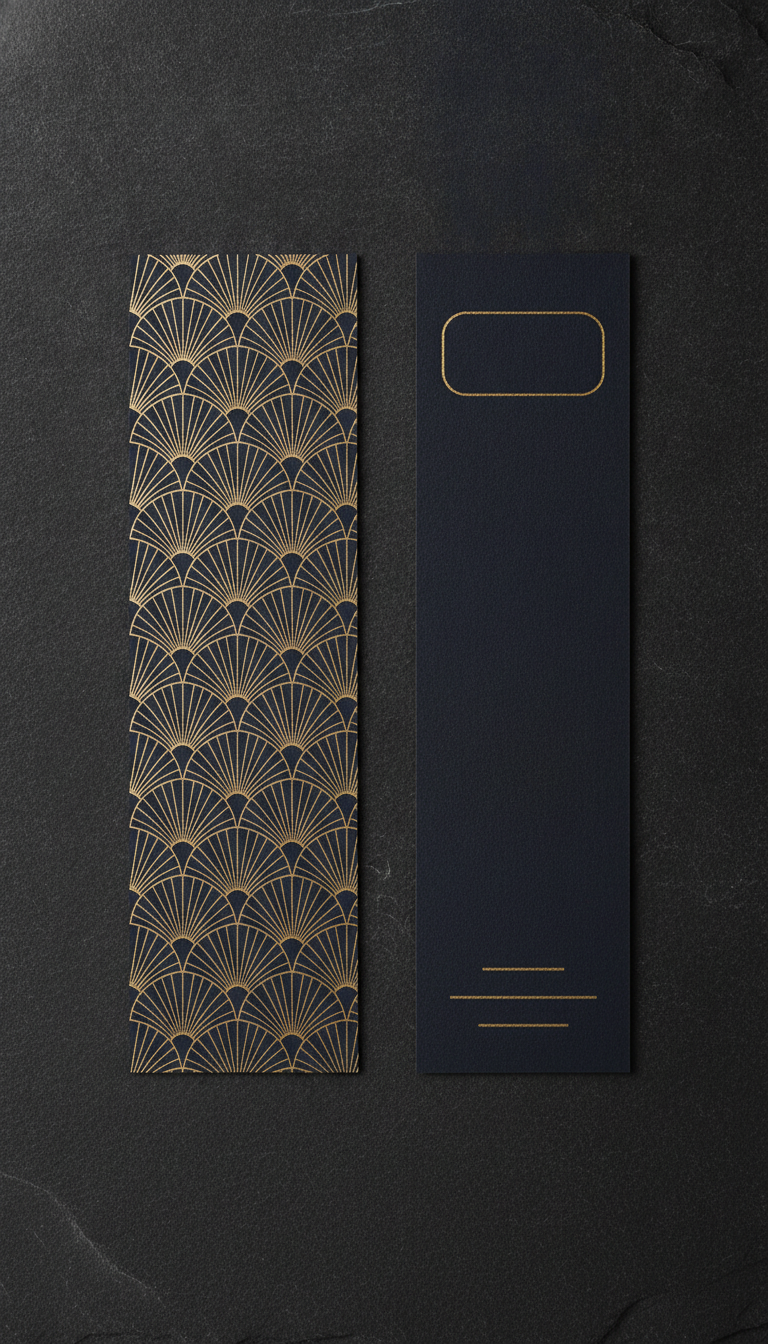
Two midnight navy bookmarks lying side by side on slate, one showing the front with an all-over art deco pattern of fanned gold arcs and the other showing the reverse left deliberately empty apart from a blank gold-outlined rectangle and three bare rules where a shop stamp and details would be added after printing
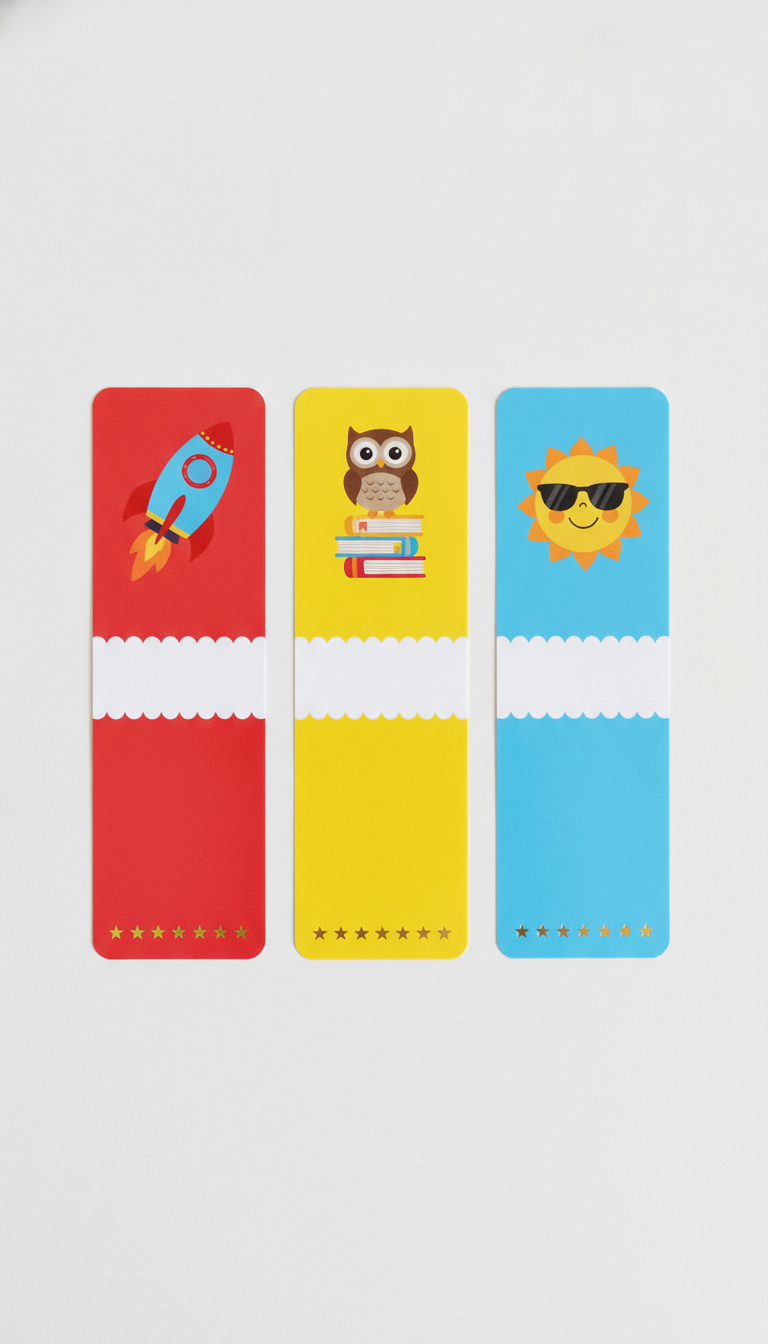
Three bright glossy classroom reward bookmarks in a row on white — tomato red with a smiling rocket, sunny yellow with an owl on a stack of books and sky blue with a sun in sunglasses — each carrying an empty white scalloped ribbon banner across the middle for a pupil name and a row of gold stars along the bottom
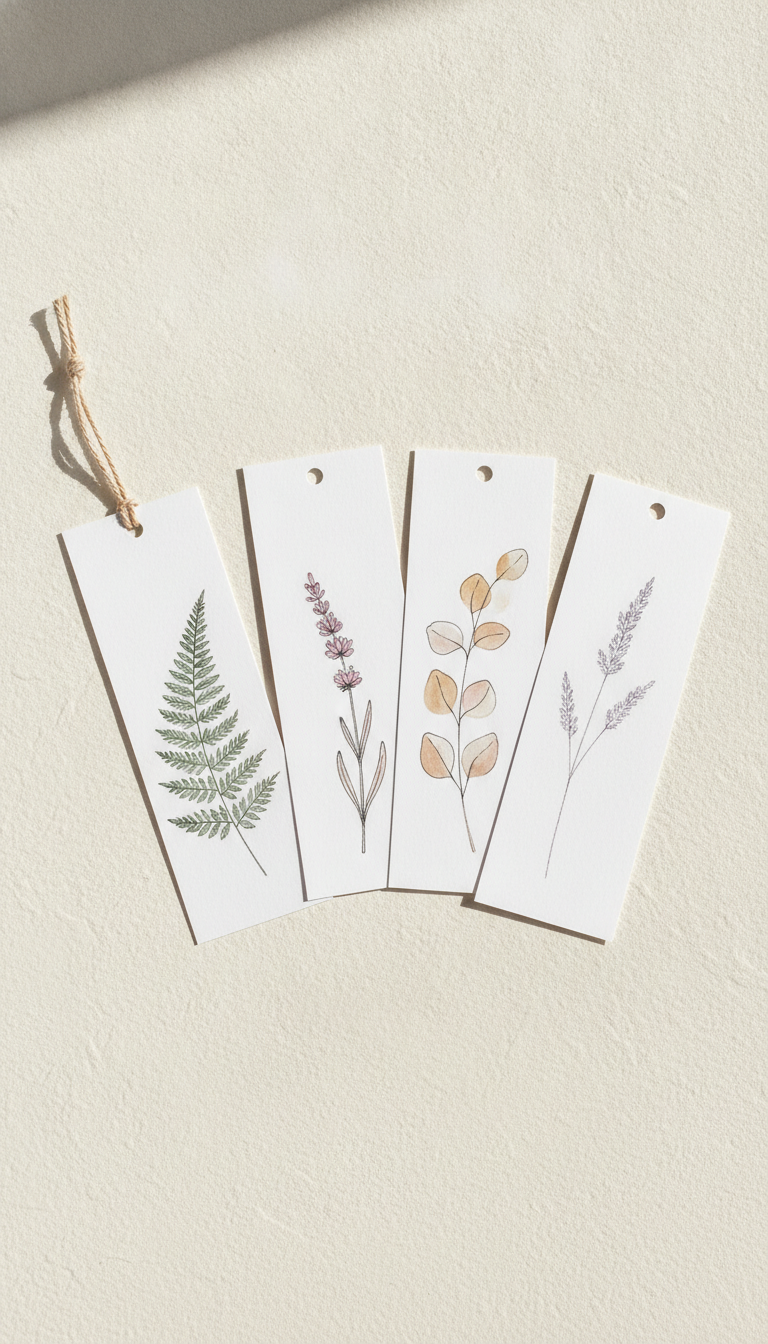
Four minimalist botanical bookmarks fanned across warm-white plaster in raking sunlight, each on heavy uncoated white card carrying a single fine watercolour study — a sage fern frond, dusty pink lavender, ochre eucalyptus and a pale wild grass seedhead — floating in wide blank margins, with punched holes at the top of three of them and a jute cord looped over the fourth
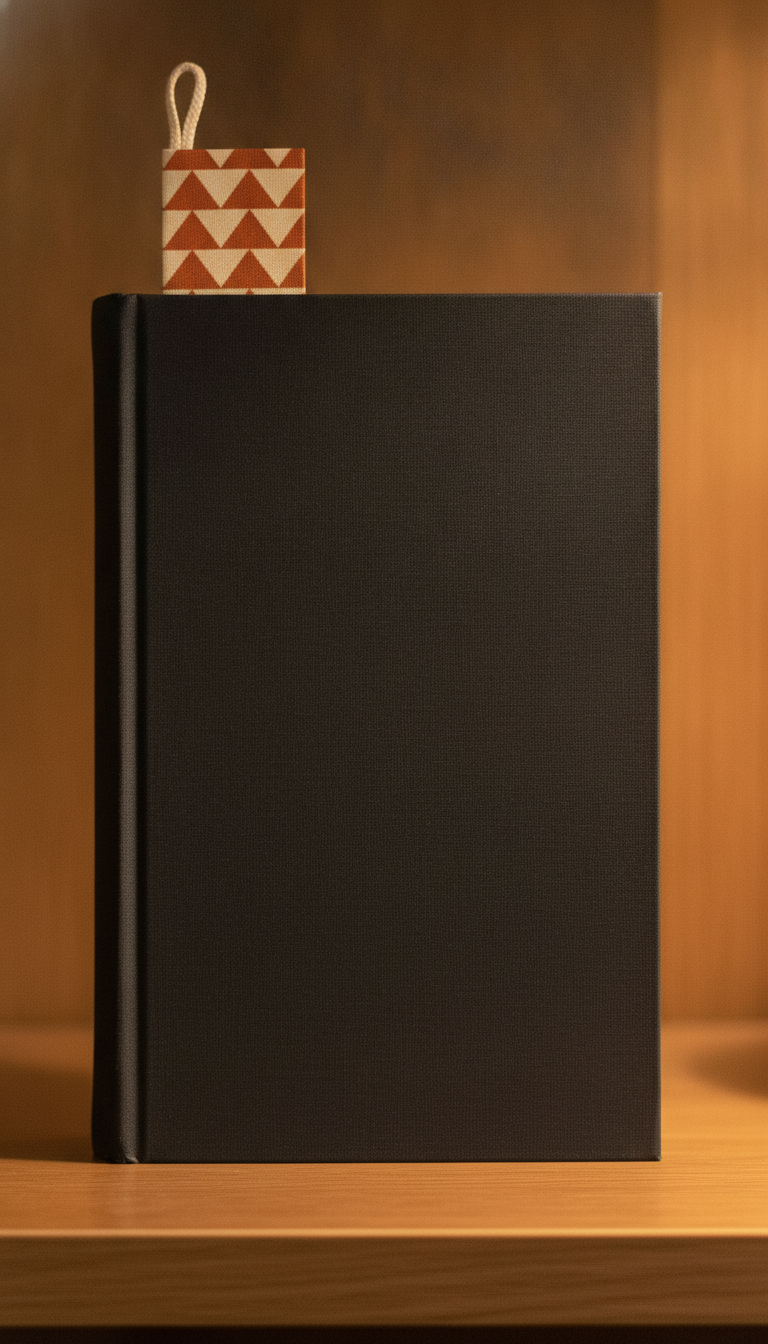
A closed charcoal cloth hardback standing on a shelf in warm lamp light with a bookmark pushed deep between the pages, so the only part of the whole design still visible is a short tab above the page block — a bold burnt orange and cream triangle pattern with a cream cotton loop at its tip — while the bare front cover takes up the rest of the frame
How the AI Bookmark Design Generator Works
Pick the bookmark format
Quote, reading tracker, bookstore promo, classroom reward, botanical set or magnetic fold-over. The format decides the layout logic — a tracker needs blank writing lines, a promo needs a working reverse — so it comes first.
Describe colours and motif
Add a palette and a subject: deep plum and gold with crescent moons, sage and cream with pressed ferns, navy and brass art deco. Name the paper too — matte card, kraft, eggshell — because the surface shows in the render.
Download, add text, print
Designs come back in about twenty seconds at up to 4K in tall proportions. Lay your own live type over the artwork, export at 300 DPI with 3 mm bleed, print on 300 gsm card, trim, round the corners and punch the hole.
What Actually Decides a Bookmark Design
Six constraints separate a bookmark from any other small printed card. They are the reason this generator renders formats rather than filters — and the reason a gorgeous design can still be a bad bookmark.
Only the top two centimetres show
In use, a bookmark is buried. The page block hides everything but a narrow strip at the top, so that strip is the entire design as far as the world is concerned. Centre your best illustration halfway down the card and it will be seen by nobody but you. Put a strong block of colour, a bold motif or a tassel up top, and let the fine detail live below it for the moments the bookmark is out of the book.
It has two sides and both get used
A bookmark lands face up or face down at random every time it leaves a book, so the reverse is not a spare surface, it is the other half of the design. Shops and authors put the practical content there — details, a series list, a code to scan — and keep the front purely decorative. For a gift or personal bookmark, even a plain toned back with a small repeat of the front motif reads as finished rather than unprinted.
The punch hole eats a margin
A tassel needs a hole on the centre line about 8 to 10 mm down from the top edge, and it needs a clear ring of blank card around it. Too close to the edge and the card tears out in the first month; too close to your artwork and the punch bites a hole through it. That is a real design constraint on the exact strip that matters most, and it is why several presets keep the very top of the card deliberately quiet.
A 1:3 rectangle breaks normal layout
Bookmarks are about three times taller than they are wide, which is a proportion almost no template or stock illustration is drawn for. Wide artwork has to be cropped to a sliver, headlines have to stack or run vertically, and anything centred looks stranded in all that height. Designing in the true tall shape from the start — as every preset here does — avoids the usual result, which is a square design floating in a long card.
Card weight decides whether it survives
Bookmarks live in bags and get shut in books for months. Below about 250 gsm they curl, soften at the corners and eventually fold in half; 300 to 350 gsm with a matte laminate is what commercial bookmarks use, and the laminate is what stops the punched hole tearing. Rounded corners are not decoration either — square corners are the first thing to fray. None of this is visible in a render, so decide it at the print stage.
Text is the risky part, so add it last
A bookmark is a text object more often than not — a quote, a title, a shop name — and text is exactly where image models fail, dropping letters and inventing words. A misquoted line printed a hundred times is an expensive mistake. Generate the artwork with text areas left empty, then set your own live type over it, which also gives you real fonts, correct spelling and a file your printer can fix a typo in.
Why Use This AI Bookmark Design Generator
Six formats, not six filters
The presets differ in what the card has to do — track books read, sell a shop, reward a class, clip to a page — so switching preset changes the layout logic, not just the palette.
True bookmark proportions
Everything renders tall at 9:16, which crops cleanly to a standard 2 x 6 inch or 5 x 15 cm bookmark instead of leaving you to squeeze a square design into a sliver.
Blank areas where text goes
Banners, panels and reverse faces come back deliberately empty, so your quote, shop name or pupil name goes on afterwards as real type that is spelled correctly.
Sets, not just singles
Three presets render a matched row of bookmarks at once, which is how they are actually sold — a four-card botanical pack or a classroom set beats one lonely design.
4K for print, not just screen
Downloads are large enough to print a 6 inch card at 300 DPI with bleed, so the artwork holds up on paper rather than only in a listing thumbnail.
Cheap enough to iterate
About twenty seconds per design and plans from $2.99 means testing eight palettes before a print run costs less than the postage on the proofs.
AI Bookmark Design Generator FAQ
Related Design Tools
AI Book Cover Generator
The same reader, the opposite object: a cover has to sell the book from a shelf, where a bookmark only has to be found again inside it.
AI Business Card Generator
The closest sibling in constraints — a small double-sided printed card where the reverse does the practical work. Different shape, same print rules.
AI Sticker Generator
The other paper good that sells in sets. Useful for the sticker sheet that goes in the same envelope as your bookmark order.
Design Your Bookmark Now
Six formats, true 1:3 proportions, blank areas for your own type and 4K downloads. Free to start, from $2.99 for more.
Start Designing FreeAbout This AI Bookmark Design Generator
An AI bookmark design generator answers a narrower question than a general image tool, because a bookmark is a narrower object than it looks. It is roughly three times taller than it is wide, which breaks almost every layout habit and every stock template. It is printed on both sides and lands face down as often as face up. And for most of its life it is nine tenths buried in a book, with only a couple of centimetres showing above the pages. Those three facts decide more about whether a bookmark design works than any choice of colour or illustration, and they are what the six presets on this page are organised around — a literary quote card, a reading tracker, a bookstore promo with a working reverse, a classroom reward set, a botanical pack and a magnetic fold-over.
The most common mistake with a bookmark design generator is to design the middle of the card. It is the natural instinct — the middle is where a picture looks best when you are staring at a flat rectangle on screen — but it is the one part of a bookmark nobody ever sees in use. Design from the top down instead. Give the top band a strong block of colour or a bold, simple motif that reads across a room, keep a clear blank ring where the tassel hole will be punched, and save the fine detail for the length below, which is what the owner enjoys when the bookmark is in their hand. Every preset here is written to work that way rather than to centre a pretty illustration in all that empty height.
Text deserves its own warning, because bookmarks are unusually text-heavy — a quote, a title, a shop name, a pupil name. Image models draw lettering rather than typesetting it, so they drop characters and misspell longer words, and a misquoted line printed across a hundred cards is an expensive way to find that out. Several presets therefore render their text areas deliberately empty: the bookstore reverse comes back as blank placeholder shapes, the classroom banners come back as empty white ribbons, and the tracker lines come back bare and ready to be written on. Lay your own live type over the artwork afterwards, proof every word at full zoom, and remember that a quotation from a book still in copyright is not free to sell on merchandise just because it is short.
This bookmark design generator runs on Nano Banana Pro, the same image model behind the rest of the tools on this site, and it renders paper convincingly — uncoated eggshell fibre, kraft, matte laminate and the fibrous edge of a freshly trimmed card all read at a glance. Designs arrive in roughly twenty seconds at up to 4K, which is comfortably enough to print a 2 x 6 inch bookmark at 300 DPI with 3 mm of bleed on 300 gsm card. It is free to start and paid plans begin at $2.99, so a full set of palette options costs less than a single sheet of the card you will print them on.